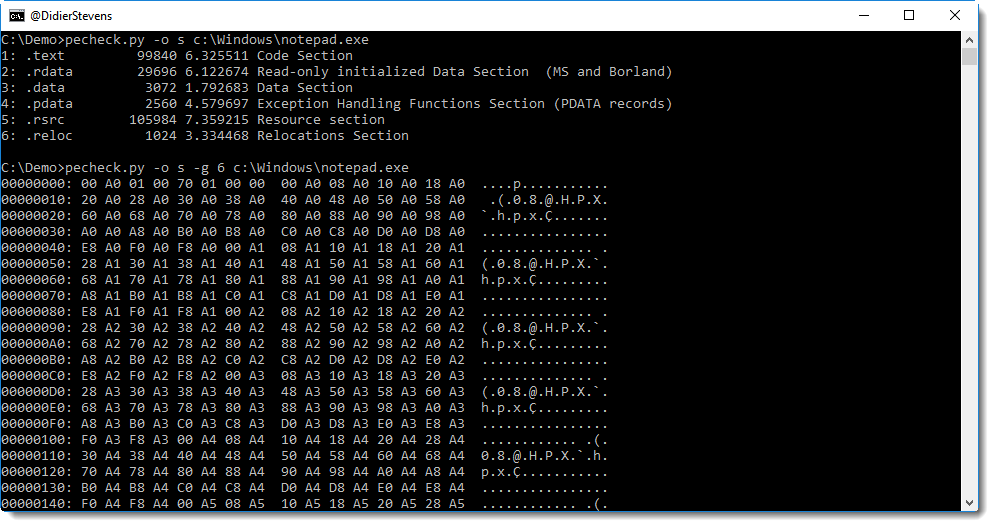
This new version of pecheck.py adds support for option -g to select a section:
pecheck-v0_7_1.zip (https)
MD5: D5907442424C527A9937CFA65377C9BD
SHA256: BF2F162D108F17F350111645B8DFFE5D3641065CB6EE3CE318FCBEC83507917B
This new version of pecheck.py adds support for option -g to select a section:
pecheck-v0_7_1.zip (https)
MD5: D5907442424C527A9937CFA65377C9BD
SHA256: BF2F162D108F17F350111645B8DFFE5D3641065CB6EE3CE318FCBEC83507917B
This new version of cut-bytes.py brings a small cosmetic change to the way a hex/ASCII dump is displayed:
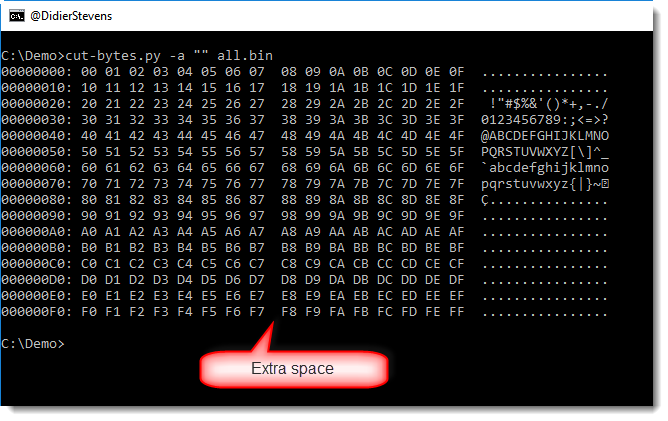
An extra space is added between the 8th and 9th byte of the hexdump. This was suggested to me by an attendee of the last private training I gave.
cut-bytes_V0_0_6.zip (https)
MD5: 7F726219F6F601018B4BD39E9A407728
SHA256: BFD80EF00455CD938A05A18EAA33551ABEC6B0298A0AEE81052E6F5A12BB86F7
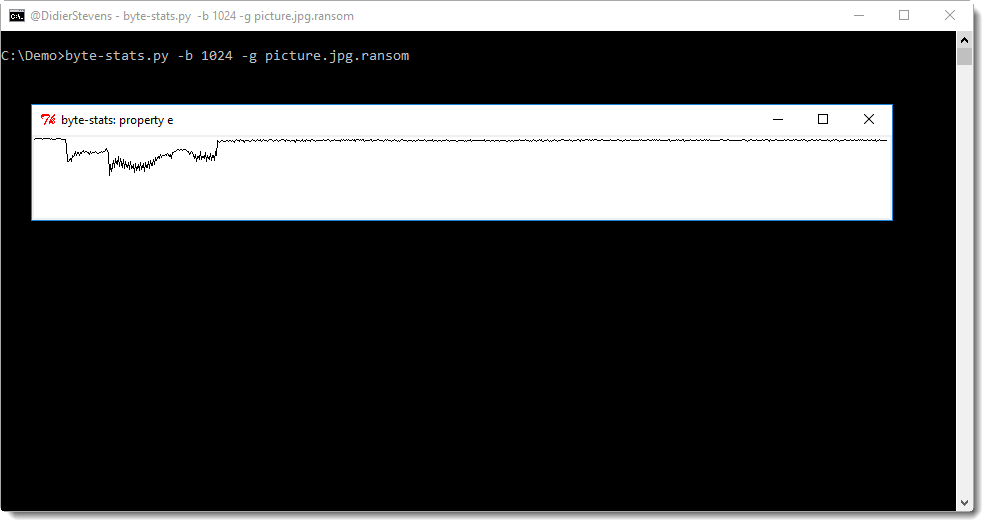
My tool byte-stats.py calculates statistics for the files it analyzes. With option -l (and -p) , it produces a list of values for different parts of the file (buckets), for example a list of entropy values. With this, one can have an idea how the entropy changes inside a file.
But as the saying goes, a picture is worth a thousand words, so I added option -g to produce a very simple graph of these values (just a line, no axis or scale). This does not require any extra Python module, I use Python’s TkInter module, the standard GUI for Python.
byte-stats_V0_0_7.zip (https)
MD5: 9991B5C5BEB3CB7989FE6DC30789EB49
SHA256: 82198195EA9C92832027CC8E2E3ABE161787551A06750E042096CF2DF0AC9384
Metasploit has a module to create Microsoft Word document with macros (.docm): office_word_macro.
Documents generated with this module are not that hard to analyze and detect, because they always use the same VBA code. As I explain in my workshops and trainings, although the “new” Office file format (OOXML) is a ZIP container for XML files, VBA code is still stored inside a binary file (vbaProject.bin) using the “old” file format (Compound File Binary Format, or ole file as I like to call it). This Metasploit module always uses the same vbaProject.bin file (inside the template file), and I explain how to analyze and detect it in this video:
I show YARA rules and ClamAV signatures in this video to detect documents created with this Metasploit module.
Here are the YARA rules:
/*
  Version 0.0.1 2017/08/20
  Source code put in public domain by Didier Stevens, no Copyright
  https://DidierStevens.com
  Use at your own risk

  History:
    2017/08/20: start
*/

import "hash"

rule metasploit_office_word_macro_ID_GUID {

    meta:
        description = "Detect Metasploit's office_word_macro unique GUID"

    strings:
        $ID = "ID=\"{BB64F33D-3617-FA44-AFC9-63F65314A8A3}\""

    condition:
        $ID
}

rule metasploit_office_word_macro_vbaproject_bin_zipped {
    meta:
        description = "Detect .docm files created with Metasploit's office_word_macro exploit"

    strings:
        $a = {776F72642F76626150726F6A6563742E62696EED3B0D7853D775E75D3D0959B6B1640C7120908B4CB04C2421C9B22D3B98EADF86D860B0032421C1FA79C222B2A44A4FD8E4A795B1D3928435AC5D33CAD20E42DAA62DEB489AB07EE9BA8976FB42F3B5DF48D3ED4BBA7531C99666FDBE0E4AB32F69B6C43BF7BD275BFE2350BA}

    condition:
        $a and hash.md5(@a + 19, 5962) == "e5995aba8551f30cc15c87ee49fb834a"
}
The first rule (metasploit_office_word_macro_ID_GUID) detects the vbaProject.bin file used by this Metasploit module based on the unique ID ({BB64F33D-3617-FA44-AFC9-63F65314A8A3}) stored inside stream PROJECTwm of file vbaProject.bin. This rule must be used with a tool that can scan inside ZIP files, like zipdump.py or ClamAV.
If you can’t use such a tool, you can still use the second rule (metasploit_office_word_macro_vbaproject_bin_zipped) with the standard YARA scanner: this rule looks for the datastream of the compressed vbaProject.bin file inside Office files.
Here are the ClamAV signatures:
Signature to be put inside a .ndb file:
metasploit_office_word_macro_ID_GUID:0:*:49443D227B42423634463333442D333631372D464134342D414643392D3633463635333134413841337D22
Signature to be put inside a .hdb file:
1788454ae206101fa6febf99005ce03b:15872:metasploit_office_word_macro_vbaproject_bin
The first signature (metasploit_office_word_macro_ID_GUID) detects the unique ID (just like the first YARA rule), and the second signature (metasploit_office_word_macro_vbaproject_bin) detects the vbaProject.bin file based on the MD5 hash (1788454ae206101fa6febf99005ce03b).
ClamAV is able to scan inside OOXML/ZIP files.
Here is an overview of content I published in October:
Blog posts:
SANS ISC Diary entries:
NVISO Blog posts:
@futex90 shared a sample with me detected by many anti-virus programs on VirusTotal but, according to oledump.py, without VBA macros:
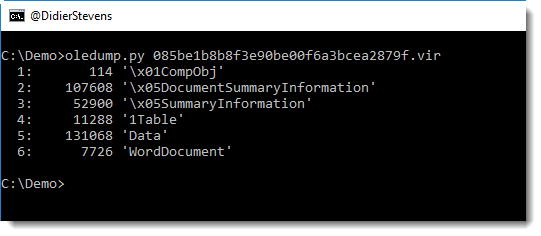
I’ve seen this once before: this is a malicious document that has been cleaned by an anti-virus program. The macros have been disabled by orphaning the streams containing macros, just like when a file is deleted from a filesystem, it’s the index that is deleted but not the content. FYI: olevba will find macros.
Using the raw option, it’s possible to extract the macros:
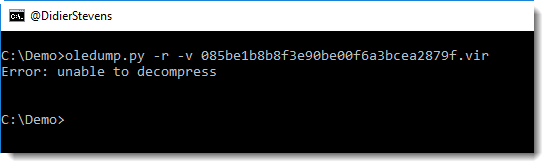

I was able to find back the original malicious document: f52ea8f238e57e49bfae304bd656ad98 (this sample was analyzed by Talos).
The anti-virus that cleaned this file, just changed 13 bytes in total to orphan the macro streams and change the storage names:

This can be clearly seen using oledir:


I regularly get ideas to improve my tools when I give (private) training, and last week was not different.
This new version of pdfid.py adds a /URI counter, to help identify PDF documents with embedded URLs, used for phishing or social-engineering users into clicking on links.
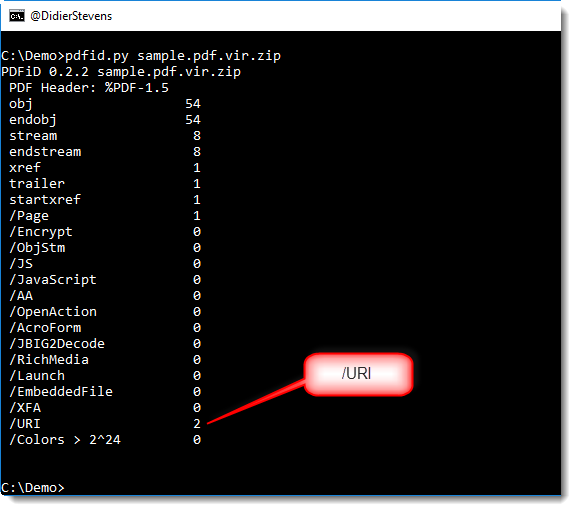
I did not hardcode this new counter into the source code of pdfid.py, but it is listed in a new config file: pdfid.ini. You too can add your own identifiers to this configuration file.
pdfid_v0_2_2.zip (https)
MD5: 20614B44D97D48813D867AA8F1C87D4E
SHA256: FBF668779A946C70E6C303417AFA91B1F8A672C0293F855EF85B0E347D3F3259
This is a bugfix version.
pdf-parser_V0_6_8.zip (https)
MD5: 7702EEA1C6173CB2E91AB88C5013FAF1
SHA256: 3424E6939E79CB597D32F405E2D75B2E42EF7629750D5DFB39927D5C132446EF
This new version of base64dump adds support to decode strings like UNICODE strings (-t).
base64dump_V0_0_8.zip (https)
MD5: 1B379A08FBC6E7686A89AF099699B076
SHA256: A81AE1AACCB168787CAF6355D582BB5096760893F5CB60E93E408A0475B4FDAC
This new version of oledump adds support to decode strings like UNICODE strings (-t), and can dump strings (-S).
oledump_V0_0_29.zip (https)
MD5: 7F98DB95E0E9FF645B8411F421387214
SHA256: E00567490A48A7749DF07F0E7ECD8FD24B3C90DC52E18AFE36253E0B37A543C5

 Didier Stevens