I needed a tool that can interpret bytes as various integers, so I came up with format-bytes.py:
I’m not happy yet with the layout of the output, that’s why it’s beta.
I needed a tool that can interpret bytes as various integers, so I came up with format-bytes.py:
I’m not happy yet with the layout of the output, that’s why it’s beta.
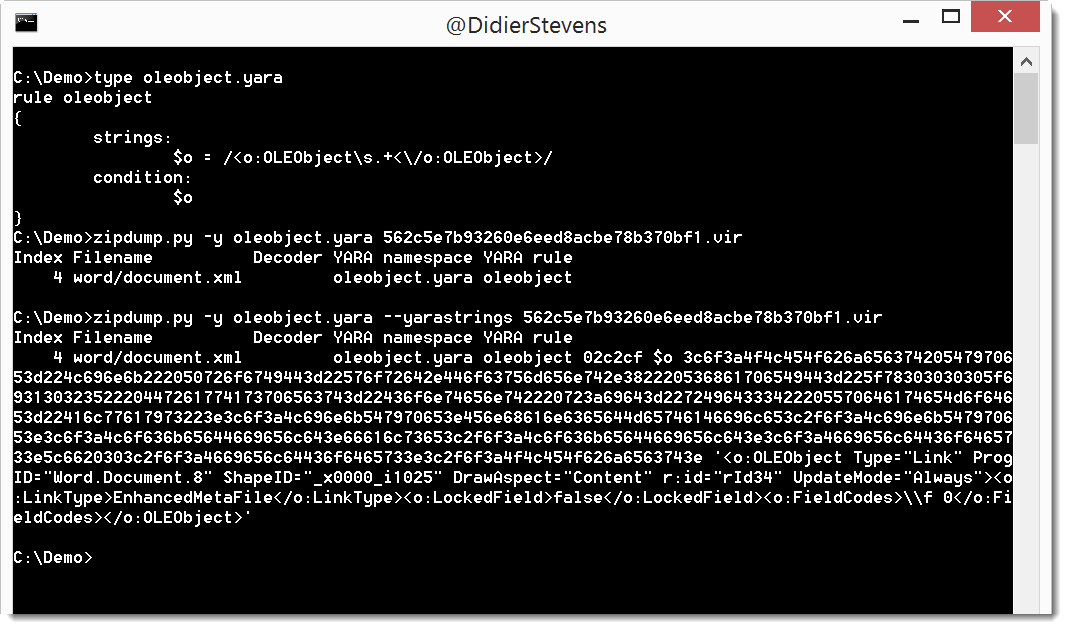
I regularly use YARA rules with my tools. Option -y starts the YARA engine, and option –yarastrings gives an overview of the matched strings, like this:
But it’s too much information when I use regular expressions in my YARA rules to match, for example, XML elements.
I added option –yarastringsraw to zipdump to view just the matched string, and nothing else:
zipdump_v0_0_10.zip (https)
MD5: 71B2483D24C4258DD34406CC433A3AF0
SHA256: 1259ABC36FDC13A2738D9C38549AB95A83D5039190ADAF44590E07AF6785BF7A
Years ago I wrote a C program to create a new process with a chosen parent process: selectmyparent. And recently I showed what process monitor and system monitor report when you use this tool.
Starting a new process with a chosen parent process can be done from VBA too, as shown in this video (I’m not sharing the VBA code):
This new version of re-search.py introduces options –script and –execute to provide your custom Python functions.
Regular expressions can contain comments, like programming languages. This is a comment for regular expressions: (?#comment).
If you use re-search with regular expression comments, nothing special happens:
re-search.py “(?#comment)[a-z]+\.com” list.txt
However, if your regular expression comment prefixes the regular expression, and the comment starts with keyword extra=, then you can use gibberish detection, whitelist/blacklist filtering and Python function matching.
Python function matching is defined via directive P (Python). If you want to validate a string with a Python function, you use the following regular expression comment: (?#extra=P:Validate). Validate is a Python function that takes a string as argument and returns a boolean: True for a match and False if there is no match. You can provide your custom Python function(s) in a file via option –script or as a commandline argument via option –execute.
Example: Bitcoin address matching. Regular expression [13][a-km-zA-HJ-NP-Z1-9]{25,34} will match Bitcoin addresses, but also other strings that look like a Bitcoin address but are not a valid Bitcoin address. A valid Bitcoin address has a particular syntax, and a valid checksum. The regular expression can check the syntax, but not validate the checksum. Python function BTCValidate can check the checksum of a Bitcoin address. The following regular expression matches Bitcoin addresses with a valid syntax and uses Python function BTCValidate to validate the checksum:
(?#extra=P:BTCValidate)[13][a-km-zA-HJ-NP-Z1-9]{25,34}
re-search_V0_0_8.zip (https)
MD5: D4895B54268683BFBE0126D02B01A4A2
SHA256: 85919EB964FF9CF0EDE7DA64E9BCE6619480DAC71D0CB65B5EE667322B18DDBB
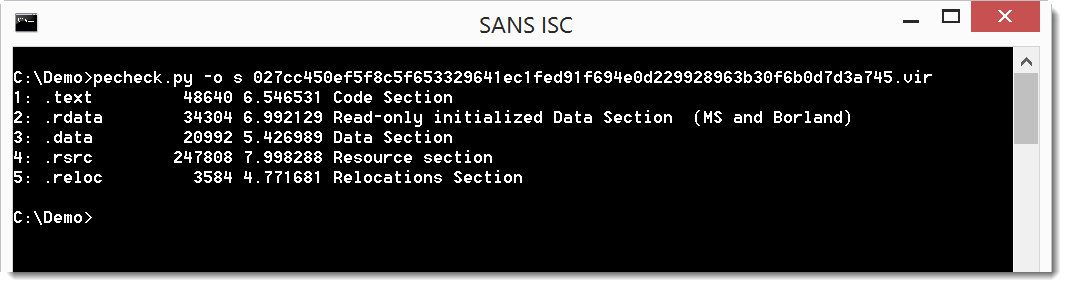
This new version of pecvheck.py adds an overview of sections. More details here.
pecheck-v0_7_0.zip (https)
MD5: 7BE550EC71BF99FC31704C2DD4ED3C8A
SHA256: 12C03369362045DF5A9AAB83002E59A4A31050EC008DF45F777C87186D611F6E
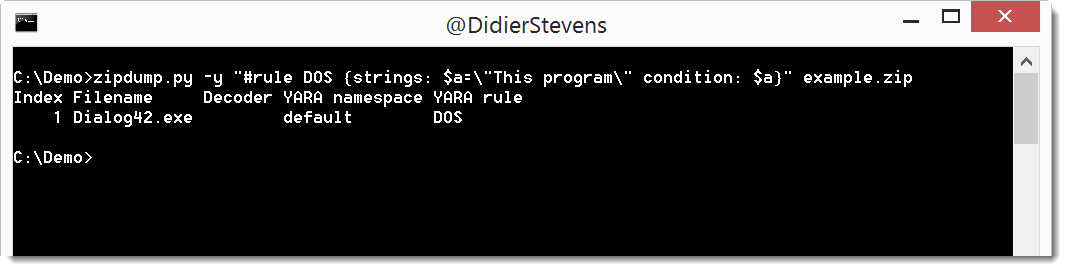
In this new version of zipdump.py, you can provide a YARA rule directly on the command line, without having to store it inside a file.
Just start the value of option -y with # and type your rule (use quotes because of spaces):
zipdump_v0_0_9.zip (https)
MD5: 2700AF663980204075107164AA12750A
SHA256: 5686F24373AF64E1F5D866C71B29A22CE97964EC563A2219681A6268CC9A1153
This new version of base64dump.py has a new option: -z. With this option, you can ignore leading null bytes (to be used for example to handle UNICODE).
You can see this option used in this video (starting 1:28):
base64dump_V0_0_7.zip (https)
MD5: D37DE7CEFDA55ADD1822EADDD84D5FFB
SHA256: 5F676DF8B36172A1D7B29F03E2B0CCB026BB9A96DF8830FDB137E65CBB59DD63
Some small changes to my XOR known plaintext attack tool (xor-kpa), which will be detailed in an ISC Diary entry.
xor-kpa_V0_0_5.zip (https)
MD5: 023D8E3725E0EF7CEC449085AA96BB3A
SHA256: 7517DD44AFBFA11122FD940D76878482F50B7A2A2BCD1D7A2AF030F6CAC4F4E3
In this video, I show how to get started with my tools and a WannaCry sample.
Tools: pecheck.py, zipdump.py, strings.py
Sample: 84c82835a5d21bbcf75a61706d8ab549
Added handling of zlib errors when performing a dictionary attack.
zipdump_v0_0_8.zip (https)
MD5: 51B971B57800D126B2067DC53303355A
SHA256: 095EE6000E99B9193C830B8BA11139907CB9445FD7D94D81E3F97A8B458D5D16