Didier Stevens

Tuesday 19 December 2017

New Tool: format-bytes.py

Filed under: My Software — Didier Stevens @ 0:00

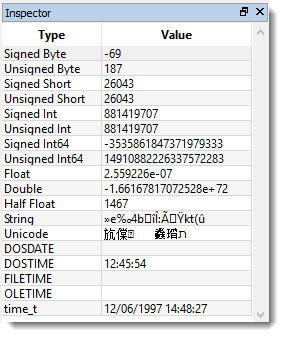
I regularly copy bytes from my command-line tool over to 010 Editor to have this data represented by the Inspector using different formats, like this:

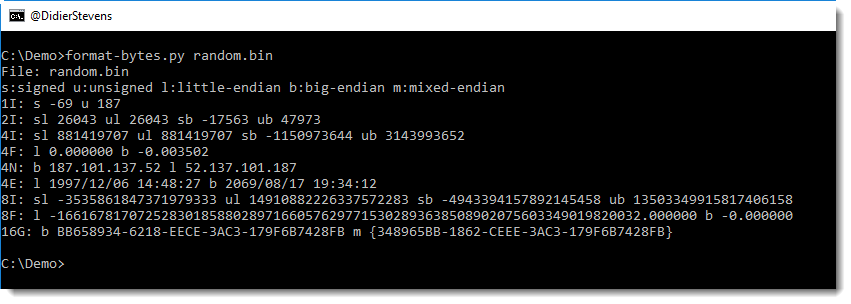
format-bytes.py is a new tool with which I try to achieve a similar result:

Using option -f, it is essentially a wrapper for the struct module. In the following example, we parse the beginning of the PE header of 2 Windows executables:

This shows us that both files have 6 sections and that notepad is from 2016 and regedit from 2017.

-f IHHI uses the struct module’s formatting to specify how to parse the bytes, and “#c#[‘PE’]:” is a cut-expression to carve the PE header out of the executables.

format-bytes_V0_0_3.zip (https)
MD5: CFE426B605DEDA6E388C1F62D2655A31
SHA256: 227C3911A0D2B9D8E524B44D5B4F80EBAABD34810A11A9189B09ADFA5D2FB67A

Monday 18 December 2017

New Tool: xmldump.py

Filed under: My Software — Didier Stevens @ 0:00

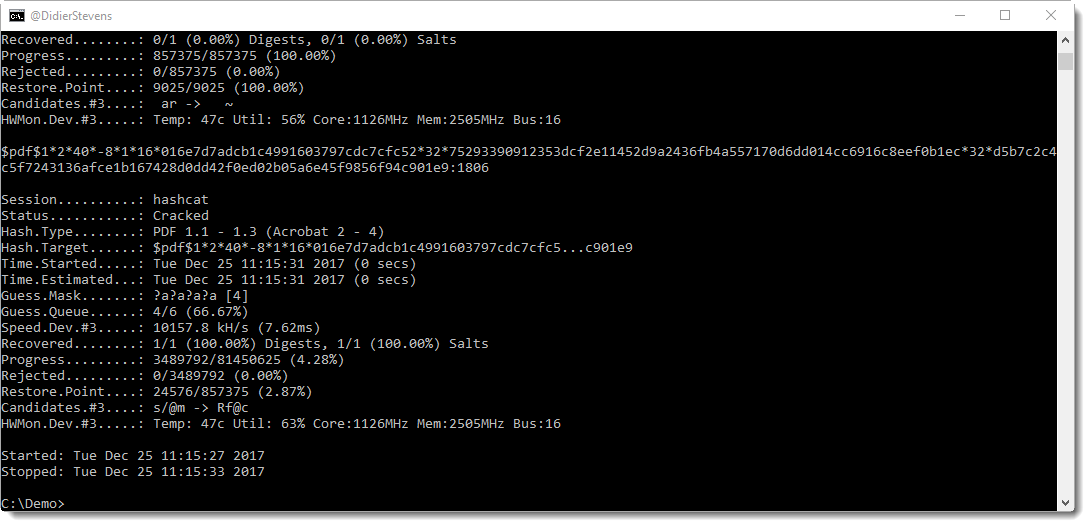
Sometimes I want to see the content of (malicious) .docx files without using MS Office. I will use my zipdump.py tool to extract the XML file with the content, and then use sed or translate.py to strip out XML tags.

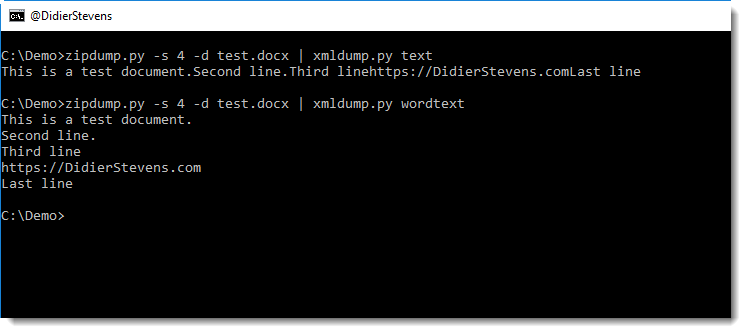
But that doesn’t always yield the best results. Here is a small tool, xmldump, that will parse an XML file and output the text.

It supports 2 commands for the moment: text and wordtext.

Command text extracts the text between any XML tags.

Command wordtext extracts the text between Word paragraph XML tags (<w:p>) and prints each paragraph’s text on a separate line.


xmldump_V0_0_1.zip (https)
MD5: 23D5643E45B97D6AE641DF6CAFA79370
SHA256: A999F2297EE44FAABCA5A025DAEC7E84CB30D34C68F181357BA439EBFE38A660

Sunday 17 December 2017

New oledump Plugin: plugin_msg.py / oledump.py Version 0.0.32

Filed under: My Software — Didier Stevens @ 0:00

Outlook MSG files are also ole files.

Here is a new plugin (plugin_msg.py) for oledump that identifies streams in MSG files based on the 8-digit hexadecimal codes in the stream name.

The first 4 hexadecimal digits identify the content of stream, and the next 4 hexadecimal digits identify the type of the stream.

oledump_V0_0_32.zip (https)
MD5: 10D8995B6AF5C783B1F8AAF70B8FDB03
SHA256: 0E38BAF12B066A100F97F3362402E1999F2DE223A09491E3D44C20EA4BDBD8AB

Thursday 14 December 2017

Update: plugin_biff.py Version 0.0.2 / oledump.py Version 0.0.31

Filed under: maldoc,My Software,Update — Didier Stevens @ 0:00

This is an update to plugin_biff, the oledump plugin to parse the BIFF format (used in .xls files).

New options allow to search for opcodes (-o) and strings/bytes (-f) inside BIFF records:


oledump_V0_0_31.zip (https)
MD5: 63B2B5ECE2BC46B937D33A6494F7F6A0
SHA256: D2CF42662897642DF27C863F6C246CE70019EDF03F275354A7A505DCE27632D1

Monday 11 December 2017

New Tool: hash.py

Filed under: My Software — Didier Stevens @ 0:00

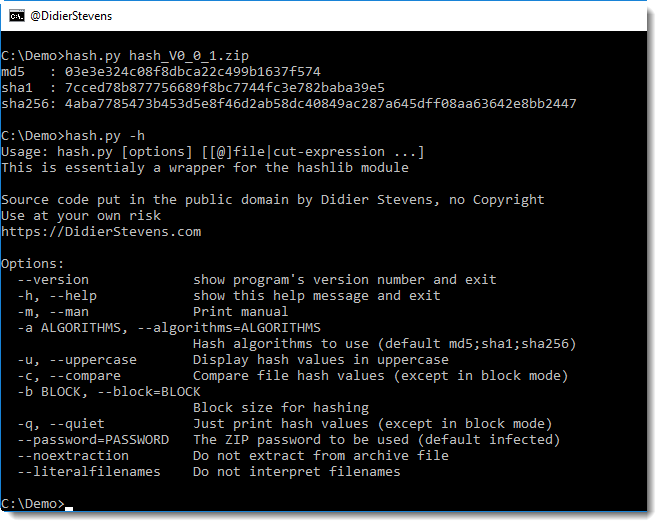
This is a new tool, it’s essentially a wrapper for the Python module hashlib: it calculates cryptographic hashes.

I needed this (block mode) for the analysis of a particular malware sample, to be explained in the next blog post.


hash_V0_0_1.zip (https)
MD5: 8ECC05DEFBD4AB494A37DE02615A8FE1
SHA256: 07A1ED7FD00FB18B616540CB108AA1D2134B07CC509E11257E4E43FFF9A185C2

Sunday 10 December 2017

Update: rtfdump.py Version 0.0.6

Filed under: My Software,Update — Didier Stevens @ 10:31

This new version of rtfdump.py adds extra information when analyzing the content of an RTF file:

  • Extra info for objects
  • Size longest contiguous hexadecimal string

rtfdump_V0_0_6.zip (https)
MD5: B4F9264F2431322F52BAAB834A5A144D
SHA256: C15918E89313D03F01BC8A3BCB68376B6E21558567BDFD81889F48196DC80986

Wednesday 6 December 2017

Overview of Content Published In November

Filed under: Announcement — Didier Stevens @ 0:00

Here is an overview of content I published in November:

Blog posts:

SANS ISC Diary entries:

Monday 27 November 2017

Update: pdfid.py Version 0.2.3

Filed under: My Software,PDF,Update — Didier Stevens @ 0:00

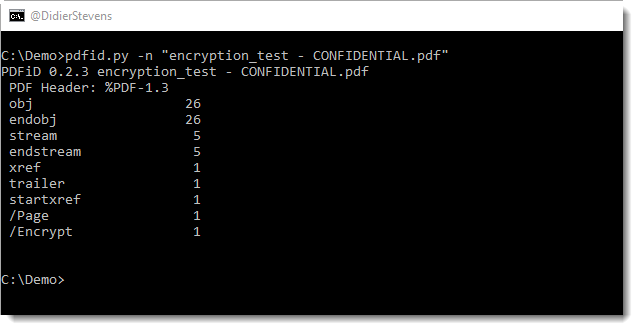
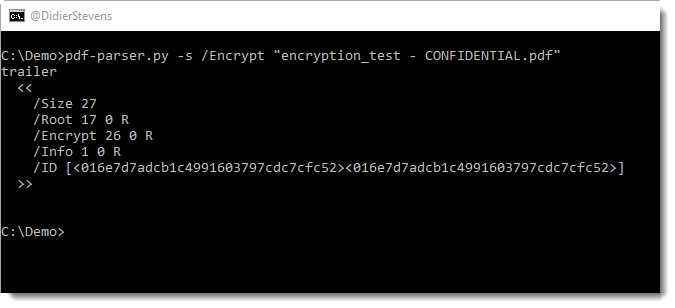
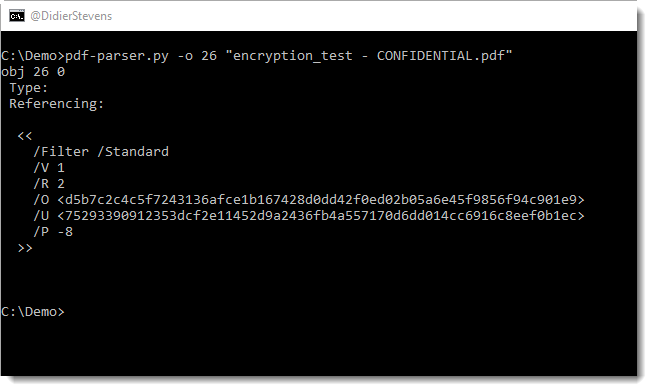
In this new version of pdfid.py, a new option was added: -n.

With this option, you can suppress output for names with a count of zero:

pdfid_v0_2_3.zip (https)
MD5: 65966E8BBF932D3C0830B755FDE094FE
SHA256: 9482176D173EFA6F2F33EE409B091BFA45685FC285B87F7219A4E9418B47F739

Monday 20 November 2017

Update: pcap-rename.py Version 0.0.2

Filed under: My Software,Update — Didier Stevens @ 0:00

pcap-rename.py is a program to rename pcap files with the timestamp of the first packet in the pcap file.

This new version supports big-endian pcap files.

pcap-rename_V0_0_2.zip (https)
MD5: 6EFFA5313946DEAF3363835B1D3C684E
SHA256: 3BA23CC936B49AF83306E486B0BFC9ABAF5BD0B5E3DEF81D8564BCC3810C06B9

Monday 13 November 2017

WebDAV Traffic To Malicious Sites

Filed under: maldoc — Didier Stevens @ 0:00

I observed WebDAV traffic to malicious sites in the past (in proxy logs), and recently I took some time to take a closer look.

TL;DR: when files are retrieved remotely with the file:// URI scheme on Windows, Windows will fallback to WebDAV when SMB connections can not be established.

I did my tests with 2 Windows 7 VMs on the same subnet, one Windows 7 machine with IIS/WebDAV, and the other Windows 7 machine with Word 2016 and a .docx document with a remote template (template.dotx) (using the file:// URI scheme). The Windows firewall on the IIS machine was configured to block ports 139 and 445.

When the .docx document is opened, Word will retrieve the template:

Here is the URI:

First we see attempts to connect on ports 445 and 139 on the IIS machine (SYN packets):

These come from the “System process”:

There are no packets coming back from the IIS machine (I blocked port 139 and 445), and after almost 30 seconds we see an HTTP request to port 80 on the IIS machine:

This is a WebDAV request, notice the User Agent string “DavClnt”:

This TCP connection originates from the Word process:

And about 3 seconds after this request, we get another WebDAV request:

For this request, the User Agent string is “Microsoft-WebDAV-MiniRedir/6.1.7601”.

This TCP connection originates from the WebClient service:

This service was not started:

The svchost service host process will load and start the WebClient service:

WebClient (WebClnt.dll) is the WebDAV service:

To summarize, when the file:// URI scheme is used in a Word document and SMB connections can not be established, we will see WebDAV requests from:

  1. Word (DavClnt)
  2. WebClient service (Microsoft-WebDAV-MiniRedir/6.1.7601)

I’ve observed the same behavior with Windows 10 (with a different version number for the WebClient User Agent string).

When the document is opened a second time, there is no WebDAV request from Word (1), only requests from the WebClient service (2).

When I stop the WebClient service and reopen the document, there is first a WebDAV request from Word (1) followed by requests from the WebClient service (2).

When I disable the WebClient service and reopen the document, there are no more WebDAV requests at all.


« Previous PageNext Page »

Blog at WordPress.com.