Didier Stevens

Monday 17 July 2017

Quickpost: Analyzing .ISO Files Containing Malware

Filed under: Malware,Quickpost — Didier Stevens @ 22:15

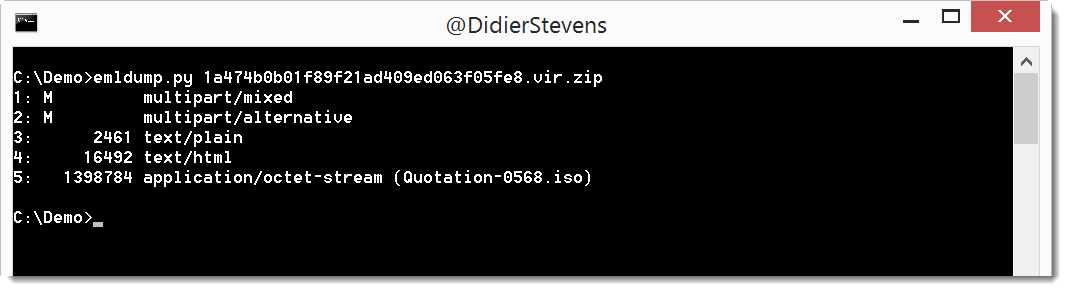
Searching through VirusTotal Intelligence, I found a couple of .iso files (CD & DVD images) containing a malicious EXE spammed via email like this one. Here is the attached .iso file (from May 25th 2017) on VirusTotal, with name “REQUEST FOR QUOTATION,DOC.iso”.

Recent versions of Windows will open ISO files like a folder, and give you access to the contained files.

I found Python library isoparser to help me analyze .iso files.

Here is how I use it interactively to look into the ISO file. I create an iso object from an .iso file, and then I list the children of the root object:

The root folder contains one file: DIALOG42.EXE.

Looking into the content of file DIALOG42.EXE, I see the header is MZ (very likely a PE file):

And I can also retrieve all the content to calculate the MD5 hash:

This is a quick & dirty Python script to dump the first file in an ISO image to stdout:


import isoparser
import sys
import os

oIsoparser = isoparser.parse(sys.argv[1])

if sys.platform == 'win32':
    import msvcrt
    msvcrt.setmode(sys.stdout.fileno(), os.O_BINARY)
sys.stdout.write(oIsoparser.root.children[0].content)

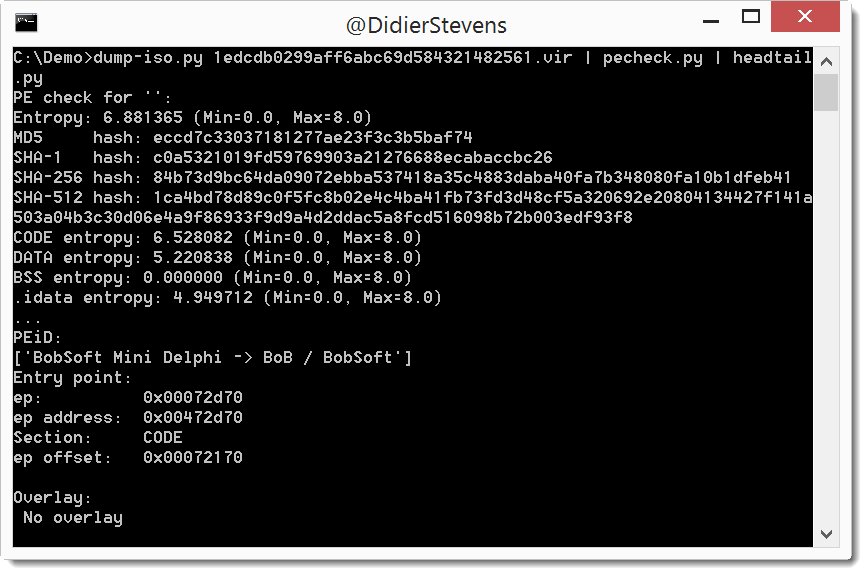
This allows me to pipe the content into other programs, like pecheck.py:


Quickpost info


Sunday 16 July 2017

Beta: format-bytes.py

Filed under: Beta,My Software — Didier Stevens @ 23:57

I needed a tool that can interpret bytes as various integers, so I came up with format-bytes.py:

I’m not happy yet with the layout of the output, that’s why it’s beta.


Saturday 15 July 2017

Mimikatz Videos

Filed under: Hacking — Didier Stevens @ 21:01

I created more mimikatz videos.

And if you didn’t see it, @gentilkiwi created a BSOD command for minesweeper ;-).

mimikatz and protected processes:

mimkatz RPC mode:

And mimikatz skeleton command:

Friday 14 July 2017

ClamAV sigtool –decode-sigs

Filed under: Malware — Didier Stevens @ 0:00

Here is a great tip from @PintAndClick: you can pipe the output of sigtool –find-sigs into sigtool –decode-sigs to get a nice breakdown of the signatures:


Thursday 13 July 2017

Analyzing ClamAV Signatures – Correction

Filed under: Malware — Didier Stevens @ 23:26

My previous blog post “Analyzing ClamAV Signatures” is incorrect. Here is a better explanation.

I wrongly assumed that the signature printed in the debug statement would be the actual signature in the ClamAV database. That is not always the case.

So here is a better method.

First I update the signatures (yup, that’s ClamAV on Windows):

This is a standard scan:

The signature is Win.Trojan.Mimikatz-6331391-0.

Then I do a search with sigtool in the database, providing a regular expression (Mimikatz-6331391) to match signature names (this matching process is case sensitive):

And this signature is more interesting. This is an extended signature. It is composed of several fields (: is the separator). Here I have each field on a separate line:

Field 1 is the name of the signature.

Field 2 is the type of file to scan: 1 is for PE files

Field 3 is the part of the file to scan: SE1 is the second section of the PE file.

Field 4 is the hex signature: the sequence of bytes to search for in the section, expressed as hexadecimal data. {-10} is a wildcard for 0 to 10 arbitrary bytes.

Field 5 is the minimum version of the ClamAV engine that supports this type of signature.

The bytes represent strings (UNICODE and ASCII):

This signature does not trigger on the genuine mimikatz binaries:

Wednesday 12 July 2017

Analyzing ClamAV Signatures

Filed under: Malware — Didier Stevens @ 0:00

While updating my Petya/Notpetya notes, I saw that ClamAV now detects resources 1 and 2 (zlib compressed PE files) as Mimikatz. Curious about how they detect Mimikatz, I wanted to take a look at the signature. I’ve done this before, but I forgot exactly how. So here is a blog post to remind me next time.

First I update the signatures (yup, that’s ClamAV on Windows):

This is a standard scan:

The signature is Win.Trojan.Mimikatz-6331391-0.

Then I do a scan with option –debug, this will print out the signature:

The signature is: 2813d34f6197eb4df42c886ec7f234a1:47616:Win.Trojan.Mimikatz-6331391-0

I hoped for something more interesting: this is an MD5 hash-based signature. 2813d34f6197eb4df42c886ec7f234a1 is the MD5 hash of the file, 47616 is its file size, and Win.Trojan.Mimikatz-6331391-0 is the signature name.


Tuesday 11 July 2017

Update: zipdump.py Version 0.0.10

Filed under: My Software,Update — Didier Stevens @ 19:17

I regularly use YARA rules with my tools. Option -y starts the YARA engine, and option –yarastrings gives an overview of the matched strings, like this:

But it’s too much information when I use regular expressions in my YARA rules to match, for example, XML elements.

I added option –yarastringsraw to zipdump to view just the matched string, and nothing else:

zipdump_v0_0_10.zip (https)
MD5: 71B2483D24C4258DD34406CC433A3AF0
SHA256: 1259ABC36FDC13A2738D9C38549AB95A83D5039190ADAF44590E07AF6785BF7A

Monday 10 July 2017

Select Parent Process from VBA

Filed under: Forensics,Hacking,maldoc,Malware,My Software — Didier Stevens @ 0:00

Years ago I wrote a C program to create a new process with a chosen parent process: selectmyparent. And recently I showed what process monitor and system monitor report when you use this tool.

Starting a new process with a chosen parent process can be done from VBA too, as shown in this video (I’m not sharing the VBA code):

Sunday 9 July 2017

Video: mimikatz & minesweeper

Filed under: Entertainment,Hacking — Didier Stevens @ 16:07

@gentilkiwi‘s mimikatz has a minesweeper module with command infos. This command will show you where the mines are in minesweeper.

Saturday 8 July 2017

Video: mimikatz & !bsod

Filed under: Entertainment,Hacking — Didier Stevens @ 21:53

After the mimikatz !bsod blogpost, here’s the video:

« Previous PageNext Page »

Blog at WordPress.com.