I needed a tool that can interpret bytes as various integers, so I came up with format-bytes.py:

I’m not happy yet with the layout of the output, that’s why it’s beta.
I needed a tool that can interpret bytes as various integers, so I came up with format-bytes.py:
I’m not happy yet with the layout of the output, that’s why it’s beta.
I created more mimikatz videos.
And if you didn’t see it, @gentilkiwi created a BSOD command for minesweeper ;-).
mimikatz and protected processes:
mimkatz RPC mode:
And mimikatz skeleton command:
Here is a great tip from @PintAndClick: you can pipe the output of sigtool –find-sigs into sigtool –decode-sigs to get a nice breakdown of the signatures:

My previous blog post “Analyzing ClamAV Signatures” is incorrect. Here is a better explanation.
I wrongly assumed that the signature printed in the debug statement would be the actual signature in the ClamAV database. That is not always the case.
So here is a better method.
First I update the signatures (yup, that’s ClamAV on Windows):

This is a standard scan:

The signature is Win.Trojan.Mimikatz-6331391-0.
Then I do a search with sigtool in the database, providing a regular expression (Mimikatz-6331391) to match signature names (this matching process is case sensitive):
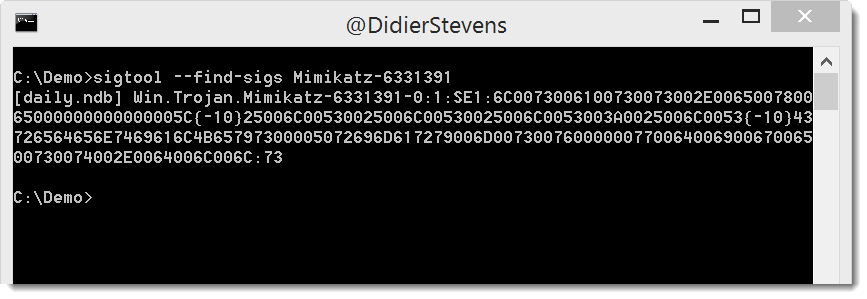
And this signature is more interesting. This is an extended signature. It is composed of several fields (: is the separator). Here I have each field on a separate line:

Field 1 is the name of the signature.
Field 2 is the type of file to scan: 1 is for PE files
Field 3 is the part of the file to scan: SE1 is the second section of the PE file.
Field 4 is the hex signature: the sequence of bytes to search for in the section, expressed as hexadecimal data. {-10} is a wildcard for 0 to 10 arbitrary bytes.
Field 5 is the minimum version of the ClamAV engine that supports this type of signature.
The bytes represent strings (UNICODE and ASCII):

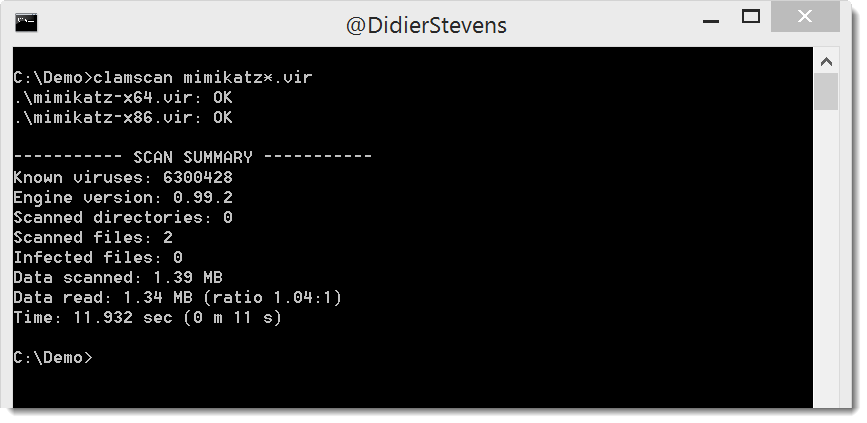
This signature does not trigger on the genuine mimikatz binaries:
While updating my Petya/Notpetya notes, I saw that ClamAV now detects resources 1 and 2 (zlib compressed PE files) as Mimikatz. Curious about how they detect Mimikatz, I wanted to take a look at the signature. I’ve done this before, but I forgot exactly how. So here is a blog post to remind me next time.
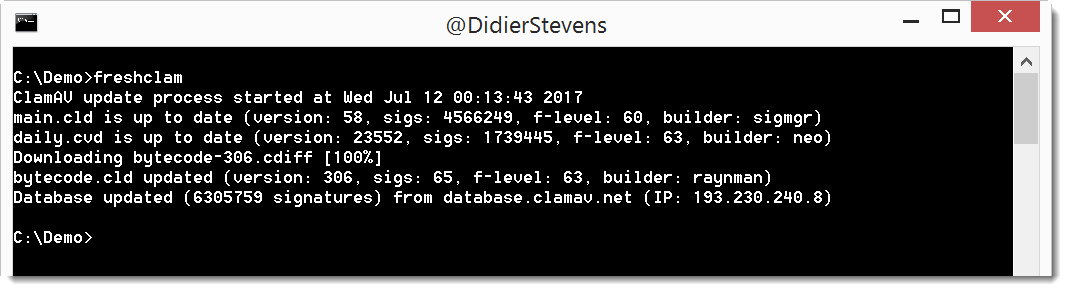
First I update the signatures (yup, that’s ClamAV on Windows):
This is a standard scan:
The signature is Win.Trojan.Mimikatz-6331391-0.
Then I do a scan with option –debug, this will print out the signature:


The signature is: 2813d34f6197eb4df42c886ec7f234a1:47616:Win.Trojan.Mimikatz-6331391-0
I hoped for something more interesting: this is an MD5 hash-based signature. 2813d34f6197eb4df42c886ec7f234a1 is the MD5 hash of the file, 47616 is its file size, and Win.Trojan.Mimikatz-6331391-0 is the signature name.
I regularly use YARA rules with my tools. Option -y starts the YARA engine, and option –yarastrings gives an overview of the matched strings, like this:
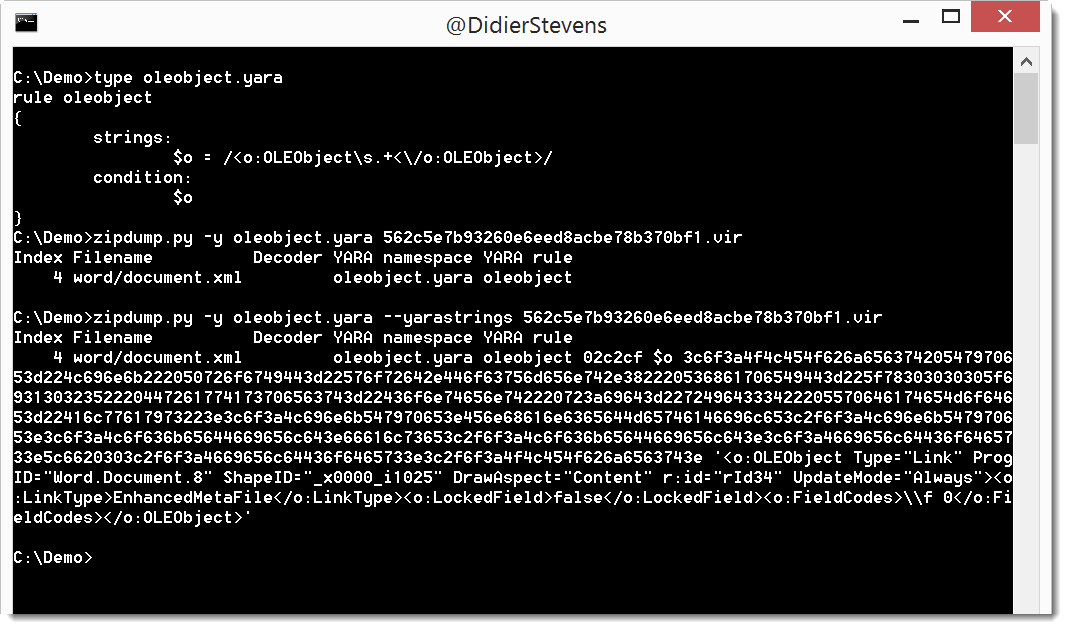
But it’s too much information when I use regular expressions in my YARA rules to match, for example, XML elements.
I added option –yarastringsraw to zipdump to view just the matched string, and nothing else:

zipdump_v0_0_10.zip (https)
MD5: 71B2483D24C4258DD34406CC433A3AF0
SHA256: 1259ABC36FDC13A2738D9C38549AB95A83D5039190ADAF44590E07AF6785BF7A
Years ago I wrote a C program to create a new process with a chosen parent process: selectmyparent. And recently I showed what process monitor and system monitor report when you use this tool.
Starting a new process with a chosen parent process can be done from VBA too, as shown in this video (I’m not sharing the VBA code):
@gentilkiwi‘s mimikatz has a minesweeper module with command infos. This command will show you where the mines are in minesweeper.
I’m going through the mimikatz source code and I’m finding all kind of gems :-).
Here is one of them, but be careful, do this only on a machine were you won’t mind losing data, because this will crash the machine.
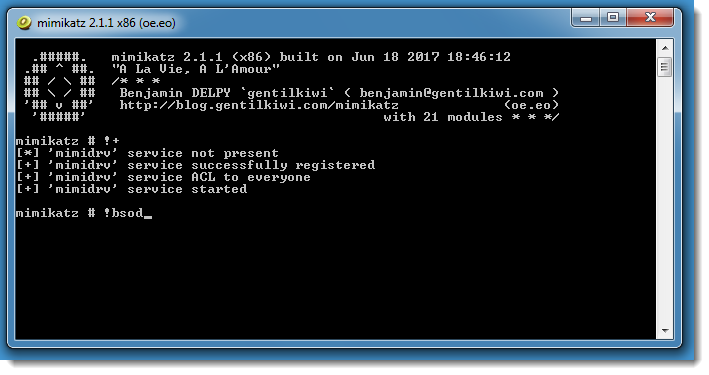
There’s a mimikatz driver command to initiate a Blue Screen of Death: !bsod
Here I’m using mimikatz as administrator on a Windows 7 machine (because I’m not a fan of the new BSOD introduced with Windows 8):
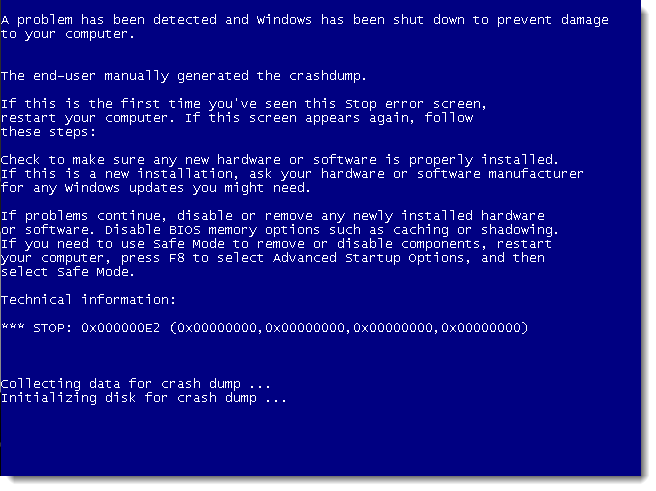
It’s a MANUALLY_INITIATED_CRASH (STOP 0x000000E2).


