Didier Stevens

Wednesday 18 September 2019

Update: pecheck.py Version 0.7.7

Filed under: My Software,Update — Didier Stevens @ 0:00

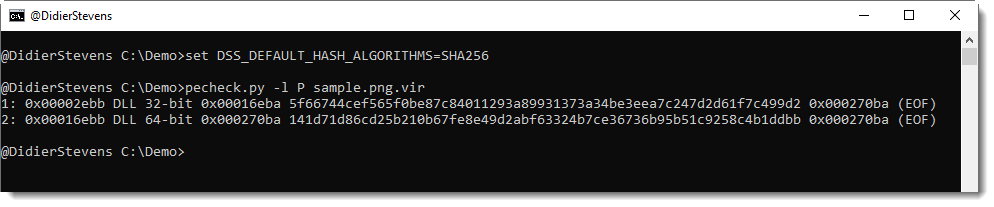
This new version of pecheck.py adds option -l to carve embedded PE files. This will be explained in detail in an upcoming blog post.

pecheck-v0_7_7.zip (https)
MD5: CEFCCC094EF9E29A539092A6ECB77EEE
SHA256: 91041D17A39C7FA4151830AF8FBD151680A04FC617CB0EADDA32D240E9AB9C03

Tuesday 17 September 2019

Update: hash.py Version 0.0.7

Filed under: My Software,Update — Didier Stevens @ 0:00

This new version supports CRC32 hashing.

hash_V0_0_7.zip (https)
MD5: 9BE8A26F2940FA2FF5C3671B7BB6DC6F
SHA256: CFA2767F0FAA792F9B75344B2F15FF40267F3EDE77D221B0134F07FDB04E515B

Saturday 14 September 2019

Update: msoffcrypto-crack.py Version 0.0.4

Filed under: My Software,Update — Didier Stevens @ 0:00

This new version of msoffcrypto-crack.py, a simple tool to crack passwords of MS Office documents, adds rules via option -r.

In this release, there is only one rule to modify candidate passwords: case toggle.

If you use option -r, all passwords in the provide list will be tested, together with their case toggle variant: Secret -> sECRET.

msoffcrypto-crack_V0_0_4.zip (https)
MD5: D3D7A0475FF1C9AAB7BE773514784465
SHA256: 4A27E0FF50863A925FEE55B8F7D16AD29C2DF5E4611F9493DAEEBA89B5F3DBA9

Tuesday 6 August 2019

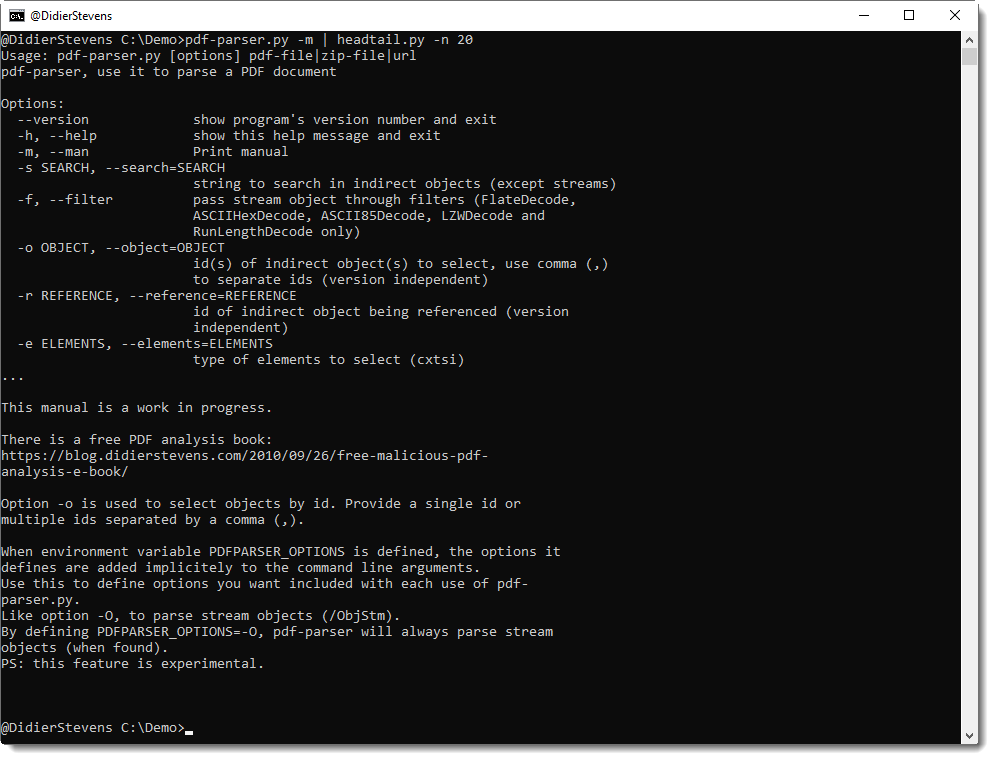
Update: pdf-parser.py Version 0.7.2

Filed under: My Software,PDF,Update — Didier Stevens @ 0:00

This is a bugfix version.

pdf-parser_V0_7_2.zip (https)
MD5: 7D417F2313FF505AC96B80D80495BB78
SHA256: 3CDB98A57DAABC98382BFA361390AE3637F96852F6F078D03A7922766AE14B57

Tuesday 16 July 2019

Update: format-bytes.py Version 0.0.9

Filed under: My Software,Update — Didier Stevens @ 0:00

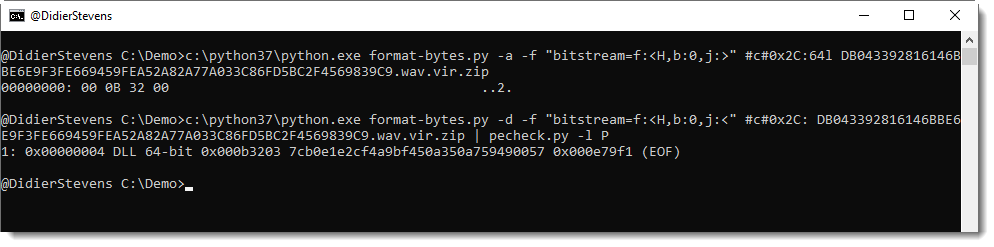
This new version of format-bytes brings support for TLV records.

Here is an example with certificates in the Windows registry:

More details will be provided in an upcoming blog post.

format-bytes_V0_0_9.zip (https)
MD5: 2F97370D12A7DBB53EB8B30AA0A40463
SHA256: 87C9F3120673C0E92C9562EC2687B60AA93DAF612CE854939E48F6E902BFBBB4

Wednesday 12 June 2019

Update: virustotal-search.py Version 0.1.5

Filed under: Malware,My Software,Update — Didier Stevens @ 0:00

virustotal-search.py is a tool to query VirusTotal via its public API for file reports by providing hashes to search for.

This new version adds searching for URLs. Use option -t to select the type of search you want: file (default) or url.

Like this:

Option -e can be used to include extra information (present in the JSON reply) not included by default.

For example, a default file search does not include sha256 hashes:

But you can include it with option “-e sha256” like this:

The public API can also be used for queries for domain names and IP addresses. These queries are much simpler than file and url, and therefor, I developed a very generic program to query APIs. This will be released soon.

virustotal-search_V0_1_5.zip (https)
MD5: 2155347687726A321D1ADBB9C9B81CFD
SHA256: 4F614C9D01C694AEAA16F7D5E4DBFBCF37E8E8D01D382C1137F401612D02E110

Monday 10 June 2019

Update: sets.py Version 0.0.3

Filed under: My Software,Update — Didier Stevens @ 9:21

sets.py is a program to perform set operations. In this new version, I added operations unique, product, substitute and sort.

And I added options -s and -i.

Operation unique will remove all double entries (which shouldn’t occur anyway in a mathematical set):

“Line 5” appears twice in set4.txt, thus one occurrence is remove by operation unique. “Line 4” and “Line 6” not, because their case is different, or because they have leading whitespace.

To ignore case, use option -i, and to ignore leading and trailing whitespace, use option -s:

sets_V0_0_3.zip (https)
MD5: F8B1EB9140EBA621CBF6F393717BF2EA
SHA256: 94200F8313A66D7CAB6C200A24DD6A5B1D9644004C2ECCF01F22004A801EFE03

Friday 31 May 2019

Update: hex-to-bin.py Version 0.0.2

Filed under: My Software,Update — Didier Stevens @ 10:47

This new version comes with option -a to parse ASCII/hexdumps as produced by my tools.

Option -s can be used to select another hexadecimal/ASCII dump than the first one (for example, -s 2 to select the second dump).

Option -l (list) can be used to produce an overview of all hexadecimal/ASCII dumps found in the input, together with an index number to be used with option -s.

hex-to-bin_V0_0_2.zip (https)
MD5: 4F415E4117EC497C52E244A7087E36B9
SHA256: D283C312CC169419BC16D9199F5EC850D5D7565B9FDB272CA5236F97EDAD22C3

Tuesday 28 May 2019

Update: zipdump Version 0.0.15

Filed under: My Software,Update — Didier Stevens @ 0:00

This update is just a small change to the help description, to clarify password dictionary attacking with the build-in password list.

zipdump_v0_0_15.zip (https)
MD5: 148D49FC54477C12EBB620FDCEF61AA2
SHA256: DE6FE35FA281FAD9BBF8C56883212519E60FDF0BCAFB3AFBBF964E5C808CCA2D

Sunday 28 April 2019

Update: jpegdump.py Version 0.0.7

Filed under: My Software,Update — Didier Stevens @ 0:00

This new version of jpegdump.py (a tool to analyze JPEG pictures) adds 2 new options: -t and -A.

Option -t: consider everything after the first EOI as trailing.

Option -A: perform ascii dump with RLE

jpegdump_V0_0_7.zip (https)
MD5: DF600AAADD1E6335CB1DC5FEF895B2AE
SHA256: 123CDBACA0533BE975751F935EA9C6CEF75B7F8E67CC0FBAD36F8C66DD9354D8

« Previous PageNext Page »

Blog at WordPress.com.