Now that malicious PDFs using the /Launch action become more prevalent, I release a new PDFiD version to detect (and disarm) the /Launch action.

Now that malicious PDFs using the /Launch action become more prevalent, I release a new PDFiD version to detect (and disarm) the /Launch action.

NetworkMashup.xls is a spreadsheet with VBA macros I scraped from the Internet to execute pings and name/address resolution from within Excel with WIN32 API calls.
Not only is it handy when you need to do some network mapping in a restricted environment, but also if you’ve just a list of machines to monitor.
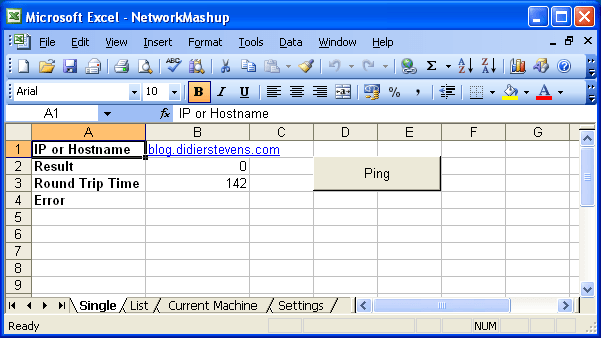
The spreadsheet contains several sheets. One sheet to perform a single ping:

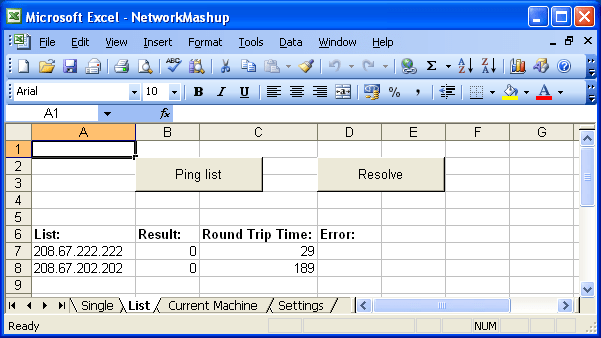
One sheet to ping/resolve a list:

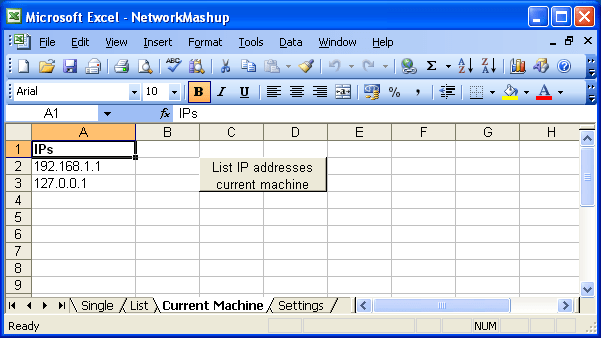
One sheet to list the IP addresses of the current machine:

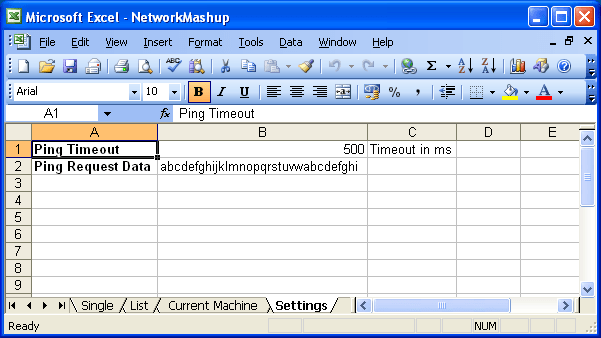
And last, a sheet with settings:

Download here.
I’ve added 2 new assembly source files for shellcode to execute a ping.
First one does a simple ping, second one does a ping with the computername and username in the ICMP packet data.
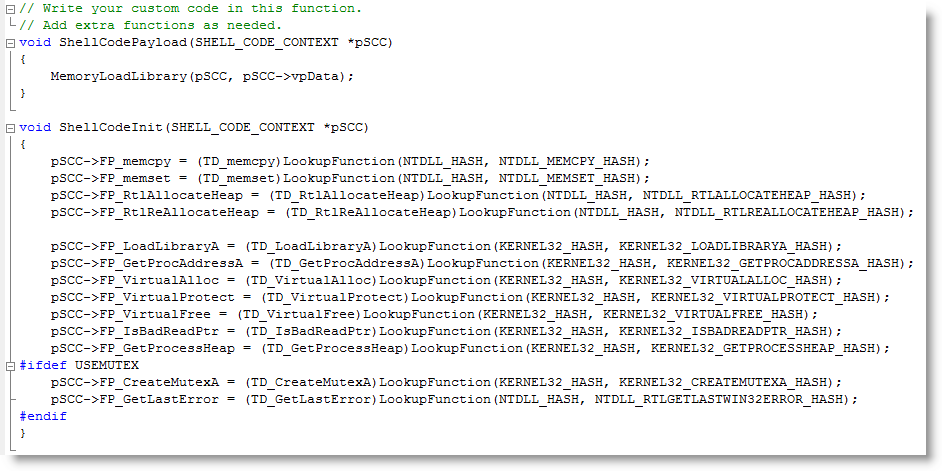
The DLL-loading shellcode I used in my cmd.xls spreadsheet was generated with a method I worked out to generate WIN32 shellcode with a C-compiler. You can find it on my new Shellcode page.
With this release, I provide you with all the tools you need to build your own version of cmd.xls:

I modified the source code of ReactOS‘ cmd and regedit for the following trick:
Let me summarize how I did this, as this is the combined result of several techniques I blogged about before.
You can download regedit.dll here and the new version of cmd.dll with the DLL command here. The DLL command I added allows you to load a DLL with LoadLibrary or directly into memory (/m option). When loaded with LoadLibrary, the library will be unloaded with FreeLibrary unless you use option /k to keep it loaded.
The DLL command assumes that your DLLs execute via the DllMain entry-point when they get loaded.
This is something I’ve wanted to do for some time: take a command interpreter and transform it from an EXE into a DLL.
Why you ask? Well, because it’s a fun challenge 😉
But also because a DLL is loaded into a process. In a restricted environment, it can be injected into a legitimate process and thus bypass the restriction mechanisms.
Metasploit’s Meterpreter is another example of a command interpreter in DLL form.
cmd.exe from Microsoft is closed source, but there is an open-source variant available from the ReactOS project.
Compiling cmd.exe from ReactOS is simple: download the source-code and the ReactOS build environment. Install it, start the build environment and issue command make cmd. That’s all you need to do to compile cmd.exe (I used version 0.3.11).
Transforming the source code to generate a DLL in stead of an EXE is simple. You need to change 3 files.
Edit file cmd.rbuild and make these changes to the module element:
<module name="cmd" type="win32dll" installbase="system32" installname="cmd.dll" unicode="yes" crt="msvcrt">
Because I want to use this DLL in GUI-processes without console, I need to create a console. Edit file cmd.c and add AllocConsole(); to function cmd_main:
SetFileApisToOEM();
InputCodePage= 0;
OutputCodePage = 0;
AllocConsole();
hConsole = CreateFile(_T("CONOUT$"), GENERIC_READ|GENERIC_WRITE,
FILE_SHARE_READ|FILE_SHARE_WRITE, NULL,
OPEN_EXISTING, 0, NULL);
And because a DLL has another entry-function than an EXE, edit file main.c and replace function main with function DllMain:
#include <precomp.h>
INT WINAPI
DllMain(
IN PVOID hInstanceDll,
IN ULONG dwReason,
IN PVOID reserved)
{
switch (dwReason)
{
case DLL_PROCESS_ATTACH:
cmd_main(0, NULL);
break;
case DLL_THREAD_ATTACH:
break;
case DLL_THREAD_DETACH:
break;
case DLL_PROCESS_DETACH:
break;
}
return TRUE;
}
That’s it. Recompile with make cmd to generate cmd.dll
There are still some improvements we can make, but that’s for a later version: error messages are not displayed, exiting the shell terminates the host process, …
You can download the modified source files and compiled cmd.dll here.
This is a screenshot of cmd.dll injected inside Excel with my memory module shellcode:

I finally took time to develop shellcode to load a DLL, not with LoadLibrary, but directly from memory. Not storing the DLL on disk prevents it from being detected by AV software; not using LoadLibrary bypasses HIPS software that monitors this system call.
My shellcode is based on Joachim’s code.
In previous posts, I showed how to load a DLL or shellcode with VBA in Excel. This is a combination of both techniques: a VBA macro loads and executes shellcode in Excel’s process space, and the shellcode loads a DLL from memory into Excel’s process memory.
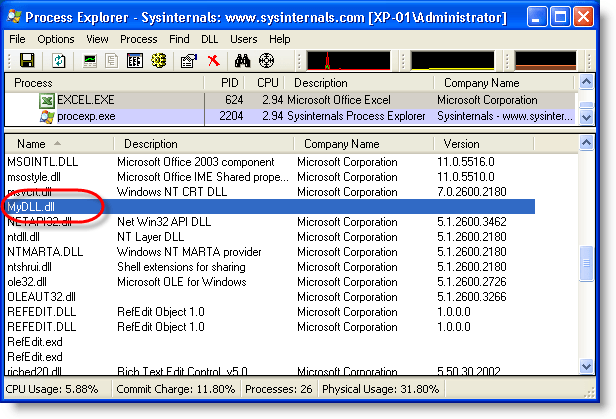
With the code of the previous post, the DLL appears in the list of loaded DLLs:

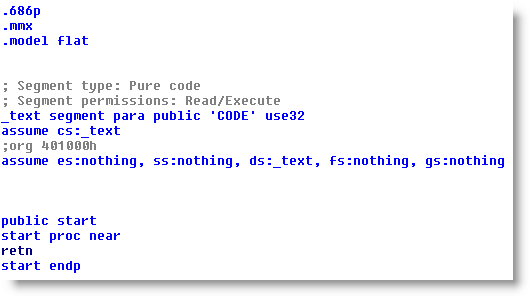
With this shellcode, it doesn’t:

@Feliam has an interesting PDF library to create PDF files with an unconventional header (the generated document doesn’t start with %PDF-…, but %PDF appears somewhere in the first 1024 bytes of the document). As this trick is likely to be taken over by malware authors, I updated PDFiD to support this.
The PDF reference document also mentions %!PS-Adobe-N.n PDF-M.m as a valid header, however, the PDF documents I and @Feliam generated with this header are not rendered by Adobe Reader (neither Foxit or Sumatra PDF).
I was told Adobe did support this header in older versions. My tests show Adobe Reader version 3, 4, 5 and 6 will render PDF documents with header %!PS-Adobe-N.n PDF-M.m. Versions 7, 8 and 9 will not. Therefor I decided not to include support for this header to PDFiD.
pdf-parser doesn’t test the header, it analyzes PDF documents regardless of the header.
A couple of new features:
Unicode support is rather simple: I consider Unicode as ASCII with 2 bytes per character, last byte always equals 0.
Usage case of hexcode search: search for embedded and encoded PE-file by searching for the PE-magic bytes MZ:
XORSearch -h malware.exe 50450000
Remember that XORSearch is not limited to win32, you can compile it on *nix too: cc -o XORSearch XORSearch.c
Download here.