I had not posted my Python script to convert shellcode to VBScript, so here it is.
Download:
shellcode2vbscript_v0_1.zip (https)
MD5: AAB0431127C657C9A3EF67E1C73E6711
SHA256: D1CDDAFCB734EC3F35E558DECFF2EDB73DC0C394936814B602B605F09DE4A5E5
I had not posted my Python script to convert shellcode to VBScript, so here it is.
Download:
shellcode2vbscript_v0_1.zip (https)
MD5: AAB0431127C657C9A3EF67E1C73E6711
SHA256: D1CDDAFCB734EC3F35E558DECFF2EDB73DC0C394936814B602B605F09DE4A5E5
Black Hat Europe 2009 is over for more than a week now, and my laptop has undergone yet another lobotomy.
My training by Saumil Shah was excellent! Highly recommended if you want to learn exploit development without reversing.
I didn’t attend a lot of briefings, the subjects were less interesting to me than past years. But I did a lot of networking, I met many interesting people. I had lunch with Moxie Marlinspike, the author of SSLStrip. He has interesting viewpoints: did you know he started to develop SSLStrip in 2002? It’s only because he was done experimenting with it that he decided to disclose! And we share a common interest in CRASS.
Thanks to everybody I met at BH, the networking was excellent! I estimate I distributed 50 of my PDF stickers 😉 . You gave me a lot of ideas that will require even more time to develop. Like past years, I got a new stego idea but this time, I’m reserving it for Brucon‘s hacker challenge. You’ll have to wait for October for the disclosure.
This was the last Black Hat Europe in Amsterdam, next edition will be in Barcelona (Ero’s town). Did you know that regular security bloggers can get press access?
This year was also the first time I had a 2D-barcode on my badge:
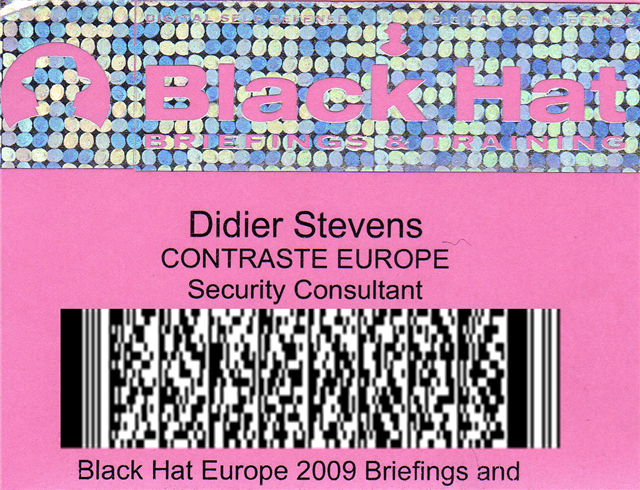
The above picture doesn’t actually show my real barcode, but one I made for this post. My real barcode contains my business coordinates. A hint if you want to find out what’s on this one: it’s a PDF417 barcode (this PDF stands for Portable Data File, not Portable Document Format).
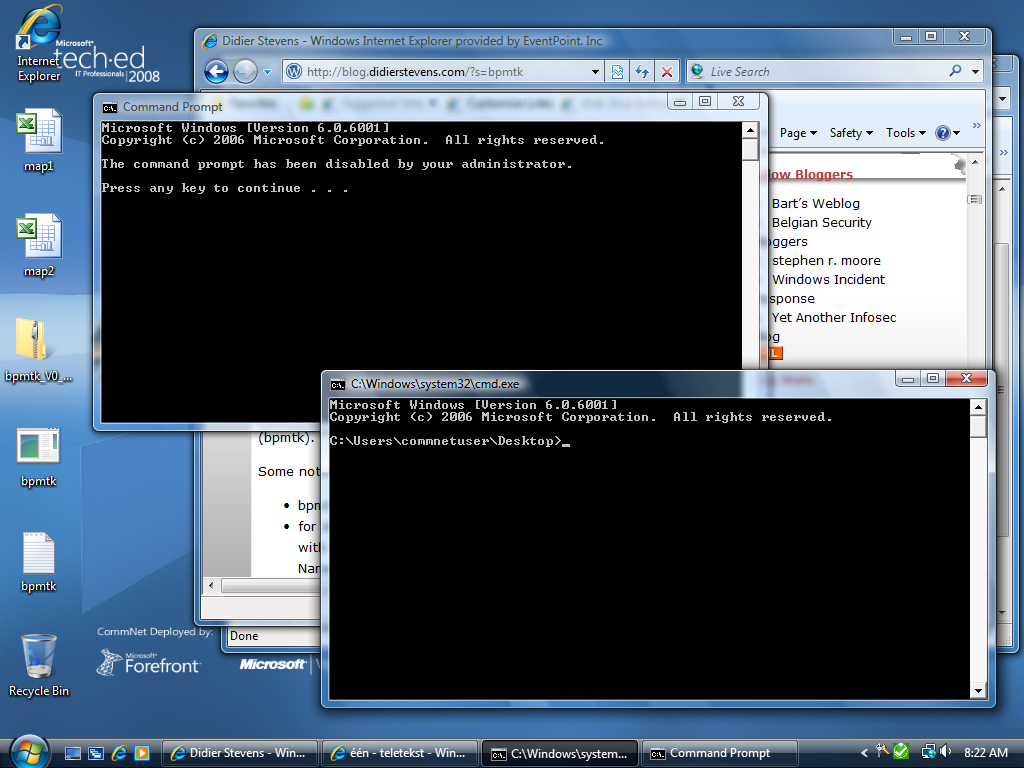
It was surprising to see the CommNet desktops at our disposal at TechEd Barcelona 2008. This time, you were not required anymore to perform a Windows logon to the machine with your attendee account. A generic, limited user account was already logged-on. Every attendee had to use this account.
This is a bad idea. Even a limited user account can be compromised with spyware, as I’ve shown with my Basic Process Manipulation Tool Kit.
cmd.exe was disabled, but this policy is still easy to bypass:
Back when I researched Microsoft’s code signing mechanism (Authenticode), I noticed it still supported MD5, but that the signtool uses SHA1 by default.
You can extract the signature from one program and inject it in another, but that signature will not be valid for the second program. The cryptographic hash of the parts of the program signed by Authenticode is different for both programs, so the signature is invalid. By default, Microsoft’s codesigning uses SHA1 to hash the program. And that’s too difficult to find a collision for. But Authenticode also supports MD5, and generating collisions for MD5 has become feasible under the right circumstances.
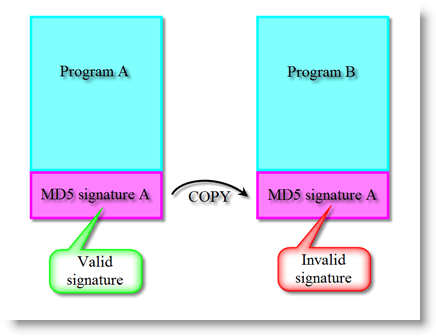
If both programs have the same MD5 Authenticode hash, the signature can be copied from program A to program B and it will remain valid. Here is the procedure I followed to achieve this.
I start to work with the goodevil program used on this MD5 Collision site. goodevil is a schizophrenic program. It contains both good and evil in it, and it decides to execute the good part or the evil part depending on some data it caries. This data is different for both programs, and also makes that both programs have the same MD5 hash.
The MD5 collision procedure explained on Peter Selinger’s page will generate 2 different programs, good and evil, with the same MD5 hash. But this is not what I need. I need 2 different programs that generate the same MD5 hash for the byte sequences taken into account by the Authenticode signature. For a simple PE file, the PE Checksum (4 bytes) and the pointer to the digital signature (8 bytes) are not taken into account (complete details here). That shouldn’t be a surprise, because signing a PE file changes these values.
So let’s remove these bytes from PE file goodevil.exe, and call it goodevil.exe.stripped. The hash for goodevil.exe.stripped is the same as the Authenticode hash for goodevil.exe.
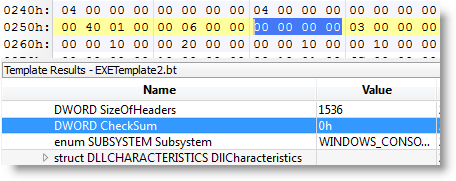
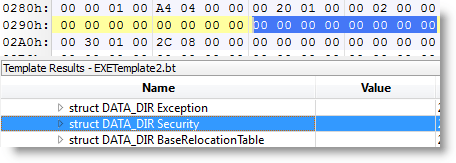
Now I can compute an MD5 collision for goodevil.exe.stripped, as explained on Peter Selinger’s page. (I could also have modified the MD5 collision programs to skip these fields, but because this is just a one shot demo, I decided not to).
After about an hour, I have 2 new files, good.exe.stripped and evil.exe.stripped, both with the same MD5 hash. I transform them back to standard-compliant PE files by adding the checksum and pointer bytes I removed (giving me good.exe and evil.exe). Now the MD5 hashes are different again, but not the Authenticode MD5 hashes (Authenticode disregards the PE checksum and the signature pointer when calculating the hash).
OK, now I sign good.exe with my own cert. But there’s a little change in the code signing procedure I explained in this other post.
One difference is that I select custom signing:

This allows me to select MD5 hashing in stead of the default SHA1:

OK, now good.signed.exe is signed:


The signature is valid, and of course, the program still works:
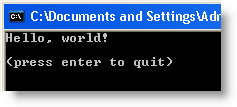
Let’s summarize what we have. Two programs with different behavior (good.exe and evil.exe), both with the same MD5 Authenticode hash, one with a valid Authenticode signature (good.signed.exe), the other without signature.
Now I extract the signature of good.signed.exe and add it to evil.exe, saving it with the name evil.signed.exe. I use my digital signature tool disitool for this:
disitool.py copy good.signed.exe evil.exe evil.signed.exe

This transfers the signature from program good.signed.exe (A) to evil.signed.exe (A’). Under normal circumstances, the signature transferred to the second program will be invalid because the second program is different and has a different hash. But this is an exceptional situation, both programs have the same Authenticode hash. Hence the signature for program evil.signed.exe (A’) is also valid:
evil.signed.exe executes without problem, but does something else than good.signed.exe:
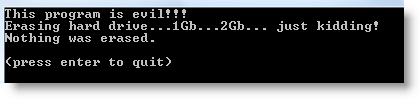
This demonstrates that MD5 is also broken for Authenticode code signing, and that you shouldn’t use it. But that’s not a real problem, because Authenticode uses SHA1 by default (I had to use the signtool in wizard mode and explicitly select MD5 hashing). In command-line mode (for batching or makefiles), the signtool provides no option to select the hashing algorithm, it’s always SHA1. And yes, SHA1 is also showing some cracks, but for Authenticode, you have no other choice.
You can download the demo programs and code signing cert here.
Hakin9 has published my bpmtk article. The article mentions bpmtk version 0.1.4.0; however, this new version has no new features. But it comes with extra PoC code, like a LUA-mode keylogger and “rootkit”. New blogposts will explain this new PoC code.

And upcoming bpmtk version 0.1.5.0 contains a new feature to inject shellcode. Just have to update the documentation.
On the PDF front: I’ve produced my first Ruby code ;-). I worked together with MC from Metasploit to optimize the PDF generation code in this util.printf exploit module. It uses some obfuscation techniques I described 8 months ago.
Remember FireOx?
This time, I tested my Excel scripts on a CommNet machine, here at TechEd Barcelona. Worked without problem.
I developed another variant of my “Excel macro injects embedded DLL” script.
In stead of creating and loading a temporary DLL from VBScript, I inject and execute shellcode directly from the VBA application.
Some HIPS would prevent my previous script from running, because it loaded an unapproved DLL. But my new version doesn’t load a DLL.

Of course, writing shellcode is more difficult than developing a PE executable.
Mr. P and Q has solved my Authenticode Challenge. You can download his solution here, I copied his howto here below. I’ll add my own details in an upcoming post, but in the meantime, be sure to do a web search for the modulus.
What you need:
An internet connection
A windows system
A CPP compiler
OpenSSL installed

Step 1:
Export the certificate used by Didier from ac.exe to didier.cer
Select AC.EXE, Right click properties, Digital Signatures tab, "Details button", "View Certificate" button,Details tab, "Copy to File" button, select
the "DER encoded binary X.509(.CER)" option and export to didier.exe

Step 2:
Use OpenSSL to extract the modulus of the certificate used
OpenSSL>x509 -modulus -inform DER -in didier.cer

Step 3:
Use OpenSSL to convert didier's certificate in PEM format (for later use)
OpenSSL>x509 -inform DER -in didier.cer -outform PEM -out didier.pem

Step 4:
Copy the modulus extracted in step2 into FindPQ.cpp, build the application, execute and (wait ... wait ... wait ...) ^1000
or download http://www.boo.net/~jasonp/msieve.exe.
Start msieve
msieve -v -n 0xD0EA1ABA978DF0065B2009F75C846F28B04ED5143B237B3FC24272245ADE837EFE0271E1A2854E0C81BA9F70A83AD86D47B0EACD062BC15BC61A99DC83124EC9
and (wait ... wait ... wait ...)^100 until it finally displays:
prp78 factor: 102639592829741105772054196573991675900716567808038066803341933521790711307779
prp78 factor: 106603488380168454820927220360012878679207958575989291522270608237193062808643

Step 5:
Create a 'real' RSA key so we can re-sign the modified ac.exe (remember the first part of this challenge)
Copy the two factors found(step 4) into CreatePEM.cpp, build the application and excute.
The application will produce newkey.pem

Step 6:
Use OpenSSL to combine newkey.pem and didier.pem (step3) into a PKCS12 keyfile (you will need to provide a password of your choice)
OpenSSL>pkcs12 -export -in didier.pem -inkey newkey.pem -out magic.p12

Step 7:
Import magic.p12 into your Windows system
Simply double click magic.p12 select all the default options specify the password you defined in Step 6 when asked.

Step 8:
Download signcode
https://www.thawte.com/dynamic/en/images/support/inetSDk5.zip
unzip

Step 9
Start signcode, select the modified ac.exe, select the "Didier" key and you're done ...

Good luck
Mister P and Q.
Here is a new version of the Basic Process Manipulation Tool Kit (bpmtk).
Some noteworthy changes:
So now you can also load the bpmtk as a DLL in a process and it will execute its configuration. The configuration is embedded in the DLL as an ASCII string. To change the configuration, you’ve 2 options:
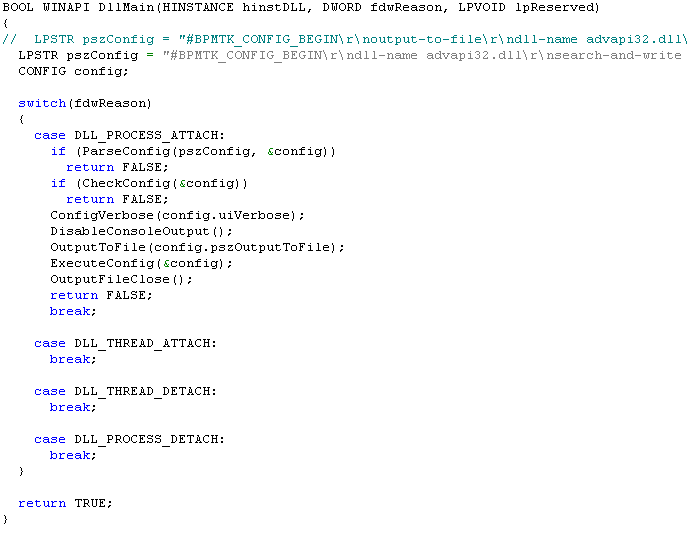
In my last bpmtk post, I argued that although whitelisting DLLs (supplementary to whitelisting EXEs) prevents my Excel macro from loading the embedded DLL, it would be far too difficult to build and maintain such a whitelist of DLLs. However, Cd-MaN commented with a technique to add DLL restrictions to the Software Restriction Policies without building an exhaustive DLL whitelist, the details are in his excellent blogpost (step 3).
In a nutshell, Cd-MaN configures SRP to restrict allowed DLLs to those found in the Windows and Programs Files directories (a restricted user is not allowed to write to these directories).
To bypass this SRP configuration with my Excel macro, I had to update it so that it would perform the process manipulation directly, in stead of doing this manipulation from within the embedded DLL. And here his how I did it:

The trick is to call WriteProcessMemory directly from within the script to disable SRP. Because I didn’t want to recode my search-and-write function from C to VBscript, I hardcoded the addresses to write to (this will only work for the specified version of advapi32.dll). The effect of these 2 WriteProcessMemory calls is to patch advapi32.dll inside the Excel process, thereby disabling SRP so that the embedded DLL is allowed to load (of course, now that SRP is disabled for Excel, I can also just start another program).
A new version of my bpmtk utility (with the DLL version of bpmtk.exe) will be posted soon.

 Didier Stevens