Didier Stevens

Monday 23 March 2009

35 Year Old Puzzle

Filed under: Puzzle — Didier Stevens @ 17:26

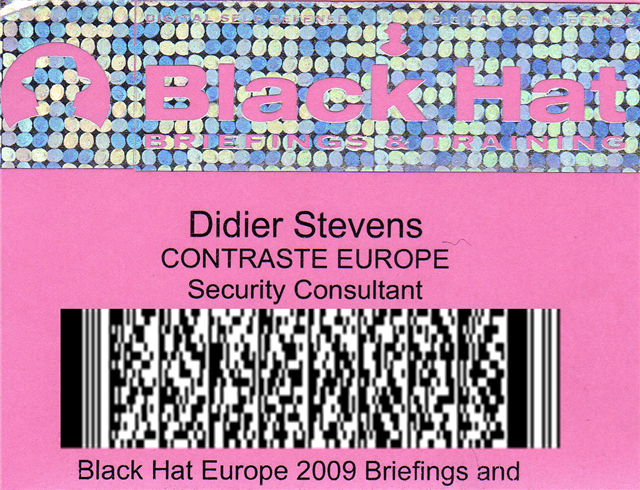
Here’s a 25 35 year old puzzle (it’s not mine). I’m curious if you’ll find the solution without using Google.

First one to post a comment with the solution gets a sticker (and I’ll have “PDF – Penetration Document Format” stickers soon). But play fair and don’t post your solution if you just Googled the bit sequence.

00000010101010000000000001010000
01010000000100100010001000100101
10010101010101010101001001000000
00000000000000000000000000000001
10000000000000000000110100000000
00000000000110100000000000000000
01010100000000000000000011111000
00000000000000000000000000000110
00011100011000011000100000000000
00110010000110100011000110000110
10111110111110111110111110000000
00000000000000000001000000000000
00000100000000000000000000000000
00100000000000000000111111000000
00000001111100000000000000000000
00011000011000011100011000100000
00100000000010000110100001100011
10011010111110111110111110111110
00000000000000000000000001000000
11000000000100000000000110000000
00000000100000110000000000111111
00000110000001111100000000001100
00000000000100000000100000000100
00010000001100000001000000011000
01100000010000000000110001000011
00000000000000011001100000000000
00110001000011000000000110000110
00000100000001000000100000000100
00010000000110000000010001000000
00110000000010001000000000100000
00100000100000001000000010000000
10000000000001100000000011000000
00110000000001000111010110000000
00001000000010000000000000010000
01111100000000000010000101110100
10110110000001001110010011111110
11100001110000011011100000000010
10000011101100100000010100000111
11100100000010100000110000001000
00110110000000000000000000000000
00000000001110000010000000000000
01110101000101010101010011100000
00001010101000000000000000010100
00000000000011111000000000000000
01111111110000000000001110000000
11100000000011000000000001100000
00110100000000010110000011001100
00000110011000010001010000010100
01000010001001000100100010000000
01000101000100000000000010000100
00100000000000010000000001000000
00000000100101000000000001111001
111101001111000

Monday 9 March 2009

Quickpost: /JBIG2Decode “Look Mommy, No Hands!”

Filed under: Malware,PDF,Quickpost,Vulnerabilities — Didier Stevens @ 7:11

My previous blogpost showed how minimal user interaction can still get a malicious PDF document to infect a machine. Remembering F-Secure’s misadventure with .WMF and Google Desktop Search, I took some time to look at Windows Indexing Service. The news is not good. This time, I can get a PoC PDF document to trigger the /JBIG2Decode bug without any user interaction whatsoever. And the bug happens in a process running with Local System rights!

On a Windows XP SP2 machine with Windows Indexing Services started and Adobe Acrobat Reader 9.0 installed, there is absolutely no user interaction required to trigger the /JBIG2Decode vulnerability. When the PoC PDF file is on the disk, it will be indexed by Windows Indexing Services and the buggy /JBIG2Decode code will be executed.

When Adobe Acrobat Reader 9.0 is installed, it also installs an IFilter (AcroRdIF.dll). This COM object extends the Windows Indexing Service with the capability to read and index PDF documents. When the Windows Indexing Service encounters a PDF file, it will index it. The content indexing daemon (cidaemon.exe) calls the Acrobat IFilter (AcroRdIF.dll) which loads the Acrobat PDF parser (AcroRD32.dll). If the PDF document contains a malformed /JBIG2Decode stream object, it will result in an access violation in the instruction at 0x01A7D89A.

In other words, if you’ve a malicious PDF document on a machine with Windows Indexing Services, it can infect your machine. And you don’t need a user to open or select the PDF document.

The good news is that Windows Indexing Services is not started on a default Windows XP SP2 install. Update: Although Windows Indexing Services is not on by default, after you’ve executed a search as local admin, you’ll be asked if you want “to make future searches faster”. If you answer yes, Windows Indexing Services will be automatically started.
The bad news is that Windows Indexing Services runs under the local system account on Windows XP SP2. This results in a privilege escalation.

Consider a Windows machine with Windows Indexing Services running, Adobe Acrobat reader installed and a file sharing service (FTP/IIS/P2P/…). Uploading a specially crafted PDF document to this machine will give you a local system shell.

To disable Windows Indexing Services’ capability to index PDF documents, unregister the IFilter: regsvr32 /u AcroRdIf.dll

But IFilters are also used by other software:

  • Microsoft Search Server 2008
  • Windows Desktop Search
  • SharePoint
  • SQL Server (full-text search)

My PoC PDF file also triggers in /JBIG2Decode in Windows Desktop Search (I tested version 4.0). But Windows Desktop Search has a better security architecture than Windows Indexing Service. Although the service runs under the Local System account, the actual calling of the IFilters is done in a separate process that runs under the Local Service account (this account has less privileges and can’t take full control of the machine).

wds

I’ve not analyzed other applications using IFilters. If you use ScarePoint (that’s how my wife, who has to work with it, calls it) or another IFilter supporting application and you want to be safe, unregister the Acrobat IFilter.

And don’t forget that, depending onĀ  your Windows version and CPU, you’re also protected by technologies like DEP and ASLR.

Google Desktop Search doesn’t use IFilters, unless you’ve installed this plugin to add IFilter support to Google Desktop Search.

Wednesday 4 March 2009

Quickpost: /JBIG2Decode Trigger Trio

Filed under: Malware,PDF,Quickpost,Vulnerabilities — Didier Stevens @ 14:35

Sometimes a piece of malware can execute without even opening the file. As this is the case with the /JBIG2Decode vulnerability in PDF documents, I took the time to produce a short video showing 3 ways the vulnerability can trigger without even opening the PDF document.

The first 2 demos use a “classic” /JBIG2Decode PDF exploit, the third demo uses a new PoC /JBIG2Decode PDF exploit I developed. This PDF document has a malformed /JBIG2Decode stream object in the metadata instead of the page. All PDF documents used have just a malformed /JBIG2Decode stream object, they don’t include a payload (shellcode), neither a JavaScript heap spray.

So how is it possible to exploit this vulnerability in a PDF document without having the user open this document? The answer lies in Windows Explorer Shell Extensions. Have you noticed that when you install a program like WinZip, an entry is added to the right-click menu to help you compress and extract files? This is done with a special program (a shell extension) installed by the WinZIp setup program.

When you install Adobe Acrobat Reader, a Column Handler Shell Extension is installed. A column handler is a special program (a COM object) that will provide Windows Explorer with additional data to display (in extra columns) for the file types the column handler supports. The PDF column handler adds a few extra columns, like the Title. When a PDF document is listed in a Windows Explorer windows, the PDF column handler shell extension will be called by Windows Explorer when it needs the additional column info. The PDF column handler will read the PDF document to extract the necessary info, like the Title, Author, …

This explains how the PDF vulnerability can be exploited without you opening the PDF document. Under the right circumstances, a Windows Explorer Shell Extension will read the PDF document to provide extra information, and in doing so, it will execute the buggy code and trigger the vulnerability. Just like it would when you would explicitly open the document. In fact, we could say that the document is opened implictly, because of your actions with Windows Explorer.

So let me demo 3 circumstances under which a PDF Shell Extension will act and thereby trigger the vulnerability. One important detail before I do this: when the exception occurs in the Adobe Acrobat code, it is trapped by Windows Explorer without any alert. That’s why in the demos, I attached a debugger (ODBG) to Windows Explorer to intercept and visualize this exception. So each time the vulnerability triggers, the view switches to the debugger to display the exception.

In the first demo, I just select the PDF document with one click. This is enough to exploit the vulnerability, because the PDF document is implicitly read to gather extra information.

In the second demo, I change the view to Thumbnails view. In a thumbnail view, the first page of a PDF document is rendered to be displayed in a thumbnail. Rendering the first page implies reading the PDF document, and hence triggering the vulnerability.

In the third demo, I use my special PDF document with the malformed stream object in the metadata. When I hover with the mouse cursor over the document (I don’t click), a tooltip will appear with the file properties and metadata. But with my specially crafted PDF document, the vulnerability is triggered because the metadata is read to display the tooltip…

So be very careful when you handle malicious files. You could execute it inadvertently, even without double-clicking the file. That’s why I always change the extension of malware (trojan.exe becomes trojan.exe.virus) and handle them in an isolated virus lab. Outside of that lab, I encrypt the malware.

YouTube, Vimeo and hires Xvid.


Quickpost info


Monday 2 March 2009

Quickpost: /JBIG2Decode Essentials

Filed under: PDF,Quickpost,Vulnerabilities — Didier Stevens @ 23:11

Today I took a closer look at the PDF code of the /JBIG2Decode vulnerability. It doesn’t have to be an XObject, just a stream object with a /JBIG2Decode filter:

20090302-231859

This indirect object is all I have to include in my basic PDF document to get a PoC PDF document to crash Adobe Acrobat Reader 9:

20090302-135943

20090302-140102

On Virustotal, this PoC PDF document is only detected by ClamAV, but it’s no surprise, as most signatures also look for JavaScript and/or a payload. When I use name or stream obfuscation, ClamAV is also bypassed.

You can download my Python program to generate these PoC PDF documents here, it needs the mPDF module of my PDF-tools. Use it to developed better signatures or to test your defenses.


Quickpost info


Sunday 1 March 2009

Quickpost: /JBIG2Decode Signatures

Filed under: PDF,Quickpost,Vulnerabilities — Didier Stevens @ 20:17

You’re most likely aware of the latest PDF vulnerability in JBIG2 image encoding, more specifically /JBIG2Decode.

Signatures have been released to identify PDF documents exploiting this vulnerability, many of which scan for the /JBIG2Decode string. Remember the canonicalization issue with PDF names I mentioned in a previous PDF post. There are alternate ways to write /JBIG2Decode, for example /JBIG#32Decode is also a valid representation. But many signatures will not match this variant, because the matching engine doesn’t reduce the name to a canonical form (e.g. replace the hexadecimal representation #32 by ASCII character 2) before matching the pattern.

I took this JBIG2 PoC exploit from Milw0rm and let Virustotal take a look at it. Now don’t be mislead by the 5/39 ratio, this doesn’t necessarily mean that most AV products will not protect you from this PoC.

The same PDF document, with /JBIG#32Decode (and some updates to adjust for the increased length), gets 2 detections (SecureWeb-Gateway uses the Avira engine on VT, so both detections are actually from the same engine).

But Avira doesn’t use /JBIG2Decode in its signature (when I replace /JBIG2Decode with /AAAAAAAAA, the PoC still gets detected).

So it looks like the AV engines on Virustotal don’t reduce PDF names to a canonical form.


Quickpost info


Monday 23 February 2009

Shellcode On a MIFARE RFID Tag

Filed under: RFID,smart card — Didier Stevens @ 21:29

This posts kicks-off a series of posts on smart cards and RFID tags.

First a little bit of fun. I’ve written a Python program to read and write 1K MIFARE RFID tags with my ACR122 contactless reader/writer.

20090219-125117

I store shellcode on an MIFARE tag (MIFAREACR122.py write shellcode.bin); and then I read it from the tag and execute it (MIFAREACR122.py shellcode).

20090219-125355

Of course, this is just a little trick, it’s not a vulnerability. Just find it funny to store shellcode on a RFID tag.

Monday 2 February 2009

CommNet at TechEd Barcedlona 2008

Filed under: Hacking — Didier Stevens @ 12:05

It was surprising to see the CommNet desktops at our disposal at TechEd Barcelona 2008. This time, you were not required anymore to perform a Windows logon to the machine with your attendee account. A generic, limited user account was already logged-on. Every attendee had to use this account.

This is a bad idea. Even a limited user account can be compromised with spyware, as I’ve shown with my Basic Process Manipulation Tool Kit.

cmd.exe was disabled, but this policy is still easy to bypass:

sc3

Thursday 29 January 2009

Quickpost: VigenĆØre Is Beta-Only

Filed under: Encryption,Forensics,Quickpost,Windows 7 — Didier Stevens @ 8:41

I asked Steve Riley if he has inside information on the move from ROT13 to VigenĆØre for the UserAssist keys. It’s part of the beta program, to test upgrades. The final version of Windows 7 and Windows 2008 R2 will use ROT13 for the UserAssist keys, which has been used since Windows 2000.

The binary format of the UserAssist keys has also changed, I’ve decoded most of it.

Here’s Steve’s complete answer, published with permission:

We used ROT-13 to obfuscate UserAssist for its historical Usenet purpose — not to try to secure the data, but to express that the data shouldn’t be tampered with. Sort of like claiming “Don’t peek and definitely don’t modify unless you’re prepared to deal with the consequences. You’ve been warned.” There are times, like this one, where simple obfuscation is technically justified. ROT-13 was never an encryption scheme, everyone fully expects everyone else to recognize ROT-13 on sight, and some people even developed the ability to read it directly. ROT-13 was an easy and inexpensive way to invoke an implicit social contract.

As you know, UserAssist stores the info about your most frequently used applications for display on the Start menu. (Basic principles at http://blogs.msdn.com/oldnewthing/archive/2007/06/11/3215739.aspx.) The data isn’t confidential and doesn’t need to be encrypted — after all, opening the Start menu displays it. However, its stored format is subject to change, and we don’t want applications or people unintentionally changing it. So we ROT-13ed it, in a geeky attempt to convey exactly the same message that ROT-13 signified on Usenet.

In Windows 7 we made some changes to the way the MFU list is maintained and to the data’s storage format in UserAssist. When you upgrade from a previous version of Windows, we clear the MFU list and start anew. We don’t want old data to carry forward into this key. Changing the encoding from ROT-13 to VigenĆØre makes it easier for us to test that we’re getting the behavior we want — it’s obvious if old data carries over, because ROT-13ed data makes no sense to VigenĆØre. This is very useful in pre-release builds while we’re shaking the bugs out.

However, there’s no such benefit to using VigenĆØre in the final release — it doesn’t convey the same message as ROT-13, and since it’s key-based, it’s easy to mistake VigenĆØre for true encryption. Therefore, in the final release of Windows 7, we’ll revert to using ROT-13 for UserAssist.

Hope this helps clarify the issue. Feel free to post my email on your blog, too. Incidentally, we have plenty of real crypto in Windows 7 — check out the performance improvements to our AES implementation, for example.


Quickpost info


Sunday 18 January 2009

Quickpost: Windows 7 Beta: ROT13 Replaced With VigenĆØre? Great Joke!

Filed under: Encryption,Entertainment,Forensics,Quickpost,Windows 7 — Didier Stevens @ 23:17

Remember that the UserAssist keys are encrypted with ROT13?

In Windows 7 Beta, not anymore! Weak ROT13 crypto has been replaced with “stronger” VigenĆØre crypto!

The VigenĆØre key I found through some basic cryptanalysis is BWHQNKTEZYFSLMRGXADUJOPIVC.

To the Microsoft developer who designed this: great joke! You really made me laugh. Seriously. šŸ˜Ž

And I thought Easter Eggs were banned in Microsoft products. Maybe you don’t think of it as an Easter Egg, but as a programmer, I do. šŸ˜‰

20090118-234944


Quickpost info


Saturday 17 January 2009

Playing With Authenticode and MD5 Collisions

Filed under: Encryption,Hacking — Didier Stevens @ 15:11

Back when I researched Microsoft’s code signing mechanism (Authenticode), I noticed it still supported MD5, but that the signtool uses SHA1 by default.

You can extract the signature from one program and inject it in another, but that signature will not be valid for the second program. The cryptographic hash of the parts of the program signed by Authenticode is different for both programs, so the signature is invalid. By default, Microsoft’s codesigning uses SHA1 to hash the program. And that’s too difficult to find a collision for. But Authenticode also supports MD5, and generating collisions for MD5 has become feasible under the right circumstances.
illustration-ab

If both programs have the same MD5 Authenticode hash, the signature can be copied from program A to program B and it will remain valid. Here is the procedure I followed to achieve this.

I start to work with the goodevil program used on this MD5 Collision site. goodevil is a schizophrenic program. It contains both good and evil in it, and it decides to execute the good part or the evil part depending on some data it caries. This data is different for both programs, and also makes that both programs have the same MD5 hash.

The MD5 collision procedure explained on Peter Selinger’s page will generate 2 different programs, good and evil, with the same MD5 hash. But this is not what I need. I need 2 different programs that generate the same MD5 hash for the byte sequences taken into account by the Authenticode signature. For a simple PE file, the PE Checksum (4 bytes) and the pointer to the digital signature (8 bytes) are not taken into account (complete details here). That shouldn’t be a surprise, because signing a PE file changes these values.

So let’s remove these bytes from PE file goodevil.exe, and call it goodevil.exe.stripped. The hash for goodevil.exe.stripped is the same as the Authenticode hash for goodevil.exe.

20090116-235321

20090116-235400

Now I can compute an MD5 collision for goodevil.exe.stripped, as explained on Peter Selinger’s page. (I could also have modified the MD5 collision programs to skip these fields, but because this is just a one shot demo, I decided not to).

After about an hour, I have 2 new files, good.exe.stripped and evil.exe.stripped, both with the same MD5 hash. I transform them back to standard-compliant PE files by adding the checksum and pointer bytes I removed (giving me good.exe and evil.exe). Now the MD5 hashes are different again, but not the Authenticode MD5 hashes (Authenticode disregards the PE checksum and the signature pointer when calculating the hash).

OK, now I sign good.exe with my own cert. But there’s a little change in the code signing procedure I explained in this other post.

One difference is that I select custom signing:

20090116-232242

This allows me to select MD5 hashing in stead of the default SHA1:

20090116-232318

OK, now good.signed.exe is signed:

20090117-000846

20090117-001029

The signature is valid, and of course, the program still works:

20090117-001333

Let’s summarize what we have. Two programs with different behavior (good.exe and evil.exe), both with the same MD5 Authenticode hash, one with a valid Authenticode signature (good.signed.exe), the other without signature.

Now I extract the signature of good.signed.exe and add it to evil.exe, saving it with the name evil.signed.exe. I use my digital signature tool disitool for this:

disitool.py copy good.signed.exe evil.exe evil.signed.exe

illustration-aa

This transfers the signature from program good.signed.exe (A) to evil.signed.exe (A’). Under normal circumstances, the signature transferred to the second program will be invalid because the second program is different and has a different hash. But this is an exceptional situation, both programs have the same Authenticode hash. Hence the signature for program evil.signed.exe (A’) is also valid:

20090117-001029

evil.signed.exe executes without problem, but does something else than good.signed.exe:

20090117-004549

This demonstrates that MD5 is also broken for Authenticode code signing, and that you shouldn’t use it. But that’s not a real problem, because Authenticode uses SHA1 by default (I had to use the signtool in wizard mode and explicitly select MD5 hashing). In command-line mode (for batching or makefiles), the signtool provides no option to select the hashing algorithm, it’s always SHA1. And yes, SHA1 is also showing some cracks, but for Authenticode, you have no other choice.

You can download the demo programs and code signing cert here.

« Previous PageNext Page »

Blog at WordPress.com.