Didier Stevens

Thursday 14 February 2013

Quickpost: TeamViewer and Proxies

Filed under: Forensics,Networking,Reverse Engineering — Didier Stevens @ 22:15

Sorry for the lack of recent posts, I’ve been ill and had to catch up with a lot of work.

Braden Thomas wrote an interesting series of posts on reversing the TeamViewer protocol.

I want to add my own observation: when TeamViewer is forced to communicate over an HTTP proxy, it will issue GET statements with parameter data that can be decoded in a similar way as Braden describes for the direct protocol (i.e. without proxy).

First of all, to identify TeamViewer traffic in proxy logs, you look for this User Agent String: “Mozilla/4.0 (compatible; MSIE 6.0; DynGate)”.

You will see HTTP GET requests like this one:

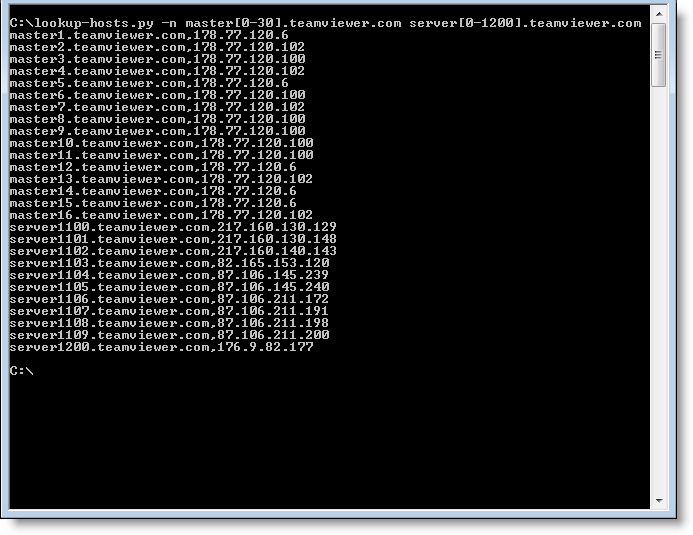
hxxp://178.77.120.6/dout.aspx?s=55194936&p=10000001&client=DynGate&data=FyQSAAExtjSytzoeqisTMbe3NzKxujS3tza3sjKemJMzHqkyu…

When you decode the value of the data= parameter as base64, you can identify the version of the protocol (first 2bytes) and the command (3rd byte):

0x1724 0x12

0x12 is a CMD_MASTERCOMMAND. By left-shifting the data from the 5th byte with 1 bit, you can decode the arguments of a MASTERCOMMAND, like this:

client=TV&connectionmode=1&f=RequestRoute2&homeserver=&ic=708710721&id=123456789&id1=123456789&id2=987654321&licensecode=…

When parameter f (the function) is RequestRoute2, you know that the TeamViewer user issued a command to connect to another TeamViewer client. Parameter id identifies the originating client (123456789 in my example), and parameter id2 identifies the destination (987654321 in my example).

Wednesday 16 January 2013

ISSA Journal Article ; HITB PDF Training

Filed under: Announcement,Forensics,Hacking,Networking,PDF — Didier Stevens @ 8:39

The ISSA Journal featured my article on Network Device Forensics, making it available to everyone.

And I’m giving a 2-day training on PDF at Hack In The Box Amsterdam 2013.

Tuesday 1 January 2013

MVP – Promo – Datapipe.xls

Filed under: Announcement — Didier Stevens @ 17:40

Today I received my 3th MVP award from Microsoft: MVP 2013 Consumer Security.

To celebrate this, I’ve 2 things for you:

  1. A 20% promo on my videos.
  2. A new utility: datapipe.xls. And like a real New Year present, you’ll have to open it to find out what it is 😉 More details later.

datapipe_V0_0_0_1.zip (https)
MD5: 5BF1594E8144B694431E7A7E3BDF33F7
SHA256: 57CD06EBFEC1C5C2661E44260A7304DFCDEEB2F54132E0627A474AF756AFA956

Friday 28 December 2012

Crossbreeding Spiders: Baiduspider And Googlebot

Filed under: Networking — Didier Stevens @ 0:03

While reviewing my webserver’s logs with InteractiveSieve, I noticed a peculiar User Agent String:

Mozilla/4.0 (compatible; +Baiduspider/2.0;++http://www.baidu.com/search/spider.html +Googlebot/2.1;++http://www.google.com/bot.html)

Why would Baidu and Google share a spider?

They don’t. It’s a fake User Agent String. I’ve 12 IP addresses in my logs that use this User Agent String, all from China, but none resolving to a hostname, and certainly not to domains baidu.cn or google.com.

And this fake spider doesn’t make any requests for existing documents, not even robots.txt. It’s only looking for ways to attack my sites:

20121228-005548

Thursday 20 December 2012

ListModules V0.0.0.1

Filed under: My Software — Didier Stevens @ 0:00

ListModules is a new tool to analyze PE files, like my AnalyzePESig tool. In stead of analyzing all files you point it to, it takes a snapshot of all processes, and analyses the modules (.exe, .dll, …) loaded in these processes. The output is very similar to AnalyzePESig’s output.

Sysinternal’s tool ListDLLs is a similar tool, but ListModules provides more info and is open source.

It helped me a couple of times to find malicious DLLs loaded inside processes that the AV would not catch.

ListModules_V0_0_0_1.zip (https)
MD5: 56D6BD9479915E6FF1C29A9D9F8F7950
SHA256: 43DFAD3F18C2F317E283BCDD453311BB17F6216C6748C25D102778DF63021069

Wednesday 12 December 2012

PaulDotCom Security Weekly And The (ISC)² Audit

Filed under: Certification — Didier Stevens @ 16:24

Almost six years ago I blogged about submitting (ISC)² CPE points for listening to IT security podcasts.

Last week I submitted CPE points for listening to 6 months of PaulDotCom Security Weekly podcasts. This CPE points submission was promptly selected for an audit by (ISC)².

I received an e-mail that informed me about the audit process and asked me to provide more information about the points I submitted. I replied with a description of what the podcast was about and with an excerpt from my spreadsheet I keep. A few days later I received a reply to inform me that I passed the audit.

Tuesday 4 December 2012

Authenticode Tools Page

Filed under: Announcement,My Software — Didier Stevens @ 13:53

I’ve added a new page to document my Authenticode Tools like AnalyzePESig.

It has a small explanation for each field found in the output of AnalyzePESig. For example, the fields Issuer Unique ID and Subject Unique ID should always be 0. In the case of the Flame certificate, they are not, because the Issuer Unique ID field was used to help produce the MD5 collision:

Filename:                       WuSetupV.exe.vir
MD5:                            1f61d280067e2564999cac20e386041c
Entropy:                        6.79663
...
Issuer unique ID chain:         887
Issuer unique ID chain:         0

I also use this tool to periodically review new executables on my machines.

Friday 30 November 2012

Nmap 6.25 With McAfee ePO Agent Script

Filed under: My Software,Networking — Didier Stevens @ 13:04

This new release of Nmap includes the McAfee ePO Agent Script I blogged about.

Tuesday 20 November 2012

Update: AnalyzePESig Version 0.0.0.2

Filed under: Encryption,Forensics,My Software,Update — Didier Stevens @ 20:59

I added several new fields to the output produce by my new tool AnalyzePESig:

  • countCatalogs
  • catalogFilename
  • signatureTimestamp
  • creationtime
  • lastwritetime
  • lastaccesstime
  • dwFileAttributes
  • uiCharacteristics
  • extensions
  • issuer unique id
  • sections
  • subject unique id
  • notBeforeChain
  • notAfterChain

AnalyzePESig_V0_0_0_2.zip (https)
MD5: 738F97F76921FA2220368B3F4190F534
SHA256: E0D43E04AFD242307E3E6B675A650952D2605F45FE55F0B883ACF5B22BA32A01

Thursday 15 November 2012

Quickpost: Spiders and CCTV

Filed under: Physical Security,Quickpost — Didier Stevens @ 15:12

Spiders can be anoying when you own a CCTV system. Here is a picture of a spiderweb in front of one of my cameras with integrated IR LED illuminator:

You can see that the reflection of IR light on the spiderweb is so strong that the glare hides all details behind the spiderweb.

So when you install an outdoor CCTV camera, think about spiders. Try to position the camera in a place where there are no spiders.

When you google for “CCTV spider repellent”, you will find chemical products that should repel spiders from CCTV cameras. But I’ve not had the opportunity to test out such products, they don’t ship outside their country of sale.


Quickpost info


« Previous PageNext Page »

Blog at WordPress.com.