A reminder to myself, how to set a nslookup type via the command-line:
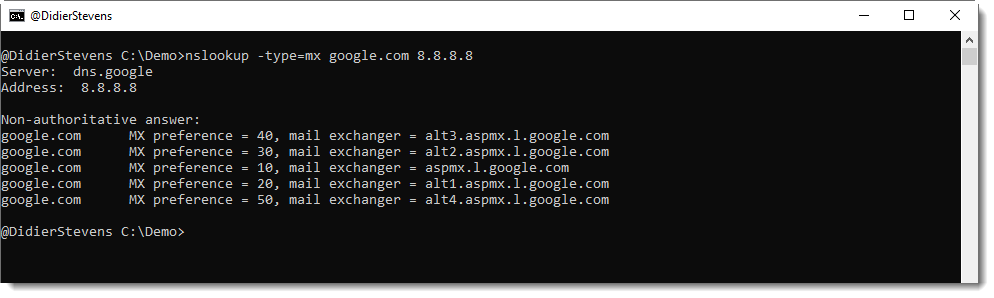

The label of the root domain is an empty string, hence a FQDN with root domain ends with a dot (.), like google.com. :
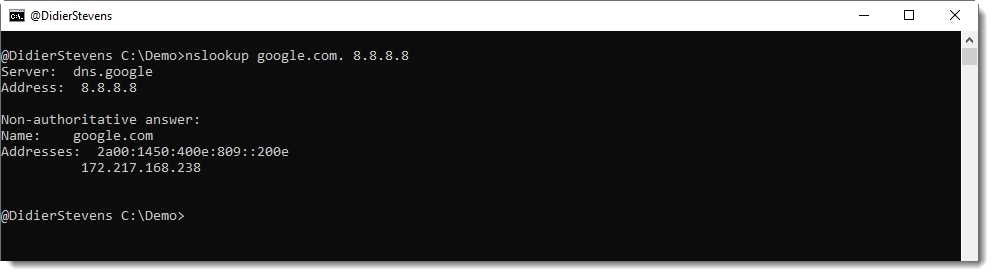
A reminder to myself, how to set a nslookup type via the command-line:
The label of the root domain is an empty string, hence a FQDN with root domain ends with a dot (.), like google.com. :
Here is an overview of content I published in June:
Blog posts:
SANS ISC Diary entries:
NVISO blog posts:
amsiscan.py is a Python script that uses Windows 10’s AmsiScanBuffer function to scan input for malware.
It reads one or more files or stdin.
The AmsiScanBuffer function returns 5 possible values when it is called for a scan:
AMSI_RESULT_CLEAN
AMSI_RESULT_NOT_DETECTED
AMSI_RESULT_BLOCKED_BY_ADMIN_START
AMSI_RESULT_BLOCKED_BY_ADMIN_END
AMSI_RESULT_DETECTED
Example:

amsiscan_V0_0_1.zip (https)
MD5: 47E50599E0CFAF1D27416E68394289A0
SHA256: 044E41D7F31D8333CB5295FD6E430933CA67F9AC37CD400D38189C96AE48544D
virustotal-search.py is a tool to query VirusTotal via its public API for file reports by providing hashes to search for.
This new version adds searching for URLs. Use option -t to select the type of search you want: file (default) or url.
Like this:

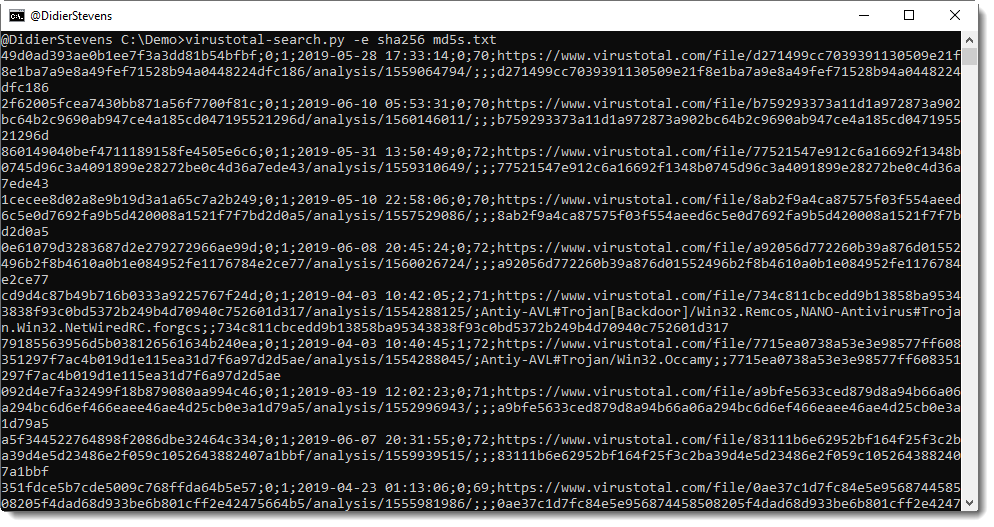
Option -e can be used to include extra information (present in the JSON reply) not included by default.
For example, a default file search does not include sha256 hashes:
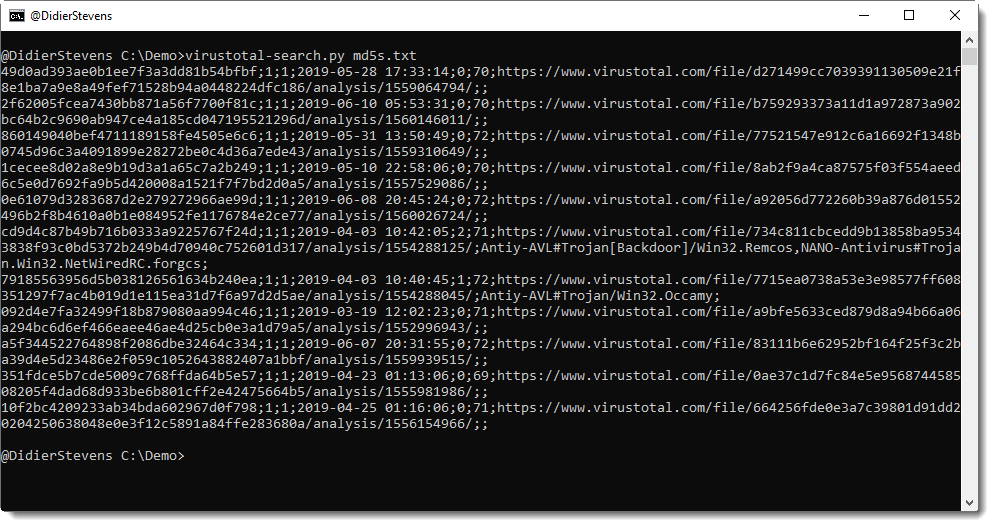
But you can include it with option “-e sha256” like this:
The public API can also be used for queries for domain names and IP addresses. These queries are much simpler than file and url, and therefor, I developed a very generic program to query APIs. This will be released soon.
virustotal-search_V0_1_5.zip (https)
MD5: 2155347687726A321D1ADBB9C9B81CFD
SHA256: 4F614C9D01C694AEAA16F7D5E4DBFBCF37E8E8D01D382C1137F401612D02E110
Some time ago, I had to implement a particular C-runtime random number generator in Python. That’s not difficult to do, you just need a variable that maintains the state (seed) of the random number generator, and then you use a simple algebraic expression: a linear congruential generator.
What’s more difficult to figure out, is knowing which multiplier (a) and increment (c) you need to reproduce the particular C-runtime random number generator.
Fortunately, I discovered that Wikipedia has a table with a and c values for many C compilers and other languages: parameters in common use.
sets.py is a program to perform set operations. In this new version, I added operations unique, product, substitute and sort.
And I added options -s and -i.
Operation unique will remove all double entries (which shouldn’t occur anyway in a mathematical set):
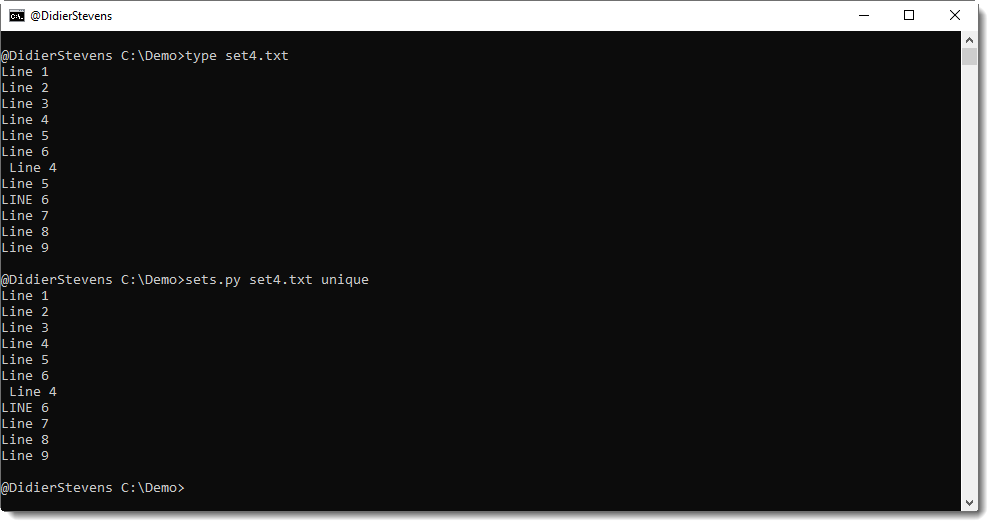
“Line 5” appears twice in set4.txt, thus one occurrence is remove by operation unique. “Line 4” and “Line 6” not, because their case is different, or because they have leading whitespace.
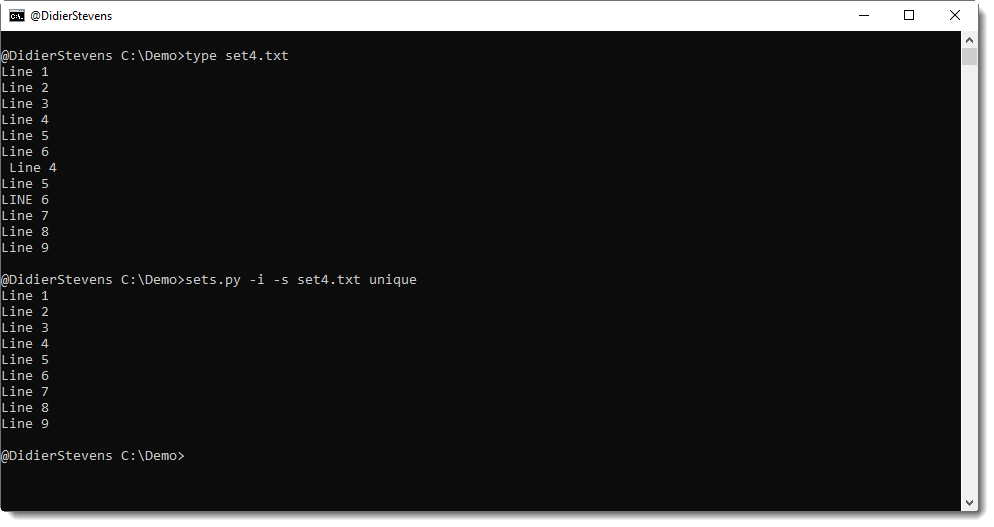
To ignore case, use option -i, and to ignore leading and trailing whitespace, use option -s:
sets_V0_0_3.zip (https)
MD5: F8B1EB9140EBA621CBF6F393717BF2EA
SHA256: 94200F8313A66D7CAB6C200A24DD6A5B1D9644004C2ECCF01F22004A801EFE03
Here is an overview of content I published in May:
Blog posts:
YouTube videos:
Videoblog posts:
SANS ISC Diary entries:
NVISO blog posts:
This new version comes with option -a to parse ASCII/hexdumps as produced by my tools.
Option -s can be used to select another hexadecimal/ASCII dump than the first one (for example, -s 2 to select the second dump).
Option -l (list) can be used to produce an overview of all hexadecimal/ASCII dumps found in the input, together with an index number to be used with option -s.
hex-to-bin_V0_0_2.zip (https)
MD5: 4F415E4117EC497C52E244A7087E36B9
SHA256: D283C312CC169419BC16D9199F5EC850D5D7565B9FDB272CA5236F97EDAD22C3
This update is just a small change to the help description, to clarify password dictionary attacking with the build-in password list.
zipdump_v0_0_15.zip (https)
MD5: 148D49FC54477C12EBB620FDCEF61AA2
SHA256: DE6FE35FA281FAD9BBF8C56883212519E60FDF0BCAFB3AFBBF964E5C808CCA2D
I want to thank Xavier Mertens for creating a Docker container with my tools (GitHub): DSSuite.
Details can be found in ISC diary entry “DSSuite – A Docker Container with Didier’s Tools“.

 Didier Stevens