Saturday 2 October 2021
Overview of Content Published in September
Wednesday 29 September 2021
Update: base64dump.py Version 0.0.17
This new version of base64dump brings 2 new features:
- support for ASCII85 encoding: a85
- selecting of the largest result: -s L

MD5: B535A0B9E73D068380078FC5006756E8
SHA256: DDC67BEBC5C3407213673C0228E84796E6816294A029997542BA7DD9AF659C4E
Sunday 26 September 2021
Patching A Java .class File
010 Editor is one of few commercial applications that I use daily. It’s a powerful binary editor with scripting and templates.
I recently had to patch a Java .class file: extend a string inside that class. Before going the route of decompiling / editing / recompiling, I tried with 010 Editor.
Here is the file opened inside the editor:

When opening the file, 010 Editor recognized the .class extension and installed and ran the template for .class files. That’s what I wanted to know: is there a template for .class files? Yes, there is!
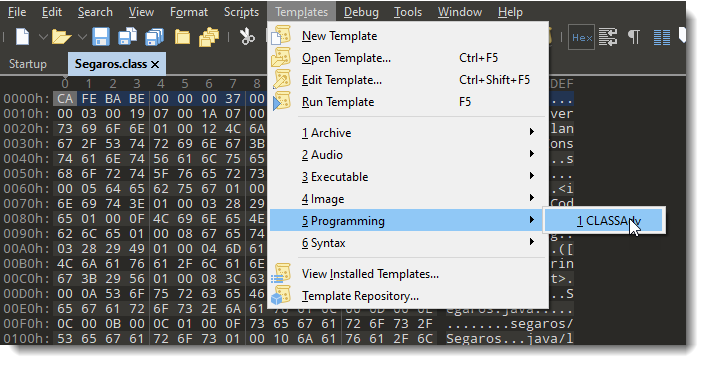
Here is how you can apply a template manually, in case the file extension is not the original extension:
And this is how the template results look like:
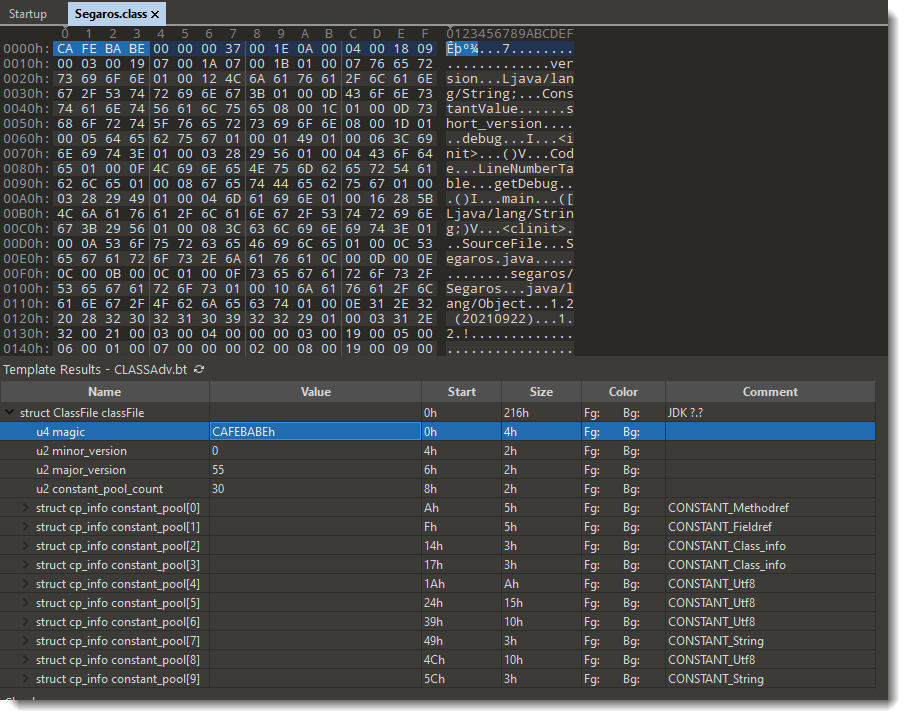
Under the hex/ascii dump, the template results are displayed: a set of nested fields that match the internal structure of .class file. For example, the first field I selected here, u4 magic, is the magic header of a .class file: CAFEBABE.
The string I want to extend is this one:

I need to extend string “1.2 (20210922)”. Into something like “1.2 (20210922a)”.
Doing so will make the string longer, thus I need to add a byte to the file (trivial), but I also need to make sure that the binary structure of .java files remain valid: for example, if there is something in that structure like a field length, I need to change the field length too.
I’m not familiar with the internal structure of .class files, that why I’m using 010 Editor’s .class template, hoping that the template will make it clear to me what needs to be changed.
To find the template result field I need to modify, I position my cursor on the string I want to modify inside the ASCII dump, I right-click and select “Jump To Template Variable”:

Which selects the corresponding template variable:

So my cursor was on the 10th byte (bytes[9]) of the string, which is part of template variable cp_info constant_pool[27]. From that I gather that the string I want to modify is inside a pool of constants.
I can select that template variable:

And here I can see which bytes inside the .class file were selected. It’s not only the string, but also bytes that represent the tag and length. The length is 14, that’s indeed the length of the string I want to extend. Since I want to add 1 character, I change the length from 14 to 15: I can do that inside the template results by double-clicking the value 14, I don’t need to make that change inside the hexdump:


Next I need to add a character to the string. I can do that in the ASCII dump:

I have to make sure that the editor is in insert mode (INS), so that when I type characters, they are inserted at the cursor, in stead of overwriting existing bytes:

And then I can type my extra character:

So I have changed the constant string I wanted to change. Maybe there are more changes to make to the internal structure of this .class file, like other length fields … I don’t know. But what I do as an extra check is: save the modified file and run the template again. It runs without errors, and the result looks good.
So I guess there are no more changes to make, and I decide to tryout my modified .class file and see what happens: it works, so there are no other changes to make.
Wednesday 22 September 2021
Update: re-search.py Version 0.0.18
This version has some Python3/Linux/MacOS fixes.
re-search_V0_0_18.zip (https)MD5: 1BCA3B59B719FAFD6016D2F9F32F1A05
SHA256: 9E4807D3CE0EC320028AC760D3915F4FC0CBF6EC6E20FC9B2C91C54E74E6F548
Sunday 19 September 2021
Overview of Content Published in August
Saturday 21 August 2021
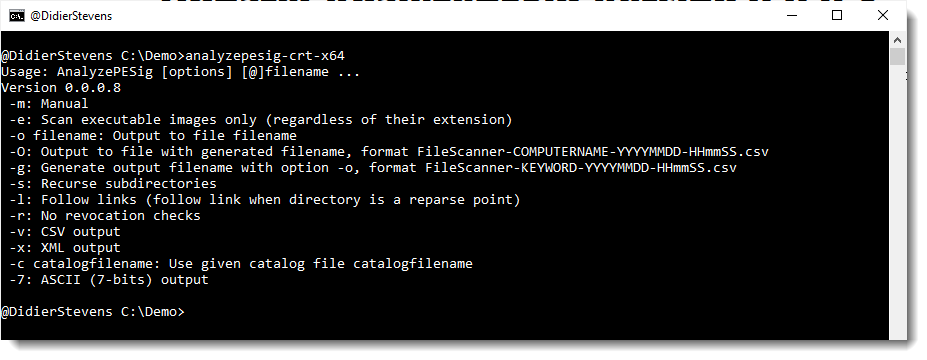
Update: AnalyzePESig Version 0.0.0.8
This new version of AnalyzePESig, my tool to analyze the digital signature of PE files, brings some major updates:
- Support for UNICODE filenames
- Reintroduction of the capability to verify the signature of non-PE files, like .MSI files
And several bug fixes.
MD5: C14A2C8AA91D34F534B4F76E7014E3A9
SHA256: BCCF90BF6E4C26C33BF16DA20CF220DAE8D748B942224659DC720B35BB8EFE86
Friday 20 August 2021
Update: pdfid.py Version 0.2.8
This is a bug fix version
pdfid_v0_2_8.zip (https)MD5: 9DDE1D9010D860303B03F3317DAF07B4
SHA256: 0D0AA12592FA29BC5E7A9C3CFA0AAEBB711CEF373A0AE0AD523723C64C9D02B4
Update: pdf-parser.py Version 0.7.5
This is a bug fix version.
pdf-parser_V0_7_5.zip (https)MD5: D39E98981E6FEA48BF61CA2F78ED0B09
SHA256: 5D970AFAC501A71D4FDDEECBD63060062226BF1D587A6A74702DDA79B5C2D3FB
Thursday 19 August 2021

Tuesday 17 August 2021
Update: oledump.py Version 0.0.62
This new version brings a bug fix and an update to plugin_biff’s XOR deobfuscation.
oledump_V0_0_62.zip (https)MD5: F16DB945970B49A60155443ED82CDE29
SHA256: 4AE5DF2CC8E8F5A395027A8056B1A33B8F05C0AB6FC18D56D46DC151BB4302FB

 Didier Stevens