This is a bug fix version.
base64dump_V0_0_18.zip (https)MD5: C1D1FBED0E4C1A4703C56412611EF47D
SHA256: 3F46110F9A1750D2351EB7CE2278C1E61EE1C421E10ABB5EC5BFC28B0DA61285
This is a bug fix version.
base64dump_V0_0_18.zip (https)This new version of 1768.py, my tool to analyze Cobalt Strike beacons, adds some small changes, like extra tests and defines more field names.
1768_v0_0_10.zip (https)This new version of my tool to decrypt Cobalt Strike metadata, now supports transformations.
By default, encrypted metadata in Cobalt Strike traffic is encoded with BASE64 and then transmitted via the Cookie header in HTTP(S) requests.
This metadata is encrypted with a public RSA key, and can be decrypted if the private key is known.
Here is an example of a malicious beacon with a specific metadata encoding.
Analyzing the beacon with my tool 1768.py yields the following information:

First: a public key (field 0x0007) is used, for which we know the private key: thus we will be able to decrypt the metadata.
Second: the encrypted metadata has a specific encoding (field 0x000c). This beacon was configured with a profile that specifies that the encrypted metadata must be encoded with BASE64 URL-safe (this is a variant of BASE64, that uses characters – and _ in stead of + and /). Then it is prefixed with string __cfduid= and transmitted via the Cookie header.

An error will result when this data is processed by tool cs-decrypt-metadata.py without providing the transformation instructions:
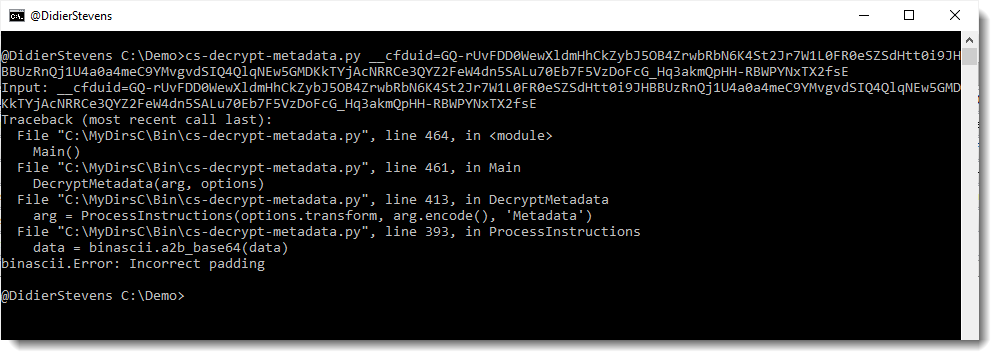
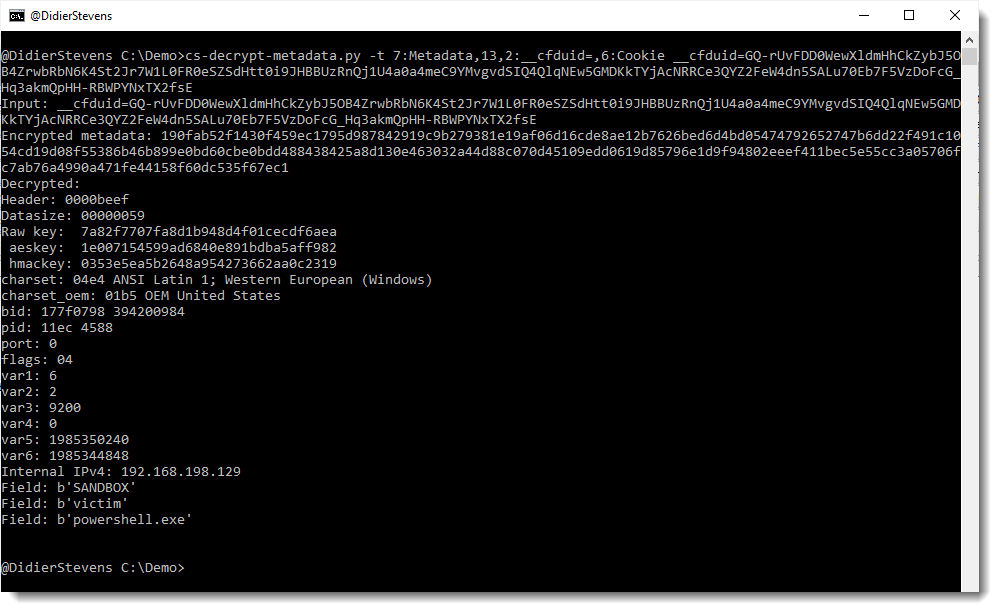
The following transformation instructions must be provided to properly decode and decrypt the metadata: 7:Metadata,13,2:__cfduid=,6:Cookie
This is done with option -t:
This new version of 1768.py, my tool to decode Cobalt Strike beacon configs, brings proper decoding of malleable instructions.
And the license ID statistics have been updated, and 3 new private RSA keys have been added.
Fields 0x000b (Malleable_C2_Instructions), 0x000c (http_get_header) and 0x000d (http_post_header) contain instructions on how to transform data. Until now, my tool did not properly parse these instructions, because I had no need for them. It just extracted the strings found inside the binary data of these fields.
But this has changed, now that I’m improving my tools to parse and decrypt Cobalt Strike network traffic: I need these instructions to properly parse traffic.
Let’s start with a malicious beacon, that uses the default profile:
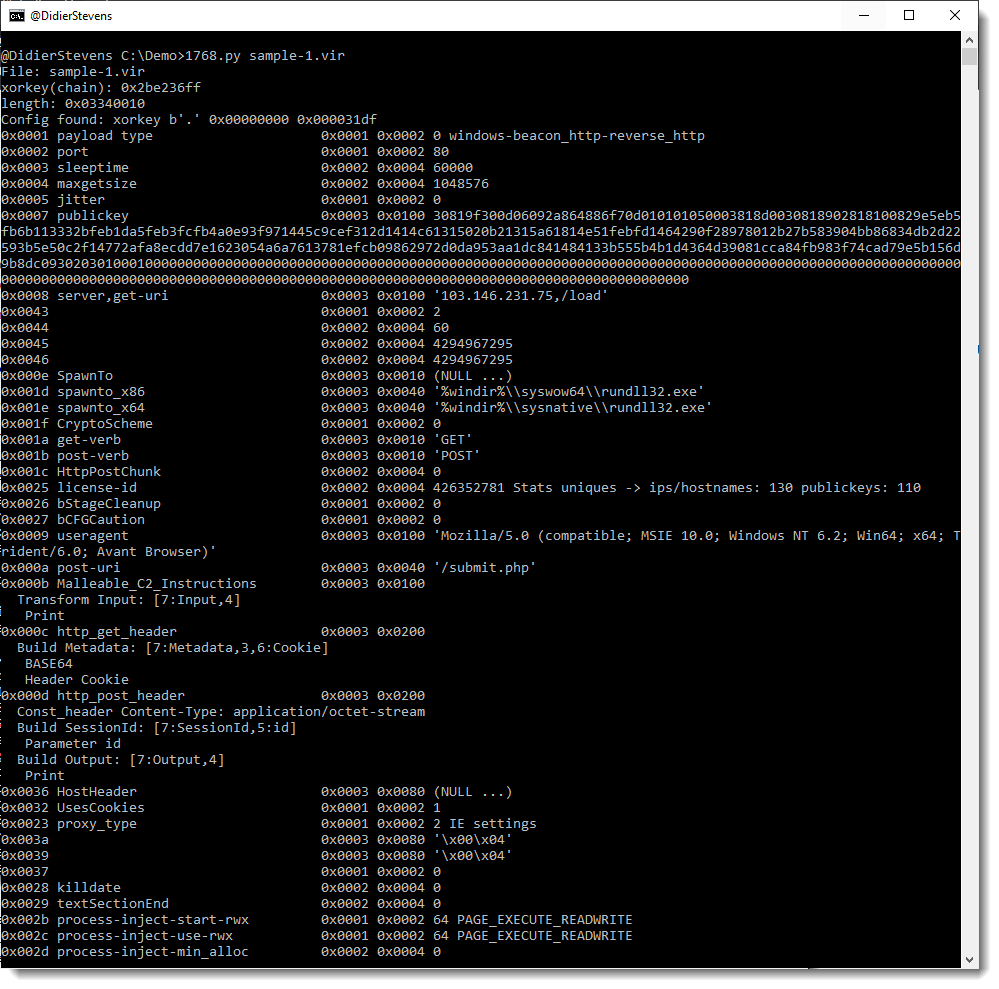
Field Malleable_C2_Instructions (0x000b) contains instructions on how to transform the data send by the team server to the beacon. For the default profile, like this sample, the instructions are just a print statement: this means that the received data can be decrypted as-is, that no transformation prior to decryption is necessary.
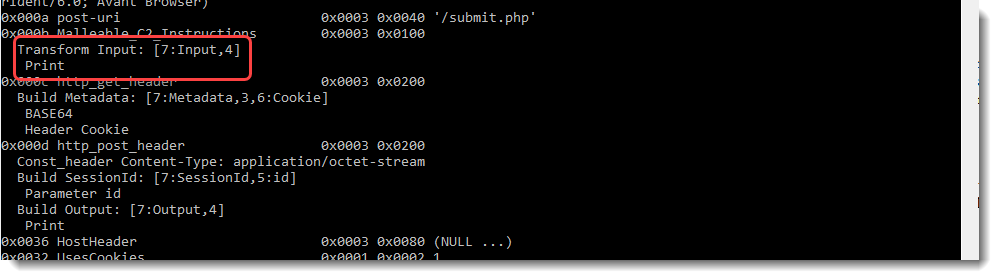
Field http_get_header (0x000c) contains instructions on how to generate the HTTP request that the beacon sends to the team server to obtain tasks it should execute. By default, this is done with a GET request. For the default profile, like this sample, the instructions explain how to transform the metadata. The encrypted metadata has to be BASE64 encoded, and then transmitted via the Cookie header.
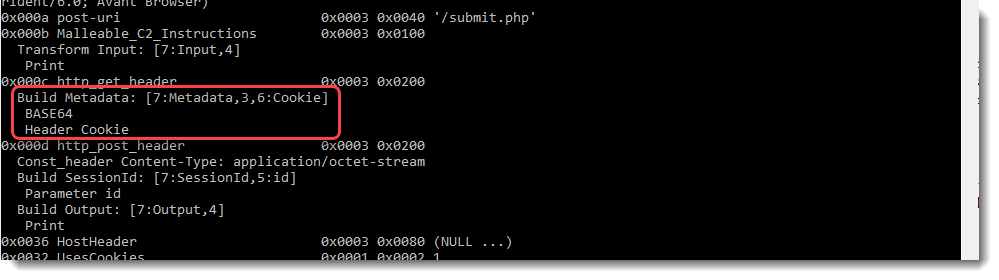
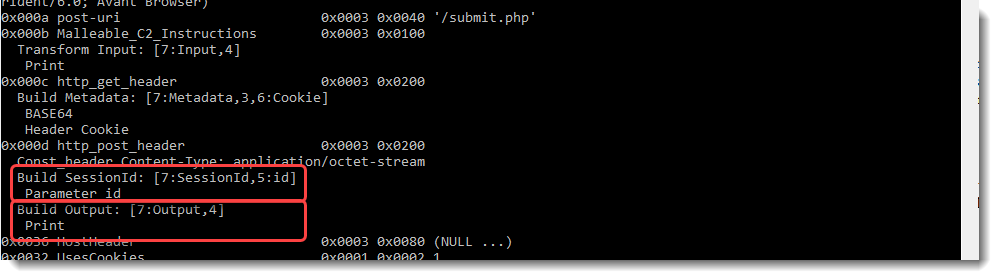
Field http_post_header (0x000d) contains instructions on how to generate the HTTP request that the beacon sends to the team server to report the results (callbacks) of the tasks it has executed. By default, this is done with a POST request. For the default profile, like this sample, the instructions explain how to transform the session id and the encrypted callback data.
The session id has just to be transmitted via the id parameter in the POST request.
For the encrypted callback data (output), the instructions are just a print statement: this means that the data to be transmitted can be transmitted as-is, that no transformation prior to posting is necessary.
That was a malicious beacon with a default profile.
Now let’s take a look at another malicious beacon, with a custom profile:
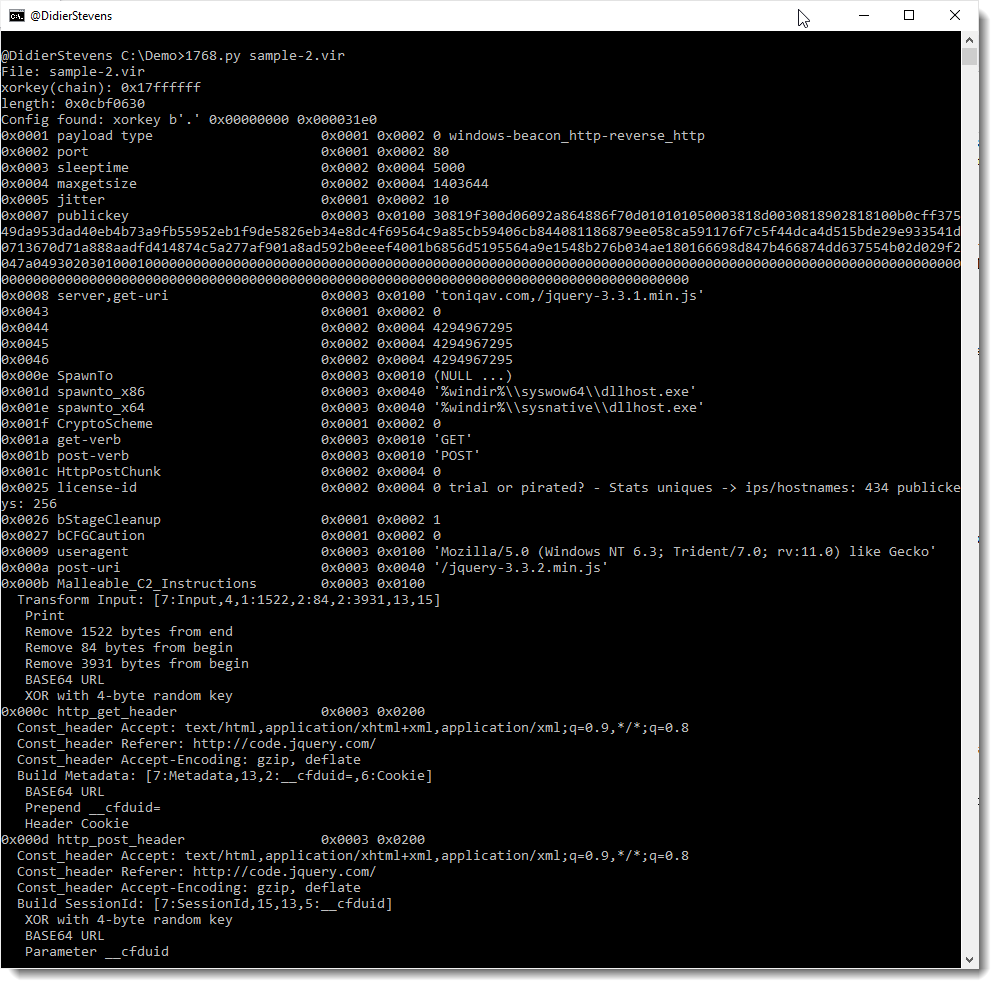
For the received data (field 0x000b or the input, e.g., encrypted tasks received by the beacon), the following instructions need to be applied:

Remark that 1768.py reports these instructions twice: once in a human-readable format (see screenshot), and once in an encoded format between [] that my other tools can parse: [7:Input,4,1:1522,2:84,2:3931,13,15]
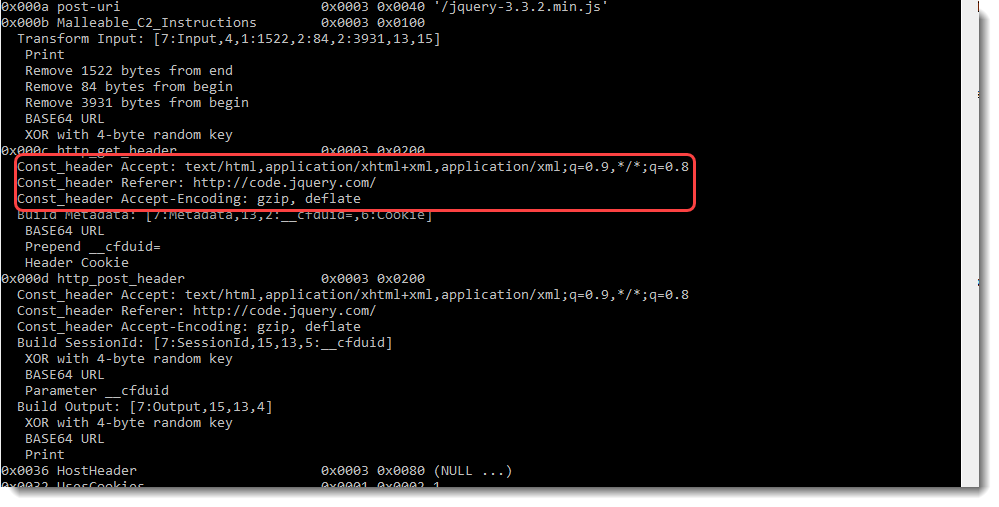
This data is transmitted by the beacon to the team server, via an HTTP request (GET in this sample). The headers to be included in this HTTP GET request are specified in field 0x000c:
And the metadata needs to be encoded and transmitted as follows (field 0x000c, Build Metadata):
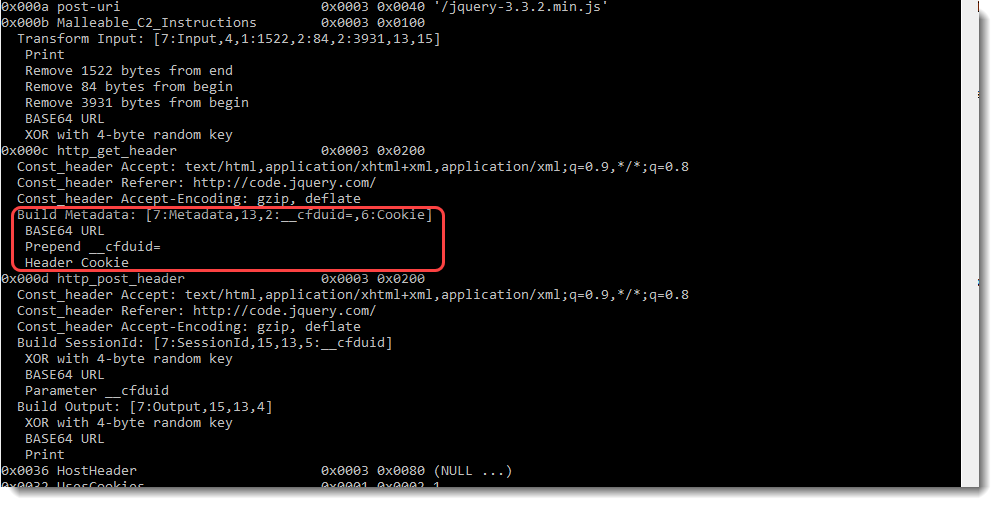
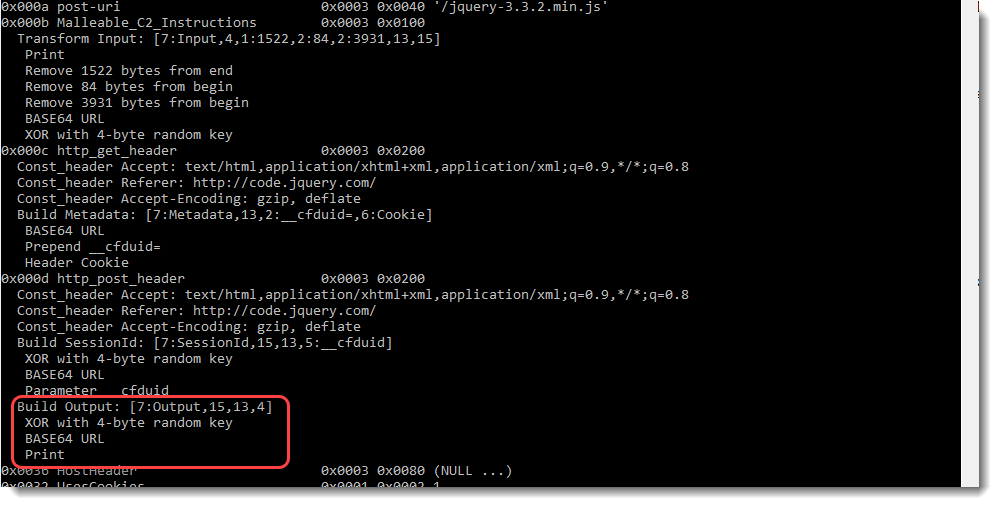
For the transmitted data (field 0x000d or the output, e.g., encrypted callbacks sent by the beacon), the following instructions (Build Output) need to be applied:
Field 0x000d also specifies the headers that need to be added to the POST request:

And field 0x000d also specifies how to transform and transmit the session id. The following instructions (Build SessionId) need to be applied:
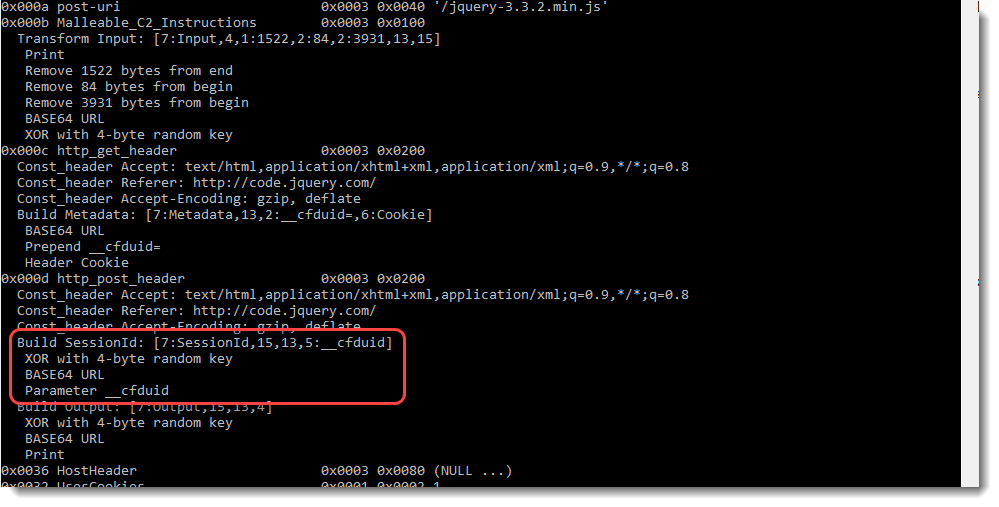
The encoded instructions (for my other tools) are: [7:Output,15,13,4]
Remark: although I show these instructions for HTTP communication, they are also applied for other protocols, like HTTPS and DNS.
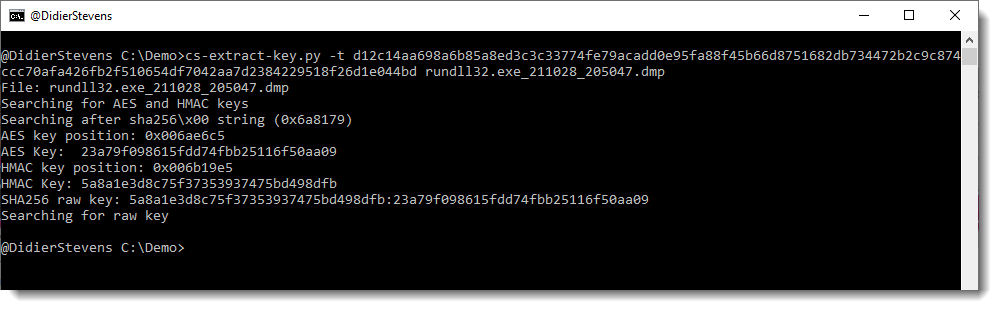
1768_v0_0_9.zip (https)cs-extract-key.py is a tool designed to extract cryptographic keys from Cobalt Strike beacon process memory dumps.
This tool was already available in my beta repository.
This tool can extract cryptographic keys from process memory dumps of a version 3.x beacon directly:
And from version 4.x together with encrypted data extracted from network capture:
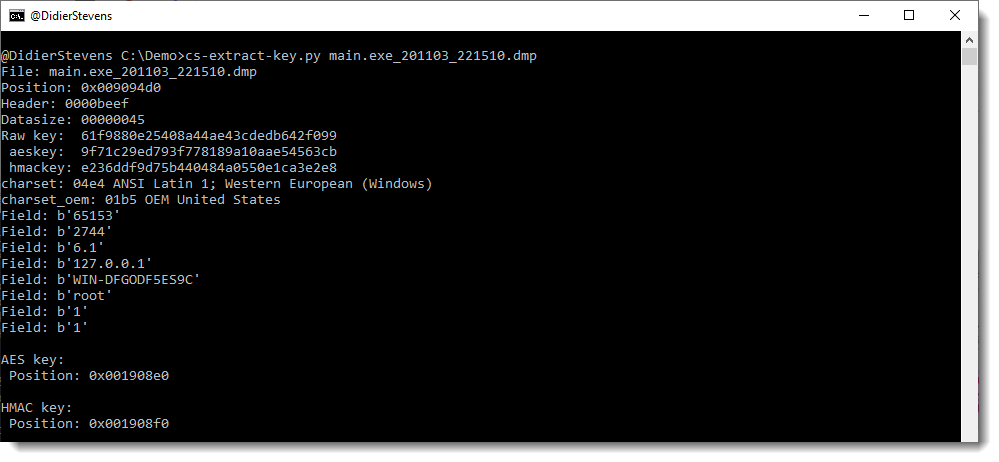
More details can be found in the man page, and in and upcoming blog post.
cs-extract-key_V0_0_1.zip (https)Here is an overview of content I published in October:
Blog posts:
YouTube videos:
Videoblog posts:
SANS ISC Diary entries:
NVISO blog posts:
cs-decrypt-metadata.py is a new tool, developed to decrypt the metadata of a Cobalt Strike beacon.
An active beacon regularly checks in with its team server, transmitting medata (like the AES key, the username & machine name, …) that is encrypted with the team server’s private key.
This tool can decrypt this data, provided:
I will publish blog posts explaining how to use this tool.
Here is a quick example:

I found 6 private keys used by malicious Cobalt Strike servers. There’s a significant number of malicious CS servers on the Internet that reuse these keys, thus allowing us to decrypt their C2 traffic. For the details, I recommend reading the following blog post I wrote “Cobalt Strike: Using Known Private Keys To Decrypt Traffic – Part 1“.
I integrated these keys in the database (1768.json) of my tool 1768.py (starting version 0.0.8).
Whenever you analyze a beacon with 1768.py that uses a public key with a known private key, the report will point this out:
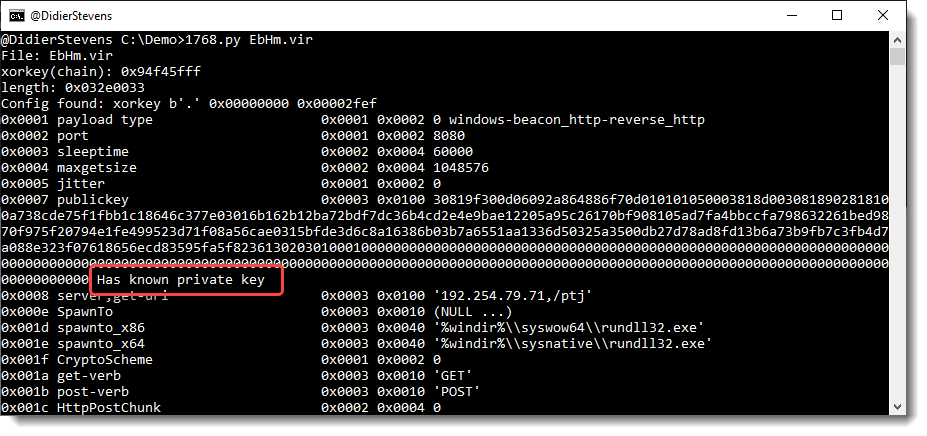
And when you use option verbose, the private key will be included:
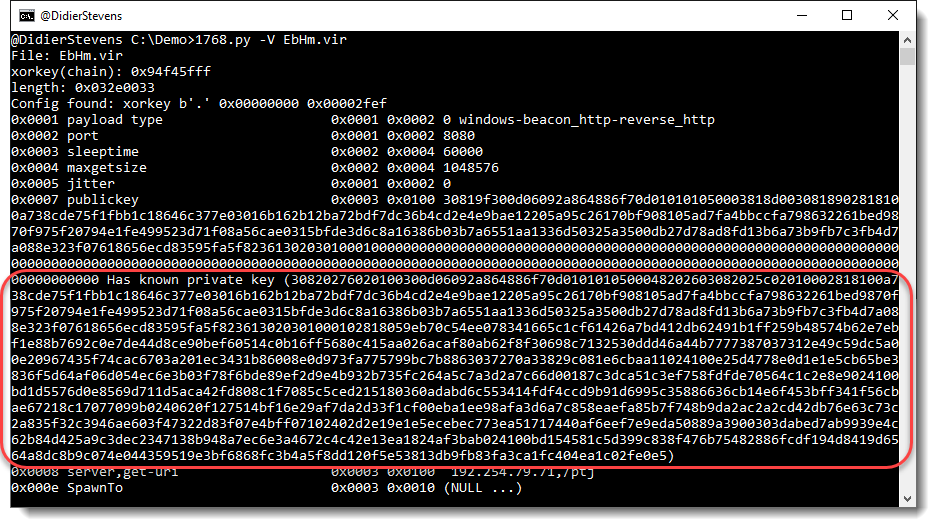
If you want to integrated these 6 keys in your own tools: be my guest. You can find these key pairs in 1768.json.
This new version brings an update to the statistics in file 1768.json.
1768_v0_0_8.zip (https)To better understand how nmap does service detection, I implemented a tool in Python that tries to do (more or less) the same. nmap detects what service is listening on a port, by sending it probes (particular byte sequences) and matching it with expected replies. These probes and replies can be found in file nmap-service-probes.
It allows me to experiment with service detection.
By default onion-connect-service-detection.py connects to service ports over the Tor network.
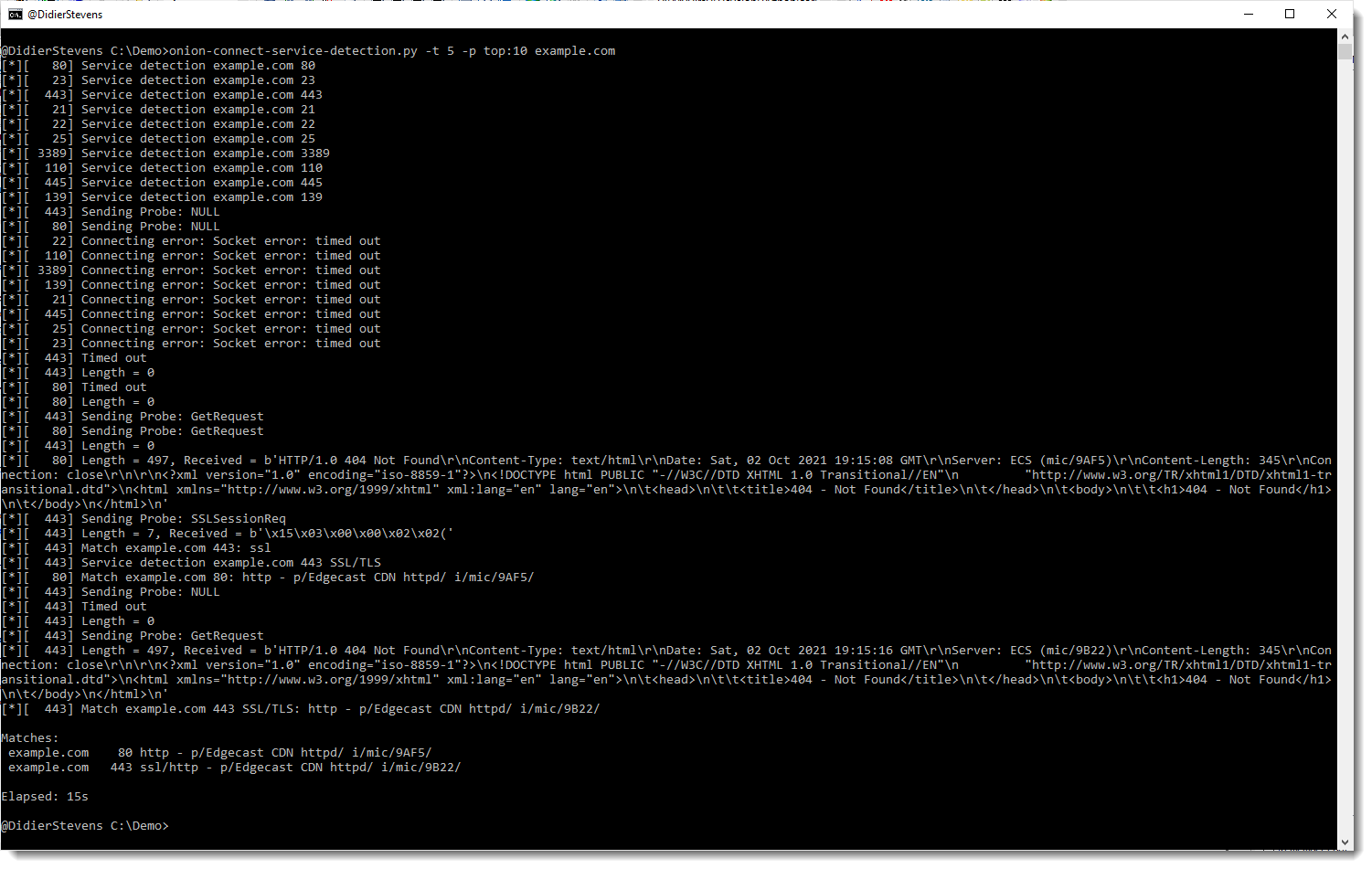
Here is an example where I use the tool to detect services on the 10 most popular ports (top:10) of example.com. With a time-out of 5 seconds.

 Didier Stevens