I wasn’t going to mention SAFER to restrict the rights of an application, because Software Restriction Policies can be bypassed. But a Tweet by Edi Strosar made me review my viewpoint. In this particular case, bypassing SRP is a non-issue, because the user is already local admin!
Software Restriction Policies allow you to force specific applications to run with a restricted token. As Michael explained it with AD GPOs, I’ll show it with local policies.
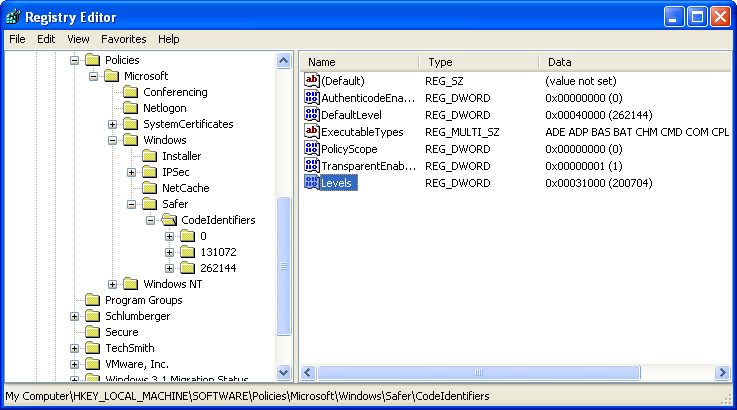
Enable SAFER policies for SRPs by adding DWORD registry key Levels (value 0x31000) to HKLM\SOFTWARE\Policies\Microsoft\Windows\Safer\CodeIdentifiers:
Start the Local Security Policy administration tool and go to the Software Restriction Policies. You’ll have to create new policies if this is the first time you configure SRPs.

Create a new rule in Additional Rules. We’ll identify the application to restrict by its path and name, so create a Path Rule:

For the security level, select Basic User:

If you have no Basic User option, you forgot to update the registry before launching the administration tool:

Select the application to restrict:

This rule will force Adobe Reader to run with a restricted token:

Writing to SYSTEM32 is denied:


 Didier Stevens