I produced a video for my blog post “Analyzing PowerPoint Maldocs with oledump Plugin plugin_ppt“:
cut-bytes.py is a tool I use to select (cut) a sequence of bytes out of a file, using a cut-expression. This expression specifies the start of the sequence and the end of the sequence.
In this example, I use a cut-expression to find the first occurrence of MZ (i.e. [‘MZ’]) and select 8 bytes (8l) starting at the position of that occurrence (-a is ASCII dump):

I realized that with a few changes, I could add a binary grep feature to cut-bytes. Option -g activates this binary grep:

In stead of one occurrence (the first), with option -g, all occurrences are selected.
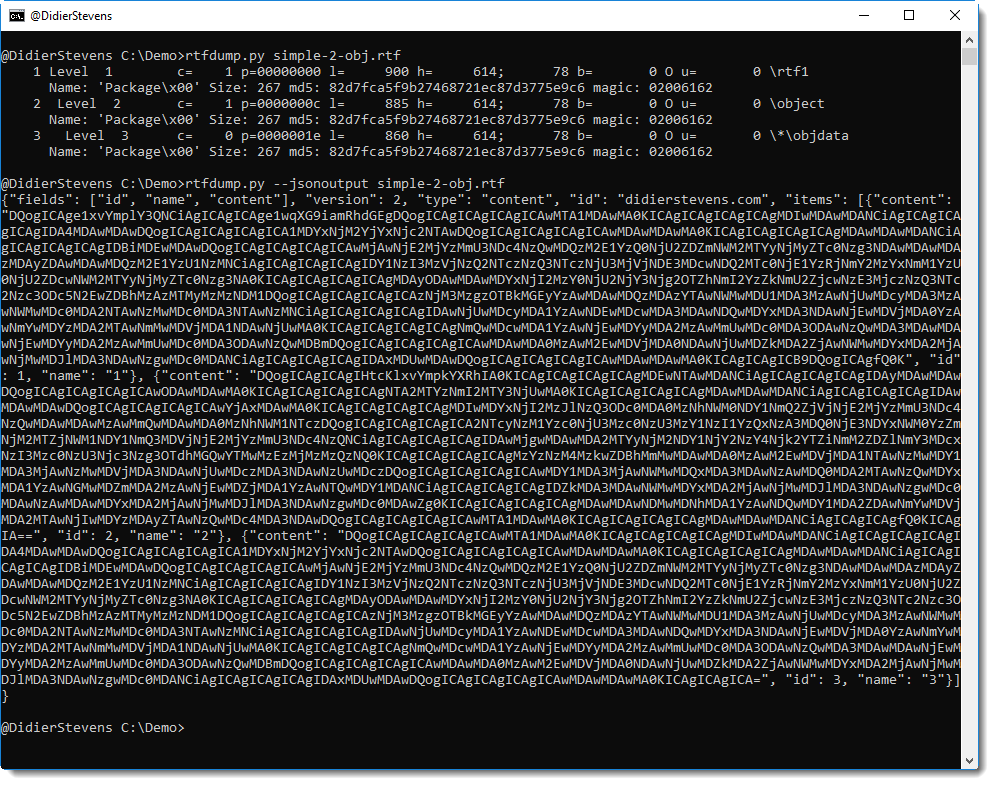
JSON output is now also available with option –jsonoutput:

This JSON output contains all the selected byte sequences (BASE64 encoded and with metadata), and it can be piped into tools that accept this format, like file-magic.py:

file-magic will then identify each byte sequence. As you can guess, I’m looking for PE files embedded in file update.bin. But the byte sequences are too short (8 bytes) for file-magic.py to properly identify file types. By increasing the length to 512 bytes, file-magic.py has enough data to locate 2 PE files (a 32-bit DLL and a 64-bit DLL) inside update.bin:

Option -G is identical to -g, except that the selected byte sequences will not overlap.
And I also added a “run length encoded” ASCII dump (-A). If 2 or more consecutive output lines are identical, the duplicates are suppressed:

cut-bytes_V0_0_8.zip (https)
MD5: 1A69542E7E9D7348101B7E91884674B7
SHA256: 15BC253323FF162F26BEF784172A502383970E63514DF6B88A09952A19DAE826
This new version adds CSV output via option -C:

hash_V0_0_6.zip (https)
MD5: DE0AC3F7809E55E1577EB049A5F34EDF
SHA256: D66FF1D5173E3DDAFC842087B9E4E8447C18EF0AA8C03E02A365E3F9028BA8D9
I installed pcapy on a Windows machine, but importing in Python failed due to a missing DLL.
Process Monitor showed me what was missing: wpcap.dll, a WinPcap DLL:

The DLL was missing because I had installed Npcap (an alternative for WinPcap, that provides loopback packet capture).
This problem can be fixed by setting a toggle to install a WinPcap compatible API (e.g. wpcap.dll) during installation:

Here is an overview of content I published in October:
Blog posts:
SANS ISC Diary entries:
When using option -f to specify struct members, you can now also use new option -n (annotations) to annotate members.
Like in this example:

format-bytes_V0_0_6.zip (https)
MD5: D73C88AB15B8AE3B30BA2C5EBE8CC77E
SHA256: 3FB480B52F5BF535A54B66CABBD853666B3E306EFAE4BD9247B45255F223E0B6
I added a new option to file-magic.py to limit identification to the custom definitions: -C.

file-magic_V0_0_4.zip (https)
MD5: CCF170F09B1442D27AE6519A0BB0CBAB
SHA256: F240BAEE78C8AE4DB29724D8A8F2A5DEDEFE47570219D700FB3BB9A6707432BB
This is an update with a custom definition to recognize compressed RTF.

file-magic_V0_0_3.zip (https)
MD5: C46EBA4BC6BC63E097A86E30E6DE5432
SHA256: 3F3012B06182925C1A42678977089184B9C97C37CD025F9D71757B4227E7BE09
VBA macros inside a PowerPoint document are not stored directly inside streams, but as records in the “PowerPoint Document” stream. I have a plugin to parse the records of the “PowerPoint Document” stream, but I failed to extract the embedded, compressed OLE file with the macros. Until a recent tweet by @AngeAlbertini brought this up again. On his sample too I failed to extract the compressed OLE file, but then I remembered I had fixed a problem with zlib extraction in pdf-parser.py. Taking this code into plugin_ppt.py fixed the decompression problems.
VBA macros in a PowerPoint document do not appear directly in streams:

Plugin plugin_ppt parses records found in stream “PowerPoint Document”:

Each line represents a record, prefixed by an index generated by the plugin (to easily reference records). Records with a C indicator (like 1 and 435) contain sub-records. Records prefixed with ! contain an embedded object.
Record 441 (RT_ExternalOleObjectStg) interests us because it contains an OLE file with VBA macros.
Plugin option -s can be used to select this record:

Plugin option -a can then be used to do an hex/ascii dump:

The first four bytes are the size, and then follows the zlib compressed OLE file (as indicated by 0x78).
This OLE file can be decompressed and extracted with option -e, but pay attention to use option -q (quiet) so that oledump will only report the output of the plugin, and nothing else. This can then be piped into a second instance of oledump:

And now we can extract the VBA macros:

oledump_V0_0_38.zip (https)
MD5: C1D7F71A390497A516F67D798BA25128
SHA256: 4CADEE69D024E9242CDA0CE3A9C22BCB1CAFF9D5BA2D946519C6B7C18F895B81
This new version of oledump.py includes a new plugin to extract VBA code from PowerPoint files and an update to plugin plugin_http_heuristics.
plugin_http_heuristics was updated to increase the chance of success for the XOR dictionary attack, triggered by a maldoc sample I analyzed.

Two new options were added: -e and -k.
By default, plugin_http_heuristics searchers for keywords http: and https:. Using option -e, this list is extended with keywords msxml, adodb, shell, c:\, cmd and powershell.

With option -k, the default keyword list is replaced by your own list (using , as separator). Here I look for ftp (which is not present), remark that http is no longer detected:

oledump_V0_0_38.zip (https)
MD5: C1D7F71A390497A516F67D798BA25128
SHA256: 4CADEE69D024E9242CDA0CE3A9C22BCB1CAFF9D5BA2D946519C6B7C18F895B81