Say that you have to share a decrypted TLS stream, like the stream we decrypted in part 1.
You did a forensic investigation, and you need to included the decrypted TLS stream in your findings. Or you are troubleshooting an issue, and need need to share the decrypted TLS stream with a vendor.
I’m sure you don’t want to share the web server’s private key with a vendor (remember, in part 1, we used a web server’s private key to decrypt a TLS stream, while in part 2 we used a client’s SSLKEYLOGFILE).
If you would have the necessary secrets in a SSLKEYLOGFILE, you would be able to share that. Because those keys only apply to that particular TLS stream, they are useless for other TLS streams.
Such a file with secrets can be generated by Wireshark, when you have the capture file open together with the server’s private key file.
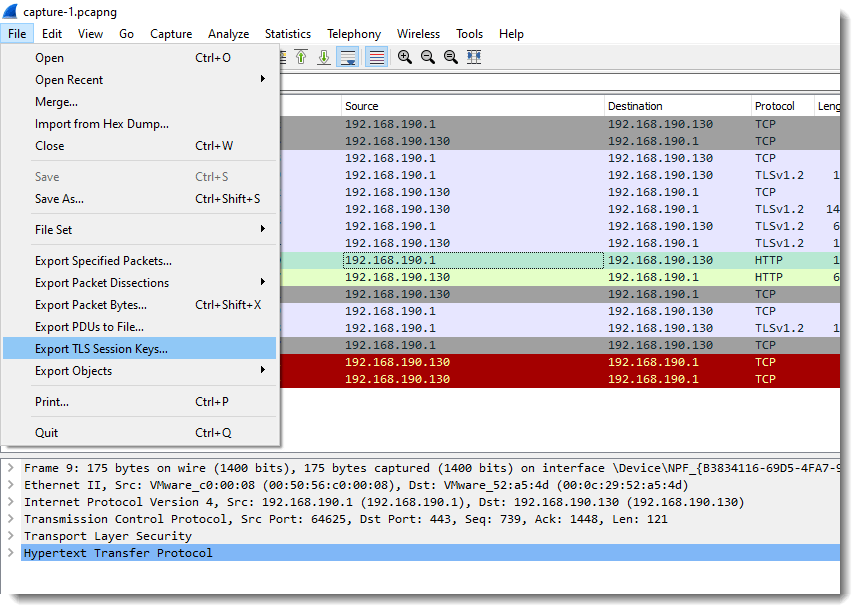
I use option “Export TLS Session Keys”:

The content of the file that was created (tls.keys) looks very similar to the SSLKEYLOGFILE we generated in part 2:

A small difference here, is that the RSA secret includes the master key in stead of the pre-master key.
This file can now be shared (together with the capture file) with third parties, without revealing the web server’s private key. They can then use it like explained in part 2.
To make life easier for the recipients of your capture file with secrets file, you can also merge both files together: embedding the secrets into the pcapng file. This way, they don’t have to configure secrets files in Wireshark, just opening the pcapng file is sufficient for the TLS traffic to be decrypted.
This embedding can be done with editcap’s –embed–secrets option:

The type of secret we want to inject is TLS. The tls.keys file (or the SSLKEYLOGFILE files from part 2) is injected like this into pcapng file capture-1.pcapng:

“c:\Program Files\Wireshark\editcap.exe” –inject-secrets tls,export.keys capture-1.pcapng capture-1-with-keys.pcapng
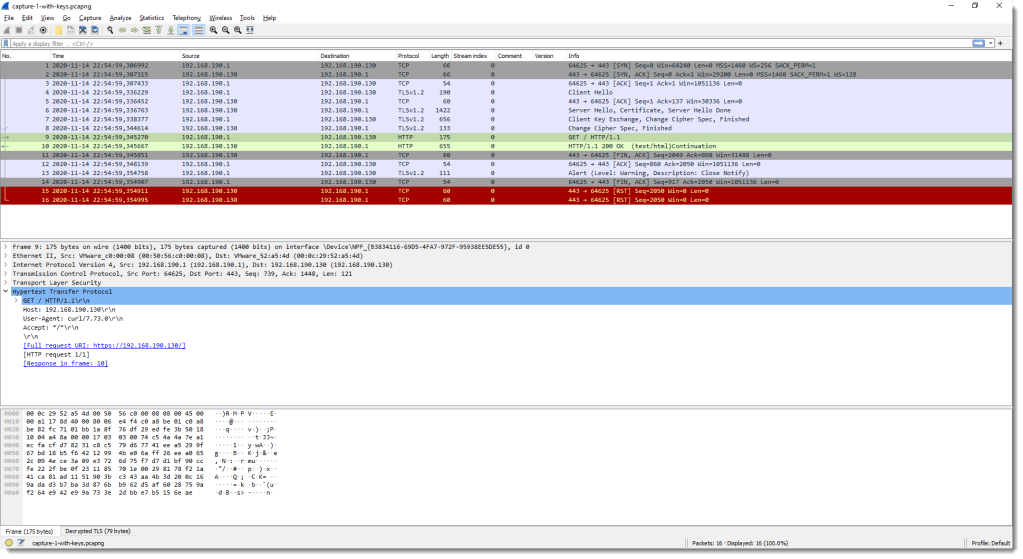
The resulting file, capture-1-with-keys.pcapng can then be opened in any instance of Wireshark, and the TLS traffic will be decrypted automatically, without having to change the configuration for the TLS protocol:
Embedding secrets is only possible with the pcapng format, because that format has a record type specific for secrets:
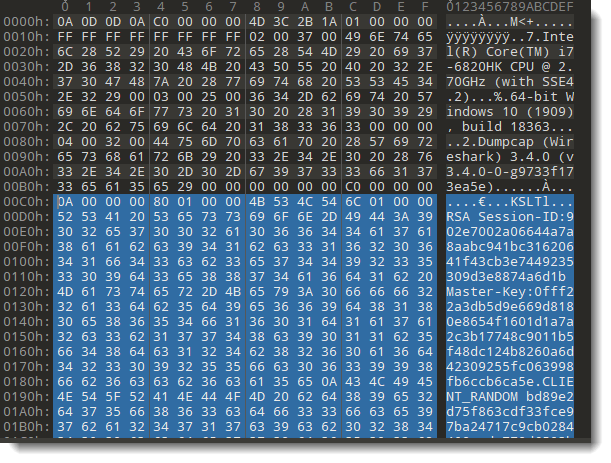
This is not possible with the older pcap format.
You can also created a pcap file with only the traffic you want to share, and nothing more. Use a display filter to select the traffic you want to share, and then export the specified packets:

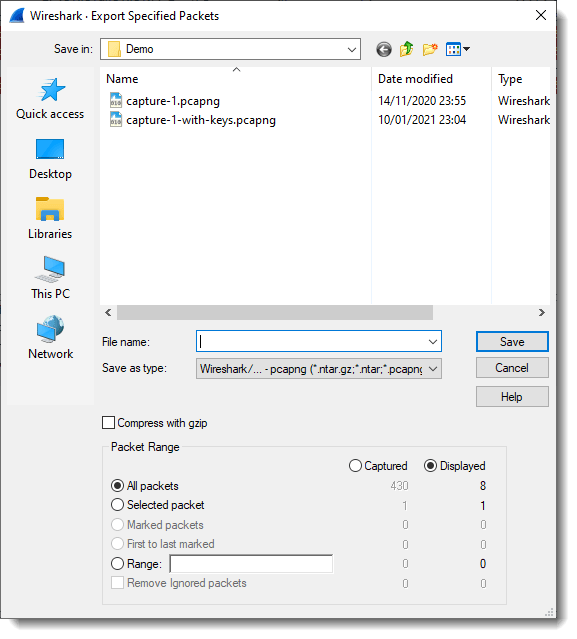
And then you can open this filtered capture file, and generate TLS keys only for the traffic you want to share.
A typical Wireshark installation comes with a command-line version too: tshark. tshark uses the same settings as Wireshark. Thus if you defined a secrets file to decrypt TLS in Wireshark, tshark will also be able to do the decryption (-Y http is a display filter for http):

While if nothing is configured to do the decryption in Wireshark, tshark won’t be able to decrypt:

A final tip I want to share: starting with Python 3.8, python supports SSLKEYLOGFILE too (it uses a version of openssl that supports this).
Previous blog posts:
Decrypting TLS Streams With Wireshark: Part 1
Decrypting TLS Streams With Wireshark: Part 2









 Didier Stevens