I came across an interesting picture while browsing my digital library.
As an IT security professional, you don’t often get a chance to say: “And in this picture, you see me mitigating risk”.
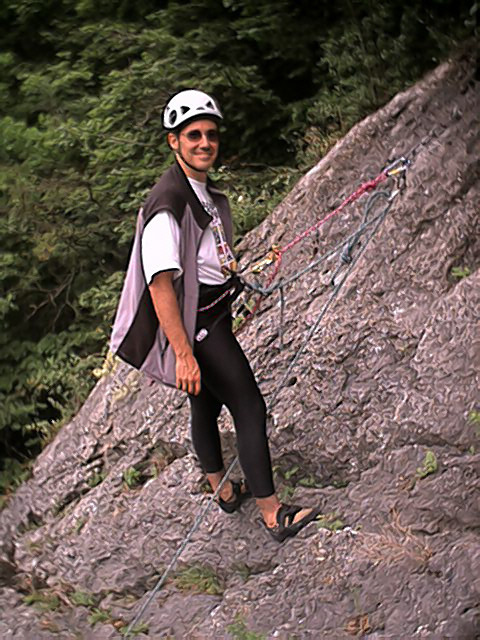
I came across an interesting picture while browsing my digital library.
As an IT security professional, you don’t often get a chance to say: “And in this picture, you see me mitigating risk”.
The new version (1.1) of my USBVirusScan program has 2 new placeholders:
The volume serial number is assigned by the operating system when a hard disk is formatted. It is not the serial number assigned by the manufacturer. See function GetVolumeInformation for details.
The volume name and volume serial number allow me to script different actions for the different USB drives I plug into my system. For example, when I insert my USB drive with my TrueCrypt protected data on it, my script automatically launches the TrueCrypt program to mount the drive, I just have to type the pass-phrase. Or when I insert my MP3 player, the script opens the folder with queued-up podcasts.
And for all other drives, I start a virus scan.
EICARgen is a trivial tool I developed to generate the EICAR Anti-Virus test file.
I’ve released a bugfix for my OllyDbg plugin OllyStepNSearch.
Thanks to Ngan Truong for finding and reporting bugs in the help function. My program worked with an uninitialized pointer, shame on me.
A few days ago I Googled again for Vanderelst Chauffagiste (Google and the Drive-by Download), I noticed the Spamdexing “R” Us site has disappeared from the SERPs. But it still exists.
I’m at TechEd Barcelona this week.
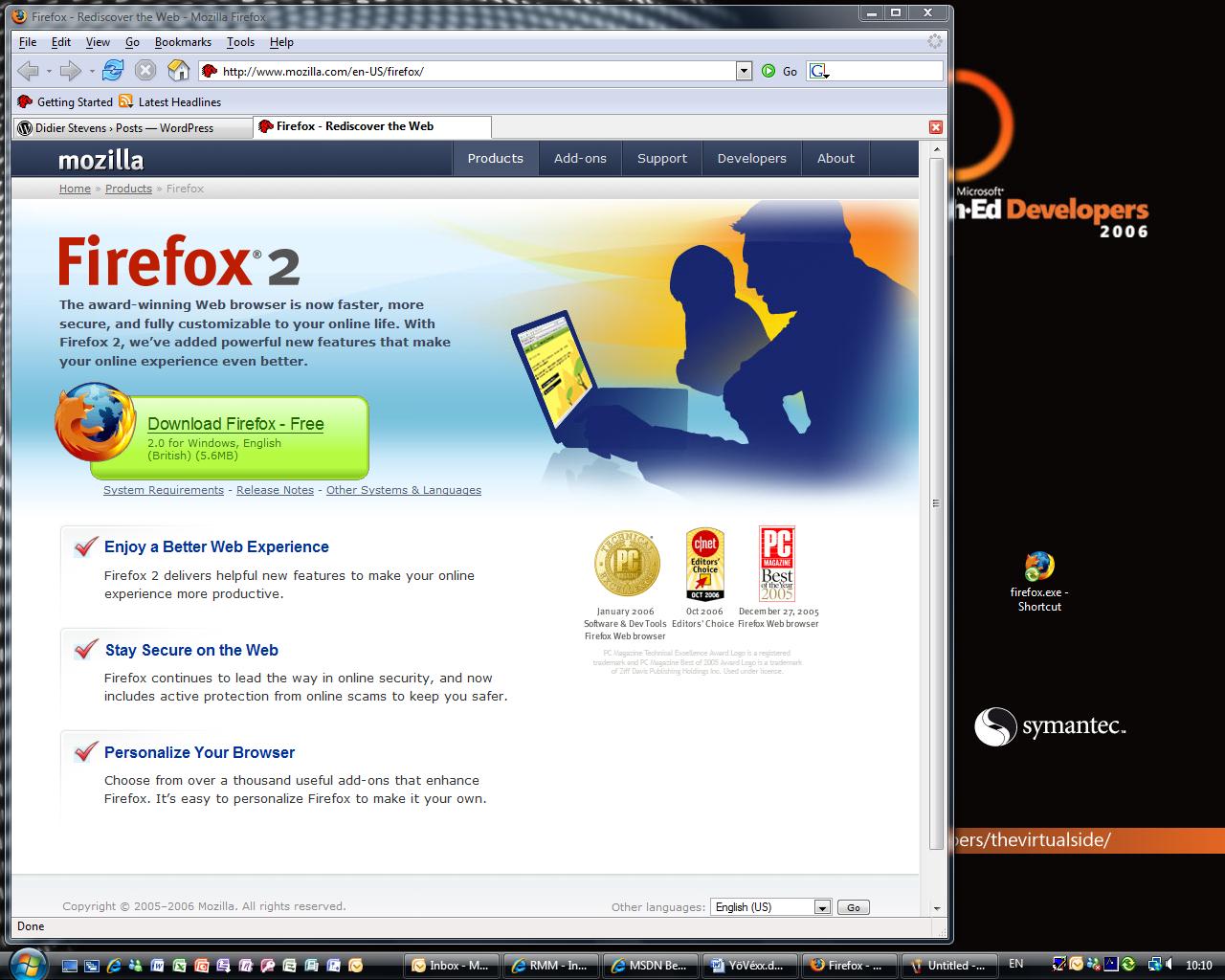
We have locked-down Vista machines at our disposal (The Com Network) to access the Internet. Last year, I installed Firefox in My Documents on my roaming profile. Software Restriction Policies are defined on the domain we logon, so you cannot install software. But installing Firefox in My Documents is still possible.
Yesterday I noticed that Firefox was still available in My Documents, so I started using it right away. But not this morning, the admins must have tuned the policies, because firefox was not allowed to run.
You can specify the software you want to restrict with a name (path) or a hash. I guessed, correctly, that they used a name, so now I’m browsing with FireOx.
Challenger is a small program I’ve used in reverse-engineering challenges (without success ;-)). It performs dictionary and brute-force attacks on the reverse-engineering challenge program.
The programs used in reverse-engineering challenges are usually console programs. You start the program, it asks for the password (standard output), you type the password (standard input), the program responds and ends.

Challenger automates this process: it runs the program against a list of passwords (dictionary) or it tries out all combinations (brute-force).
Challenger is also a console program taking command-line arguments.
Here is an example where I use my program on F-secure’s Khallenge level 1 program with a tiny wordlist from Openwall. Since I don’t know the output produced by the program when a correct password is entered, I don’t use the search argument: challenger /executable:level1.exe /dictionary:lower.lst /log:log.txt
Here is the result:
Start > 2/11/2006 21:49:45
Start     > Challenger v1.0.0.0 (https://DidierStevens.com)

Config    > dictionary

Config    > file: lower.lst

Config    > executable: level1.exe

Config    > arguments:

Config    > timeout: 100

Config    > heartbeat: 1000

Config    > search: not enabled

Config    > log: log.txt

New output> a -> ASSEMBLY'06 REVERSE ENGINEERING CHALLENGE
*** LEVEL 1 *** Challenge Copyright (c) 2006 F-Secure Corporation
For more information, please see http://www.f-secure.com/weblog/asm.htm
Enter the password:
Try another one.
Heartbeat > 2/11/2006 21:49:58 counter: 1000 password: anonymity

Heartbeat > 2/11/2006 21:50:11 counter: 2000 password: barge

Heartbeat > 2/11/2006 21:50:23 counter: 3000 password: brass

Heartbeat > 2/11/2006 21:50:34 counter: 4000 password: cement

Heartbeat > 2/11/2006 21:50:45 counter: 5000 password: compendia

Heartbeat > 2/11/2006 21:50:57 counter: 6000 password: cuisine

Heartbeat > 2/11/2006 21:51:10 counter: 7000 password: disavow

Heartbeat > 2/11/2006 21:51:21 counter: 8000 password: emergency

Heartbeat > 2/11/2006 21:51:34 counter: 9000 password: feeble

Heartbeat > 2/11/2006 21:51:45 counter: 10000 password: g

Heartbeat > 2/11/2006 21:51:58 counter: 11000 password: handbarrow

Heartbeat > 2/11/2006 21:52:11 counter: 12000 password: identical

Heartbeat > 2/11/2006 21:52:23 counter: 13000 password: ion

Heartbeat > 2/11/2006 21:52:35 counter: 14000 password: lev

Heartbeat > 2/11/2006 21:52:47 counter: 15000 password: meatball

Heartbeat > 2/11/2006 21:53:00 counter: 16000 password: naivete

New output> obvious -> ASSEMBLY'06 REVERSE ENGINEERING CHALLENGE
*** LEVEL 1 *** Challenge Copyright (c) 2006 F-Secure Corporation
For more information, please see http://www.f-secure.com/weblog/asm.htm
Enter the password:
Yup, thats it!
To continue, send an email to: level1-solution_was_obvious@khallenge.com
Heartbeat > 2/11/2006 21:53:13 counter: 17000 password: orthograph

Heartbeat > 2/11/2006 21:53:26 counter: 18000 password: pestle

Heartbeat > 2/11/2006 21:53:39 counter: 19000 password: presume

Heartbeat > 2/11/2006 21:53:51 counter: 20000 password: recount

Heartbeat > 2/11/2006 21:54:04 counter: 21000 password: sandy

Heartbeat > 2/11/2006 21:54:16 counter: 22000 password: sis

Heartbeat > 2/11/2006 21:54:29 counter: 23000 password: stomp

Heartbeat > 2/11/2006 21:54:42 counter: 24000 password: tenor

Heartbeat > 2/11/2006 21:54:54 counter: 25000 password: tunisia

Heartbeat > 2/11/2006 21:55:07 counter: 26000 password: venerate

Heartbeat > 2/11/2006 21:55:19 counter: 27000 password: withhold
For the first password (a), the challenge program outputs “Try another one.”. The challenge program outputs this for every password in the list, until the password “obvious” is tested. When obvious is entered as the password, the output of the challenge program is “Yup, thats it!”, allong with the e-mail address. Since no /search argument was provided, the Challenger program continues until the wordlist is exhausted.
The “New output>” line lists the exact output produced by the tested program, except that all newlines are replaced by a space character to make it fit on one line (for clarity, I’ve added the newlines back in this example).
Had I known that the level 1 program outputed “Yup, thats it!” when the correct password is entered, I could have issued this command: challenger /executable:level1.exe /dictionary:lower.lst /log:log.txt /search:Yup
And the program would stop once the correct password was found:
Found > counter: 16663 password: obvious ASSEMBLY’06 REVERSE …
It’s also possible to start a brute-force attack, like this: challenger /executable:level1.exe
This will start with password ‘a’ and try all alphanumeric combinations.
During the reversing of the level 3 challenge of F-Secure’s Khallenge, I discovered that only characters 2, 4, 6 and 8 were used in the password. So I used my Challenger program to try all combinations, while I continued reversing:
challenger /executable:level3.exe /bruteforce:2 /characters:2468 /log:log.txt
Output:
Start     > 2/11/2006 22:09:25

Start     > Challenger v1.0.0.0 (https://DidierStevens.com)

Config    > brute force

Config    > start: 2

Config    > characters: 2468

Config    > executable: level3.exe

Config    > arguments:

Config    > timeout: 100

Config    > heartbeat: 1000

Config    > search: not enabled

Config    > log: log2.txt

New output> 2 -> ASSEMBLY'06 REVERSE ENGINEERING CHALLENGE
*** LEVEL 3 *** Challenge
Copyright (c) 2006 F-Secure Corporation
For more information, please see http://www.f-secure.com/weblog/asm.htm
Enter password:
Nope.

Heartbeat > 2/11/2006 22:09:40 counter: 1000 password: 66428

Heartbeat > 2/11/2006 22:09:53 counter: 2000 password: 264868

Heartbeat > 2/11/2006 22:10:06 counter: 3000 password: 464628

Heartbeat > 2/11/2006 22:10:20 counter: 4000 password: 664268

Heartbeat > 2/11/2006 22:10:34 counter: 5000 password: 862828

Heartbeat > 2/11/2006 22:10:48 counter: 6000 password: 2262468

Heartbeat > 2/11/2006 22:11:02 counter: 7000 password: 2462228
...
But I found the correct password through reversing before my Challenger program found it with brute-force: the password was so long that my program would take too long…
Challenger is written in C# with Microsoft Visual C# 2005 Express Edition.
Download:
MD5: FC71CAA3F99CB6EE9094098D60B7E4C3
I’ve released a new version of my OllyDbg plugin called OllyStepNSearch.
The new features are:
And this time, there is also a demo movie here on YouTube, a hires (XviD) version can be found here.
No big surprise here, I didn’t get a WiFi signal in the Channel Tunnel today. I only logged packets: plenty enough in London, Lille and Brussels, but not in the tunnel.

Still wondering how likely is it to land on a drive-by download page when doing a (Google) search, I analyzed the infamous AOL search data to try to answer this question.
Conclusion: for every 2800 click throughs, 1 landed on a spamdexing site. 1% of the AOL users clicking through landed on a spamdexing site.
The AOL search data was collected over a period of 3 months (01 March, 2006 – 31 May, 2006), it contains 19,442,629 user click through events. A click through event is an entry in the database indicating that the AOL user clicked on the link presented in a Search Engine Result Page (SERP). These are the fields of a click-trough event entry:
Of the 19,442,629 user click through events, 15,066 events have a URL of the following format: digits.alphanums.info.
Expressed as a Perl regular expression, this format is: %\d+\.\w+\.info$ (\w is not strictly limited to alphanumerical characters, the underscore character is also included).
I search for URLs of this format because it was used by the original drive-by download I discovered.
Extracting the main domain (alphanums.info) of the URL of these 15,066 click through events produces a list of 1099 unique domains.
I wrote a script to retrieve and analyze one page for each these 1099 domains. 874 of these pages have the same look and feel as the original drive-by download page:
This leads me to believe that these 874 domains form a network of sites that use spamdexing techniques to rank high in SERPs. They use
From now on, I’ll refer to these sites as Spamdexing “R” Us.
These domains are used now (October 2006) for spamdexing, and I assume they were also used for spamdexing 6 months ago (time frame of the AOL data).
Of the 19,442,629 user click through events, 6,988 events landed on a Spamdexing “R” Us site (i.e. one of the 874 domains I identified). This is 0,04%, or around 1 hit per 2800 SERP click throughs! According to some people I talked with, this is an excellent result for Spamdexing “R” Us: for every 2800 SERP click throughs the AOL users executed, 1 landed in their spider web.
Spamdexing “R” Us rank high on the SERPs:
| Rank | Click throughs | |
|---|---|---|
| 1 | 1313 | 19% |
| 2 | 836 | 12% |
| 3 | 710 | 10% |
| 4 | 553 | 8% |
| 5 | 542 | 8% |
| 6 | 438 | 6% |
| 7 | 376 | 5% |
| 8 | 390 | 6% |
| 9 | 366 | 5% |
| 10 | 384 | 5% |
41% of the traffic comes from the 3 highest ranking click troughs.
How do Spamdexing “R” Us sites compare to the other click through sites in the AOL search data? Ranking all the click throughs per URL shows that Spamdexing “R” Us sites rank high: 142th place. As a side note, it’s interesting to mention that the number 1 in the ranking is http://www.google.com, with 366,623 click throughs.
Here’s a selection of some well-known sites that are in the same click through range as the Spamdexing “R” Us sites:
| Rank | URL | Click throughs |
|---|---|---|
| 87 | http://www.flickr.com | 9369 |
| 101 | http://www.mtv.com | 8760 |
| 102 | http://www.bbc.co.uk | 8739 |
| 116 | http://www.apple.com | 7998 |
| 120 | http://www.facebook.com | 7771 |
| 128 | http://www.washingtonpost.com | 7465 |
| 133 | http://www.usatoday.com | 7300 |
| 142 | Spamdexing ‘R Us | 6988 |
| 144 | http://www.download.com | 6929 |
| 160 | http://www.youtube.com | 6259 |
| 161 | http://www.playboy.com | 6241 |
The AOL search data contains 657,426 unique user ID’s. 521,694 users clicked on links in the SERPs, and 4,952 users landed on Spamdexing “R” Us sites. That’s about 1 AOL user per 100 (0,95%) in a 3 month period.
Some caveats / remarks concerning this research:


