Didier Stevens

Monday 8 February 2010

Excel with cmd.dll & regedit.dll

Filed under: Hacking,My Software — Didier Stevens @ 21:17

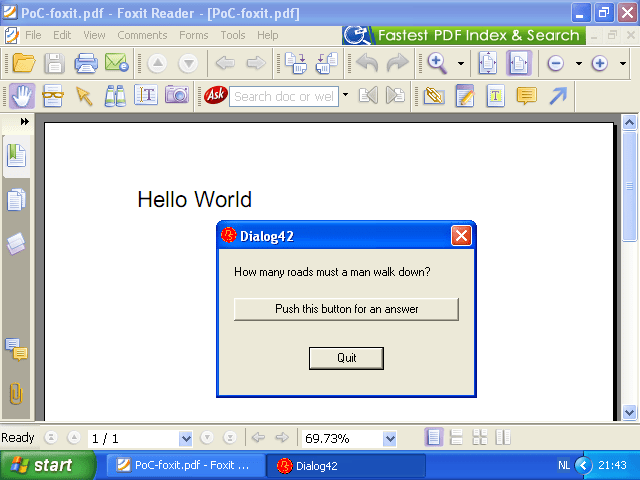
I modified the source code of ReactOS‘ cmd and regedit for the following trick:

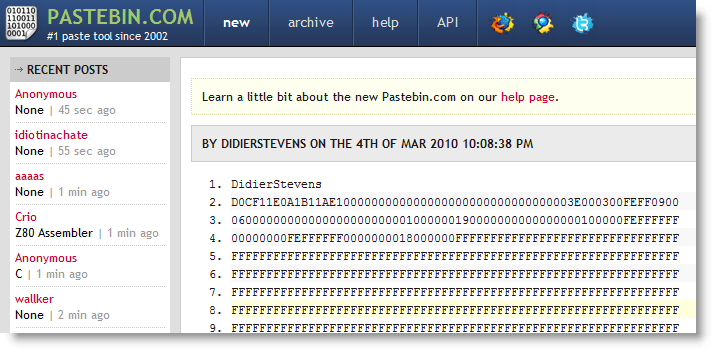
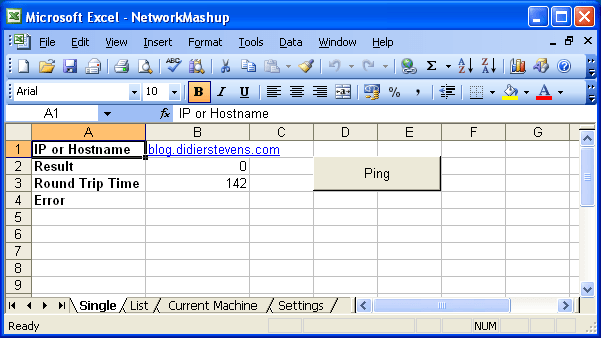
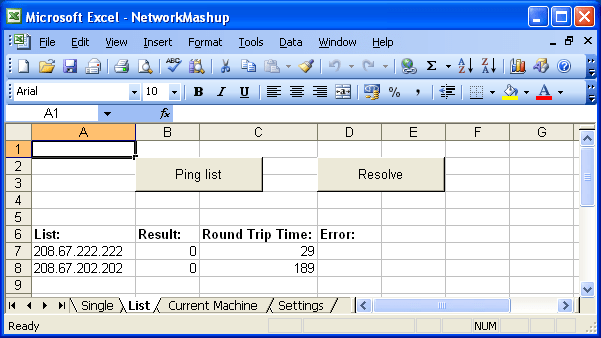
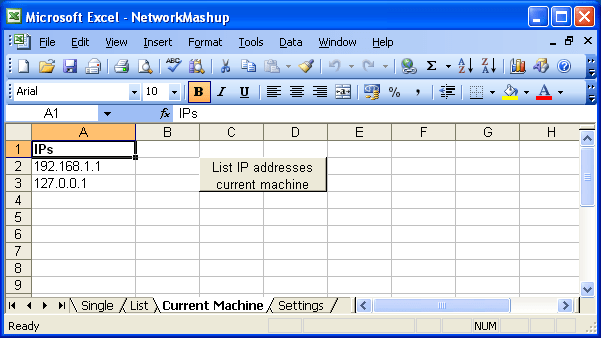
Let me summarize how I did this, as this is the combined result of several techniques I blogged about before.

You can download regedit.dll here and the new version of cmd.dll with the DLL command here. The DLL command I added allows you to load a DLL with LoadLibrary or directly into memory (/m option). When loaded with LoadLibrary, the library will be unloaded with FreeLibrary unless you use option /k to keep it loaded.

The DLL command assumes that your DLLs execute via the DllMain entry-point when they get loaded.

Thursday 4 February 2010

cmd.dll

Filed under: Hacking,My Software — Didier Stevens @ 1:16

This is something I’ve wanted to do for some time: take a command interpreter and transform it from an EXE into a DLL.

Why you ask? Well, because it’s a fun challenge 😉

But also because a DLL is loaded into a process. In a restricted environment, it can be injected into a legitimate process and thus bypass the restriction mechanisms.

Metasploit’s Meterpreter is another example of a command interpreter in DLL form.

cmd.exe from Microsoft is closed source, but there is an open-source variant available from the ReactOS project.

Compiling cmd.exe from ReactOS is simple: download the source-code and the ReactOS build environment. Install it, start the build environment  and issue command make cmd. That’s all you need to do to compile cmd.exe (I used version 0.3.11).

Transforming the source code to generate a DLL in stead of an EXE is simple. You need to change 3 files.

Edit file cmd.rbuild and make these changes to the module element:

<module name="cmd" type="win32dll" installbase="system32" installname="cmd.dll" unicode="yes" crt="msvcrt">

Because I want to use this DLL in GUI-processes without console, I need to create a console. Edit file cmd.c and add AllocConsole(); to function cmd_main:

SetFileApisToOEM();
InputCodePage= 0;
OutputCodePage = 0;

AllocConsole();

hConsole = CreateFile(_T("CONOUT$"), GENERIC_READ|GENERIC_WRITE,
 FILE_SHARE_READ|FILE_SHARE_WRITE, NULL,
 OPEN_EXISTING, 0, NULL);

And because a DLL has another entry-function than an EXE, edit file main.c and replace function main with function DllMain:

#include <precomp.h>

INT WINAPI
DllMain(
 IN PVOID hInstanceDll,
 IN ULONG dwReason,
 IN PVOID reserved)
{
 switch (dwReason)
 {
 case DLL_PROCESS_ATTACH:
 cmd_main(0, NULL);
 break;

 case DLL_THREAD_ATTACH:
 break;

 case DLL_THREAD_DETACH:
 break;

 case DLL_PROCESS_DETACH:
 break;
 }

 return TRUE;
}

That’s it. Recompile with make cmd to generate cmd.dll

There are still some improvements we can make, but that’s for a later version: error messages are not displayed, exiting the shell terminates the host process, …

You can download the modified source files and compiled cmd.dll here.

This is a screenshot of cmd.dll injected inside Excel with my memory module shellcode:

Tuesday 2 February 2010

Quickpost: Quasi-Tautologies & SQL-Injection

Filed under: Hacking,Quickpost — Didier Stevens @ 9:54

Last OWASP/ISSA Belgian chapter meeting was the location of an interesting discussion. For a full report of the meeting, read Xavier’s excellent blogpost.

Many SQL-injection techniques rely on tautologies: adding an expression that is always true to the where-clause of a select statement. Like OR 1=1. 1=1 is a tautology, it’s an expression that always yields true.

So if SELECT * FROM USERS WHERE USERNAME = ‘ADMIN’ and PASSWORD = ‘UNKNOWN’ doesn’t select any rows because the password is not correct, injecting ‘ OR 1=1 — gives SQL statement SELECT * FROM USERS WHERE USERNAME = ‘ADMIN’ and PASSWORD = ” OR 1=1 –‘ which will return all rows, because the where-clause is always true (OR 1=1).

There are several security applications (WAFs, SQL firewalls, …) designed to monitor the stream of SQL statements and reject statements with tautologies, i.e. the result of a SQL-injection. Some are very simple and just try to match pattern 1=1. Bypassing them is easy: 1>0 is also a tautology. Others are more sophisticated and try to find constant expressions in the where-clause. Constant expressions are expressions with operators, functions and constants, but without variables. If a constant expression is detected that always evaluates to true, the firewall assumes it’s the result of a SQL-injection and blocks the query.

This is all classic SQL-injection, but now comes the interesting part.

What if I use an expression that is not a tautology in it’s mathematical sense, but is almost one… Say I use expression RAND() > 0.01 ? The RAND function is a random number generator and returns a floating point value in the range [0.0, 1.0[. Expression RAND() > 0.01 is not a tautology, it’s not always true, but it is true about 99% percent of the time. I call this a quasi-tautology.

A firewall looking for tautologies will not detect this, because it is not a tautology. But when you use it in a SQL-injection, you stand a 99% chance of being succesful (provided the application is vulnerable to SQL-injection)!

There are other functions than RAND to create quasi-tautologies. An expression comparing the seconds of the current system time with 59 is also a quasi-tautology.

The GreenSQL firewall will detect SQL statements with quasi-tautologies, not because it looks for them, but because it builds a whitelist in training mode.


Quickpost info


Thursday 28 January 2010

Quickpost: Shellcode to Load a DLL From Memory

Filed under: Hacking,My Software,Quickpost — Didier Stevens @ 3:08

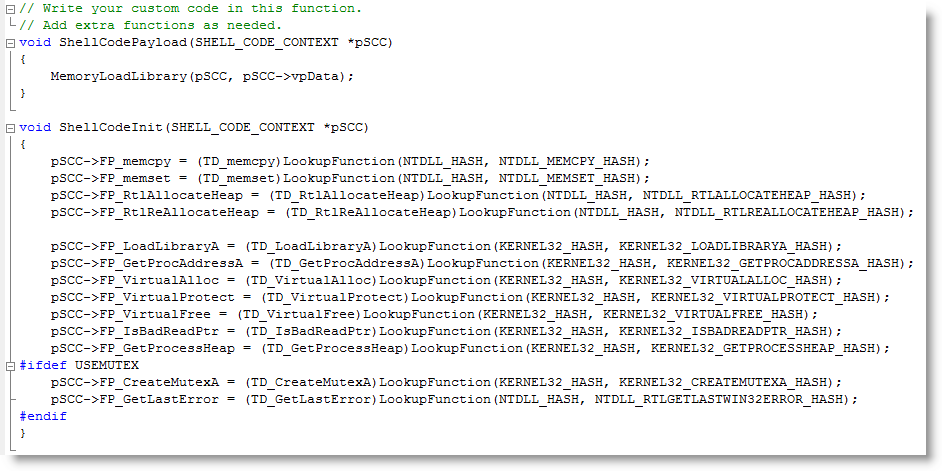
I finally took time to develop shellcode to load a DLL, not with LoadLibrary, but directly from memory. Not storing the DLL on disk prevents it from being detected by AV software; not using LoadLibrary bypasses HIPS software that monitors this system call.

My shellcode is based on Joachim’s code.

In previous posts, I showed how to load a DLL or shellcode with VBA in Excel. This is a combination of both techniques: a VBA macro loads and executes shellcode in Excel’s process space, and the shellcode loads a DLL from memory into Excel’s process memory.

With the code of the previous post, the DLL appears in the list of loaded DLLs:

With this shellcode, it doesn’t:


Quickpost info


Thursday 21 January 2010

Quickpost: PDF Header %!PS-Adobe-N.n PDF-M.m

Filed under: My Software,PDF,Quickpost — Didier Stevens @ 11:21

@Feliam has an interesting PDF library to create PDF files with an unconventional header (the generated document doesn’t start with %PDF-…, but %PDF appears somewhere in the first 1024 bytes of the document). As this trick is likely to be taken over by malware authors, I updated PDFiD to support this.

The PDF reference document also mentions %!PS-Adobe-N.n PDF-M.m as a valid header, however, the PDF documents I and @Feliam generated with this header are not rendered by Adobe Reader (neither Foxit or Sumatra PDF).

I was told Adobe did support this header in older versions. My tests show Adobe Reader version 3, 4, 5 and 6 will render PDF documents with header %!PS-Adobe-N.n PDF-M.m. Versions 7, 8 and 9 will not. Therefor I decided not to include support for this header to PDFiD.

pdf-parser doesn’t test the header, it analyzes PDF documents regardless of the header.

Monday 18 January 2010

Update: XORSearch Version 1.6.0

Filed under: My Software,Update — Didier Stevens @ 1:26

A couple of new features:

  • searching for Unicode
  • searching for Hex code
  • printing of neighbouring bytes

Unicode support is rather simple: I consider Unicode as ASCII with 2 bytes per character, last byte always equals 0.

Usage case of hexcode search: search for embedded and encoded PE-file by searching for the PE-magic bytes MZ:

XORSearch -h malware.exe 50450000

Remember that XORSearch is not limited to win32, you can compile it on *nix too: cc -o XORSearch XORSearch.c

Download here.

Wednesday 13 January 2010

Quickpost: New Versions of PDFiD and pdf-parser

Filed under: My Software,PDF,Quickpost — Didier Stevens @ 21:54

A new version of PDFiD (V0.0.10): to deal with PDF samples trying to evade detection by preceding the header with some random bytes, I use less stringent conditions to identify a PDF file. If PDFiD finds keyword %PDF in the first 1024 bytes of a file, it assumes it’s a PDF file and starts analyzing it.

A new version of pdf-parser (v0.3.7):

  • added support for filters /LZWDecode and /RunLengthDecode
  • added a –dump option to extract the unfiltered data of a stream object (useful when the data is not actually compressed, but a payload)
  • testing the Python version before execution

Both can be downloaded on the PDF Tools page.


Quickpost info


Monday 11 January 2010

Adobe Reader JavaScript Blacklist Framework

Filed under: Malware,PDF,Vulnerabilities — Didier Stevens @ 1:51

The JavaScript Blacklist Framework is a security feature Adobe released with Adobe Reader and Acrobat versions 8.1.7 and 9.2.

When you’re in a case where you need to use Adobe Reader and you can’t disable JavaScript, the JavaScript Blacklist Framework can help you mitigate zero-days in JavaScript API functions by disabling the vulnerable functions.

I produced a video where I disable util.printf:

Notice that when I blacklist util.printf, the script still executes until the blacklisted function util.printf is called. At that moment, the script is cancelled and the user is warned.

On Windows, you can blacklist functions by adding them to registry value tBlackList (HKLM\SOFTWARE\Policies\Adobe\product\version\FeatureLockDown\cJavaScriptPerms\tBlackList). To blacklist more than one function, use the same registry value and separate the functions by the pipe-character (e.g. Util.printf|Collab.getIcon). Pay attention to the fact that the framework is case-sensitive (e.g. Util.printf is correct, util.printf is not correct).

The framework is impervious to bypassing with some basic obfuscation techniques found in malicious PDFs (eval(“util.printf… ; x = util.printf; x(“… ).

It’s too bad that blacklisting is limited to the JavaScript API; the functions to blacklist must be in the form <object-name>.<function-name>. Otherwise we would be able to blacklist some global functions of the JavaScript language that are often used in malicious PDF files, like unescape. According to the ECMAScript specification, unescape is a member function of the Global Object. I tried several ways to blacklist it (unescape, .unescape, this.unescape, Doc.unescape, …), but failed.

If you really want to disable unescape, you could do this by patching the JavaScript plugin EScript.api. Maybe I’ll post a method to do this in-memory with my basic process manipulation tool kit.

Adobe Reader JavaScript Blacklist Framework

Monday 4 January 2010

New Format for UserAssist Registry Keys

Filed under: Forensics,My Software,Windows 7 — Didier Stevens @ 15:29

With Windows 7 and Windows Server 2008 R2, the binary data format of the values stored in the UserAssist registry keys has changed.

Here’s a partial description of the new format:

  • the counter is 32-bits long, starting at byte 4 (first byte is byte 0)
  • the timestamp (64-bits) starts at byte 60
  • there is a 32-bit value that appears to be the total time an application has focus, expressed in milli-seconds (starts at byte 8 )

For more details, read my article in the new forensic magazine Into The Boxes.

Don’t forget to use the special version of my UserAssist tool on Windows 7 and Windows Server 2008 R2.

Friday 1 January 2010

The Undeletable SafeBoot Key

Filed under: Malware,My Software — Didier Stevens @ 12:53

I present you a new program to create the SafeBoot registry key with special permissions protecting it from deletion. After using this new program, you’ll be able to restore the SafeBoot registry keys with my .REG files.

Many malware deletes the SafeBoot registry key to prevent you from booting into Safe Mode. I provide a registry fix to restore these keys.

But there exists malware that goes even further and actively monitors the registry to thwart every attempt to restore the keys by deleting them as soon as they are restored. Untill now, I recommended to use a Live CD to restore the keys in such a case (this is a complex procedure). This way, the malware is not running while you restore the SafeBoot keys.

Now I developed another solution: a program to create the SafeBoot registry key with permissions to deny Administrators and System accounts to delete the key. This way, the malware can’t delete the keys because it lacks the permissions to do so.

Here are the SafeBoot permissions on a default Windows XP install:

And here are the permissions of the SafeBoot key created with my new program:

I designed my program to create the SafeBoot key only when it is missing, and to set the special permissions while it is created:

My program will not set the special permissions when the key exists. If the SafeBoot keys exists and you can’t boot into Safe Mode, you’re dealing with another issue than a Safe Mode disabling malware (probably a buggy driver).

The program is a console program, but it will pause at the end so you can read its output, even when you launch it from Windows Explorer (i.e. double-click it). If you want to use it in a script and prevent the prompt from appearing, use option -n.

If the SafeBoot key exists, my program will tell this (SYSTEM\CurrentControlSet\Control\SafeBoot exists.) and it will leave the permissions unchanged. If your system is clean but you want to protect the SafeBoot keys, I recommend you change the permissions manually using RegEdit.

My program creates only registry key SYSTEM\CurrentControlSet\Control\SafeBoot, and not the subkeys. To restore the subkeys, you just need to use the appropriate .REG file.

Having read this, you might have thought that malware authors could bypass this protection by changing the permissions before deleting the keys. You’re right. I don’t deny Administrator and System accounts the permission to change the permissions, because I don’t expect there is malware in the wild that changes permissions of the SafeBoot key. I’ll deal with it when it eventually appears.

Download:

UndeletableSafebootKey_V0_0_0_1.zip (https)

MD5: 2FAC291AD547657E31B157B8581D4601

SHA256: 7A1E42A57BBF8E804491318671AE992947C82DCC9C2001E3033B45E4AEAB2DDE

« Previous PageNext Page »

Blog at WordPress.com.