This version adds support for ZIP files encrypted with AES, via the pyzipper module.
rtfdump_V0_0_12.zip (http)MD5: C3D4F69908A49265E3877D4338462534
SHA256: A40CC2744DE2D4C5956F5FD306357E7E105EC693B8BEA6E7E006C48EC78055BB
This version adds support for ZIP files encrypted with AES, via the pyzipper module.
rtfdump_V0_0_12.zip (http)This is a small update, to add extra statistical information for decoded items.
base64dump_V0_0_24.zip (http)This new version of rtfdump, my tool to analyze RTF files, brings json output for options -O and -F.
rtfdump_V0_0_11.zip (http)Here’s a new beta version of my tool pngdump.py, a tool to analyze PNG files.
I took a look at all files on MalwareBazaar with a PNG tag, and made updates to pngdump.py to handle them.
I found 3 types of “PNG” files.
First, files spoofing PNG files: files that are not PNG files, but have a .png extension.
Like .exe and .rar files:


Second, valid PNG files with an appended payload:
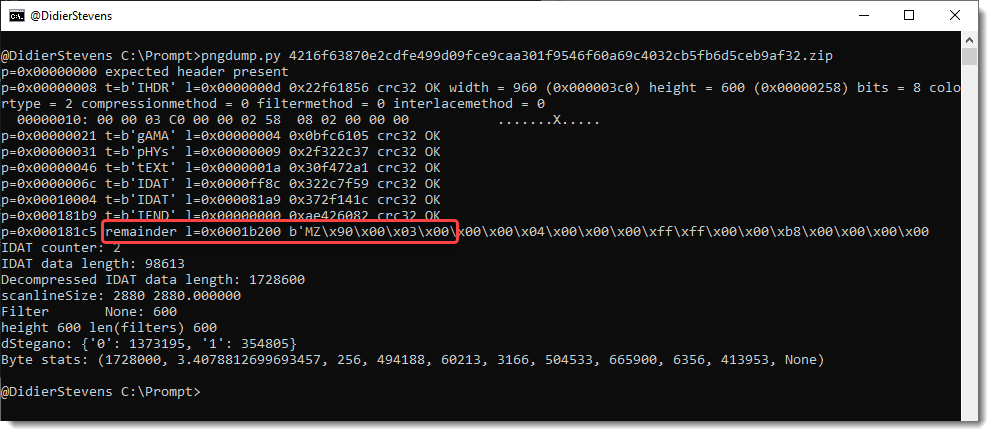

Third, invalid PNG files. For example, PNG files with the right record structure, but where the Zlib compressed image is replaced by an RC4 encrypted payload (IcedID):

I also have other samples, but that’s for another blog post.
Beta version 0.0.3 is available on GitHub.
This update adds the option –trim to template process-text-files.py.
python-templates_V0_0_8.zip (http)This version of my strings.py program adds option -N to select strings that end with a NUL character (C-strings).
strings_V0_0_8.zip (http)A new option was added to limit the amount of requests: -l (–limitrequests).
virustotal-search_V0_1_7.zip (http)This is a small update: when non-hexadecimal characters are found, they are listed before an exception is raised.
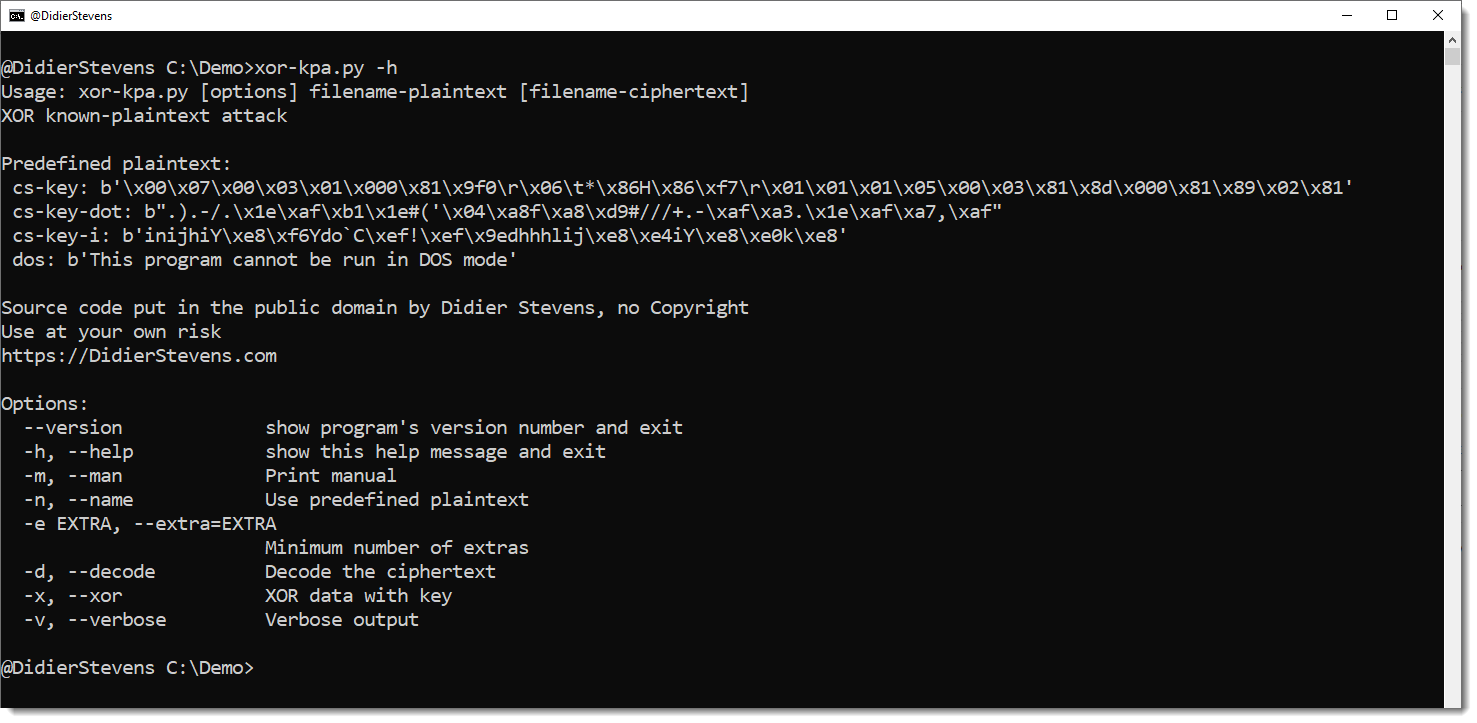
hex-to-bin_V0_0_6.zip (http)This is an update for my tool to perform XOR known plaintext attacks: xor-kpa.py.
The tool has been updated for Python 3, and 3 new plaintext have been added, all for Cobalt Strike configurations.
cs-key is the header of the configuration entry for the public key.
cs-key-dot is the header of the configuration entry for the public key XORed with value 0x2E (a dot).
cs-key-i is the header of the configuration entry for the public key XORed with value 0x69 (letter i).
A small update for my translate.py program.
Python function Xor takes now 2 extra, optional arguments:
hexadecimal: a boolean, by default False.
When True, the key is provided as an hexadecimal string.
rotation: an integer, by default 0
This is the number of bytes to rotate the key to the left. For example, when the key is ABCD, a rotation value of 1 yiels key BCDA.
translate_v2_5_12.zip (http)
 Didier Stevens