This update adds the option –trim to template process-text-files.py.
python-templates_V0_0_8.zip (http)MD5: 6C845823BB8AC4DB42993B994E93AF66
SHA256: 20EC1E6540DF31939686CA4B54C5312DF3724EB756B16BA724722C3196BDF93F
This update adds the option –trim to template process-text-files.py.
python-templates_V0_0_8.zip (http)This version of my strings.py program adds option -N to select strings that end with a NUL character (C-strings).
strings_V0_0_8.zip (http)A new option was added to limit the amount of requests: -l (–limitrequests).
virustotal-search_V0_1_7.zip (http)This is a small update: when non-hexadecimal characters are found, they are listed before an exception is raised.
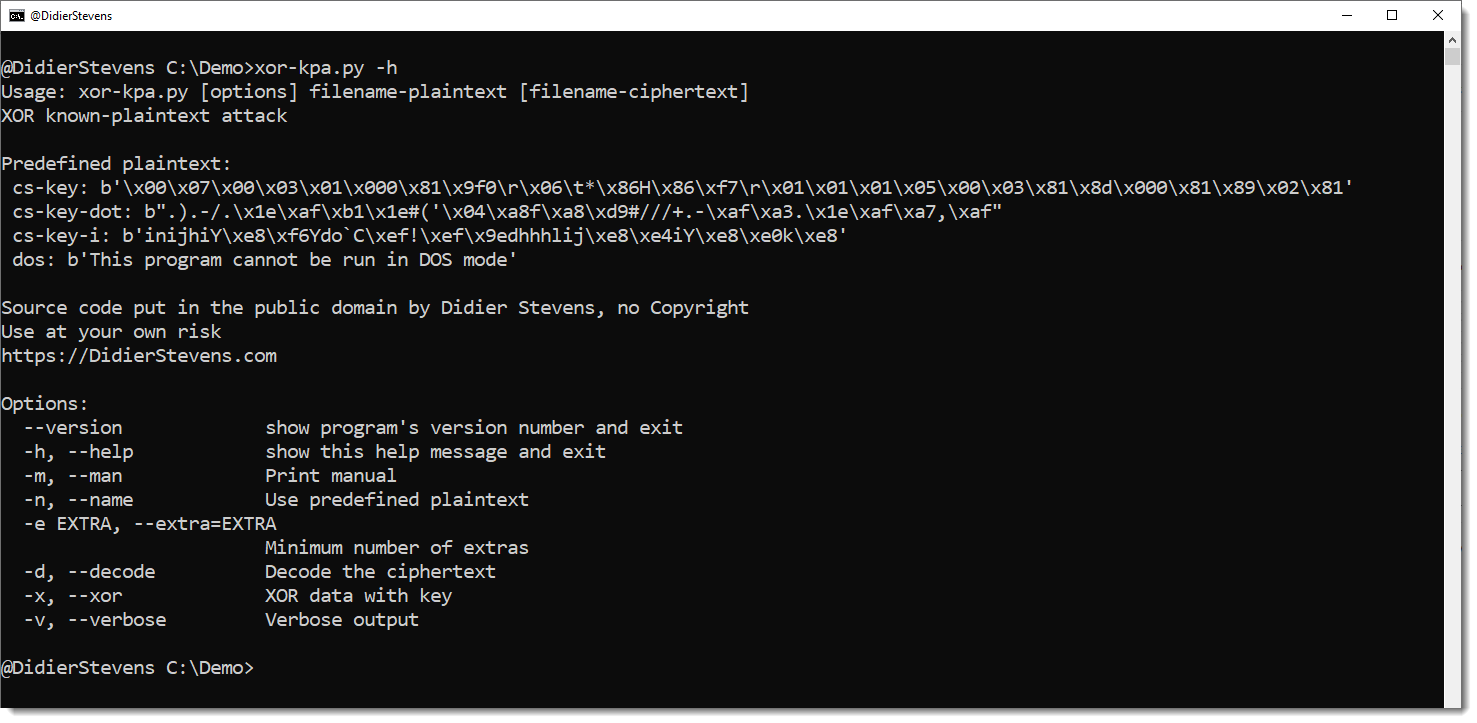
hex-to-bin_V0_0_6.zip (http)This is an update for my tool to perform XOR known plaintext attacks: xor-kpa.py.
The tool has been updated for Python 3, and 3 new plaintext have been added, all for Cobalt Strike configurations.
cs-key is the header of the configuration entry for the public key.
cs-key-dot is the header of the configuration entry for the public key XORed with value 0x2E (a dot).
cs-key-i is the header of the configuration entry for the public key XORed with value 0x69 (letter i).
A small update for my translate.py program.
Python function Xor takes now 2 extra, optional arguments:
hexadecimal: a boolean, by default False.
When True, the key is provided as an hexadecimal string.
rotation: an integer, by default 0
This is the number of bytes to rotate the key to the left. For example, when the key is ABCD, a rotation value of 1 yiels key BCDA.
translate_v2_5_12.zip (http)This is an update to plugin plugin_vba_dco.py, improving generalization and adding option -p.
You can watch this maldoc analysis video to learn how to use the generalization feature of this plugin:
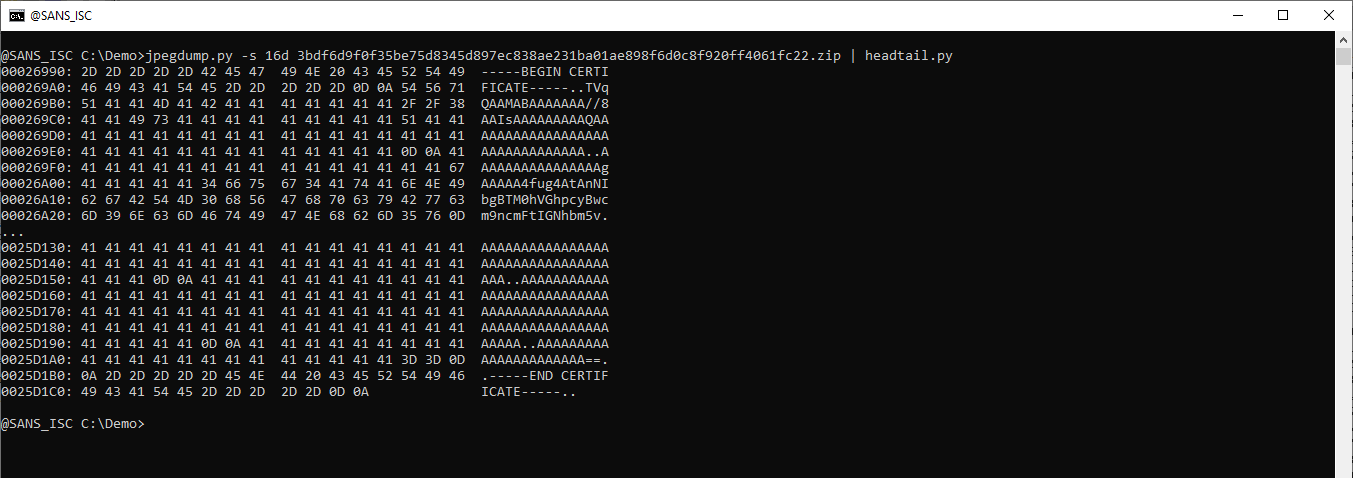
This update to jpegdump.py, my tool to analyze JPEG images, brings 2 small changes:
Data between segments can be selected with suffix d. Like this: -s 10d
This means: select the data between segments 9 and 10.
And when option -E is used to add hash values, repeating hashes are marked with parentheses.
This is a bug fix version and also adds updated statistics.
1768_v0_0_16.zip (http)Some new features that help with analyzing memory dumps.
Here is the analysis of a VMware vmem file:
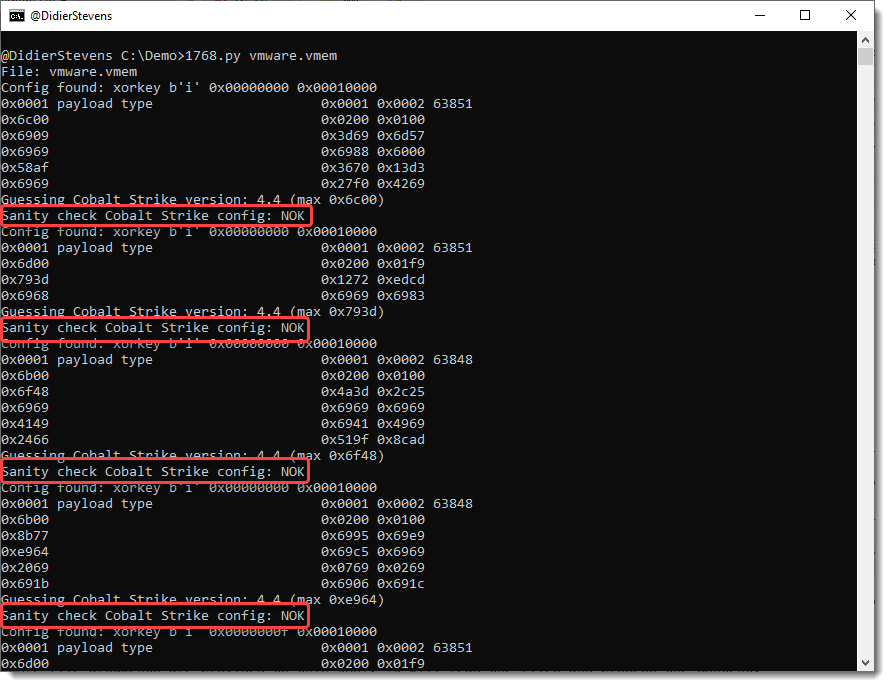
There’s a new sanity check, determining if an extracted configuration is OK or not OK (NOK).
A config passes the sanity check if it contains a valid payload type and a valid public key.
Configurations that don’t pass the sanity check, are most likely false positives: they have a valid header, but no valid fields. They can show up in memory dumps of Windows machines.
Option -S can be used to hide configurations that don’t pass the sanity check:
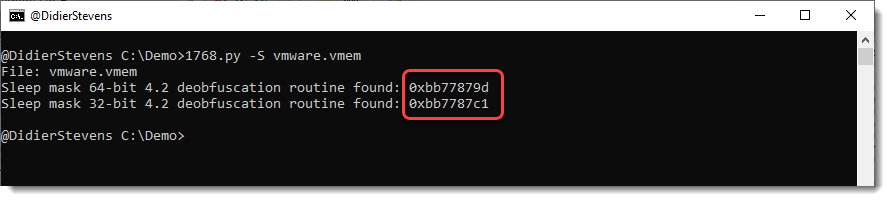
Now we are just left with detections of the sleep mask routine. What’s new in this version, is that the position where the signature was found is listed.
Finding both 32-bit and 64-bit routines is unusual.
Option -V can be used to dump 256 bytes before and after the signature, to help us get an idea what we are dealing with.
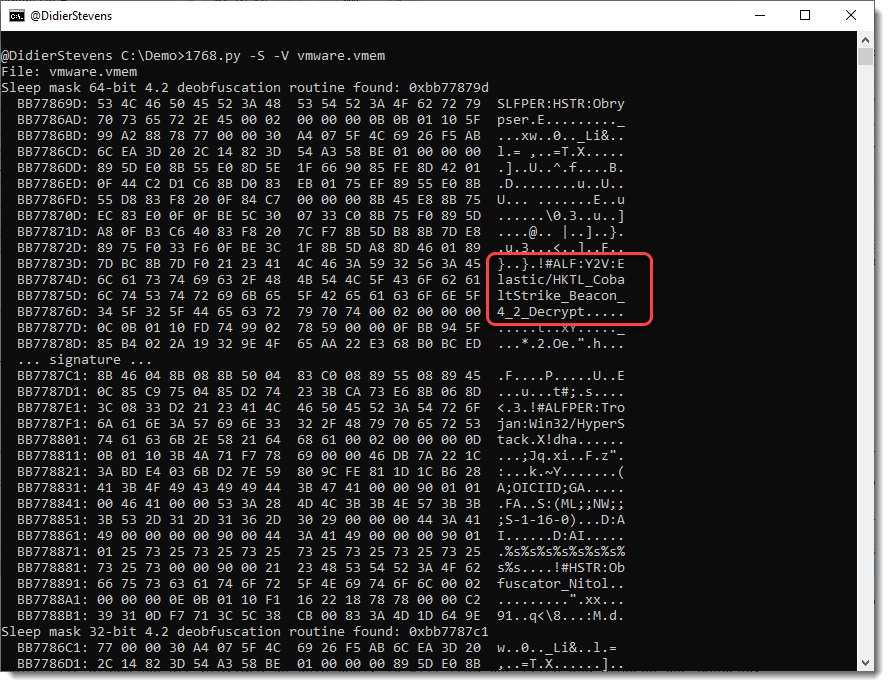
And what we actually found here, is the memory of the anti-virus program containing signatures, like signatures for Cobalt Strike sleep mask deobfuscation routines.
1768_v0_0_15.zip (http)

