This is an update linked to option -f l to find PKZIP records.
When option -E all is used, field externalattributes is parsed now:

MD5: 288DBCFACB42E6563F417E46BD6081BC
SHA256: 4C3AD3A49FCFC1B5A680EAE80CE129A67912BCC03402EC9F46D08F902BC512A1
This is an update linked to option -f l to find PKZIP records.
When option -E all is used, field externalattributes is parsed now:
This update to emldump.py adds a new feature to fix (-F) some obfuscations.
For the moment, only one obfuscation method is fixed (many are already ignored with option -f –filter), used in polyglot PDF/Word files.
emldump_V0_0_12.zip (http)Some new options for my tool sortcanon.py to handle more inputs.
A bit of context: when one sorts a list of IPv4 addresses as text, one gets a result as follows. Take this list:
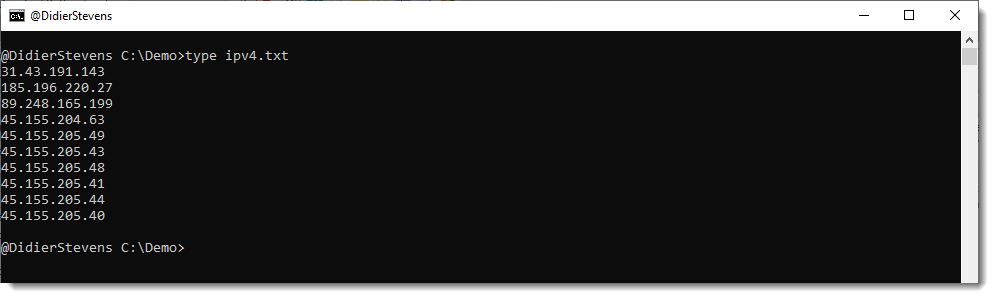
Just sorting this gives this result:

The IPv4 address starting with 185 comes first, because by default, sorting is string based and digit 1 comes before digit 3.
With sortcanon, one can provide a Python function that will be used to interpret the input and achieve the desired sorting. There are a couple of builtin functions, like ipv4. This is the result:
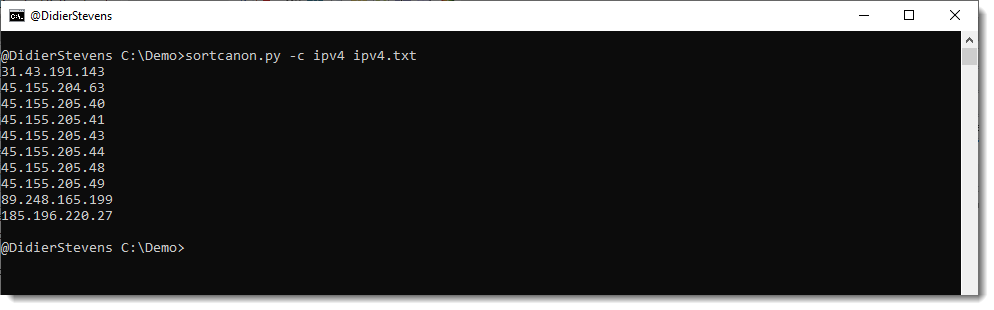
This time, the IPv4 address starting with 185 comes last, because it has the highest most significant byte.
Recently, I had to sort some files where with extra data, like IPv4 addresses with port numbers. Something like this list:

But this did not work:
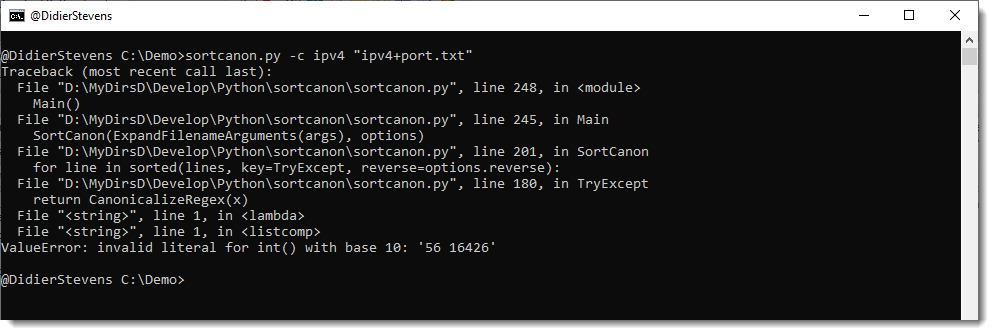
Because the function that parses IPv4 addresses, does not expect a port number.
I could create a custom function to handle this, but I pursued another solution. I added an option to select the part of the line, that will be used for sorting, with a regular expression. This is done with option -s (select). Like this:
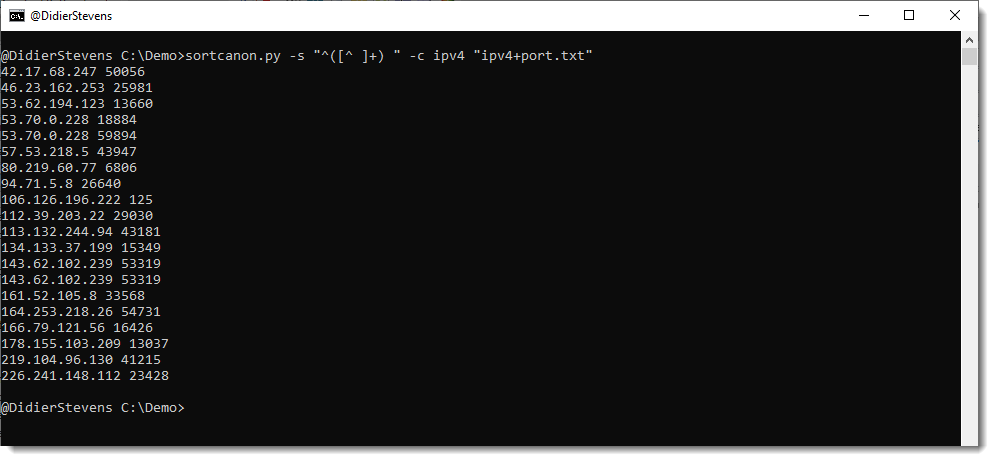
Regular expression “^([^ ]+) ” selects all characters from the beginning of the line (^) until the first space character (excluded). This selection is stored in a capture group (), and the ipv4 sorting function takes this capture group as input, in stead of the complete line.
The list I selected as example, has some duplicate IPv4 addresses:
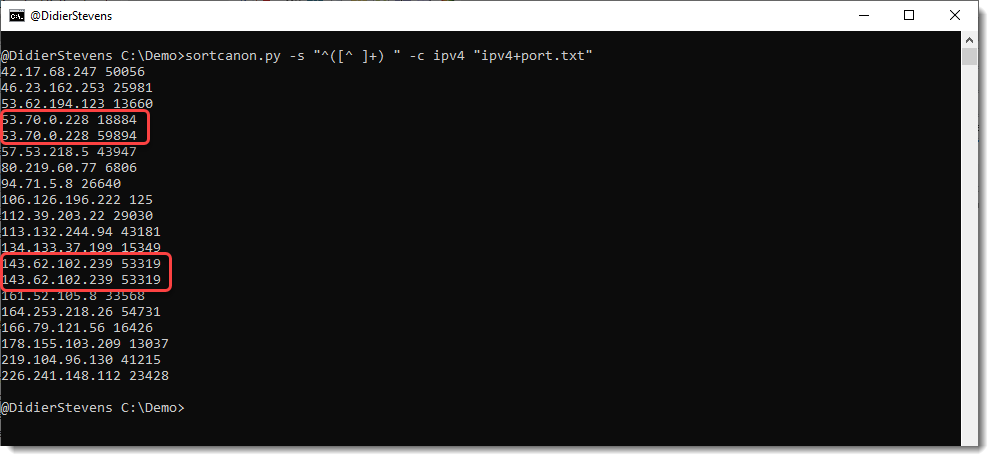
If I use option -u (unique), duplicate lines are removed:

But of course the lines with identical IPv4 address 53… remain, because the lines themselves are different (different port number).
This is the desired result, most of the time. But I had an exceptional case, where I had to drop duplicate IPv4 addresses, but still keep one port number. This can be done with option –selectoptions u:

This is a bug fix release.
zipdump_v0_0_27.zip (http)In this new version, new features/updates are:
This update brings an new plugin: plugin_vba_dir.py (there are no changes to oledump).
This plugin parses the records found in the vba/dir stream to display project, references and modules information

Some changes to the translate option: now it supports this format (like some of my other tools):
i=codec[:error],o=codec[:error]
i= is input and o= is output. If you don’t specify an error handling mode, strict will be used.
An example of the format is: i=utf16,o=latin:ignore
This will read binary data in utf16 strict mode, and convert it to binary data in ANSI (latin) and ignore all utf16 characters that can not be represented in latin.
I added support for label * (wildcard label).
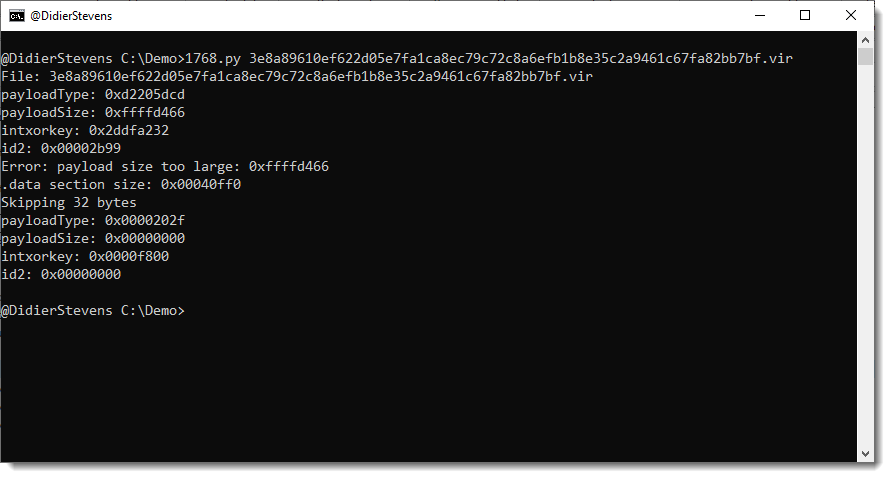
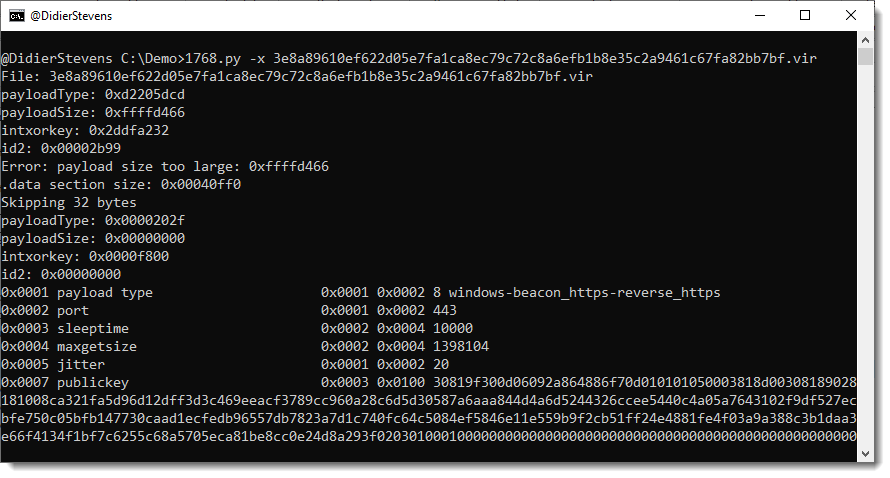
dnsresolver_V0_0_3.zip (http)This new version of 1768.py brings an option to try out all 256 xor keys if a non-standard XOR key is used to encode the configuration.
Like this sample (key !):

This update to re-search.py, my tool to search text files with regular expressions, brings several new regular expressions.
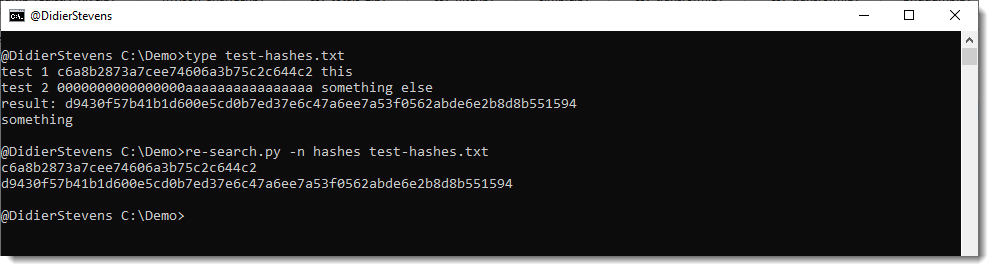
There are 4 new regular expressions for cryptographic hashes: md5, sha1, sha256, sha512. And one new name that groups these 4 regular expressions: hashes.
You can use it like this: re-search.py -n hashes sample.txt
These regular expressions not only match strings of hexadecimal characters of the appropriate length (with a boundary: \b), they also check each extracted hash with a Python function (HashValidate in re-extra.py) that is designed to eliminate strings that accidentally look like a hash (example: 32 times letter A).
HashValidate checks the following:
These simple rules are designed to detect hexadecimal strings that are too uniform, and thus probably not a hash digest.
And I also added regular expressions for strings delimited by single quotes: str-s, str-se str-su, str-seu.
re-search_V0_0_22.zip (http)

