Didier Stevens

Wednesday 1 July 2009

Embedding and Hiding Files in PDF Documents

Filed under: My Software,PDF — Didier Stevens @ 6:28

My corrupted PDF quip inspired me to program another steganography trick: embed a file in a PDF document and corrupt the reference, thereby effectively making the embedded file invisible to the PDF reader.

The PDF specification provides ways to embed files in PDF documents. I’m releasing my Python program to create a PDF file with embedded file (I used make-pdf-embedded.py to create my EICAR.pdf).

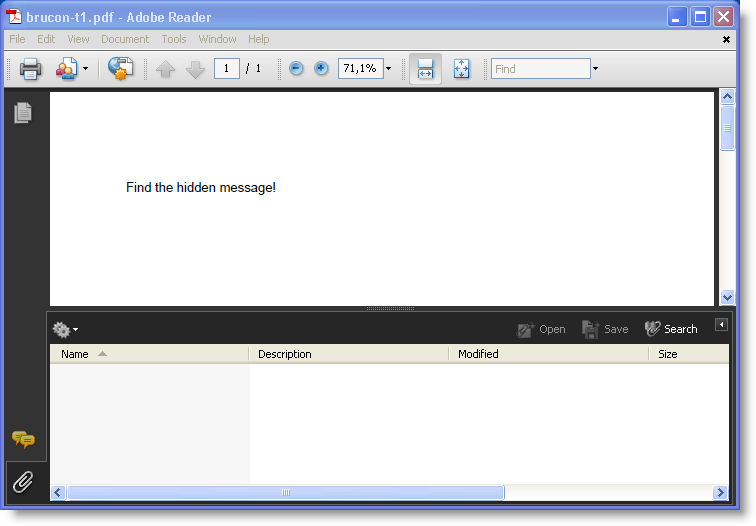
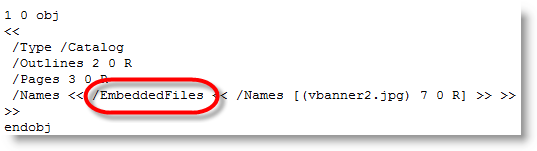
Here’s how a PDF document with an embedded file looks like:

20090630-220314

/EmbeddedFiles points to the dictionary with the embedded files:

20090630-220228

As names defined in the PDF specification are case sensitive, changing the case changes the semantics: /Embeddedfiles has no meaning, and thus the PDF reader ignores it and doesn’t find the embedded file.

20090630-220137

20090630-215901

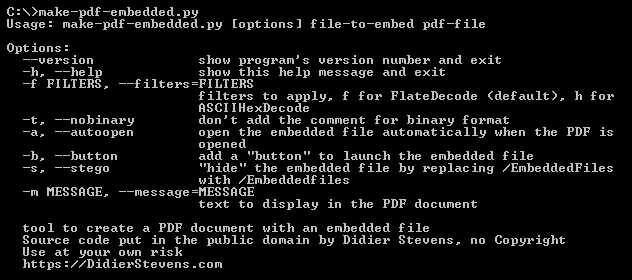
Actually, I used this trick in my Brucon puzzle. I used the –stego option of make-pdf-embedded.py:

20090630-222453

Of course, once you know the stego trick, it’s easy to recover the embedded file: edit the PDF document with an hex editor and change the case back to /EmbeddedFiles.

But if you want to make it harder to detect, use PDF obfuscation techniques. Or embed the file twice with incremental updates. First version is the file you want to hide, second version is a decoy…

The PDF language offers so many features to hide and obfuscate data!

Download:

make-pdf_V0_1_2.zip (https)

MD5: 305D57692C27DD3CD91D8C85A3932948

SHA256: A030BBCB8B54137D8047A4CB5C350725599383A4B113CABBA8871AC221378C5B

Tuesday 9 June 2009

Quickpost: Make Your Own Corrupted PDFs For Free

Filed under: Entertainment,Nonsense,PDF,Quickpost — Didier Stevens @ 14:37

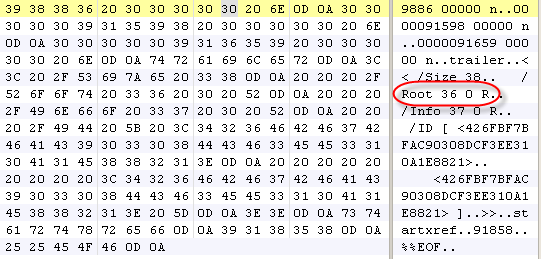
In response to Bruce Schneier’s latest post, let me explain how you can corrupt your own PDF documents for free. Open your PDF document with a binary editor, search for references to the root object (/Root), and overwrite the reference (36 in my example) with a non-existing reference, like 00.

20090609-181712

Of course, be careful and make backups first.

Tested on several PDF readers:

20090609-181538

20090609-181556

20090609-181919

Saturday 6 June 2009

Quickpost: PDF Security Tidbits

Filed under: PDF — Didier Stevens @ 14:57

Some PDF Security Tidbits:

  1. I was a guest on the Securabit podcast. Thanks for having me guys!
  2. Eric Filiol has published his PDF Structazer tool he presented at Black Hat Europe 2008
    The tool: http://www.esiea-recherche.eu/data/PDF%20Structazer.exe
    The document (PDF): http://www.esiea-recherche.eu/data/PDF%20Structazer%20Short%20User%20Manual.pdf
  3. And I’ve an article in the latest issue of (IN)SECURE Magazine on how malicious PDFs could infect without getting opened.

Quickpost info


Wednesday 20 May 2009

Download My Hakin9 Article “Anatomy of Malicious PDF Documents”

Filed under: Malware,PDF — Didier Stevens @ 18:21

Hakin9 has released my article “Anatomy of Malicious PDF Documents” from their latest issue. Get it here in exchange for an e-mail address.

20090520-200713

Thursday 14 May 2009

Malformed PDF Documents

Filed under: Malware,My Software,PDF — Didier Stevens @ 7:55

For the sake of this post, I consider a PDF document malformed when it doesn’t observe the basic structure of a PDF document.

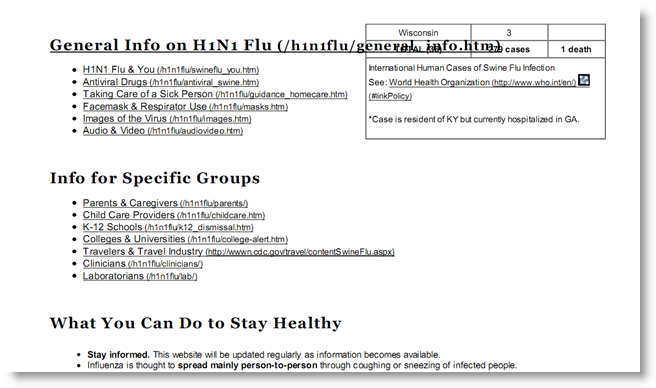
I’ve seen a couple of malicious, malformed PDF documents. The most recent was a malicious swine flu PDF document that contains another, bening, PDF document with information about the swine flu (obtained from the CDC site). This second PDF document is displayed to mislead the user while the exploit runs.
20090513-211945

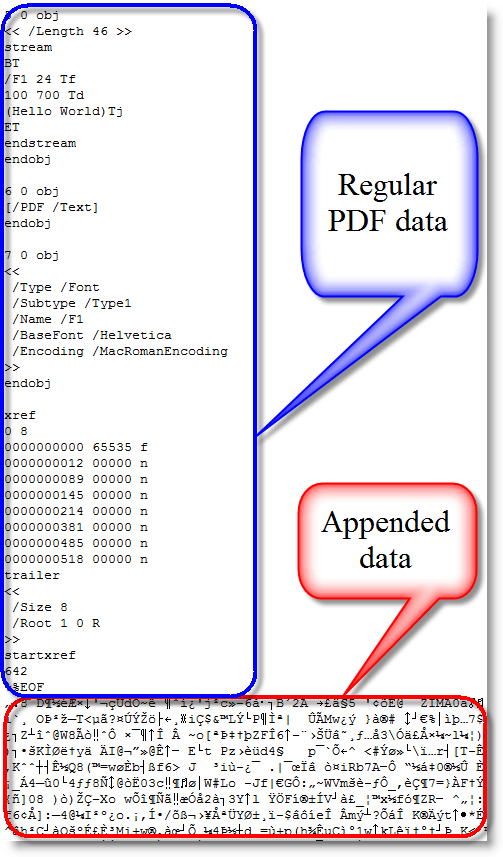
This second PDF document is XOR-encoded and appended to the end of the malicious PDF document, making the malicious PDF document malformed (FYI: the PDF file format supports embedded files, but this wasn’t used here). A PDF reader like Adobe or Foxit has no problems opening this malformed PDF, because it scans a PDF document for the trailer (%%EOF) starting from the end of the document. Everything that follows this trailer and doesn’t adhere to the PDF syntax is just ignored.
20090513-213940

I’ve added some new features to my PDF tools to handle malformed PDF documents.

PDFiD

The new version of PDFiD has an –extra option. Like it names imply, use it to add extra analysis data to the PDFiD report. The extra option adds entropy calculations to the report:

20090513-220050

For a normal PDF file, expect the total entropy and the entropy of bytes inside stream objects to be close to the maximum value 8.0. This means that the distribution of byte values is close to random, which is characteristic of compressed and encrypted data.

Outside streams objects, the data appears much less random, and the entropy is much lower, usually around 4.0 or 5.0.

However, for malformed PDF documents, where data is added without using stream objects, the entropy outside stream objects is much higher. Here is the report for the malicious swine flu PDF:

20090513-203729

Another datum added to the report by using the –extra option is for the end-of-file marker %%EOF.

The “%%EOF” line mentions the number of times %%EOF appears in the document (more than once usually indicates incremental updates). “After last %%EOF” counts the number of bytes after the last %%EOF. This value will be not be zero when data has been appended.

pdf-parser

The previous versions of pdf-parser output a lot of “todo 10” data (an indication of malformed PDF data) when they parse a malformed PDF document. I’ve suppresed this behavior, you’ll need to use option –verbose to enable it from now on, should you need it. Since I first use PDFiD to check a PDF document before using pdf-parser, I don’t consider the “todo” output relevant anymore, as PDFiDs entropy and %%EOF report will tell me if a PDF document is malformed.
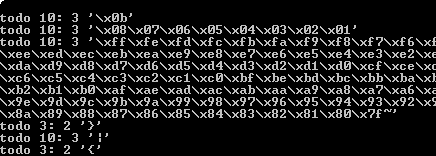
20090513-223049

But the other new option in pdf-parser, –extract, is more important. Example:

pdf-parser.py –extract payload.bin malformed.pdf

This option will extract all malformed data from malformed.pdf and write it to file payload.bin, giving you easy access to the embedded payload.

Samples

You can download a normal and malformed Hello World PDF file here to get familiarized with my updated tools. 4096 random bytes have been appended to the end of the PDF document to make it malformed.

Here is a last example when the entropy calculation can be handy even if the payload is stored inside a stream object:

20090513-203522

The reason the total entropy and entropy of bytes inside stream objects is very low here, is that this malicious PDF document has a payload with a very long, uncompressed NOP-sled (more than one million times 0x90).

Monday 11 May 2009

PDF Filter Abbreviations

Filed under: My Software,PDF — Didier Stevens @ 0:00

@binjo ‘s tweet made me realize PDF filter abbreviations do apply to stream objects too, although the PDF reference document only defines them for inline images. Here are the abbreviations:

  • ASCIIHexDecode -> AHx
  • ASCII85Decode -> A85
  • LZWDecode -> LZW
  • FlateDecode -> Fl
  • RunLengthDecode -> RL
  • CCITTFaxDecode -> CCF
  • DCTDecode -> DCT

This means that, for example, a flatedecode filter for a stream object can not only be specified as /Filter /FlateDecode, but also as /Filter /Fl.

I updated my PDF-tools to support this.

And jprosco e-mailed me an update to my pdf-parser tool to support ASCIIHexDecode, because he had to analyze some malicious PDF documents that used it to encode the JavaScript.

Wednesday 6 May 2009

A Very Brief History of Foxit Reader and JavaScript

Filed under: PDF,Vulnerabilities — Didier Stevens @ 23:45

As I often read questions about Foxit Reader and JavaScript support, I decided to write down this very brief history.

Foxit Reader is a lightweight PDF reader, it consist of exactly one EXE file.

Up to Foxit Reader version 2.1, there was no built-in support for JavaScript. If you needed JavaScript, you had to install a plugin (this was actually just a DLL).

Version 2.1 came with builtin JavaScript support. No more plugin, the DLL was merged into the EXE. But the Foxit developers made a design decision with important security implications: you couldn’t disable JavaScript support. Uptil version 2.1, it was easy to disable JavaScript: don’t install the plugin. But with version 2.1, JavaScript was embedded.

Version 2.2 and 2.3 didn’t change this, that’s what prompted me to publish a hack to disable JavaScript.

We had to wait for version 3.0 to be able to disable JavaScript:

20090507-010837

But at least, this preference was implemented as it should. Once you disable JavaScript, you get no warnings you’ve disabled JavaScript. This is unlike Adobe Reader:

20090507-013043

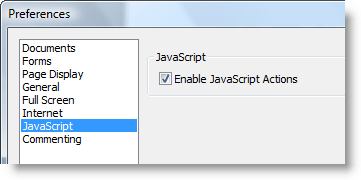
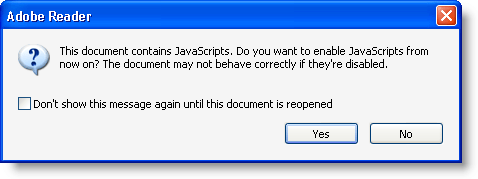
If you disable JavaScript in Adobe Reader, you’ll be proposed to re-enable it each time you open a PDF document with JavaScript. This is extremely confusing for the average user.

Foxit has started to provide an iFilter. I hope Foxit will never integrate this iFilter in their Foxit Reader setup program, because iFilters increase the attack surface.

Wednesday 29 April 2009

Quickpost: Disarming a PDF File

Filed under: My Software,PDF,Quickpost — Didier Stevens @ 16:52

This is a beta release of my new version of PDFiD tool because Adobe recommends disabling JavaScript to protect yourself against the new vulnerabilities in JavaScript functions getAnnots() and spell.customDictionaryOpen().

PDFiD version 0.0.6 has several new features which I’ll explain in a later post. Now I want to explain the disarm feature. Disarm will disable JavaScript inside the PDF document.

Command “PDFiD -d document.pdf ” will analyze the PDF document and generate a new version called document.disarmed.pdf.

In this new version, names /AA, /OpenAction, /JS and /JavaScript have their case swapped (/aa, /oPENaCTION, /jsand /jAVAsCRIPT). As the PDF language is case sentitive, these new names have no meaning and therefor the automatic actions and scripts are effectively disabled. All PDF readers I’ve used just ignore unknown names, they don’t generate and error or stop rendering the document.

This substitution trick will not work if the actions and scripts are hidden in object streams (/ObjStm) and could render a document unreadable if encryption is used.


Quickpost info


Tuesday 21 April 2009

PDFiD On VirusTotal

Filed under: Malware,My Software,PDF — Didier Stevens @ 16:59

I know my posts here are rather emotionless, and that’s how I prefer them for this blog.

But this time, I’m very proud and I’m not hiding it: my PDFiD tool is now running on VirusTotal!

Thanks for your work Julio!

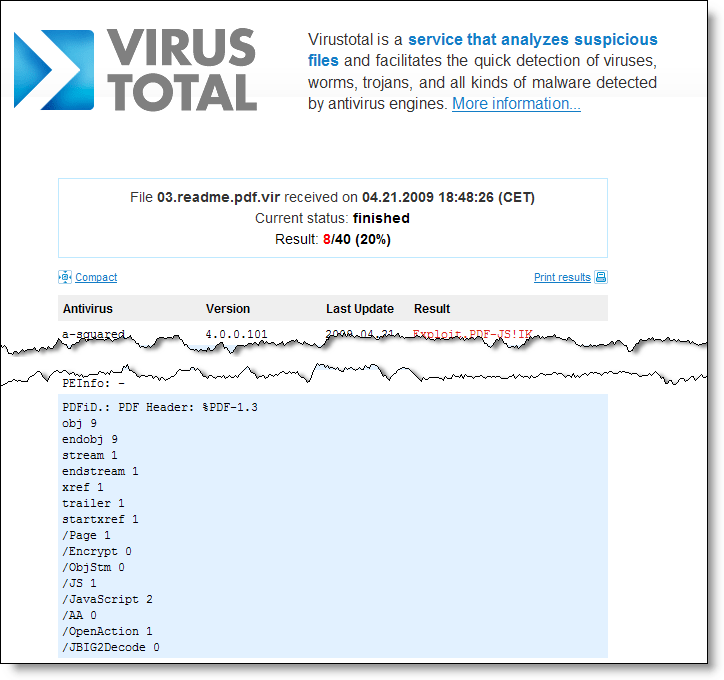
PDFiD will give you statistics of some very basic elements of the PDF language. This helps you decide if a PDF could be malicious or not.

pdfid-virustotal

Tuesday 31 March 2009

PDFiD

Filed under: Malware,My Software,PDF — Didier Stevens @ 7:08

I’ve developed a new tool to triage PDF documents, PDFiD. It helps you differentiate between PDF documents that could be malicious and those that are most likely not. I’ve kept the design very simple (it’s not a parser, but a string scanner) to be fast and to avoid exploitable bugs.

VirusTotal will included it if Julio Canto is satisfied with the tests 🙂 .

20090330-214223

« Previous PageNext Page »

Blog at WordPress.com.