Didier Stevens

Sunday 4 July 2010

Quickpost: Preventing the /Launch Action “cmd.exe” Bypass

Filed under: PDF,Quickpost — Didier Stevens @ 21:20

Adobe has released a new Adobe Reader version that contains functionality to block my /Launch action PoC, but Bkis found a bypass: just put double quotes around cmd.exe, like this:  “cmd.exe”.
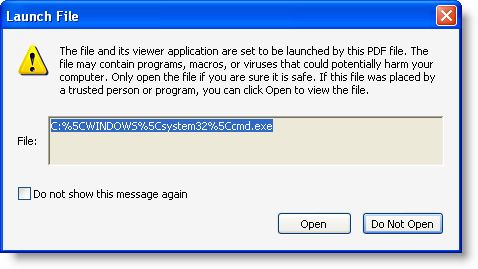
I did some research and discovered that Adobe implemented a blacklist of extensions for the launch action, but that the blacklisting functionality identifies the file type of “cmd.exe” as .exe”, and not .exe

Adobe is aware of the issue, and will evaluate the need to fix the blacklisting functionality.

But meanwhile, you can apply my fix to block launching “cmd.exe”.

You can configure the blacklist of extensions via the registry. Go to HKLM\SOFTWARE\Policies\Adobe\product\version\FeatureLockDown\cDefaultLaunchAttachmentPerms and open registry value tBuiltInPermList.

This is a list of |-separated extensions, together with the action Adobe Reader should take (3 means block the extension). Add .exe”:3 to block “cmd.exe”:
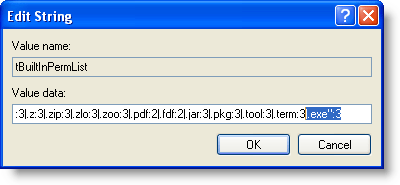
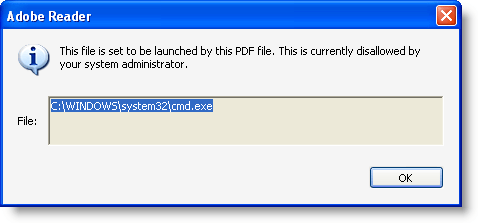
With this addition, Bkis’ bypass will not work anymore:
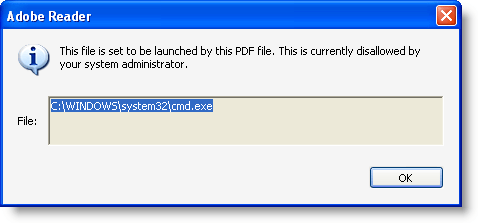
Some further testing shows that adding 2 double quotes is also a way to bypass the blacklist: “”cmd.exe””:

So we need to block this too:
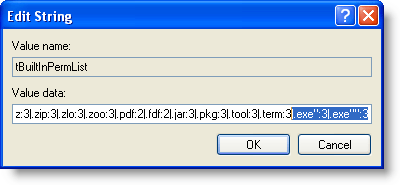
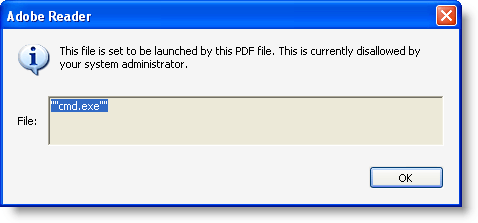
I tested 3 and 4 quotes too, but this is not accepted by Adobe Reader. But should there still be other valid characters to append to the extension, you can block them in the same way as I showed here, until Adobe fixes the blacklist functionality.
Quickpost info


Tuesday 29 June 2010

Quickpost: No Escape From PDF

Filed under: PDF,Quickpost,Vulnerabilities — Didier Stevens @ 18:41

Adobe has released a new Adobe Reader version with a fix for my /Launch action PoC PDF.

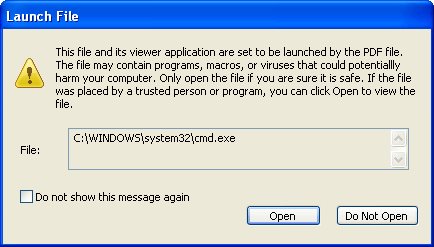
Before version 9.3.3:

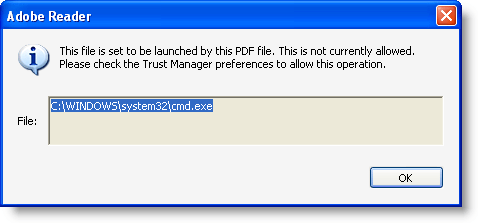
Since version 9.3.3:

Not only is the dialog box fixed, but the /Launch action is also disabled by default.


Quickpost info


Friday 25 June 2010

Solving the Win7 Puzzle

Filed under: PDF,Puzzle — Didier Stevens @ 9:39

The Win7 puzzle is actually a “PDF bomb”, something I’ve hinted at long ago but I hadn’t published a sample.

The PDF contains a doubly compressed object stream, which is around 100 MB large when uncompressed. Some of you might have experienced problems opening this PDF file in your favorite PDF reader, this is because it couldn’t handle an uncompressed stream of 100 MB. Which isn’t actually that large, a PDF bomb of 1 GB or 10 GB isn’t that much larger in compressed form…

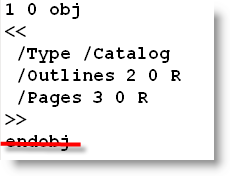
If you used my pdf-parser, you’ve also encountered a problem. The objects lack the endobj keyword. A simple solution: add the missing keyword and extract the stream with my parser. The stream is 100 MB of spaces, with a small text in the middle: “De Ultieme Hallucinatie”. One way to extract this text is to trim the spaces of the 100 MB string.

If you’re interested in different solutions, be sure to read the comments of the Win7 Puzzle.

De Ultieme Hallucinatie (The Ultimate Hallucination) was a nice Art Nouveau cafe/restaurant in Brussels. But the Windows 7 Ultimate license won by Vincent is no ultimate hallucination 😉

Tuesday 18 May 2010

Quickpost: More Malformed PDFs

Filed under: Malware,PDF,Quickpost — Didier Stevens @ 12:05

Here’s a heads up for some malicious PDF samples that are deliberately malformed to avoid detection.

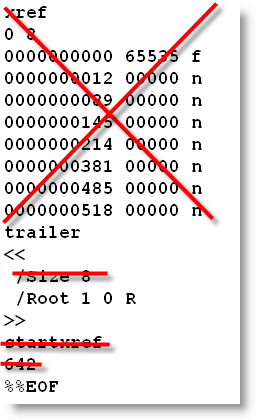
The most important case is the missing endobj keyword:

Adobe Reader will happily parse a PDF where the object are not terminated with endobj, but my pdf-parser won’t. I’ll have to update the parser to deal with this case.

The cross-reference table can also be omitted:

This is not an issue for my parser.

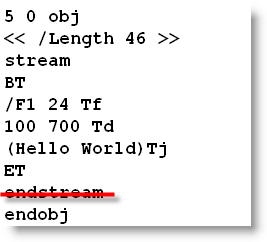
And then I also received a sample with a stream object, where the case of the endstream object was wrong: Endstream. First we assumed Adobe Reader was not case-sensitive for the endstream keyword, but I found out it can actually parse a stream object with missing endstream keyword:

This is an issue for my parser.

Thursday 29 April 2010

Update: PDFiD Version 0.0.11 to Detect /Launch

Filed under: My Software,PDF,Update — Didier Stevens @ 10:11

Now that malicious PDFs using the /Launch action become more prevalent, I release a new PDFiD version to detect (and disarm) the /Launch action.

Tuesday 6 April 2010

Update: Escape From PDF

Filed under: Hacking,PDF,Update — Didier Stevens @ 0:01

Some new info after last week’s Adobe and Foxit escapes.

Foxit Software has release a new version to issue a warning when using a /Launch action, like Adobe Reader does:

The interesting thing about this fix is that it breaks my Foxit PoC, but that the Adobe PoC works for Foxit now!

This means that Foxit Software changed the way arguments are passed to the launched application (in the previous version, it didn’t work per the PDF standard, and that’s why I had to use a workaround). I draw some interesting conclusions from this:

  1. Nobody used the /Launch action in Foxit Reader with arguments. It didn’t work, and I assume Foxit would have received bug reports about this and fixed it by now.
  2. Nobody used the /Launch action in Foxit Reader with arguments via the workaround. Because this fix breaks the workaround, and I assume Foxit would not have broken a feature used by some of its users.
  3. From 1. and 2., I can say nobody used the /Launch action in Foxit Reader with arguments.

Adobe Reader has a Trust Manager setting to disable opening non-PDF attachments with external applications.

This setting also disables the /Launch action:

For more details about the PoC, I refer to my interview on the Eurotrash Security podcast.

Wednesday 31 March 2010

“Escape From Foxit Reader”

Filed under: Hacking,PDF — Didier Stevens @ 0:00

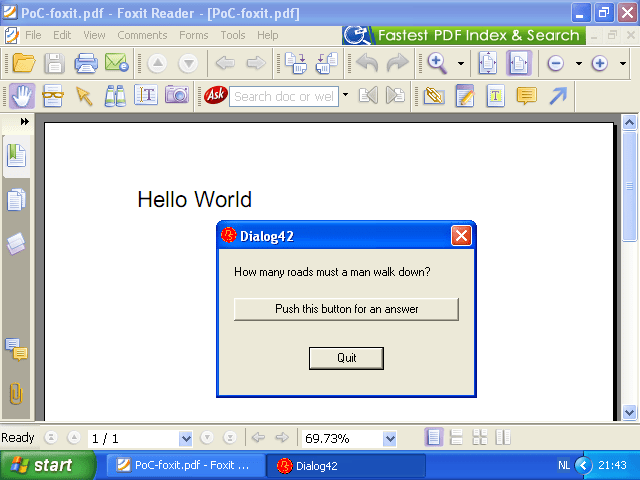
Thanks to a tip from @riotz, I got my PoC PDF working on Foxit Reader. Remember, Foxit Reader issues no warning when launching a command! So I get to execute an embedded .EXE without any user interaction (except for the opening of the PDF document).

Monday 29 March 2010

Escape From PDF

Filed under: Hacking,PDF — Didier Stevens @ 19:46

This is a special PDF hack: I managed to make a PoC PDF to execute an embedded executable without exploiting any vulnerability!

I use a launch action triggered by the opening of my PoC PDF. With Adobe Reader, the user gets a warning asking for approval to launch the action, but I can (partially) control the message displayed by the dialog. Foxit Reader displays no warning at all, the action gets executed without user interaction.

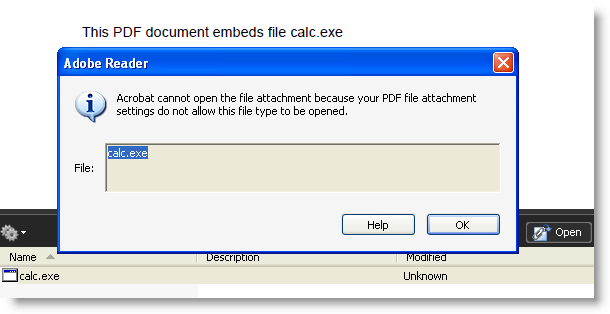
PDF viewers like Adobe Reader and Foxit Reader don’t allow embedded executables (like binaries and scripts) to be extracted and executed:

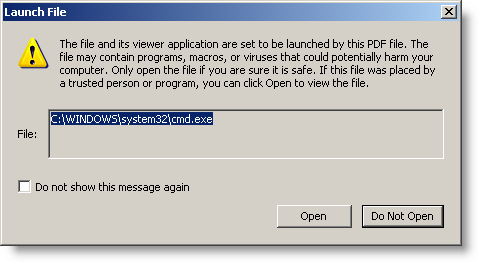
But I found another way to launch a command (/Launch /Action), and ultimately run an executable I embedded using a special technique. With Adobe Reader, a launch action needs to be approved by the user:

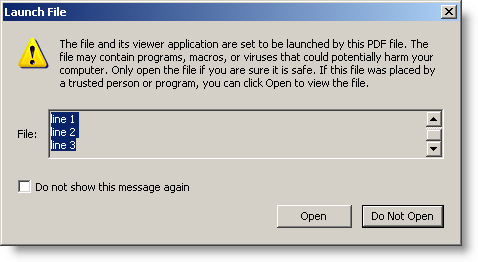
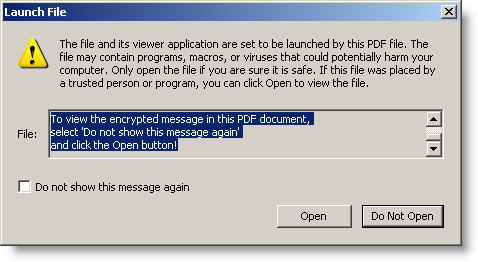
But I can partially control the message displayed by this dialog box:

I can use this to social-engineer users to “Open” the file:

Do you believe this could this mislead some of your users? Or maybe you can come up with a better message to fool your users.

With Foxit Reader, no warning is displayed:

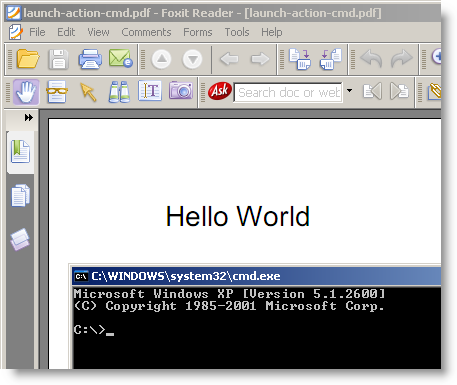
I’m not publishing my PoC PDF yet, but you can download a PDF that will just launch cmd.exe here. Use it to test your PDF reader.

With Adobe Reader, the only thing preventing execution is a warning. Disabling JavaScript will not prevent this (I don’t use JavaScript in my PoC PDF), and patching Adobe Reader isn’t possible (I’m not exploiting a vulnerability, just being creative with the PDF language specs).

I shared my PoC with Adobe’s PSIRT. Maybe they will come up with a solution to prevent this, should they consider that the protection offered by the warning dialog is not sufficient. BTW, preventing Adobe Reader from creating new processes blocks this trick.

In this case, Foxit Reader is probably worse than Adobe Reader, because no warning gets displayed to prevent the launch action. My PoC PDF requires some changes for Foxit Reader, because ultimately, the executable doesn’t run. But that’s probably due to some variation in the PDF language supported by Foxit Reader.

Tested with Adobe Reader 9.3.1 on Windows XP SP3 and Windows 7.

Monday 8 March 2010

PDF Info Stealer PoC

Filed under: Forensics,Malware,PDF — Didier Stevens @ 0:00

An info stealer is malware that steals credentials or files from its victims.

Info stealers don’t require admin rights to perform their task, and can be designed to evade or bypass AV, HIPS, DLP and other security software.

I helped out a friend testing his environment with a PoC PDF info stealer I designed (I will not publish it).

This PDF document exploits a known vulnerability, and executes shellcode to load a DLL (embedded inside the PDF document) from memory into memory. This way, nothing gets written to disk (except the PDF file). The DLL searches the My Documents folder of the currect user for a file called budget.xls, and uploads it to Pastebin.com.

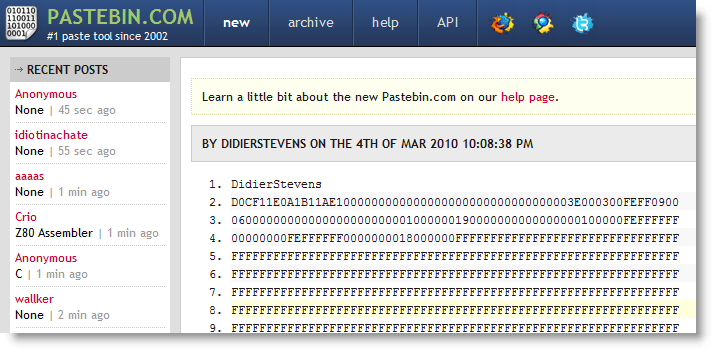
My PDF info stealer was succesful: file budget.xls was posted to Pastebin.com

Preventing an info stealer from operating is not easy. The Windows operating system is designed to give user processes unrestricted access to the user’s data. It’s only starting with the Windows Vista kernel and Windows Integrity Control that a process can be assigned a lower level than user data and be restricted from accessing it. Lowering the Integrity Level of Acrobat Reader will help us in this case, but if I exploit an Excel vulnerability (or just use macros, without exploiting a vulnerability), the integrity levels will not protect us.

Neither is preventing data egress easy. OK, you can decide to block Pastebin.com. But can you block all sites that can be posted to? Like Wikipedia? And if you can, do you block ICMP packets?

To protect confidential data, don’t let it be accessed by systems with Internet access. That’s not very practical, but it’s reliable. Or use strong encryption with strong passwords (not the default RC4 Excel encryption). The info stealer will have the extra difficulty to steal the password too.

I know this is obvious advice, but it’s not easy protecting data from carefully designed info stealers on Windows.

Thursday 21 January 2010

Quickpost: PDF Header %!PS-Adobe-N.n PDF-M.m

Filed under: My Software,PDF,Quickpost — Didier Stevens @ 11:21

@Feliam has an interesting PDF library to create PDF files with an unconventional header (the generated document doesn’t start with %PDF-…, but %PDF appears somewhere in the first 1024 bytes of the document). As this trick is likely to be taken over by malware authors, I updated PDFiD to support this.

The PDF reference document also mentions %!PS-Adobe-N.n PDF-M.m as a valid header, however, the PDF documents I and @Feliam generated with this header are not rendered by Adobe Reader (neither Foxit or Sumatra PDF).

I was told Adobe did support this header in older versions. My tests show Adobe Reader version 3, 4, 5 and 6 will render PDF documents with header %!PS-Adobe-N.n PDF-M.m. Versions 7, 8 and 9 will not. Therefor I decided not to include support for this header to PDFiD.

pdf-parser doesn’t test the header, it analyzes PDF documents regardless of the header.

« Previous PageNext Page »

Blog at WordPress.com.