Didier Stevens

Thursday 16 April 2015

pdf-parser: A Method To Manipulate PDFs Part 1

Filed under: My Software,PDF,Update — Didier Stevens @ 0:00

I provide 2 days of Hacking PDF training at HITB Amsterdam. This is one of the methods I teach.

Sometimes when I analyze PDF documents (benign or malicious), I want to reduce the PDF to its essential objects. But when one removes objects in a PDF, indexes need to be updated and references updated/removed. To automate this process as much as possible, I updated my pdf-parser program to generate a Python program that in turn, generates the original PDF.

Thus when I want to make changes to the PDF (like removing objects), I generate its corresponding Python program, and then I edit this Python program.

I do this simply with option -g.

20150415-233047

Then you can edit the Python program, and when you run it, it will generate a new PDF file.

You can also use option -g together with option -f to filter the streams before they are inserted in the Python program. This gives you the decompressed streams in the Python program, opening them up to editing.

In this example, without option -f the Python statement for the stream object is:

oPDF.stream(5, 0, 'x\x9cs\nQ\xd0w3T02Q\x08IS040P0\x07\xe2\x90\x14\x05\r\x8f\xd4\x9c\x9c|\x85\xf0\xfc\xa2\x9c\x14M\x85\x90,\x05\xd7\x10\x00\xdfn\x0b!', '<<\r\n /Length %d\r\n /Filter /FlateDecode\r\n>>')

And with option -f, it becomes:

oPDF.stream2(5, 0, 'BT /F1 24 Tf 100 700 Td (Hello World) Tj ET', '', 'f')

The generated Python program relies on my mPDF library found in my PDF make tools.

pdf-parser_V0_6_2.zip (https)
MD5: D6717F1CA6B9DA2392E63F0DABF590DD
SHA256: 4DC0136062E9A5B6D84C74696005531609BD0299887B70DDFFAA19115BF2E746
Wednesday 15 April 2015

PDF Password Cracking With John The Ripper

Filed under: Encryption,PDF — Didier Stevens @ 0:00

I have a video showing how to use oclHashcat to crack PDF passwords, but I was also asked how to do this with John The Ripper on Windows.

It’s not difficult.

Download the latest jumbo edition john-the-ripper-v1.8.0-jumbo-1-win-32.7z from the custom builds page.

Decompress this version.

Download the previous jumbo edition John the Ripper 1.7.9-jumbo-5 (Windows binaries, ZIP, 3845 KB).

Extract file cyggcc_s-1.dll from the previous jumbo edition, and copy it to folder John-the-Ripper-v1.8.0-jumbo-1-Win-32\run.

Generate the hash for the password protected PDF file (I’m using my ex020.pdf exercise file) and store it in a file (pdf2john.py is a Python program, so you need to have Python installed):

John-the-Ripper-v1.8.0-jumbo-1-Win-32\run\pdf2john.py ex020.pdf > ex020.hash

Start John The Ripper:

John-the-Ripper-v1.8.0-jumbo-1-Win-32\run\john.exe ex020.hash

Loaded 1 password hash (PDF [MD5 SHA2 RC4/AES 32/32])
Will run 8 OpenMP threads
Press 'q' or Ctrl-C to abort, almost any other key for status
secret           (ex020.pdf)
1g 0:00:00:00 DONE 2/3 (2015-03-29 22:39) 10.20g/s 125071p/s 125071c/s 125071C/s
123456..crawford
Use the "--show" option to display all of the cracked passwords reliably
Session completed

By starting John The Ripper without any options, it will first run in single crack mode and then in wordlist mode until it finds the password (secret).

But you can also provide your own wordlists (with option –wordlist) and use rules (option –rules) or work in incremental mode (–incremental).

Tuesday 31 March 2015

pdf-parser And YARA

Filed under: My Software,PDF — Didier Stevens @ 21:13

I’m teaching a PDF class at HITB Amsterdam in May. This is one of the many subjects covered in the class.

For about half a year now, I’ve been adding YARA support to several of my analysis tools. Like pdf-parser.

I’ll write some blogposts covering each tool with YARA support. I’ll start with a video for pdf-parser:

Wednesday 18 February 2015

Analyzing A Fraudulent Document With Error Level Analysis

Filed under: Forensics,My Software,PDF — Didier Stevens @ 0:00

Some time ago I had the chance to try out an image forensic method (Error Level Analysis) on a PDF. It was a fraudulent document (a form), but with a special characteristic: the criminal converted the original form (a PDF) to JPEG, edited the JPEG with a raster graphics editor, and then inserted the edited JPEG in a PDF document. This gave me the opportunity to try out Error Level Analysis (ELA) on a “text document”.

I can’t share the PDF, but I recreated one to use in this blogpost.

First I search for images in the PDF document:

pdf-parser.py -s image example-edited.pdf

Result:

obj 4 0
 Type: 
 Referencing: 6 0 R

  <<
    /Font
    /XObject
      <<
        /Im4 6 0 R
      >>
    /ProcSet [/PDF/Text/ImageC/ImageI/ImageB]
  >>


obj 6 0
 Type: /XObject
 Referencing: 
 Contains stream

  <<
    /Type /XObject
    /Subtype /Image
    /Width 680
    /Height 965
    /BitsPerComponent 8
    /ColorSpace /DeviceRGB
    /Filter /DCTDecode
    /Length 233133
  >>

The image is in object 6. I extract the image:

pdf-parser.py -o 6 -d example-edited.jpeg example-edited.pdf

Here it is:

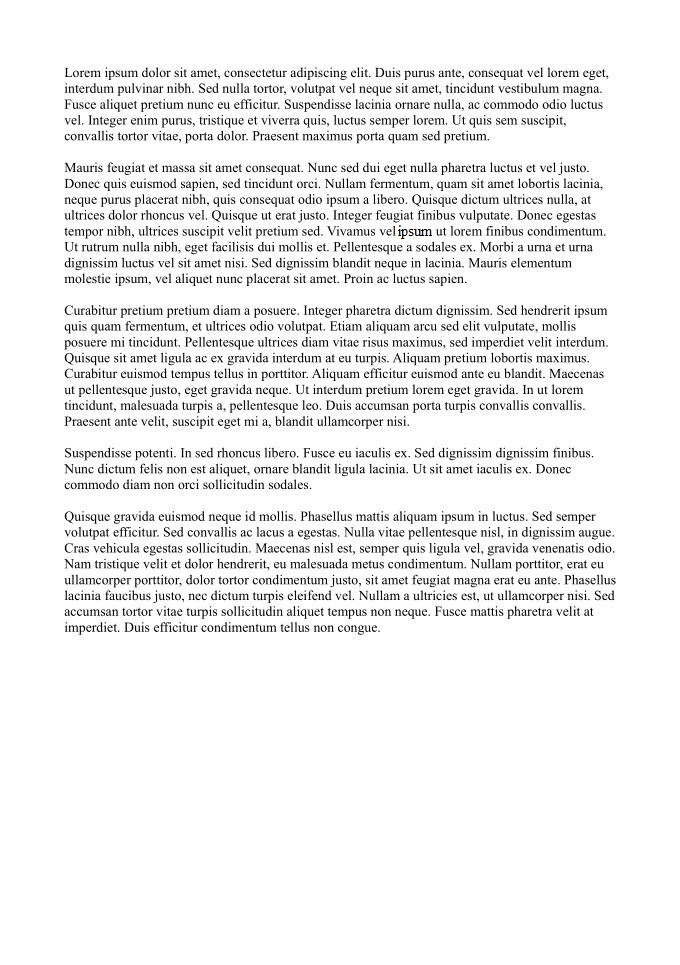
example-edited

If you Google for Error Level Analysis, you’ll find a couple of websites that provide online image forensics. But that was not an option for me, I could not share the document.

I found this C program for ELA, and later I wrote my own Python program (what else?), that I’ll use for this example:

image-forensics-ela.py example-edited.jpeg example-edited-ela.png

example-edited-ela

The colored pixels reveal the word I edited. You can see it better when I overlay the 2 images:

image-overlay.py -a 0.6 example-edited.jpeg example-edited-ela.png example-edited-overlay.png

example-edited-overlay

FYI: there is also a GIMP plugin for ELA.

You can download the examples and programs here:

blogpost-ela-files.zip (https)
MD5: 4F3071A9162C5CA8B7B10A41F662093A
SHA256: CBA786368D7BAF65E1E9F854C315BFB60FF89910429106513A0C41C180D8FCAB

Monday 27 October 2014

Update: PDFiD With Plugins Part 2

Filed under: My Software,PDF,Update — Didier Stevens @ 8:40

The second feature in this new version of PDFiD is selection. With this, you can select PDFs using criteria you provide.

Example:

pdfid.py -S “pdf.javascript.count > 0” *.pdf

This command will select all files with extension .pdf in the current directory that are PDFs and have a /JavaScript count larger than zero. The selection expression you provide is a Python expression. Here is a list off attributes to use in your selection expressions:

pdf.version
pdf.filename
pdf.errorOccured
pdf.errorMessage
pdf.isPDF
pdf.header

pdf.keywords[keywordname].count
pdf.keywords[keywordname].hexcode

pdf.keywords['/AA'].count
pdf.keywords['/Root'].count # if option -a and if /Root present in PDF

pdf.obj.count
pdf.obj.hexcode
pdf.endobj.count
pdf.endobj.hexcode
pdf.stream.count
pdf.stream.hexcode
pdf.endstream.count
pdf.endstream.hexcode
pdf.xref.count
pdf.xref.hexcode
pdf.trailer.count
pdf.trailer.hexcode
pdf.startxref.count
pdf.startxref.hexcode
pdf.page.count
pdf.page.hexcode
pdf.encrypt.count
pdf.encrypt.hexcode
pdf.objstm.count
pdf.objstm.hexcode
pdf.js.count
pdf.js.hexcode
pdf.javascript.count
pdf.javascript.hexcode
pdf.aa.count
pdf.aa.hexcode
pdf.openaction.count
pdf.openaction.hexcode
pdf.acroform.count
pdf.acroform.hexcode
pdf.jbig2decode.count
pdf.jbig2decode.hexcode
pdf.richmedia.count
pdf.richmedia.hexcode
pdf.launch.count
pdf.launch.hexcode
pdf.embeddedfile.count
pdf.embeddedfile.hexcode
pdf.xfa.count
pdf.xfa.hexcode
pdf.colors_gt_2_24.count
pdf.colors_gt_2_24.hexcode

Be careful if you are going to use this in an automated scenario where you don’t control the selection expression. This expression is evaluated in Python with the eval function, and there is no input validation.


Monday 20 October 2014

Update: PDFiD With Plugins Part 1

Filed under: My Software,PDF,Update — Didier Stevens @ 8:51

Almost from the beginning when I released PDFiD, people asked me for anti-virus like feature: that PDFiD would tell you if a PDF was malicious or not. Some people even patched PDFiD with a scoring feature.

But I didn’t want to develop an “anti-virus” for PDFs; PDFiD is a triage tool.

Now you can develop your own scoring system with plugins.

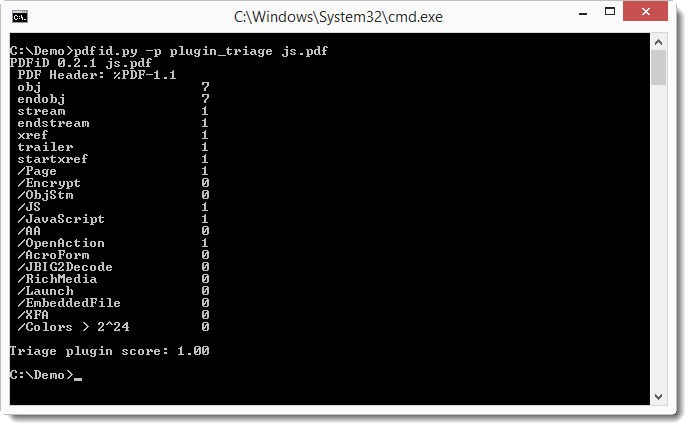
Plugins are loaded with option -p, like this:

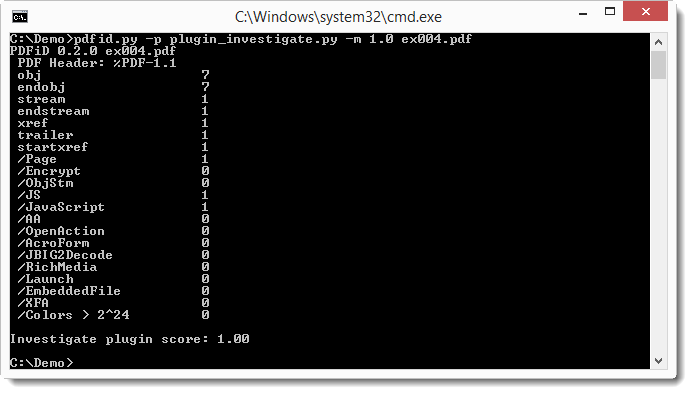
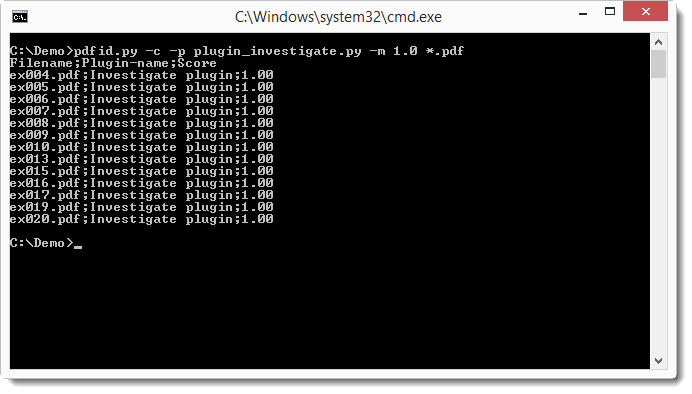
20141020-102902

I provide 3 plugins: plugin_triage.py, plugin_nameobfuscation.py and plugin_embeddedfile.py. You can run more than one plugin by separating their names with a comma: pdfid.py -p plugin_triage,plugin_embeddedfile js.pdf

Or you can use an @-file: a text file with the names of the plugins you want to run.

To output the result as CSV file, use option -c, and to write the output to a file, use option -o. With option -m, you can provide a minimum score the plugin has to produce for its output to be displayed.

Plugins are Python classes, I’ll explain how to make your own in a later post.

plugin_triage.py produces a score of 1.0 when the PDF requires further analysis, and 0.0 if not.

plugin_nameobfuscation.py produces a score of 1.0 when name obfuscation is used in the PDF.

plugin_embeddedfile.py produces a score of 0.9 when an embedded file is present, and 1.0 when name obfuscation is also used.
pdfid_v0_2_1.zip (https)
MD5: 7463412536678B321276F8720F52DE81
SHA256: F1B4728DD2CE455B863B930E12C6DEC952CB95C0BB3D6924136A6E49ACA877C2

Tuesday 30 September 2014

Announcement: PDFiD Plugins

Filed under: Announcement,My Software,PDF — Didier Stevens @ 21:30

I have a new version of PDFiD. One with plugins and selections.

Here’s a preview:

20140930-231450

20140930-231637

Tuesday 23 September 2014

Video: PDF Creation – Public Tools

Filed under: My Software,PDF — Didier Stevens @ 20:27

Have you subscribed to my new video blog: videos.didierstevens.com ?

If not, you missed my new video where I show my public tools to create PDFs.

Wednesday 9 April 2014

PDF Rainbow Tables

Filed under: Encryption,PDF — Didier Stevens @ 0:57

Looks I hadn’t blogged this video:

Wednesday 18 September 2013

Update: pdf-parser V0.4.3

Filed under: My Software,PDF — Didier Stevens @ 20:20

There’s still time to register for my “Hacking PDF” training at Brucon next week.

I introduced a bug in pdf-parser version 0.3.8 that changed the behavior of the -w option (raw).

This new version is a fix for this bug.

pdf-parser_V0_4_3.zip (https)
MD5: 2220FFE37AEA36FC593AE33440385E76
SHA256: 1416624938359FDD375108D922350D1B7B0E41B3A40A48F778D6D72D8A405DE6

« Previous PageNext Page »

Blog at WordPress.com.