Didier Stevens

Monday 12 February 2018

Update: pdfid.py Version 0.2.4

Filed under: My Software,Update — Didier Stevens @ 0:00

This is a bug fix version for  bugs reported by different users, more details in history.

pdfid_v0_2_4.zip (https)
MD5: 36D5554BC881E7E21382ADA1305ED6F4
SHA256: C1DA287C9C06E3158F79CECF9C2E9A7773FC57FC92021F17B79DDD4B1E5DBB2A

Sunday 11 February 2018

Update: jpegdump.py Version 0.0.4

Filed under: My Software,Update — Didier Stevens @ 0:00

This new version of jpegdump adds option -e: extract jpeg images to disk.

jpegdump_V0_0_4.zip (https)
MD5: 496B6F2B0C0EEF919F7C6E20B9C1ADF6
SHA256: 5D150AE050610B6DB11FBE8B44E385A80800971AF1810F67531BB17A1373C770

Saturday 10 February 2018

Update: hash.py Version 0.0.2

Filed under: My Software,Update — Didier Stevens @ 0:00

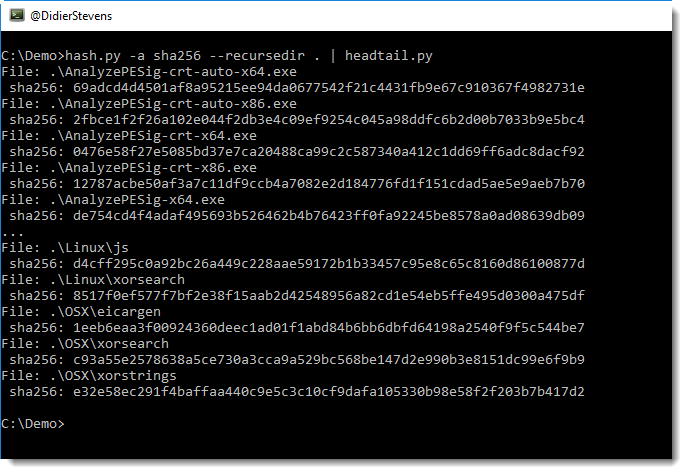
This new version of hash.py can recurse into directories by using new option –recursedir.

hash_V0_0_2.zip (https)
MD5: 7C9EF6D52793D6FFAAF4EB6FCEB934B4
SHA256: F768BCBE035ADF099C2AFA41CADB2ABD9514D54E6D361AF5610277B8A70D6B7D

Tuesday 6 February 2018

Update: python-per-line version 0.0.3

Filed under: My Software,Update — Didier Stevens @ 0:00

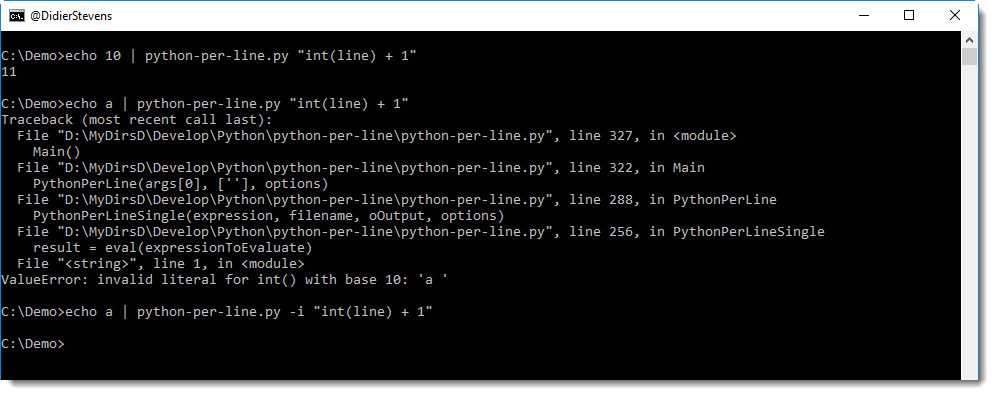
This new version of python-per-line adds option -i to ignore errors when evaluating the provided Python expression.

python-per-line_V0_0_3.zip (https)
MD5: 40B787E184EBAAD91A9104BF1BF1BF1A
SHA256: 1D7CAE95B5EA169286E4B1528D834D814A474A86240B9975385968B2BADF59AB

Wednesday 31 January 2018

Update: rtfdump.py Version 0.0.7

Filed under: My Software,Update — Didier Stevens @ 0:00

In this version, I’ve changed the output for “level 0”. Level 0 is actually the remainder, e.g. what comes after the last balanced curly brace. In a normal RTF document, there should be no remainder.

rtfdump_V0_0_7.zip (https)
MD5: 59F86BA57D67CB78B9D863AFEA710709
SHA256: 1A8EDD4F73F020F44B0AAB39FC3A1C313C81BF8A1E031A76D8B8C85E34116DD6

Tuesday 30 January 2018

Update: translate.py Version 2.5.2

Filed under: My Software,Update — Didier Stevens @ 0:00

Yesterday I had to analyze a malicious document, carrying embedded PowerShell scripts with Gzip compression. I use translate.py to do the Gzib decompression as I explained in this blog post.

But it’s still not that practical, copying that onliner from my blog post, so I’m releasing a new version of translate.py where I defined function GzipD as that onliner (and I also defined ZlibD).

Here is how I use build-in function GzipD to decompress the malicious payload:


translate_v2_5_2.zip (https)
MD5: 1499C7D9C03928F2CE90BAA813A982DA
SHA256: 34451966781CA9821CD66AEF54379A3B47576CD4FCE8CBEFD9EFA3DA06E49CE9

Monday 29 January 2018

New Tool: jpegdump.py

Filed under: My Software — Didier Stevens @ 0:00

jpegdump.py is a tool I developed to analyze JPEG images. I have used it for a couple of ISC diary entries: Analyzing JPEG files, It is a resume – Part 3 and A strange JPEG file.

This tool reads binary files and parses the JPEG markers inside them:

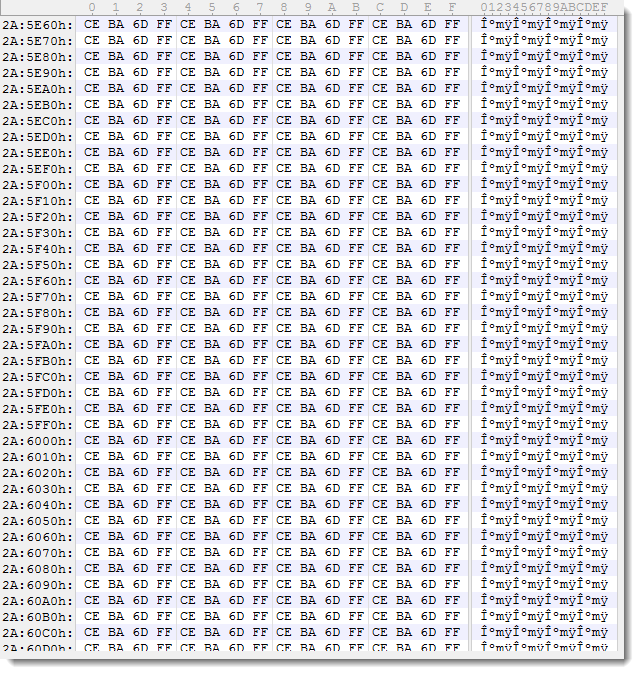
It can help with corrupted images, here is an example of a JPEG file that was partially overwritten by ransomware:

The partial image starts from marker 3.

With options -f and -c, one can search through binary files with embedded JPEG images, like this Google Chrome process dump:

For more information, take a look at the man page: jpegdump.py -m


jpegdump_V0_0_3.zip (https)
MD5: 929F3EC096AEBEC642C44C6A6EE2895E
SHA256: C5C1CA151C7E24FB6E305E5116BE7B6BC4C417810217249D3831BE5805BBAA9F

Friday 19 January 2018

Update: format-bytes.py Version 0.0.4

Filed under: My Software,Update — Didier Stevens @ 21:48

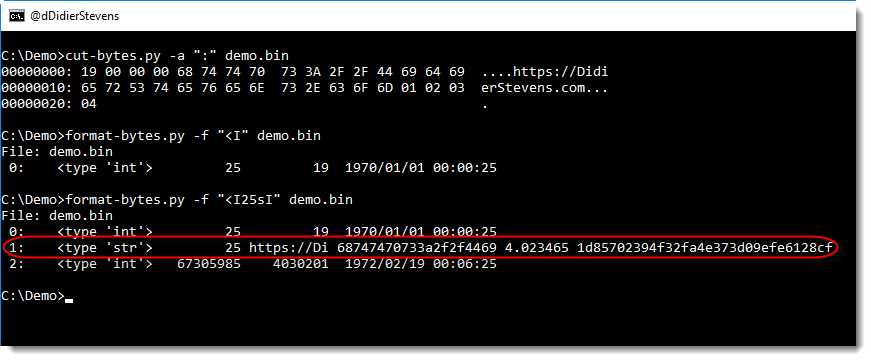
This new version of format-bytes.py display extra information when unpacking strings: string length, first 10 bytes of the string (ASCII and HEX), entropy and MD5 hash.

In this example, a small binary file starts with an integer with the string length (25 bytes), followed by the string (like a Pascal string):

format-bytes_V0_0_4.zip (https)
MD5: EBCF854E9525D470171D7D8E99F836FD
SHA256: CEE2E5B71E1BE8E5D5C934ACCD10BC0FEE2B60DFB6FDB6472F1014CEC4E509EC

Monday 15 January 2018

Update: xmldump.py Version 0.0.2

Filed under: My Software,Update — Didier Stevens @ 0:00

This new version of xmldump introduces 2 new commands to extract information from XML files: elementtext and attributes.

The following video shows how to use these commands:


xmldump_V0_0_2.zip (https)
MD5: 8ABFA4FFE259F61B7C42B2D19EADD8CB
SHA256: 0A8B94EE8C77B404A507F4BEA4C5464146F3745A1FA9017ED3DCE8D7C2D18C15

Monday 1 January 2018

New Tool: What Is New?

Filed under: My Software — Didier Stevens @ 0:00

Isn’t the beginning of a new year a good moment to release a new tool called what-is-new.py? 🙂

It’s actually an old tool, I started this in 2012, because it’s something I have to do often: I have a recurring list, and I need to know what items on that list are new (in a nutshell, that’s the problem I tried to solve).

For example, every week I produce a list of User Agent Strings for the requests to my web servers. With a single what-is-new.py command, I can see what User Agent Strings have never hit my servers before.

what-is-new.py takes one argument and a bunch of files. The argument is the name of the database (a Python pickle file). The input can be a single file, several files or stdin. Every line in these files that was not seen before (i.e. not in the database) will be listed by what-is-new.py

In the following example, I run 2 files through what-is-new (files 1.txt and 2.txt) with database demo. The database doesn’t exist yet, hence all lines of the first file are considered new. But with the second invocation, you can see that only line 4 is new.

The tool has several options, I invite you to take a look at the help (-h) and manual (-m).


what-is-new_V0_0_1.zip (https)
MD5: 02067A60EA2EBEE29E98CAF31CEDDF37
SHA256: A4499A230D1925C164531A68C0E8F4FE016882A44D6EDBFF9F4D7BFFA29D14A4

« Previous PageNext Page »

Blog at WordPress.com.