My new version of plugin_biff.py has a new option: –hexrecord.
Here I’ll show how I use this to remove the sheet protection from malicious spreadsheets.
If you want to open a malicious spreadsheet (for example with Excel 4 macros) in a sandbox, to inspect its content with Excel, chances are that it is protected.
I’m not talking about encryption (this is something that can be handled with my tool msoffcrypto-crack.py), but about sheet protection.
Enabling sheet protection can be done in Excel as follows:
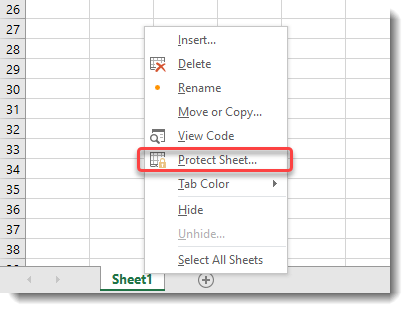
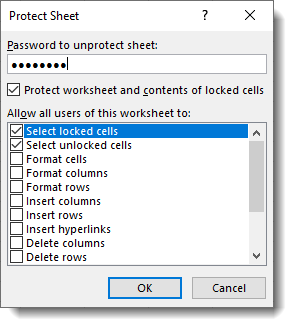
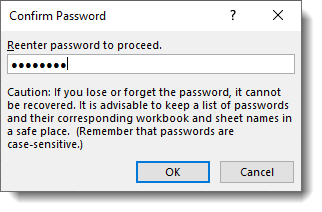
Although you have to provide a password, that password is not used to derive an encryption key. An .xls file with sheet protection is not encrypted.
If you use my tool oledump.py together with plugin_biff.py, you can select all BIFF records that have the string “protect” in their name or description (-O protect). This will give you different records that govern sheet protection.
First, let’s take a look at an empty, unprotected (and unencrypted) .xls spreadsheet. With option -O protect I select the appropriate records, and with option -a I get an hex/ascii dump of the record data:
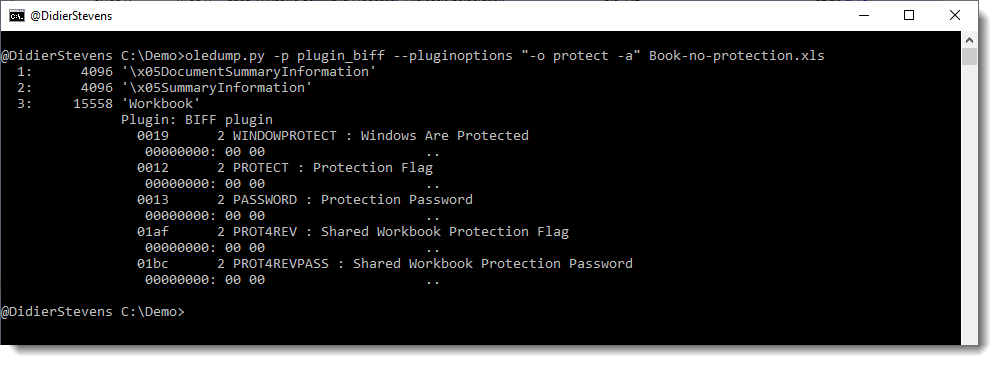
We can see that there are several records, and that their data is all NULL (0x00) bytes.
When we do the same for a spreadsheet with sheet protection, we get a different view:
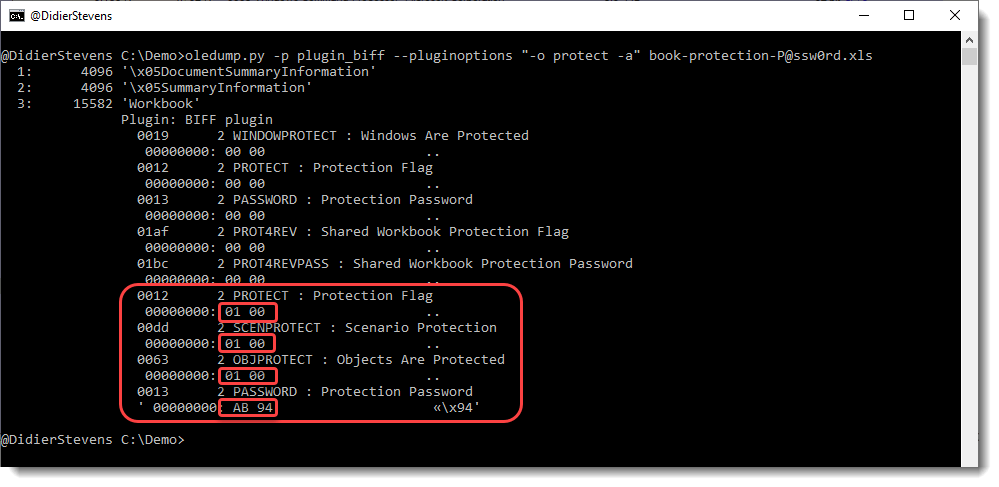
First of all we have 4 extra records, and their data isn’t zero: the flags are set to 1 (01 00 little-endian) and the Protection Password data is AB94. That is the hash of the password (P@ssw0rd) we typed to create this sheet.
To remove this sheet protection, we just need to set all data to 0x00. This is something that can be done with an hex editor.
First use option -R instead of option -a:
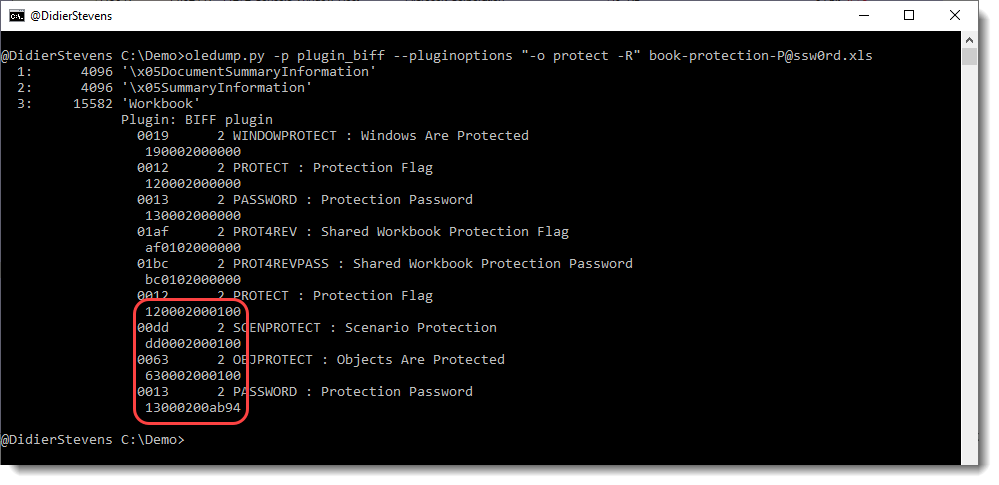
This will give you the complete records (type, length and data) in hexadecimal. Next you can search for each record using this hexadecimal data with an hex editor and set the data bytes to 0x00.
Searching for the first record 120002000100:

Setting the data to 0x00: 0100 -> 0000
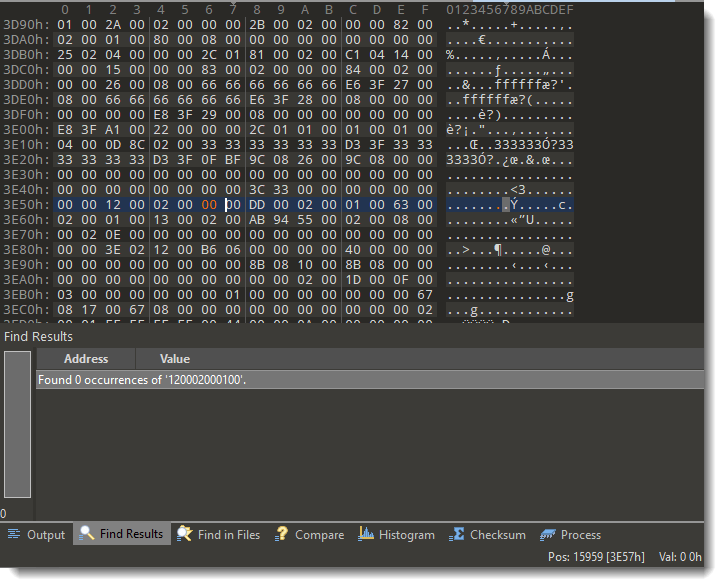
Do this for the 4 records, and then save the spreadsheet under a different name (keep the original intact).
Now you can open the spreadsheet, and the sheet protection is gone. You can now unhide hidden sheets for example.