This is a bug fix version and also adds updated statistics.
1768_v0_0_16.zip (http)MD5: E72E66BE5A66DC2C6E1806DE82DF9B39
SHA256: 008E15C617EE94D849A3325643497D216E559609602E97CF2EE41968CCA5D096
This is a bug fix version and also adds updated statistics.
1768_v0_0_16.zip (http)Some new features that help with analyzing memory dumps.
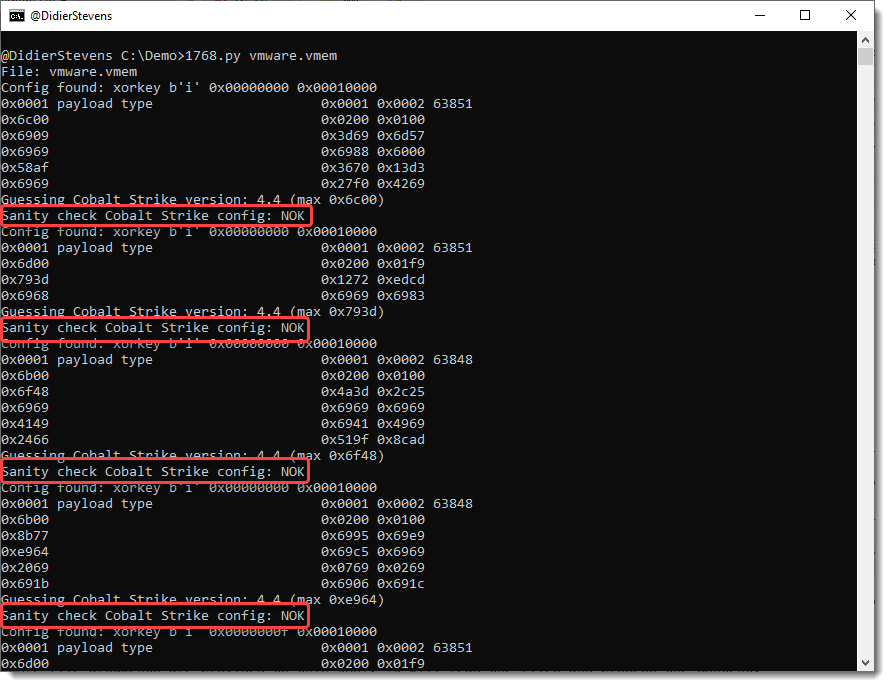
Here is the analysis of a VMware vmem file:

There’s a new sanity check, determining if an extracted configuration is OK or not OK (NOK).
A config passes the sanity check if it contains a valid payload type and a valid public key.
Configurations that don’t pass the sanity check, are most likely false positives: they have a valid header, but no valid fields. They can show up in memory dumps of Windows machines.
Option -S can be used to hide configurations that don’t pass the sanity check:

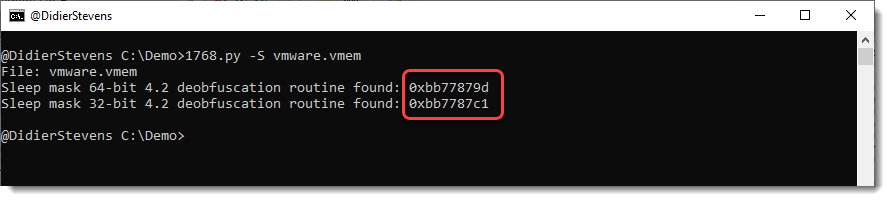
Now we are just left with detections of the sleep mask routine. What’s new in this version, is that the position where the signature was found is listed.
Finding both 32-bit and 64-bit routines is unusual.
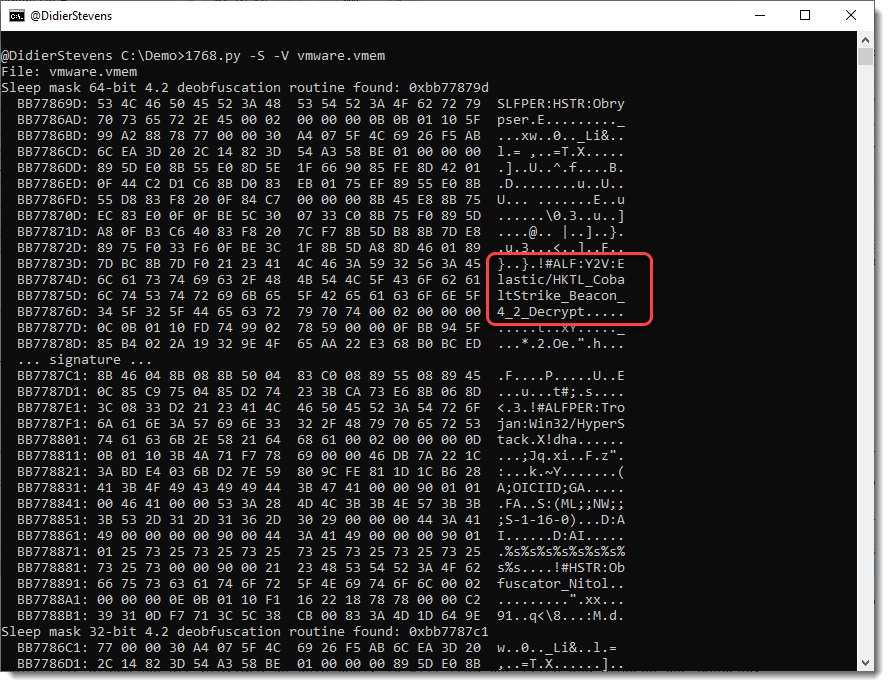
Option -V can be used to dump 256 bytes before and after the signature, to help us get an idea what we are dealing with.

And what we actually found here, is the memory of the anti-virus program containing signatures, like signatures for Cobalt Strike sleep mask deobfuscation routines.
1768_v0_0_15.zip (http)This new version of re-search.py adds a regex for UNCs to the library and has a Python 3 fix.

This update brings an update to plugin plugin_vba_dco.py.
This is a plugin that scans VBA source code for keywords (Declare, CreateObject, GetObject, CallByName and Shell), extracts all lines with these keywords, followed by all lines with identifiers associated with these keywords.
For example, if the result of a CreateObject call is stored in variable oXML, then all lines with this oXML identifier are selected.
I updated this plugin with two options -g (–generalize) and -a (–all).
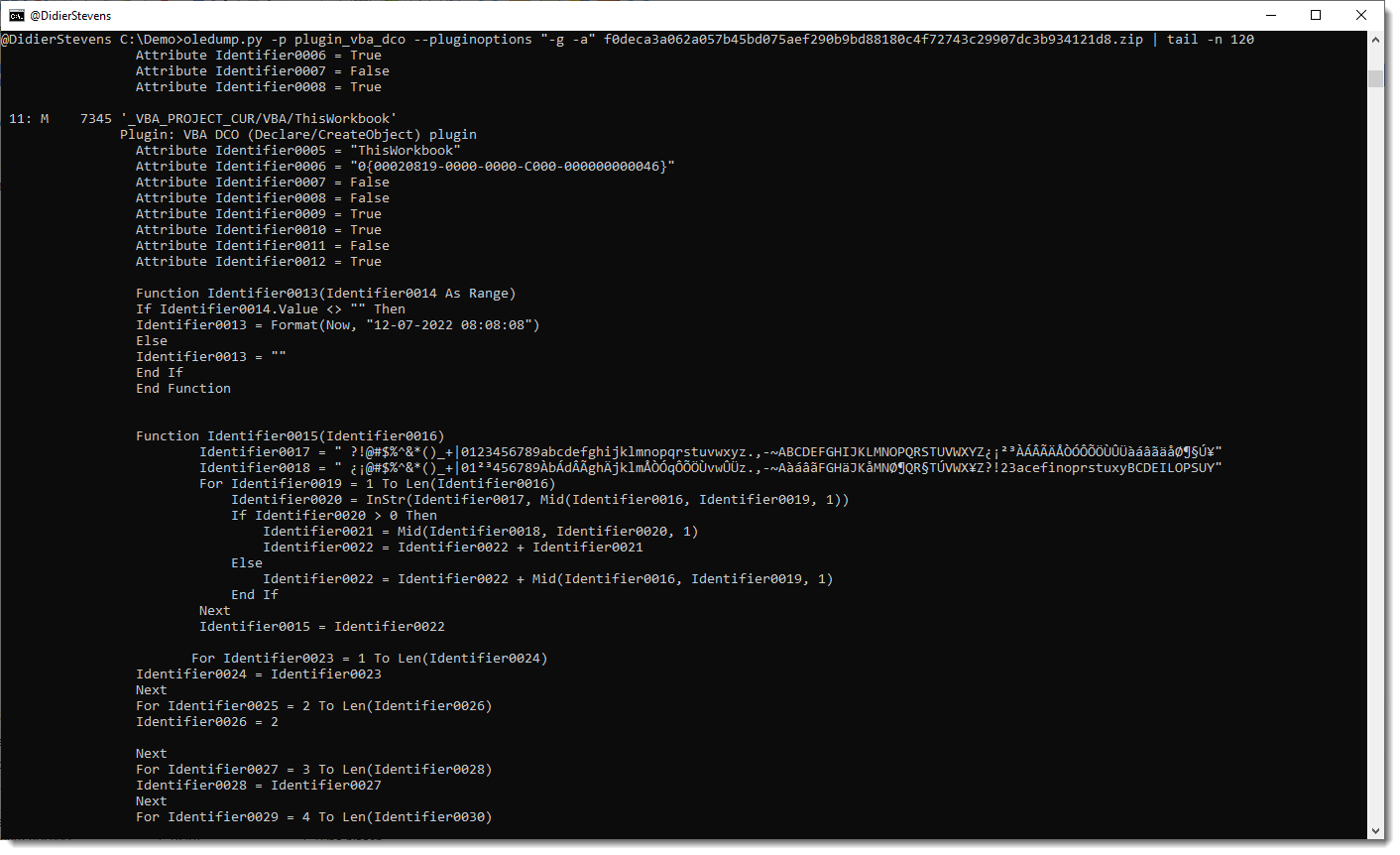
Option -g generalize will replace all identifiers (like variable & functions names) with a general name: Identifier#### where #### is a numeric counter.
I added this option to analyze a sample where almost all identifiers where completely unreadable, as they consisted solely out of characters that are between byte values 128 and 255 (e.g., non-ASCII).
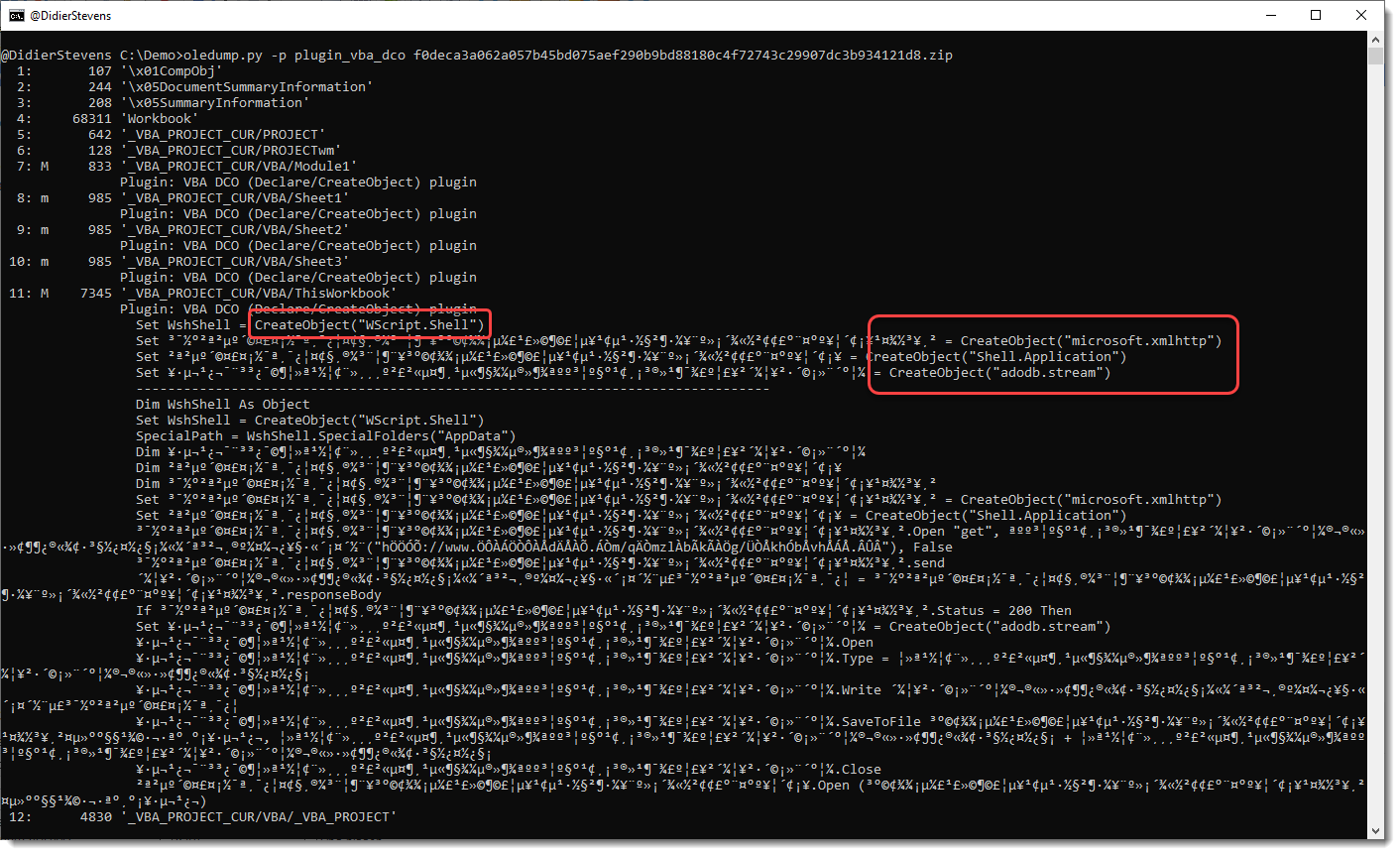
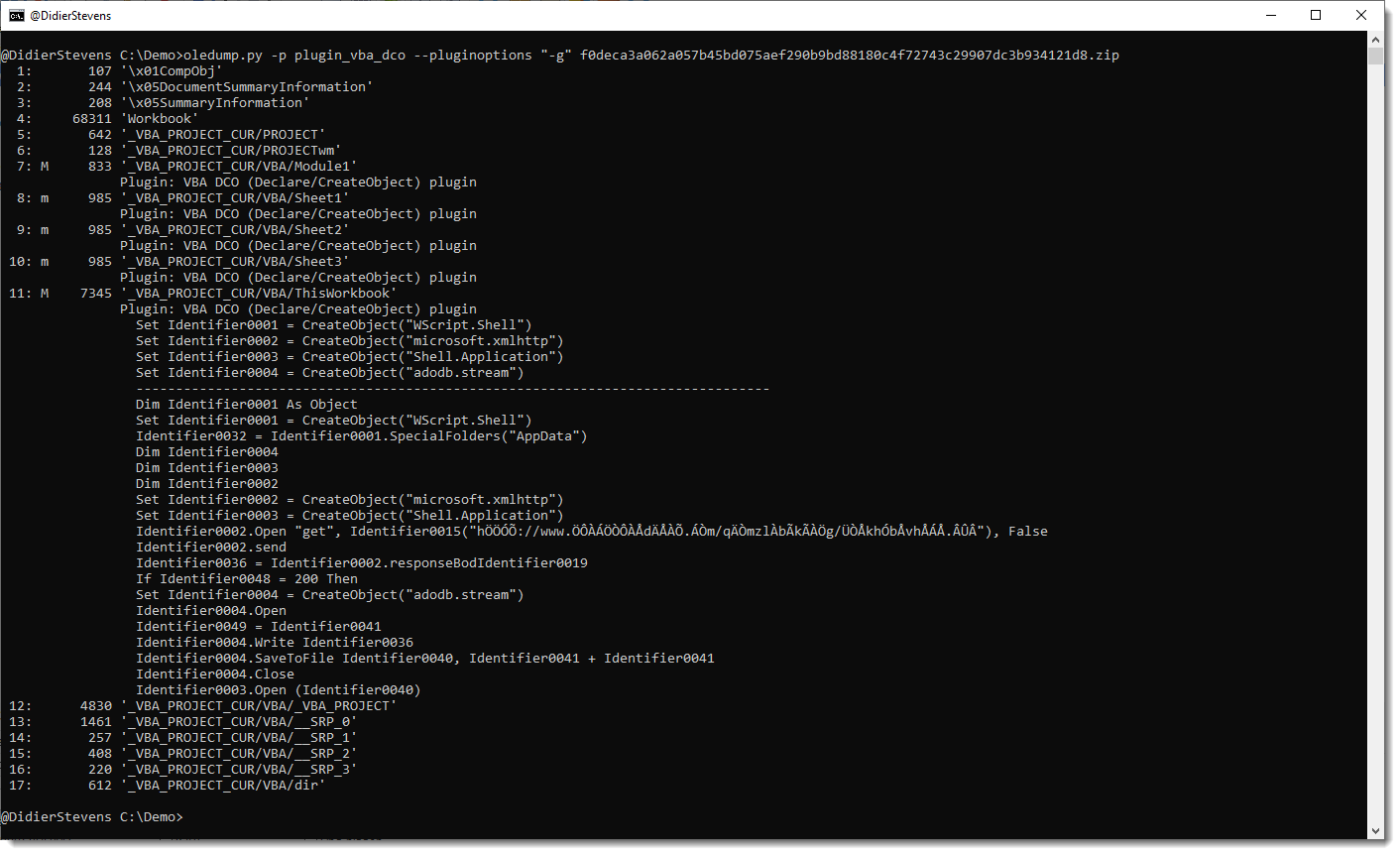
Here is the output for that sample, without using any plugin option:

You can see the CreateObject functions, but appart from the WshShell identifier, the other identifiers don’t have letters and are hard to trace in the code.
This changes when you use option -g:

All identifiers have been generalized to names like Identifier0001, Identifier0002, …
To view all generalized code (and not only the lines with keywords), use option -a:

Remark that this plugin is not a VBA parser: it uses some simple scans and regexes to find identifiers. For example, it handles line comments like any other lines.
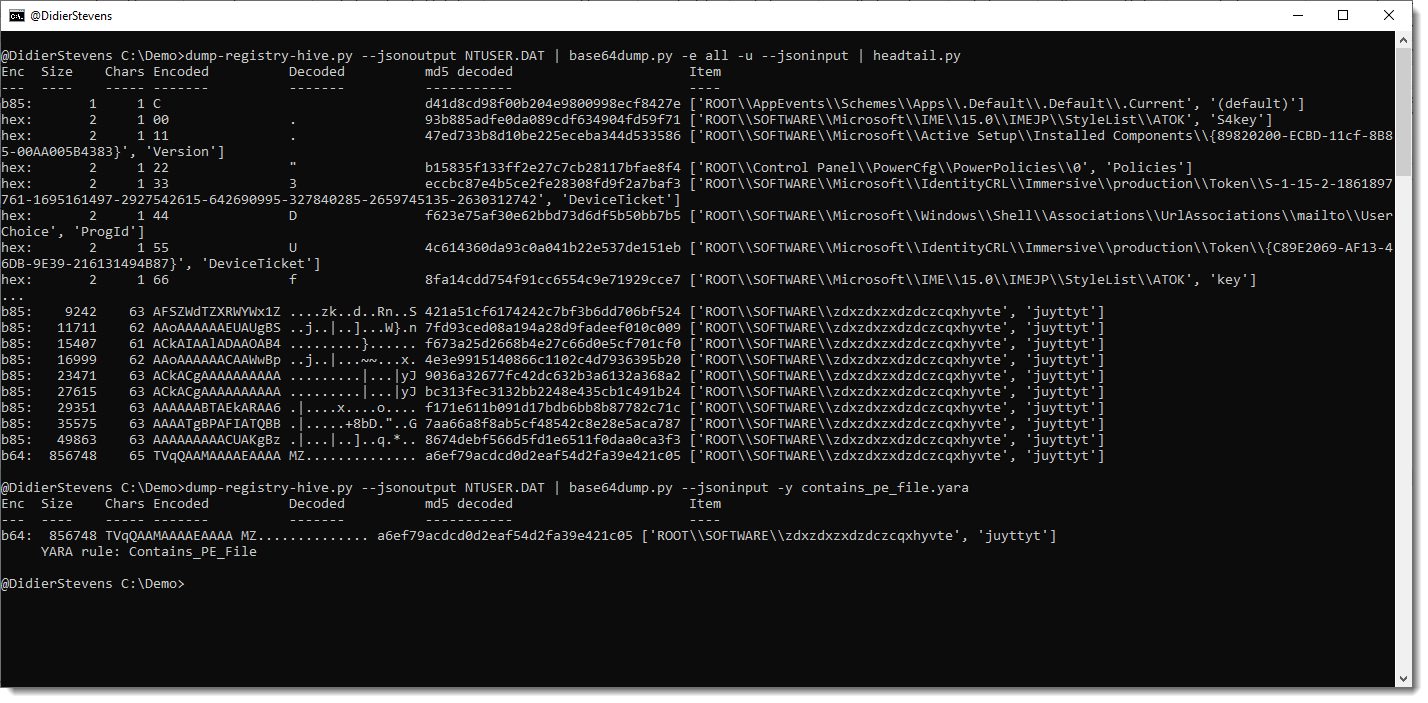
oledump_V0_0_69.zip (http)This new version adds JSON input support, allowing,for example, to detect encoded payloads inside the registry:

More info in an upcoming blog post.
base64dump_V0_0_23.zip (http)This is the release of simple_listener.py, a Python program that can accept TCP and UDP connections and react according to its configuration. It has evolved from my beta program tcp-honeypot.py, that I will no longer maintain.
Everything you could do with tcp-honeypot, can be done with simple_listener.
I use simple_listener now whenever I need a server that listens for incoming TCP and/or UDP connections. For example, I have a configuration that can accept connections from Cobalt Strike beacons using leaked private keys.
simple_listener has a full man page, explaining all configuration items and options.
simple_listener_v0_1_2.zip (http)This new version of format-bytes.py adds a feature to search for a range of integers:

#iv5#6080 means: look for an integer (i) equal to 6080 with a variation of 5 (v5), e.g., look for integers between 6075 and 6085.
format-bytes_V0_0_14.zip (http)This new version contains a Python 3 fix.
cut-bytes_V0_0_15.zip (http)sortcanon.py is a tool to sort text files according to some canonicalization function. For example, sorting domains or ipv4 addresses.
This is actually an old tool, that I still had to publish. I just updated it to Python 3.
This is the man page:
Usage: sortcanon.py [options] [files]
Sort with canonicalization function
Arguments:
@file: process each file listed in the text file specified
wildcards are supported
Valid Canonicalization function names:
domain: lambda x: '.'.join(x.split('.')[::-1])
ipv4: lambda x: [int(n) for n in x.split('.')]
length: lambda x: len(x)
Source code put in the public domain by Didier Stevens, no Copyright
Use at your own risk
https://DidierStevens.com
Options:
--version show program's version number and exit
-h, --help show this help message and exit
-m, --man Print manual
-c CANONICALIZE, --canonicalize=CANONICALIZE
Canonicalization function
-r, --reverse Reverse sort
-u, --unique Make unique list
-o OUTPUT, --output=OUTPUT
Output file
Manual:
sortcanon is a tool to sort the content of text files according to some
canonicalization function.
The tool takes input from stdin or one or more text files provided as argument.
All lines from the different input files are put together and sorted.
If no option is used to select a particular type of sorting, then normal
alphabetical sorting is applied.
Use option -o to write the output to the given file, in stead of stdout.
Use option -r to reverse the sort order.
Use option -u to produce a list of unique lines: remove all doubles before
sorting.
Option -c can be used to select a particular type of sorting.
For the moment, 2 options are provided:
domain: interpret the content of the text files as domain names, and sort them
first by TLD, then domain, then subdomain, and so on ...
length: sort the lines by line length. The longest lines will be printed out
last.
ipv4: sort IPv4 addresses.
You can also provide your own Python lambda function to canonicalize each line
for sorting.
Remark that this involves the use of the Python eval function: do only use this
with trusted input.
sortcanon_V0_0_1.zip (http)This new version of base64dump.py adds some extra info for the encoded strings.
In -e all mode, a new column Chars tells you how many unique characters are used for that encoded string:

For example, the last line is recognized as a syntactically valid variant of BASE85 (b85), but it uses only 63 unique characters (85 unique characters is the maximum). So this is probably not b85, or else the encoded data has low entropy.
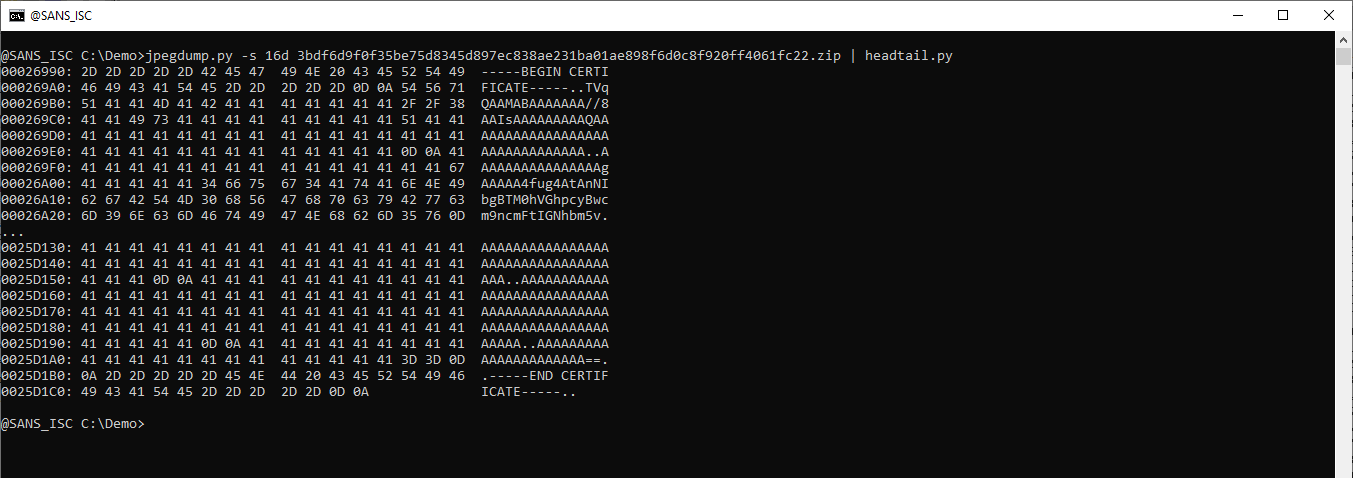
And there is also new info when you select a string for info: