I added a new option (-I, –ignorehex) to base64dump.py to make the extraction of the PE file inside a JScript script generated with DotNetToJScript a bit easier.
DotNetToJScript is James Forshaw‘s “tool to generate a JScript which bootstraps an arbitrary .NET Assembly and class”.
Here is an example of a script generated by James’ tool:
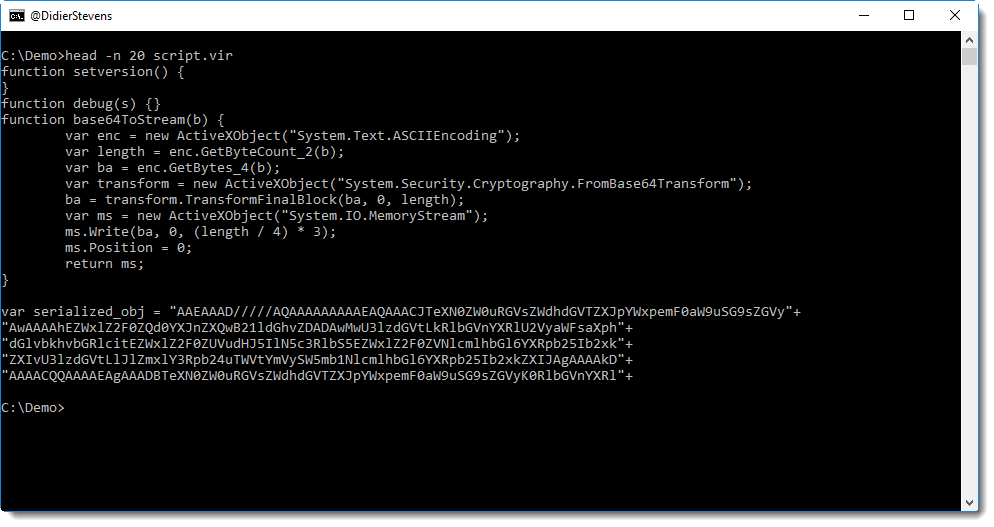
The serialized .NET object is embedded as a string concatenation of BASE64 strings, assigned to variable serialized_obj.
With re-search.py, I extract all strings from the script (e.g. strings delimited by double quotes):
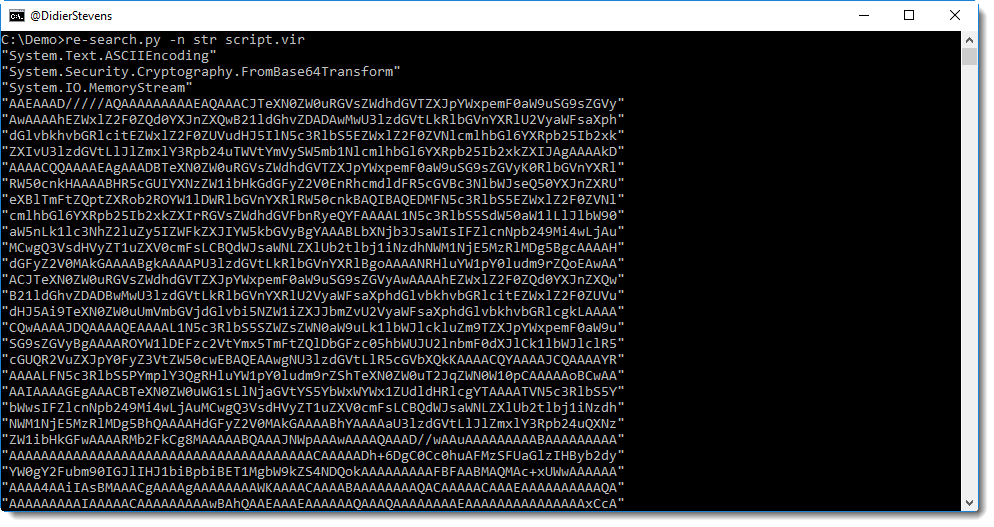
The first 3 strings are not part of the BASE64 encoded object, hence I get rid of them (there are no unwanted strings at the end):

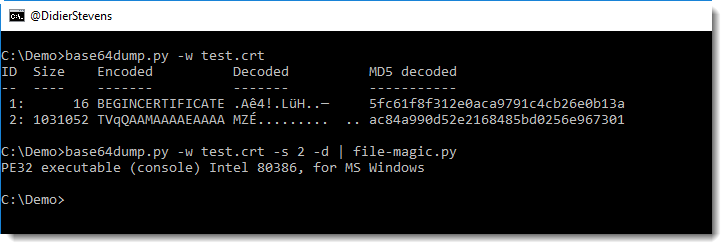
And now I have BASE64 characters, I just have to get rid of the doubles quotes and the newlines (base64dump searches for continuous strings of BASE64 characters). With base64dump‘s -w option I can get rid of whitespace (including newlines), and with option -i I can get rid of the double-quote character. Unfortunately, escaping of this character (\”) works on Windows, but then cmd.exe gets confused for the next pipe (it expects a closing double-quote). That’s why I introduced option -I, to specify characters with their hexadecimal value. Double-quote is 0x22, thus I use option -I 22:

This is the serialized object, and it contains the .NET assembly I want to analyze. .NET assemblies are .DLLs, e.g. PE files. With my YARA rule to detect PE files, I can find it inside the serialized data:
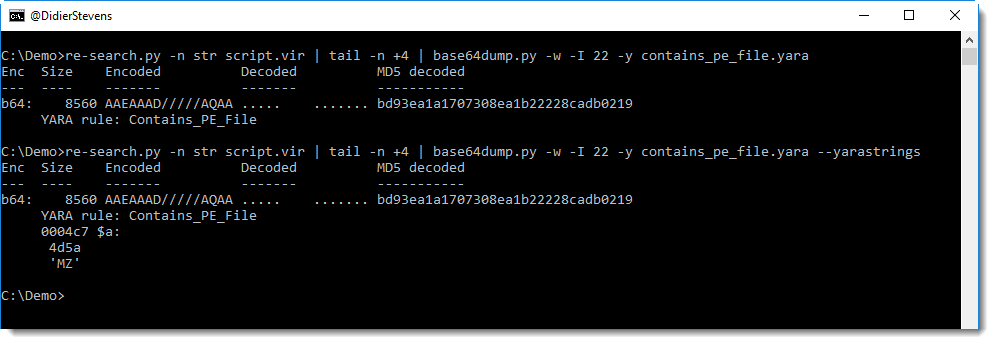
A PE file was found, and it starts at position 0x04C7. I can cut this data out with option -c:
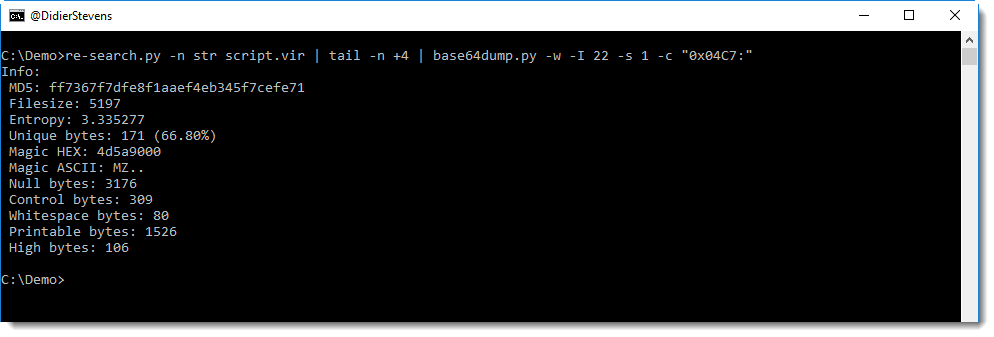
Another method to find the start of the PE file, is to use a cut expression that searches for ‘MZ’, like this:

If there is more than one instance of string MZ, different cut-expressions must be tried to find the real start of the PE file. For example, this is the cut-expression to select data starting with the second instance of string MZ: -c “[‘MZ’]2:”
It’s best to pipe the cut-out data into pecheck, to validate that it is indeed a PE file:

pecheck also helps with finding the length of the PE file (with the given cut-expression, I select all data until the end of the serialized data).
Remark that there is an overlay (bytes appended to the end of the PE file), and that it starts at position 0x1400. Since I don’t expect an overlay in this .NET assembly, the overlay is not part of the PE file, but it is part of the serialization meta data.
Hence I can cut out the PE file precisely like this:

This PE file can be saved to disk now for reverse-engineering.
I have not read the .NET serialization format specification, but I can make an educated guess. Right before the PE file, there is the following data:

Remark the first 4 bytes (5 bytes before the beginning of the PE file): 00 14 00 00. That’s 0x1400 as a little-endian 32-bit integer, exactly the length of the PE file, 5120 bytes:

So that’s most likely another method to determine the length of the PE file.