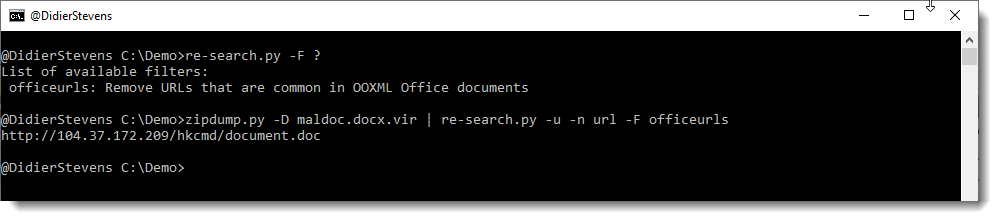
This new version of re-search.py, my tool to search files with a builtin library of regular expressions, brings an update to the url and url-domain regexes to match hostnames with underscores (_) and a Python 3 fix.
Here I’ll show how I use this to remove the sheet protection from malicious spreadsheets.
If you want to open a malicious spreadsheet (for example with Excel 4 macros) in a sandbox, to inspect its content with Excel, chances are that it is protected.
I’m not talking about encryption (this is something that can be handled with my tool msoffcrypto-crack.py), but about sheet protection.
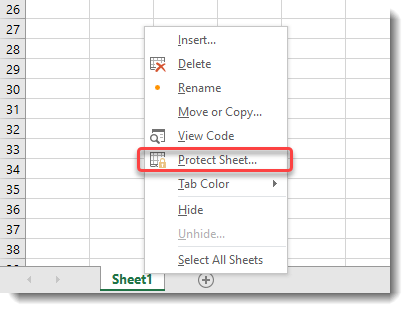
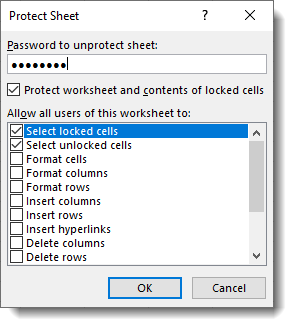
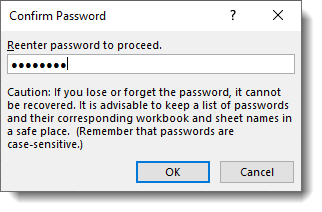
Enabling sheet protection can be done in Excel as follows:
Although you have to provide a password, that password is not used to derive an encryption key. An .xls file with sheet protection is not encrypted.
If you use my tool oledump.py together with plugin_biff.py, you can select all BIFF records that have the string “protect” in their name or description (-O protect). This will give you different records that govern sheet protection.
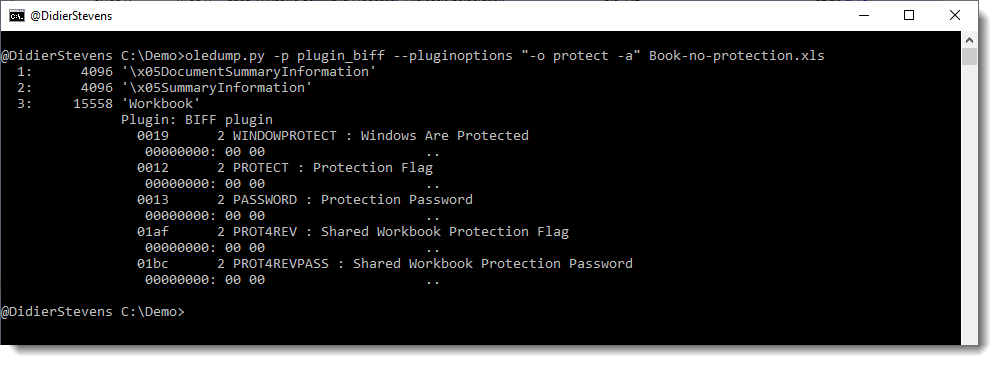
First, let’s take a look at an empty, unprotected (and unencrypted) .xls spreadsheet. With option -O protect I select the appropriate records, and with option -a I get an hex/ascii dump of the record data:
We can see that there are several records, and that their data is all NULL (0x00) bytes.
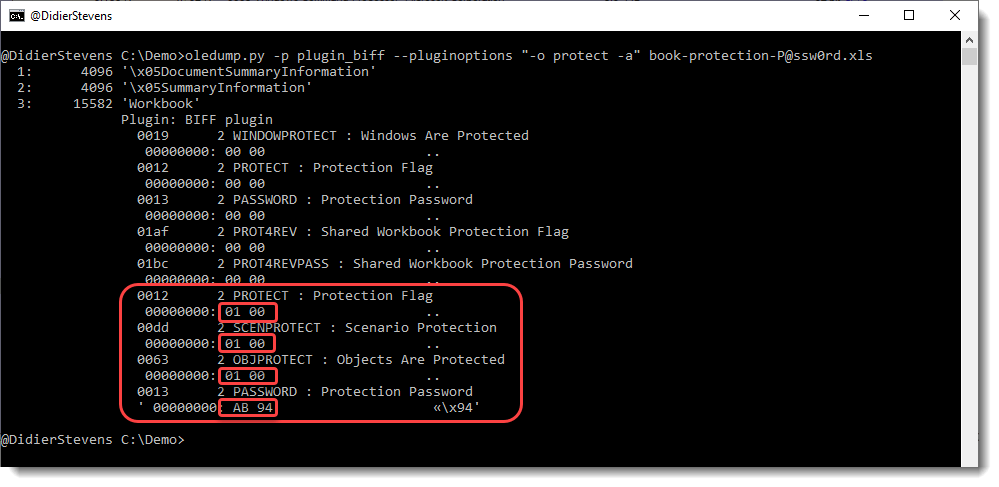
When we do the same for a spreadsheet with sheet protection, we get a different view:
First of all we have 4 extra records, and their data isn’t zero: the flags are set to 1 (01 00 little-endian) and the Protection Password data is AB94. That is the hash of the password (P@ssw0rd) we typed to create this sheet.
To remove this sheet protection, we just need to set all data to 0x00. This is something that can be done with an hex editor.
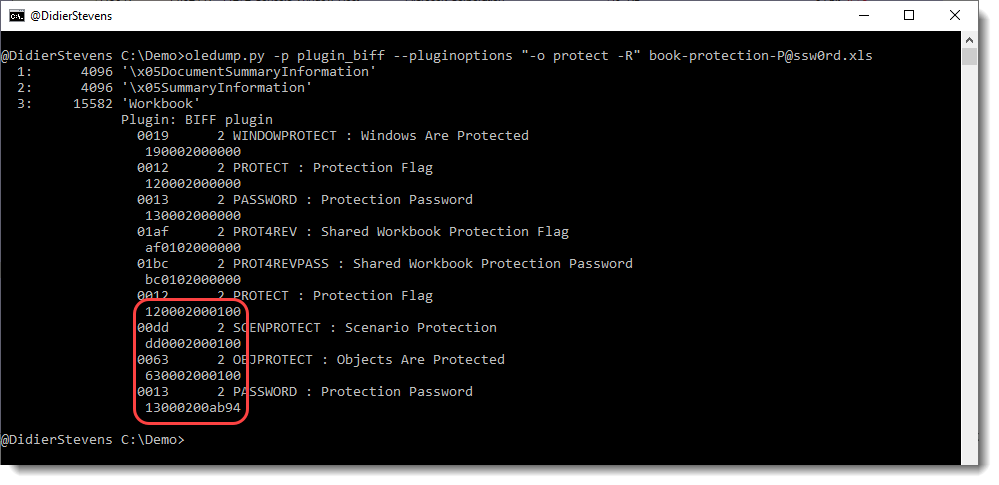
First use option -R instead of option -a:
This will give you the complete records (type, length and data) in hexadecimal. Next you can search for each record using this hexadecimal data with an hex editor and set the data bytes to 0x00.
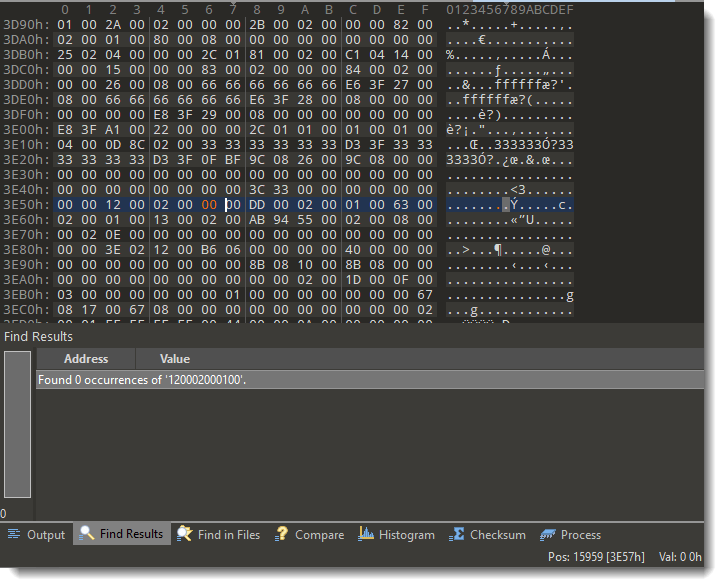
Searching for the first record 120002000100:
Setting the data to 0x00: 0100 -> 0000
Do this for the 4 records, and then save the spreadsheet under a different name (keep the original intact).
Now you can open the spreadsheet, and the sheet protection is gone. You can now unhide hidden sheets for example.
This new version of oledump.py has a small change in the XML detection logic, and adds options –hexrecord and –xordeobfuscate to plugin plugin_biff.py.
pdftool.py is a new tool I developed. This version has only one command: iu (incremental updates).
With this command, one can check if a PDF has incremental updates, and then select different versions of this PDF with incremental updates.
A PDF with incremental updates, is a PDF that has been modified by appending changes to the document at the end of the PDF file, without modifying the original content.
Here is a video explaining incremental updates and the use of my tool.
010 is a binary editor with a scripting engine. XORSelection.1sc is a script I wrote years ago, that will XOR-encode a (partial) file open in the editor.
The first version just accepted a printable, arbitrary-length string as XOR-key. Later versions accepted an hexadecimal key too, and introduced various options.
With version 6.0, I add support for a dynamic XOR-key. That is a key that changes while it is being used. It can change, one byte at-a-time, before or after each XOR operation at byte-level is executed.
Hence option cb means change before, and ca means change after. Watch this video to understand exactly how the key changes (if you want to skip the part explaining my script XORSelection, you can jump directly to the dynamic XOR-key explanation).
I made this update to my XORSelection script, because I had to “manually” decode a Cobalt Strike beacon that was XOR-encoded with a changing XOR key (it is part of a WebLogic server attack). Later I included this decoding in my Cobalt Strike beacon analysis tool 1768.py.
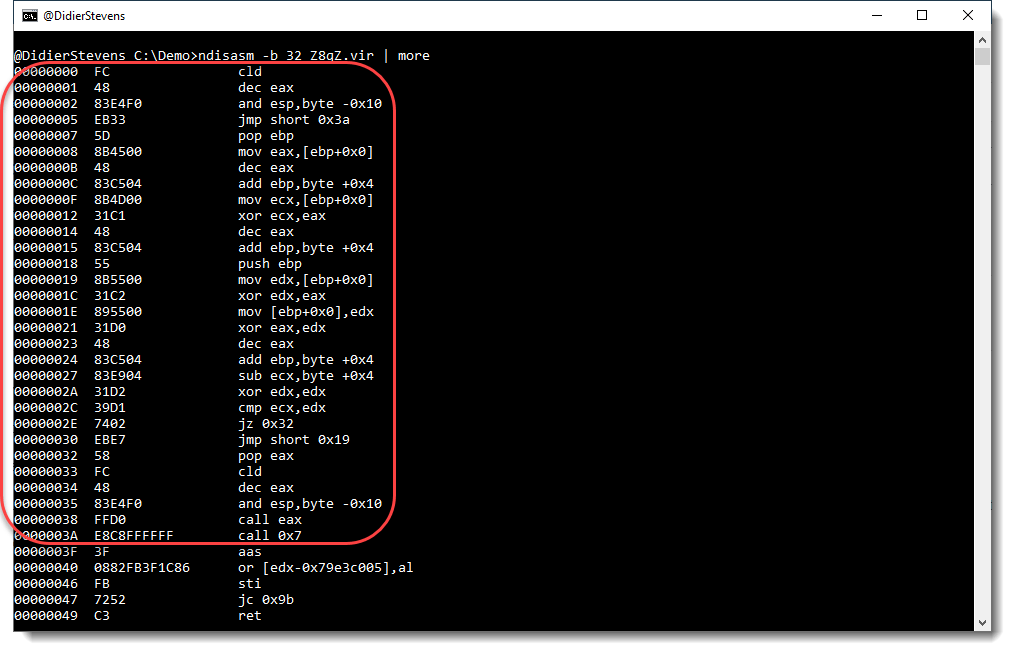
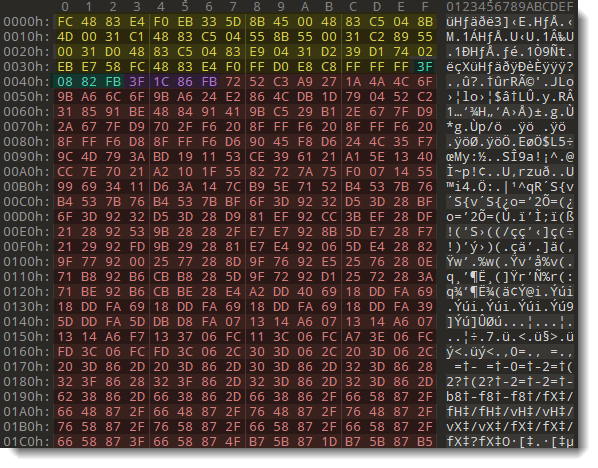
The decoding shellcode is in the first 62 bytes (0x3E) of the file:
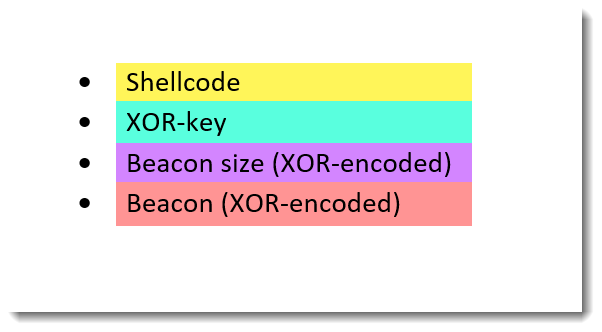
After the shellcode comes the XOR-key, the size and the beacon:
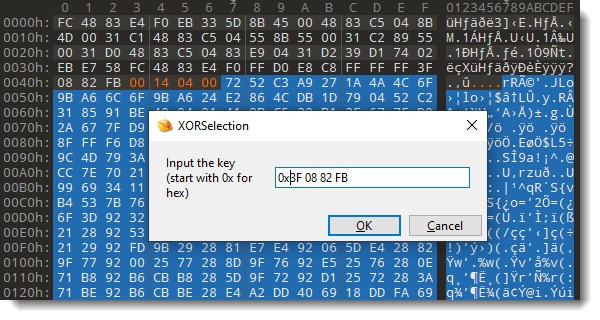
We can decode the beacon size, that is XOR-encoded with key 0x3F0882FB, as follows. First we select the bytes to be decoded:
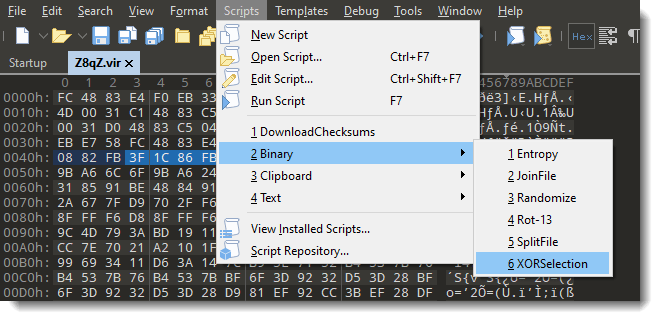
Then we launch 010 Editor script XORSelection.1sc:
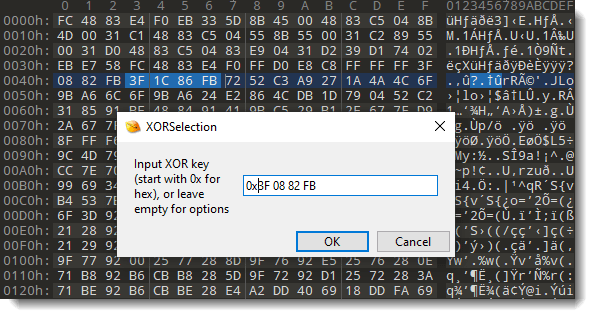
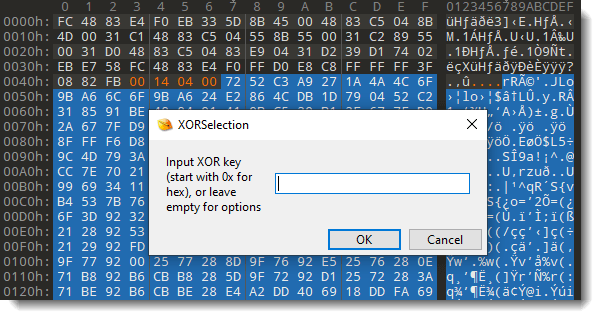
Provide the XOR key (prefix 0x is to indicate that the key is provide as hexadecimal byte values):
And then, after pressing OK, the bytes that contain the beacon size are decoded by XOR-ing them with the provided key:
This beacon size (bytes 00 14 04 00) is a little-endian, 32-bit integer: 0x041400.
To decode the beacon, we select the encoded beacon and launch script XORSelection.1sc again:
This time, we need to provide an option to change the XOR-decoding process. We press OK without entering a value, this will make the next prompt appear, where we can provide options:
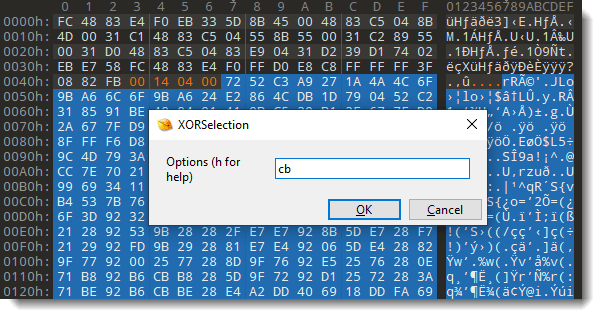
The option we need to use to decode this Cobalt Strike beacon, is cb: change before.
In the next prompt, we can provide the XOR-key:
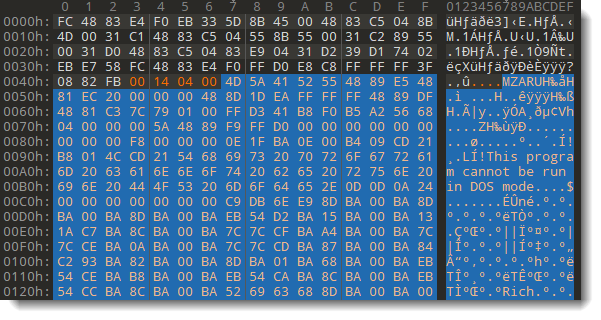
And we end up with the decoded beacon (you can see parts of the PE file that is the beacon):
Remark that you can enter “h” at the option prompt, to get a help screen:
I made this video explaining how to use this new option, and also explaining how the XOR key is changed exactly when using option change before (cb) or change after (ca).
If you want to skip the part explaining my script XORSelection, you can jump directly to the dynamic XOR-key explanation.
This new version brings an update to the Pascal feature of strings.py, my tool to extract strings from arbitrary files.
I had to analyze compiled Lua code (compiled with Lua 5.2): Lua 5.2 byte code stores strings like C strings and Pascal strings.
The strings are terminated by a NULL byte, like C strings, and they are prefixed with a length counter, like Pascal strings. Since the length includes the NULL byte, my strings.py tool didn’t match compiled Lua 5.2 strings:
I need to subtract 1 from the counter, so that it matches the length of the string without NULL byte. This can now be done as follows:
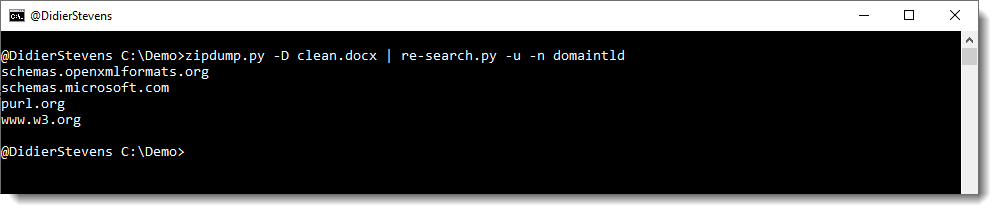
This is a new version of my tool to search with regular expression, that adds a new regular expression to the embedded dictionary: detection of domain names that end with a valid TLD:
In this video, I show how to analyze a .doc malicious document using CyberChef only. This is possible, because the payload is a very long string that can be extracted without having to parse the structure of the .doc file with a tool like oledump.py.









 Didier Stevens