This update adds support for metadata and fixes an XML parsing bug.

oledump_V0_0_12.zip (https)
MD5: 0AB5F77A9C0F1FF3E8BE4F675440A875
SHA256: 6F87E65729B5A921079B9E5400F63BE6721673B7AC075D809B643074B47FB8D3
This update adds support for metadata and fixes an XML parsing bug.

oledump_V0_0_12.zip (https)
MD5: 0AB5F77A9C0F1FF3E8BE4F675440A875
SHA256: 6F87E65729B5A921079B9E5400F63BE6721673B7AC075D809B643074B47FB8D3
This version handles corrupt VBA macro streams without crashing. Corrupt VBA macro streams are marked with an E indicator (error).
And an update to the plugin_http_heuristics and plugin_dridex plugins.
oledump_V0_0_10.zip (https)
MD5: 450C28232254F8FF3AF5E289F58D2DAB
SHA256: 139671E5E69200CECCE0EF730365C1BF1B7B8904B90E3B1E08E55AB040464C73
The plugin_dridex plugin was updated.
And oledump.py has a new option: –quiet: only print output from plugins.
oledump_V0_0_9.zip (https)
MD5: 849C26F32397D2508381A8472FE40F90
SHA256: 74887EA3D4362C46CCBF67B89BB41D7AACE9E405E4CB5B63888FEDCE20FD6A07
This new version brings support for multiple YARA rule files.
The plugin_http_heuristics plugin was updated, and there is a new plugin: plugin_dridex.
oledump_V0_0_8.zip (https)
MD5: 29EBF73F5512B0BC250CD0A0977A2C72
SHA256: 09C451116FCDE7763173E1538C687734D92267A0D192499AFD118D8D923165B9
Version 2.1 of EICARgen can create an Excel spreadsheet (.xls) with the EICAR test file embedded with OLE.
Now that YARA version 3.3.0 supports word boundaries in regular expressions, I’ve updated my YARA Rule for Detecting JPEG Exif With eval().
yara-rules-V0.0.5.zip (https)
MD5: 298EB636B3A3CB6A073815A83A6D1BA6
SHA256: EA00D044A3A0FE29265817407E382034593E0DAAD9887416E7FC128DA24B8830
This new version adds support for the new office file format (.docx, .xlsx, …) stored inside a ZIP file (so a ZIP inside a ZIP) and an option to print YARA strings.
And the HTTP heuristics plugin has some extra heuristics.
oledump_V0_0_7.zip (https)
MD5: 7A953BAFFA1E5285651699996FA2DF84
SHA256: F5DC5F650F005E530A7D0CF510C33E3A4EF29AD85B1DA2618B237F53A46B86B5
My last software release for 2014 was oledump.py V0.0.6 with support for the “ZIP/XML” Microsoft Office fileformat and YARA.
In this post I will highlight support for the “new” Microsoft Office fileformat (.docx, .docm, .xlsx, .xlsm, …), which is mainly composed of XML files stored inside a ZIP container. Except macros which are still stored with OLE files (inside the ZIP container).
When oledump.py detects that the file is actually a ZIP file, it searches through all the files stored inside the ZIP container for OLE files, and analyses these.
Here is an example of a simple spreadsheet with macros. The xlsm file contains one OLE file: xl/vbaProject.bin. oledump gives it the identifier A. All the streams inside the OLE file are reported, and their index is prefixed with the identifier (A in this example).

If you want to select the stream with the macros, you use A6, like this: oledump.py -s A1
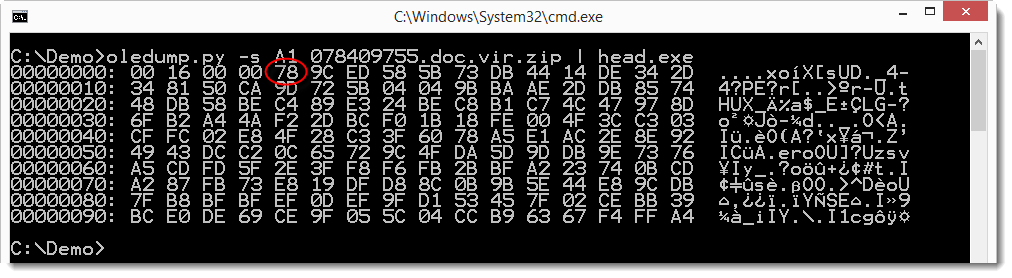
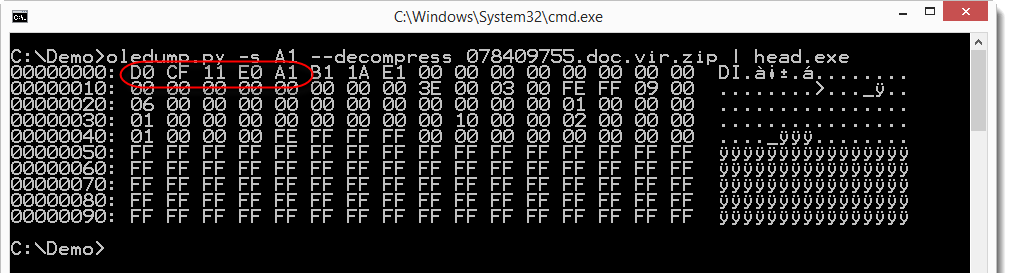
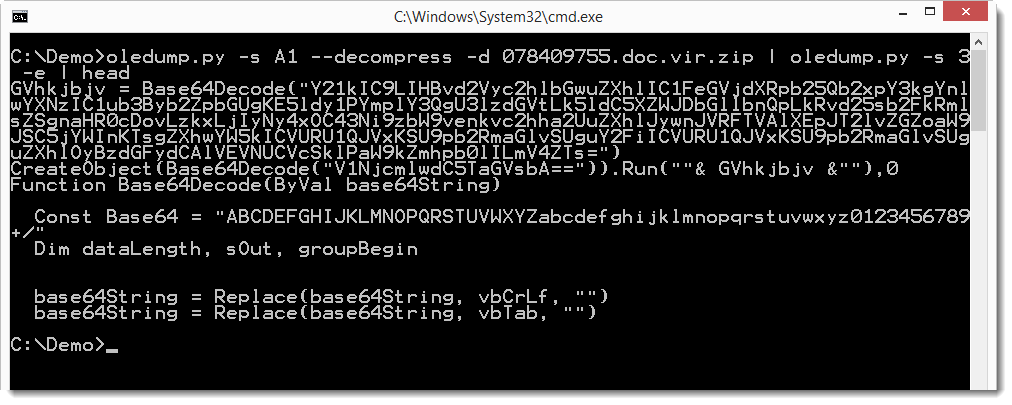
oledump also supports the analysis of an OLE file stored in a password protected ZIP file (typically, malware samples are stored inside ZIP files with password infected). When oledump.py analyses a ZIP file with extension .zip, it assumes that the file is NOT using the “new” Microsoft Office fileformat. Only when the file is a ZIP file but the extension is not .zip does oledump assume that the file is using the “new” Microsoft Office fileformat.
I have another example in my Internet Storm Center Guest Diary Entry.
oledump_V0_0_6.zip (https)
MD5: E32069589FEB7B53707D00D7E0256F79
SHA256: 8FCEFAEF5E6A2779FC8755ED96FB1A8DACDBE037B98EE419DBB974B5F18E578B
A quick bugfix and a new feature.
oledump will now correctly handle OLE files with an empty storage. Here is an example with a malicious sample that blog readers reported to me:

And when the OLE file contains a stream with VBA code, but this code is just a set of Attribute statements and nothing else, then the indicator will be a lowercase letter m instead of an uppercase letter M.

This way, you can quickly identify interesting VBA streams to analyze.
oledump_V0_0_5.zip (https)
MD5: A712DCF508C2A0184F751B74FE7F513D
SHA256: E9106A87386CF8512467FDD8BB8B280210F6A52FCBACEEECB405425EFE5532D9
This is an update to my XORSelection 010 Editor script. You can select a sequence of bytes in 010 Editor (or the whole file) and then run this script to encode the sequence with the XOR key you provide. The XOR key can be a string or a hexadecimal value. Prefix the hexadecimal value with 0x.
Here is an example of an XOR encoded malicious URL found in a Word document with malicious VBA code.


Although this is an update, it turns out I never released it on my site here, but it has been released on the 010 Editor script repository.
XORSelection_V3_0.zip (https)
MD5: EAF49C31C20F52DDEF74C1B50DC4EFA1
SHA256: 755913C46F8620E6865337F621FC46EA416893E28A4193E42228767D9BD7804A