Didier Stevens

Friday 16 September 2011

Quickpost: create-remote-thread.py

Filed under: My Software,Quickpost — Didier Stevens @ 15:17

create-remote-thread.py is a new tool I’ll publish after my White Hat Shellcode workshop at Brucon.

It’s a Python program to create a thread in another process (using CreateRemoteThread), and you can specify the API function to execute.

In the example above, I call SetProcessDEPPolicy with an argument of 1 to force permanent DEP on calc.exe

But there are many more uses for my tool.


Monday 22 August 2011

Quickpost: CCTV Over UTP

Filed under: Hardware,Quickpost — Didier Stevens @ 0:04

I knew it was possible to transmit a composite video signal over UTP, but I always assumed that this was a kludge: that the preferred way was to use RG59 cable.

But recently I discovered that UTP cabling is often used in professional CCTV installations, because it offers the same benefits of structured cabling (like standardization and cost reduction).

To send the video signal over UTP, you need video baluns (one at each end of the pair). It is not transmitted via Ethernet, but the video signal is transformed to be send over a pair. Since CAT5 cable has 4 pairs, you can send 4 video signals over 1 cable. That’s what I’ve done at home, to limit the number of cables I had to install.

You can also use some pairs in the CAT cable to provide power to the CCTV camera (typically 12V) or to transmit audio (when you add a microphone to your CCTV camera). Video baluns are passive components, they don’t need power to operate. I’ve used baluns to cover distances of about 30m, and I don’t notice a difference in the quality of the video signal (compared to a video signal transmitted over RG59 cable).
Most baluns advertise distances of several hundred meters.

I was also able to transmit a video signal without noticeable quality degradation over an untwisted pair of 10m.


Quickpost info


Wednesday 22 June 2011

Quickpost: Need a PoC to Test Your Security Setup? Not Necessarily…

Filed under: Quickpost,Vulnerabilities — Didier Stevens @ 13:30

People regularly ask me for a PoC (PDF or other type) to test their security setup. For example, they sandboxed Adobe Reader and now they want to test that Adobe Reader can’t write to sensitive Windows directories like system32.

Well, you don’t need a PoC to test your setup in this way. Just develop and compile a DLL that writes to system32, and inject it in the target process.

The problem however, is that not everybody has the skills to develop and compile such a DLL. But almost everybody can write a VBScript that accomplishes the same. Here’s a one-liner that creates test.txt in system32:

CreateObject("Scripting.FileSystemObject").CreateTextFile("c:\windows\system32\test.txt")

But how do you get the target process to execute this script? That is something I worked out 2 years ago: bpmtk: Injecting VBScript. In a nutshell: I developed a DLL that once injected into a process, instantiates a VBScript engine and executes the provided script.

Tuesday 18 January 2011

Quickpost: Checking ASLR

Filed under: Quickpost,Uncategorized,Vulnerabilities,Windows 7,Windows Vista — Didier Stevens @ 11:13

Some people asked me for a simple way to check shell extensions for their ASLR support. You can do this with Process Explorer.

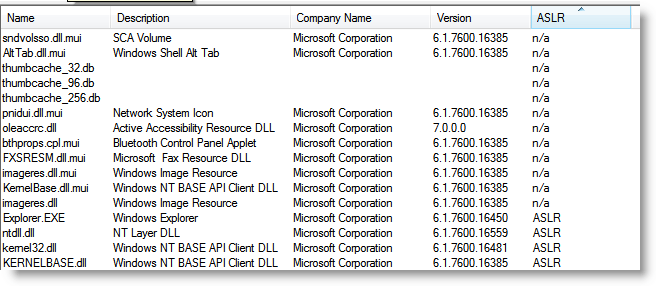
Start Process Explorer, and set the lower pane to display DLLs. Select process explorer.exe, and add column ASLR to the lower pane view. Then sort on column ASLR.

You will see this:

Notice that on a default Windows 7 32-bits install all DLLs (with code) support ASLR. The n/a is for resource DLLs, they don’t contain code, and ASLR doesn’t apply to them.

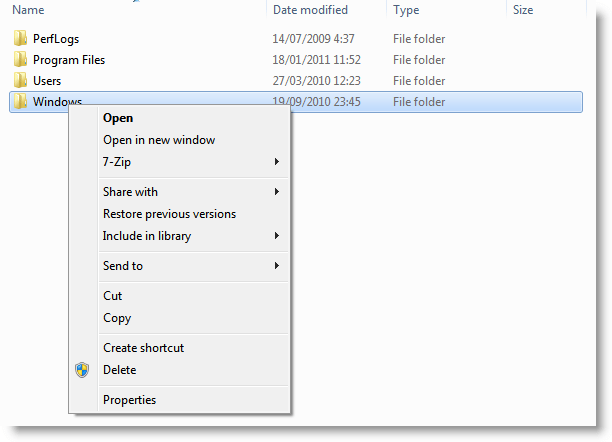
Now open an explorer window and right-click a file, like this:

This action will load the context menu shell extensions.

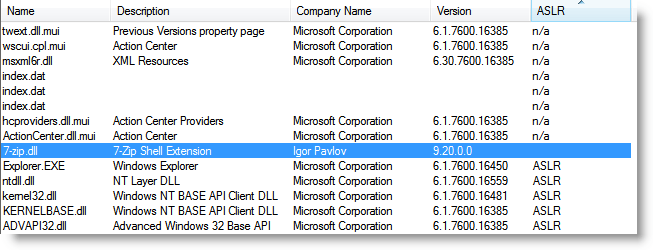
Take a look at Process Explorer:

Now you see the shell extensions without ASLR support.


Quickpost info


Monday 17 January 2011

Quickpost: “It Does No Harm…” or Does It?

Filed under: Quickpost,Vulnerabilities — Didier Stevens @ 0:00

You often read about people who use many different security applications to protect their systems. Not only anti-virus, anti-spyware, firewall, HIPS, …, but also some other tools like anti-keyloggers, … And sometimes, when they argue about the additional protection such tools bring, you can read the following: “it does no harm…”.

Well, this time, I’ve a clear example where using a supplemental security tool does harm, even when it adds real protection.

When installed, this tool (which I’m not going to name here because of SEO reasons), installs a Windows explorer shell extension (we’ve discussed the risks of these shells before). The problem with this tool’s shell extension (a DLL), is that it is compiled without the dynamic base flag set. In other words, it doesn’t support ASLR.

On a default Windows Vista or Windows 7 install, all the DLLs of explorer.exe support ASLR. Even if a vulnerability is found in explorer.exe, it won’t be possible to bypass DEP and ASLR by borrowing code from a DLL to build an exploit with ROP gadgets. Unless you’ve installed this security tool, which adds a DLL with a fixed address to explorer.exe’s code space. Then an attacker can find ROP gadgets in this shell extension’s DLL.

This security tool harms the security of your system by opening it up to ROP exploits.

And shell extensions are not only loaded into explorer.exe. They find their way into many applications. For example, when you work with the common dialog control (like using the file open dialog)  in an application, shell extensions also get loaded into these applications. So this extension can get loaded into Adobe Reader, Microsoft Office applications, …

The risk this security tool brings to your system is not theoretical. There are malicious PDFs in the wild that use ROP gadgets.


Quickpost info


Friday 19 November 2010

Quickpost: Adobe Reader X

Filed under: PDF,Quickpost — Didier Stevens @ 18:03

In case you’ve not read Adobe’s announcement: Adobe Reader X is out. Use Adobe’s FTP server if you want to avoid their download manager.

Protected Mode Adobe Reader comes with a sandbox (like Internet Explorer, Microsoft Office 2010, Google Chrome) designed to prevent malware from writing to important system components.

If you’re interested in the design details of the sandbox, I recommend Kyle Randolph’s excellent series of posts.

To benefit the most of Adobe Reader’s sandbox, you need to use a Windows version that supports integrity levels (Windows Vista or later). Windows XP will not offer you this protection.

And don’t become complacent about patching your sandboxed applications. Because if there exists a vulnerability that allows one to escape from a sandboxed application, say in IE7 Adobe Reader X, then one can use this vulnerability to escape from other sandboxes, like IE7 Adobe Reader X, based on the same low integrity level design.


Quickpost info


Sunday 31 October 2010

Quickpost: Adding Certificates to the Certificate Store

Filed under: Encryption,Quickpost — Didier Stevens @ 13:31

A couple of people asked me how to get self-signed certificates recognized by Windows.

For example, when you check the digital signature of one of my programs (like ariad.exe), you’ll see this:

The digital signature is valid, but the root certificate used in the signature is not trusted. This is because this root certificate is not installed in the repository of trusted root certificates. I’ll show you how to achieve this, but understand that by installing a new root certificate, you automatically trust all signatures and subordinate certificates issued by this root certificate authority.

The first 2 methods I’ll present add the new root certificate to your own certificate repository (i.e. the one associated with your account). This means that under other user accounts, the new root certificate will not be trusted. The third method explains how to add the new root certificate to the computer’s repository, so that it is trusted by all users.

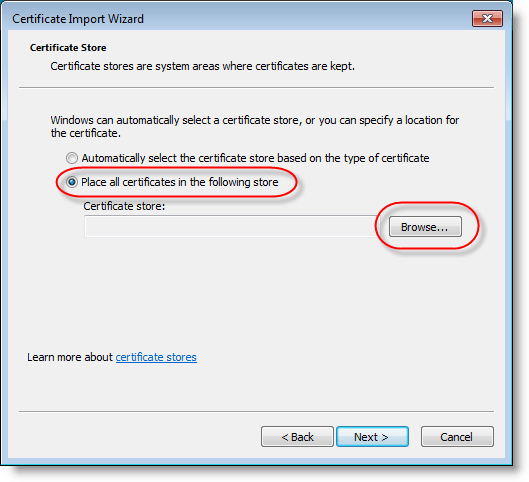
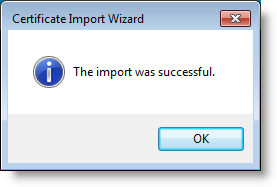
Say you’ve a root certificate, like one created using this method. Here’s how to install it in your account’s “Trusted Root Certificate Authorities” certificate store:

And from now on, all executables signed by this root certificate authority (or it’s subordinate authorities) are trusted:

As the root certificate we used in this example is good for all purposes, and because your certificate store also integrates with Internet Explorer, SSL certificates issued by this certificate authority will also be trusted by Internet Explorer.

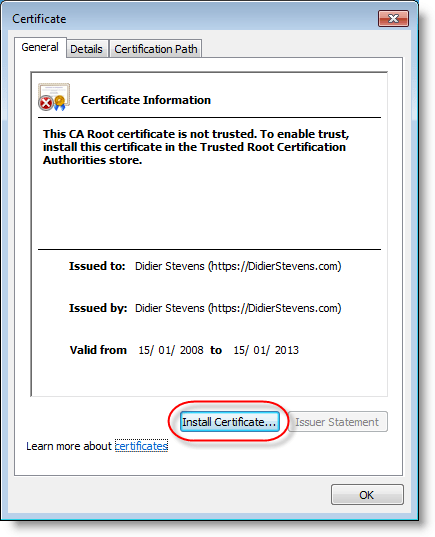
If you don’t have the root certificate to install, you can also get it installed from the AuthentiCode signature like this:
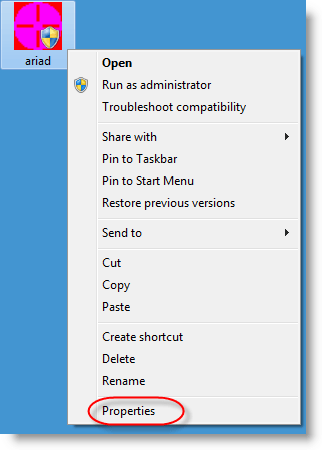
And from here on, you follow the same steps as in the first method;

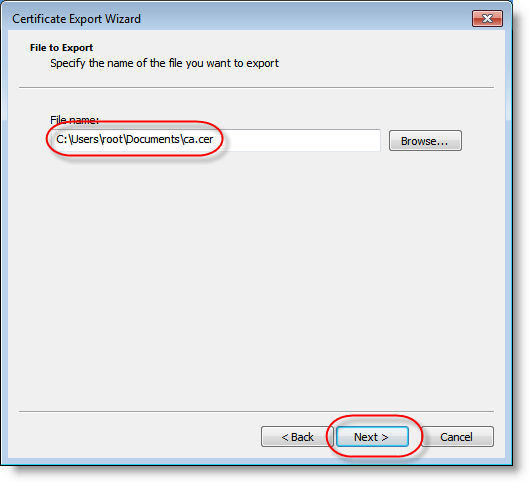
If you want to install certificates for all users, you’ll need to follow another method. But because this other method requires a certificate file, I’ll show you how to extract a certificate file from an AuthentiCode signature:

Follow the second method to view the root certificate, but instead of installing the certificate, look at the Details tab and export the certificate:

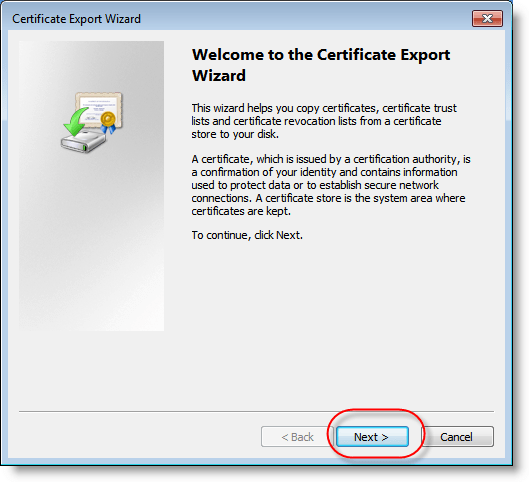
To install a root certificate for all users, you’ll need to start the Microsoft Management Console (mmc.exe) as an administrator:

And now you can import the root certificate following the same steps as in the first method:

Thursday 26 August 2010

Quickpost: Ariad & DLL Preloading

Filed under: My Software,Quickpost,Vulnerabilities — Didier Stevens @ 12:11

I’m writing this quickpost just in case you hadn’t figured this out for yourself: the techniques I described to protect machines from the .LNK vulnerability also help you mitigate the DLL preloading issue.

The .LNK vulnerability mitigation examples I gave with Ariad (no file execute) and SRP prevent loading of DLLs from untrusted locations (USB sticks, network drives, …). These will also prevent DLLs from loading from untrusted sources in the case of DLL Preloading exploits.


Quickpost info


Wednesday 18 August 2010

Quickpost: .LNK Template Update

Filed under: My Software,Quickpost,Vulnerabilities — Didier Stevens @ 10:43

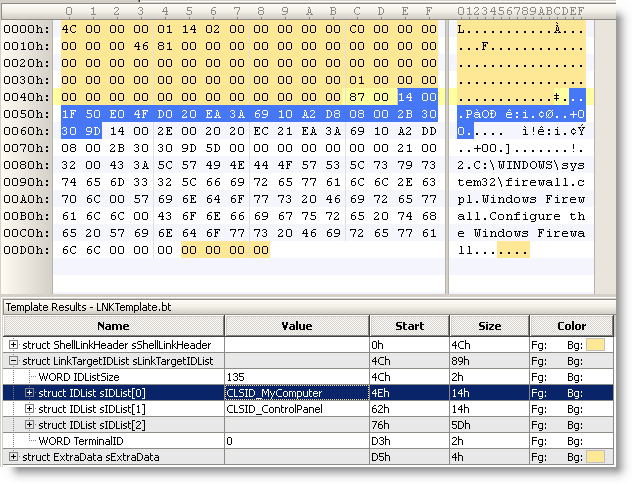
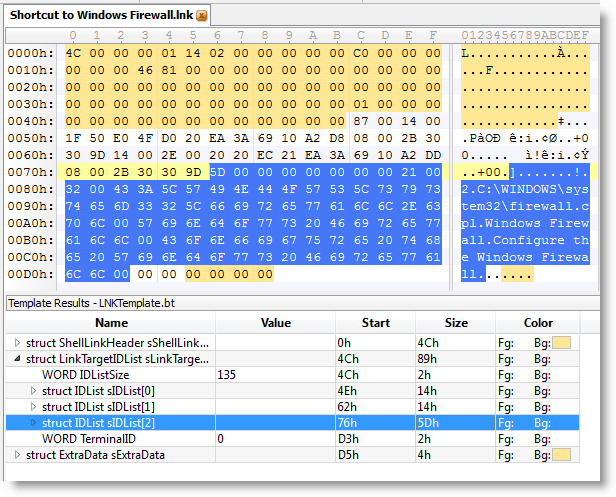
I updated my .LNK template with info I got from comments from WndSks and Forrest Gump. This new version identifies well-known Shell GUIDs:


Quickpost info


Sunday 8 August 2010

Quickpost: 2 .LNK Tools

Filed under: My Software,Quickpost,Vulnerabilities — Didier Stevens @ 10:52

Microsoft has issued an emergency patch (MS10-046) for the .LNK file vulnerability (CVE-2010-2568).

I’m releasing two small tools I developed to help me investigate this vulnerability.

First one is a 010 Editor template file for the .LNK binary file format.


Second one is a ClamAV signature file to find all .LNK shortcuts that load a DLL (malicious or benign).

To scan your drive C, issue command

clamscan.exe -d LNK-CPL-CVE-2010-2568.ndb -l scan.log -r c:\

Quickpost info


« Previous PageNext Page »

Blog at WordPress.com.