Didier Stevens

Monday 27 February 2012

Teensy PDF Dropper Part 2

Filed under: Hacking,My Software,PDF — Didier Stevens @ 0:00

Last year I showed how to use a Teensy micro-controller to drop a PDF file with embedded executable. But I was limited to a file of a few kilobytes, because of the Arduino programming language I used for the Teensy.

In this post, I’m using WinAVR and I’m only limited by the amount of flash memory on my Teensy++.

First we use a new version of my PDF tools to create a PDF file with embedded file:

Filter i is exactly like filter h (ASCIIHexDecode), except that the lines of hex code are wrapped at 512 hex digits, making them digestible to our C compiler.

Another new feature of my make PDF tools is Python 3 support.

Here is a sample of our C code showing how to embed each line of the pure-ASCII PDF document as strings:
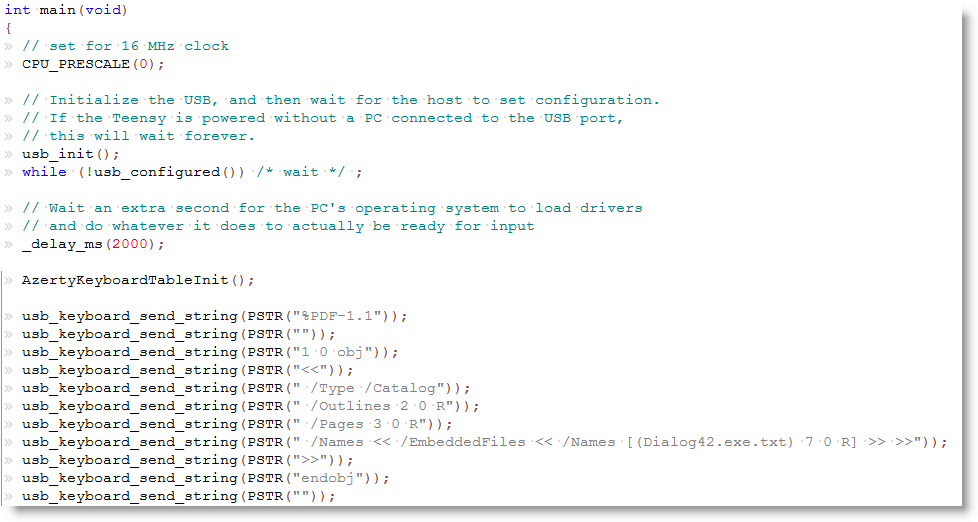
Macro PSTR makes that the string is stored in flash memory. The embedded executable is 57KB large, but still only takes half of the flash memory of my Teensy++.

After programming my Teensy++, I can fire up Notepad and let my Teensy++ type out the PDF document:
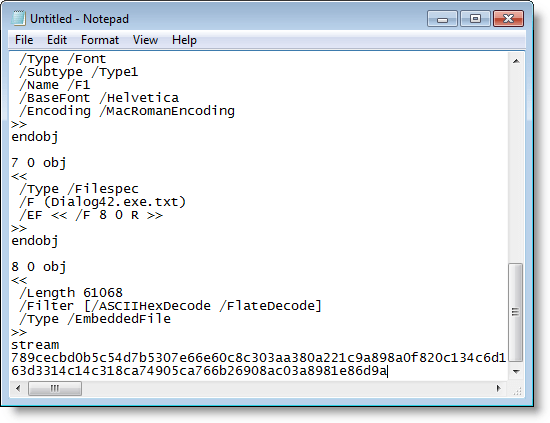
You can download my example for the WinAVR compiler here:

avr-teensy-pdf-dropper_V0_0_0_1.zip (https)
MD5: EA14100A1BEDA4614D1AE9DE0F71B747
SHA256: 2C9A5DF1831B564D82548C72F1050737BCF17E5A25DCDC41D7FA4EA446A8FDED
Wednesday 13 July 2011

Teensy PDF Dropper Part 1

Filed under: Hacking,Hardware,PDF — Didier Stevens @ 21:40

Pentesters need to drop files on targets. If a box is not connected to the Internet, and doesn’t accept removable storage, they need to come up with some tricks.

Inputting the file via the keyboard is an option, but typing several millions of bytes is not. This needs automation.

Irongeek uses a Teensy micro-controller to achieve this. My solution is a variation on this. If you need to drop a binary file, you need to find a way to convert the typed ASCII to bytes. There’s a solution with a debugger, but I’m using a PDF Reader.

It’s possible to create a pure ASCII PDF file that embeds a binary file. Here are the steps to drop a binary file:

  • open Notepad,
  • insert the Teensy and let it type the ASCII  PDF file into Notepad
  • save the PDF file
  • open it with a PDF Reader and save the embedded binary file

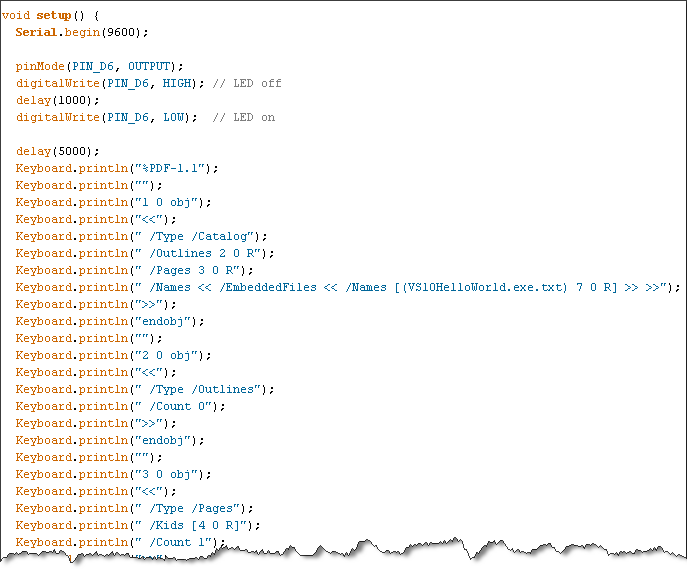
Writing a program with the Arduino IDE to type an ASCII PDF file is not difficult:

But with the Arduino IDE, your embedded file is limited to a couple of kilobytes. Handling larger files will be described in part 2 of this post.

Wednesday 25 May 2011

Malicious PDF Analysis Workshop Screencasts

Filed under: Forensics,PDF — Didier Stevens @ 15:58

After giving my Malicious PDF Analysis workshop at Hack In The Box Amsterdam, I decided to produce a screencast for each exercise (there are 20 exercises). You can find the first screencasts here. More will be produced soon.

Materials you’ll need for the exercises:

Tuesday 17 May 2011

Another PDF Puzzle

Filed under: Forensics,PDF,Puzzle — Didier Stevens @ 8:23

As I’m going to give my workshop on analysis of malicious PDFs at HiTB Amsterdam this Thursday, I thought I would share a PDF puzzle/challenge I made for BSidesLondon.

You can download it here.

And as there is write-up for the solution to this puzzle on a blog, I’ll link to this in the comments next week. Since you can just Google the solution, there is no prize this time.

Thursday 12 May 2011

BackTrack 5 Includes PDFiD and pdf-parser

Filed under: Forensics,PDF — Didier Stevens @ 21:13

You probably noticed the release of BackTrack 5.

But did you notice the inclusion of my PDFiD and pdf-parser tools?

You can find them under /pentest/forensics/pdfid and /pentest/forensics/pdf-parser.

Monday 6 December 2010

HeapLocker

Filed under: My Software,PDF,Vulnerabilities — Didier Stevens @ 0:00

HeapLocker is a new tool I’m releasing to mitigate heap spray attacks. But be patient, don’t use this version (V0.0.0.2) yet for other reasons than experimenting! I’m still testing newer versions that I’ll release soon.

HeapLocker uses 5 mitigation techniques.

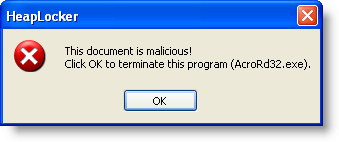
1) Like EMET, HeapLocker will pre-allocate virtual memory pages to protect the addresses often used in exploits with heap sprays. HeapLocker can go one step further than EMET: it can inject its own shellcode to warn the user in case of an attack:

2) HeapLocker can also pre-allocate memory page zero, like EMET.

3) To detect heap sprays in action, HeapLocker monitors private memory usage:

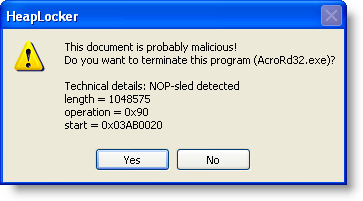
4) HeapLocker can monitor the application’s memory for NOP-sleds:

5) The last technique, monitoring the application’s memory for specific strings, proved to be very successful to detect malicious PDF documents:

I will detail these techniques in upcoming posts.

Friday 19 November 2010

Quickpost: Adobe Reader X

Filed under: PDF,Quickpost — Didier Stevens @ 18:03

In case you’ve not read Adobe’s announcement: Adobe Reader X is out. Use Adobe’s FTP server if you want to avoid their download manager.

Protected Mode Adobe Reader comes with a sandbox (like Internet Explorer, Microsoft Office 2010, Google Chrome) designed to prevent malware from writing to important system components.

If you’re interested in the design details of the sandbox, I recommend Kyle Randolph’s excellent series of posts.

To benefit the most of Adobe Reader’s sandbox, you need to use a Windows version that supports integrity levels (Windows Vista or later). Windows XP will not offer you this protection.

And don’t become complacent about patching your sandboxed applications. Because if there exists a vulnerability that allows one to escape from a sandboxed application, say in IE7 Adobe Reader X, then one can use this vulnerability to escape from other sandboxes, like IE7 Adobe Reader X, based on the same low integrity level design.


Quickpost info


Monday 11 October 2010

PDF, DEP, ASLR and Integrity Levels

Filed under: PDF,Vulnerabilities,Windows 7,Windows Vista — Didier Stevens @ 8:41

Frequently targeted document handling applications should be coded defensively and protect themselves with Windows security features like DEP, ASLR and Integrity Levels, just to name a few.

I tested a couple of PDF rendering applications: Adobe Reader, Foxit Reader and Sumatra PDF. If the application did not use DEP, ASLR or Integrity Levels, I changed some settings to make the application use these features. Setting DEP and ASLR is just setting a flag in the DllCharacteristics member of the Image Optional Header structure. You can do this with a hex editor, a PE-file editor, or a new tool (setdllcharacteristics) I’ll release soon. Using a Low Integrity Level is done by setting the appropriate ACE in the DACL of the application executable, see my post Integrity Levels and DLL Injection for details.

Adobe Reader 9 uses DEP and ASLR. It does not run with a Low Integrity Level by default. Configuring acrord32.exe to run with a Low Integrity Level fails, the application doesn’t run. It is said that the upcoming Adobe Reader 10 with sandboxing technology will run at a Low Integrity Level.

Sumatra PDF 1.1 uses DEP and ASLR. It does not run with a Low Integrity Level by default. Configuring SumatraPDF.exe to run with a Low Integrity Level succeeds, the application runs fine. Some preferences might get lost, but they are not important to me.

With version 4.2 of Foxit Reader released about a week ago, Foxit Software added support for DEP and ASLR. Setting Foxit Reader to use a Low Integrity Level results in a malformed opening dialog box:

Apart from this, Foxit Reader appears to work fine at Low Integrity Level, but don’t be fooled. At Low Integrity Level, Foxit Reader can’t read or set its preferences. For example, you won’t be able to disable JavaScript. Even if you disabled JavaScript with Foxit Reader running at Medium Integrity Level (the default), Foxit Reader running at Low Integrity Level will enable JavaScript. So you’re better off not using a Low Integrity Level for this version. I’ve talked to Foxit Software and they’ll fix this.

If your favorite application isn’t discussed here, you can easily check how it performs with Sysinternals’ Process Explorer. Just add columns DEP, ASLR and Integrity to Process Explorer’s main view and run your application.

Sunday 26 September 2010

Free Malicious PDF Analysis E-book

Filed under: Forensics,Malware,PDF — Didier Stevens @ 8:41

The title says it all…

This is a document I shared with my Brucon workshop attendees.

I know, this is a PDF document, you’ve to appreciate the irony 😉

Friday 3 September 2010

PDFTemplate

Filed under: My Software,PDF — Didier Stevens @ 10:36

I’m starting a series of posts with new PDF tools and new versions of my PDF tools as preparation to my Brucon workshop.

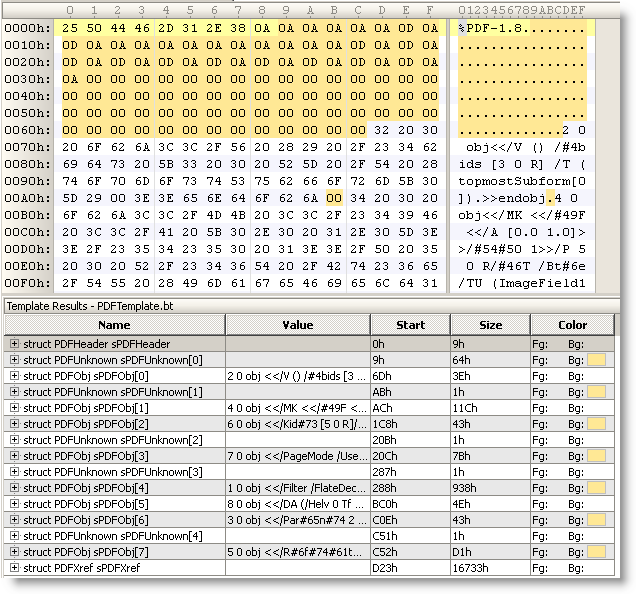
Here is a PDF template for the 010 Editor. It’s particularly useful for malformed PDF files, like this example with PDFUnknown structures:

« Previous PageNext Page »

Blog at WordPress.com.