This is a bug fix release.
zipdump_v0_0_27.zip (http)MD5: 91A26333FB6E2FF23A37462B5031A62F
SHA256: 99E628622C5D3F3AD957C7A41264850A4FA267E46DE8F8E1AF61C684774C0850
This is a bug fix release.
zipdump_v0_0_27.zip (http)In this new version, new features/updates are:
This update brings an new plugin: plugin_vba_dir.py (there are no changes to oledump).
This plugin parses the records found in the vba/dir stream to display project, references and modules information

Some changes to the translate option: now it supports this format (like some of my other tools):
i=codec[:error],o=codec[:error]
i= is input and o= is output. If you don’t specify an error handling mode, strict will be used.
An example of the format is: i=utf16,o=latin:ignore
This will read binary data in utf16 strict mode, and convert it to binary data in ANSI (latin) and ignore all utf16 characters that can not be represented in latin.
This tool takes JSON output from tools like oledump, zipdump, base64dump, … via stdin and transforms the data produced by these tools.
The transformation function (name Transform) has to be defined in a Python script provided via option -s.
This Transform function has 2 arguments: items and options.
items is a list of dictionaries produced by the “feeding” tool , e.g., the tool whose JSON output is piped into this tool (oledump, …).
Each dictionary has 3 keys: id, name and content.
The transformation function reads content from the items, and transforms it. The transformed data is the return value of the Transform function, and it can also be stored in the items list (modifying the values of the dictionaries, like the content value for example).
By default, this tool will output the transformed data (return value of Transform function) as binary data.
With options -a, -A, -x, -X, -b, -B this output can be presented as ASCII dump, hex dump and base64 dump. Option -d is also present to explicitly request a binary dump.
If option –jsonoutput is used, then the return value of the Transform function is ignored, and in stead, the transformed items are output as JSON data.
The –jsonouput option can not be combined with the above output format options.
Option -p (–parameter) is a string option that is passed on to the Transform function (via options argument). It is designed to be used by the developer of the Transform function as they see fit.
For example, it can be used to tell the Transform function which item to select for transformation, in case there are several items.
Take a look at my SANS ISC diary entry “Another Malicious HTA File Analysis – Part 2” for an example on how to decrypt an AES encrypted payload.
myjson-transform_V0_0_1.zip (http)I added support for label * (wildcard label).
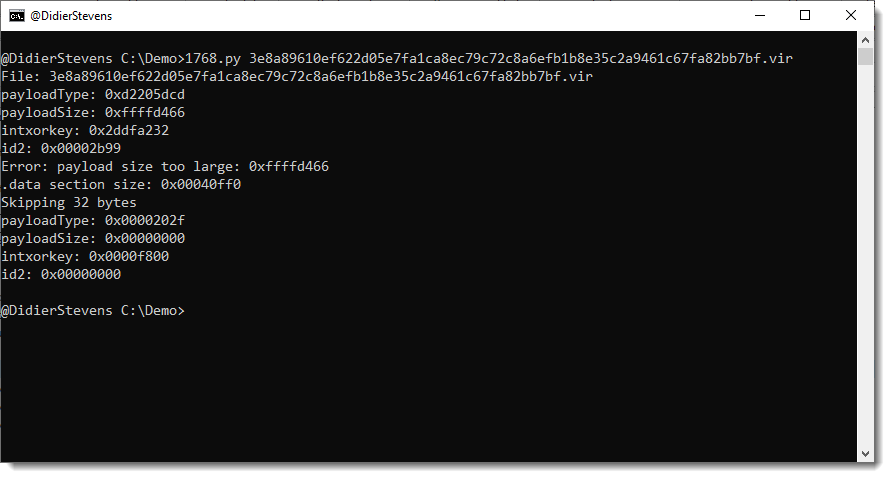
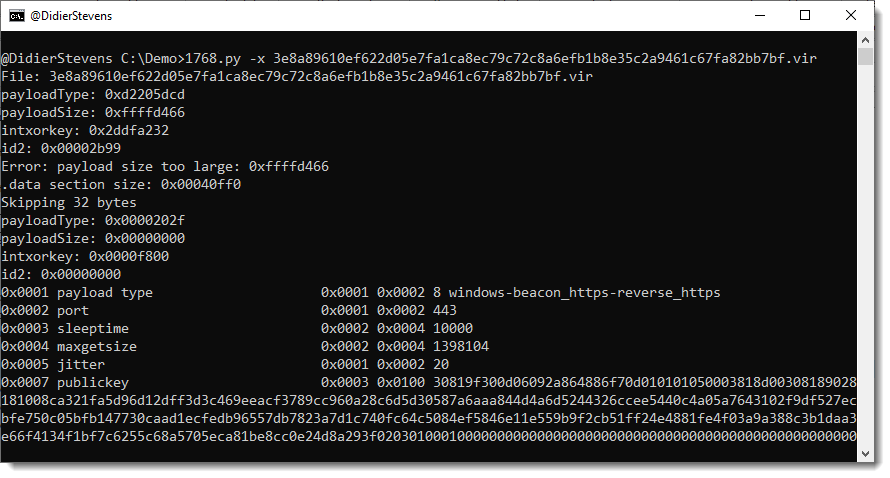
dnsresolver_V0_0_3.zip (http)This new version of 1768.py brings an option to try out all 256 xor keys if a non-standard XOR key is used to encode the configuration.
Like this sample (key !):


This update to re-search.py, my tool to search text files with regular expressions, brings several new regular expressions.
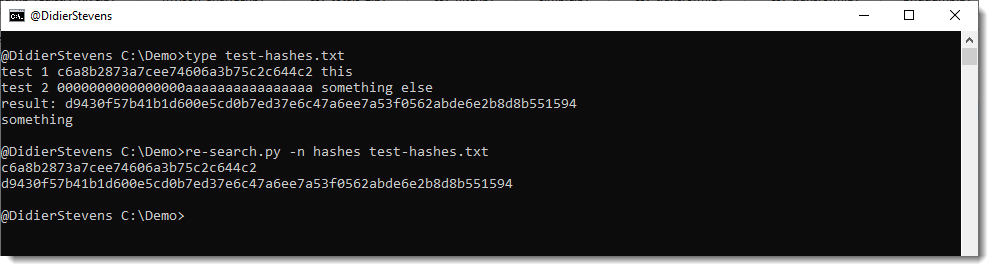
There are 4 new regular expressions for cryptographic hashes: md5, sha1, sha256, sha512. And one new name that groups these 4 regular expressions: hashes.
You can use it like this: re-search.py -n hashes sample.txt
These regular expressions not only match strings of hexadecimal characters of the appropriate length (with a boundary: \b), they also check each extracted hash with a Python function (HashValidate in re-extra.py) that is designed to eliminate strings that accidentally look like a hash (example: 32 times letter A).
HashValidate checks the following:
These simple rules are designed to detect hexadecimal strings that are too uniform, and thus probably not a hash digest.

And I also added regular expressions for strings delimited by single quotes: str-s, str-se str-su, str-seu.
re-search_V0_0_22.zip (http)A small update to plugin_msi_info to change the output format a bit. And you can select your preferred hash algorithm with environment variable DSS_DEFAULT_HASH_ALGORITHMS.
oledump_V0_0_74.zip (http)In this update, I add option -W to write items to disk.
Option -W takes a value. Possible values are: vir, hash, hashvir and idvir.
This value determines the filename for each item written to disk.
vir: filename is item name + extension vir
hash: filename is sha256 hash
hashvir: filename is sha256 hash + extension vir
idvir: filename is item id + extension vir
For an example, take a look at my SANS ISC diary entry “Extracting Multiple Streams From OLE Files“.
myjson-filter_V0_0_4.zip (http)