Chris explains how to recover the Safeboot key with a Live CD directly from the System Volume Information directory: Repairing Safe Mode (Safeboot)
Clever idea Chris!
Chris explains how to recover the Safeboot key with a Live CD directly from the System Volume Information directory: Repairing Safe Mode (Safeboot)
Clever idea Chris!
I spend some time this weekend researching how to recover your deleted Safeboot key (in case you don’t have a backup). This How-to is for Windows XP, it shows how to recover the Safeboot key (possibly deleted by a virus like the newest Bagle, see my previous post), not how to remove the malware.
Case 1
If Windows hasn’t been rebooted since the infection and you haven’t made changes to your system configuration since the last boot, follow this procedure:
Case 2
If Windows has been rebooted since the infection, follow this procedure:
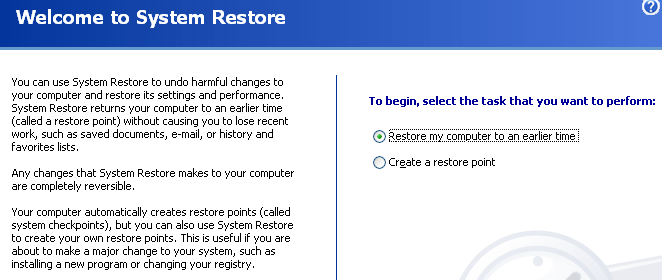
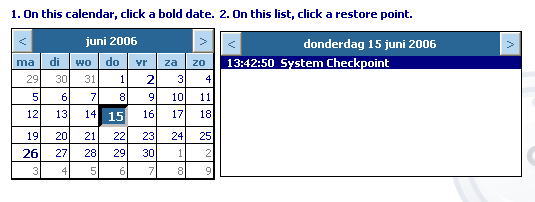
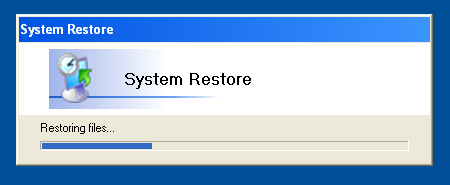

Case 3
If you’ve made changes to your system configuration that you want to keep, follow this procedure:

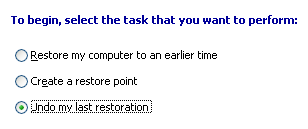
There was a new run of the e-mail virus Bagle this week. W32/Bagle.fb@MM, to be more precise.
While reversing it with OllyDbg (in a virtual machine VMware), I discovered that this virus employs a new trick: it deletes the registry key HKLM\System\CurrentControlSet\Control\Safeboot.
Deleting this key prevents you from booting Windows in Safe Mode. You enter Safe Mode by pressing key F8 during the display of the Windows splash screen when (re)booting. While the computer is in Safe Mode, it will have reduced functionality, but it is easier to isolate problems because many non-core components are disabled. Many malware programs won't start when running in Safe Mode, thus allowing you to attempt removal of the programs.
Despite the deletion of the Safeboot key, the Windows Advanced Options Menu will still appear, and you'll be able to select Safe boot. But you'll soon be presented with a BSOD, displaying the STOP 0x0000007B error. According to this Microsoft KB article, a possible reason is: "Information in the Windows XP registry (information related to how the device drivers load during startup) is corrupted".
That's correct, it's highly corrupted, it has been wiped clean by this new Bagle virus!


 Didier Stevens