I have 2 Bosch 18V “power for all” chargers. A normal charger (AL 1830 CV) and a fast charger (AL 1880 CV).
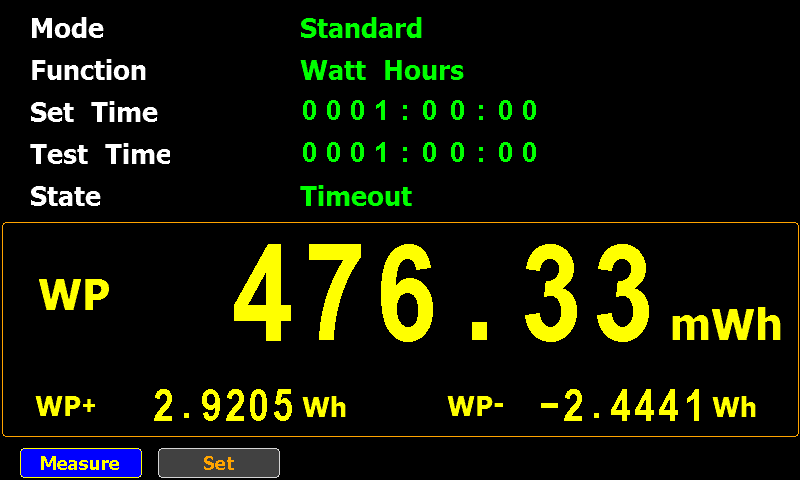
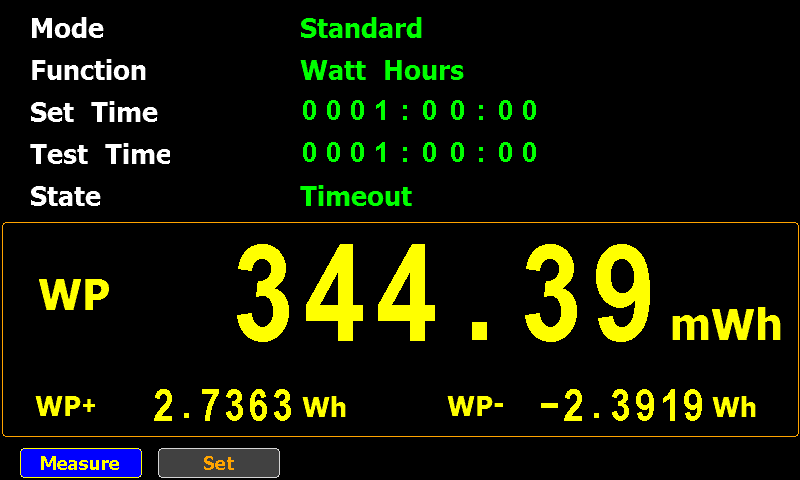
Measuring the power consumption of these 2 chargers in standby mode (plugged into a 230V outlet, but no battery connected) with a GPM-8310 powermeter, I obtained the following results:
I charged an iPad Pro (12.9 Inch) and measured the power consumption (at 120V and 230V). According to the specs, this iPad has a battery with a capacity of 40.88 Wh.
Procedure: when the iPad Pro turns itself of because of a low battery, I started to charge the iPad with an Apple A2347 USB C charger and measured the AC power consumption of this charger. It consumes around 21 Watt, this value starts to diminish when the battery approaches full charge. When at 100%, the charger will still deliver power, slowly decreasing to 3 Watts, and then it stops delivering power for charging. At that point, I stop the power consumption measurement.
I did not use the iPad while charging.
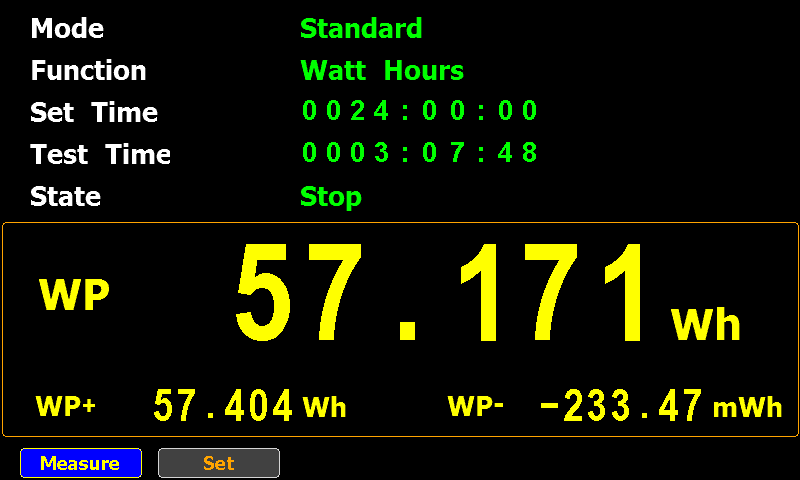
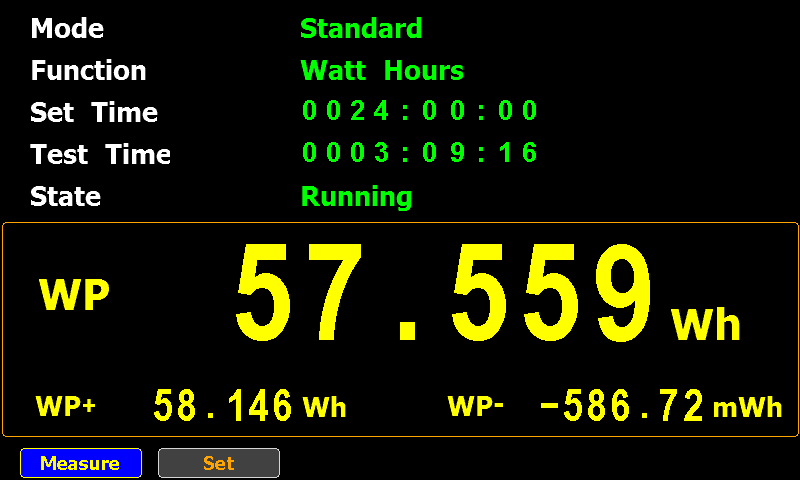
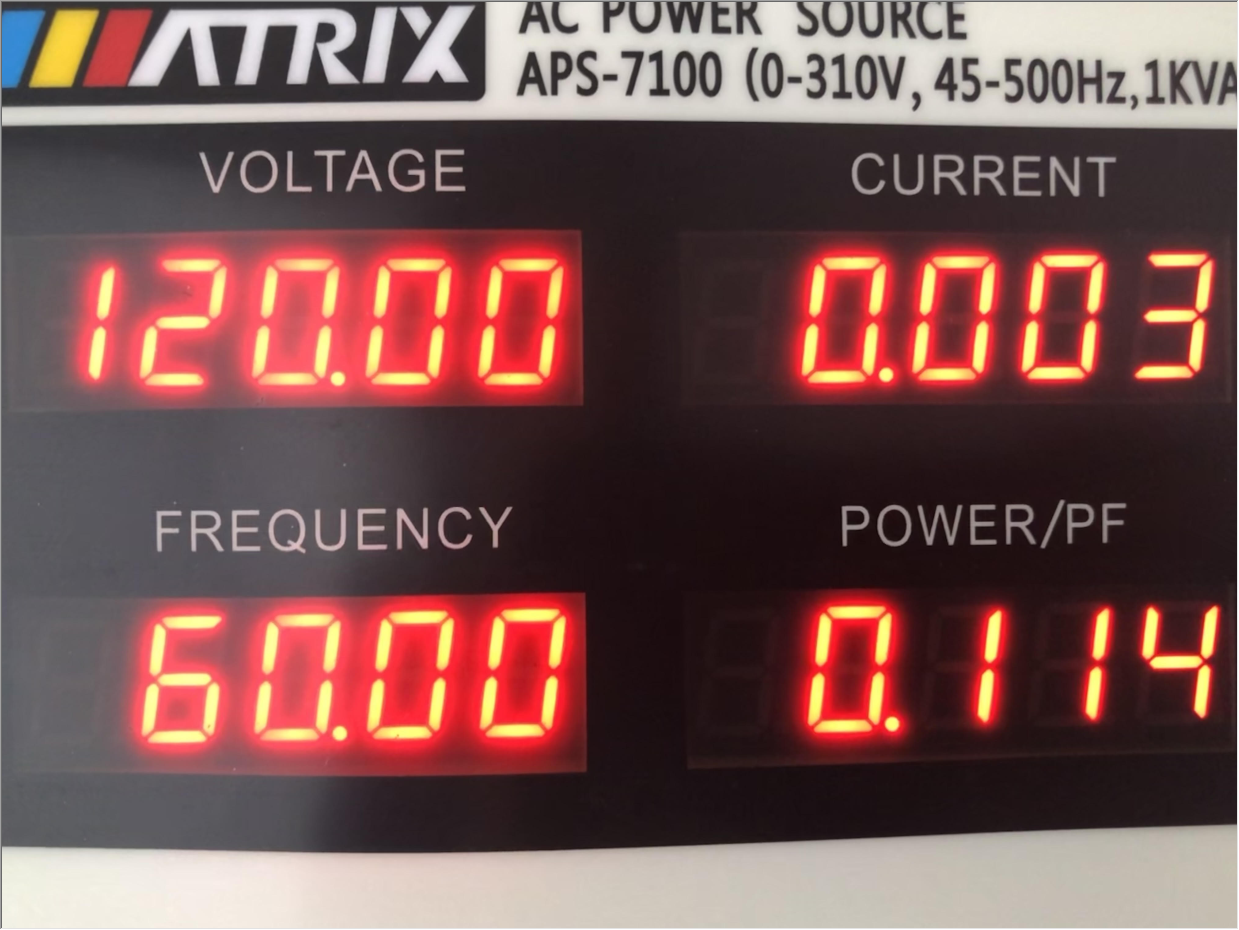
This measurement was done twice: at 120V 60Hz and 230V 50Hz (using an AC power supply).
AC
Wh
Duration
120V 60Hz
57.171
03:07:48
230V 50Hz
57.559
03:09:16
There’s not much difference between the two measurements, but what I’ll certainly take away from this test, is that it takes around 57 Wh of AC power to charge a 40.88 Wh battery!
Update: when I did these tests, my iPad Pro had around 84 charging cycles.
I wondered what the results would be in other parts of the world, like the USA. To answer this question, I redid my tests with the USB chargers powered by an AC power supply that delivers electricity at 120V and 60Hz.
The devices I tested are:
Apple A1357
Apple A2347
Anker A2053
The no-brand USB charger was not tested, as the input specs specify 220V – 240V.
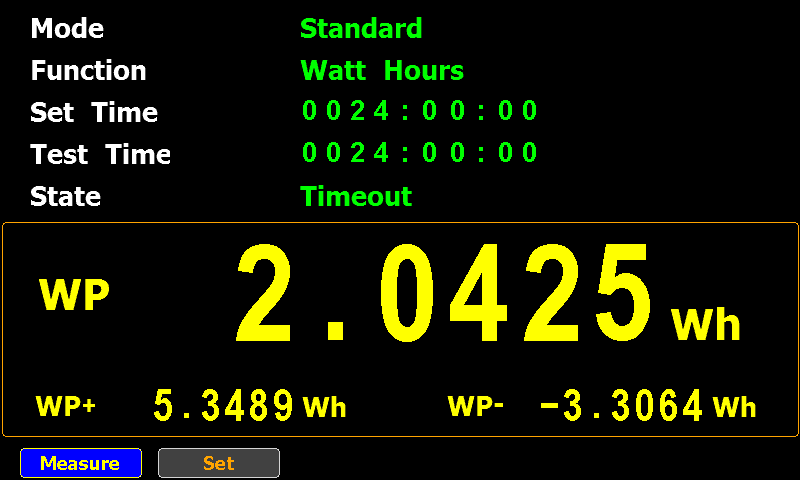
I connected each one to the AC power supply (120V 60Hz) and used a powermeter (GPM 8310, resolution 0,1 µW) to measure the standby power consumption over 24 hours.
This is the result:
Model
24 hours (Wh)
1 hour (Wh)
1 year (Wh)
Apple A1357
2,0425
0,0851
745,5125
Apple A2347
0,5473
0,0228
199,7718
Anker A2053
3,7527
0,1564
1369,7360
24 hours is the measured data, the “1 hour” and “1 year” columns are calculated based on the 24 hours data.
And here is the summary for 120V and 230V:
Model
1 hour (Wh, 120V 60Hz)
1 hour (Wh, 230V 50Hz)
Apple A1357
0,0851
0,1202
Apple A2347
0,0228
0,0530
Anker A2053
0,1564
0,2114
It’s clear that my USB chargers consume less standby power at 120V 60Hz than at 230V 50Hz.
I did some tests with my USB chargers: how much power do they consume when plugged into a power socket without charging any device (standby)?
The devices I tested are:
Apple A1357
Apple A2347
Anker A2053
No-brand: Chacon EMP604USB
I connected each one to a powermeter and let it measure the standby power consumption for 24 hours.
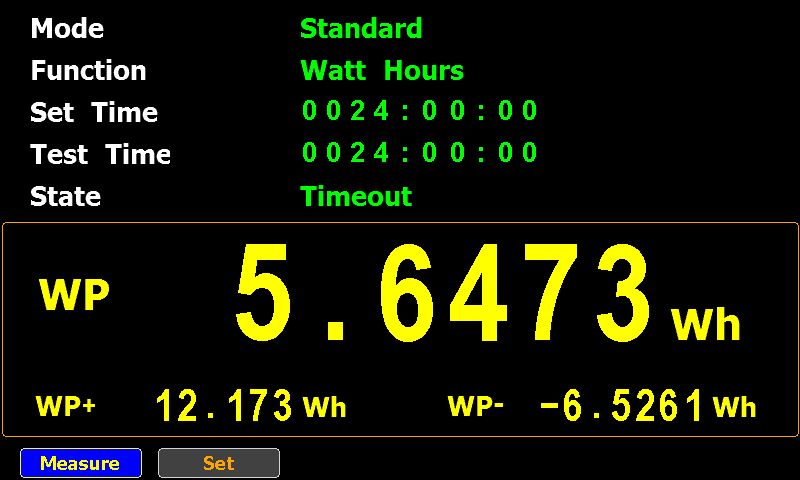
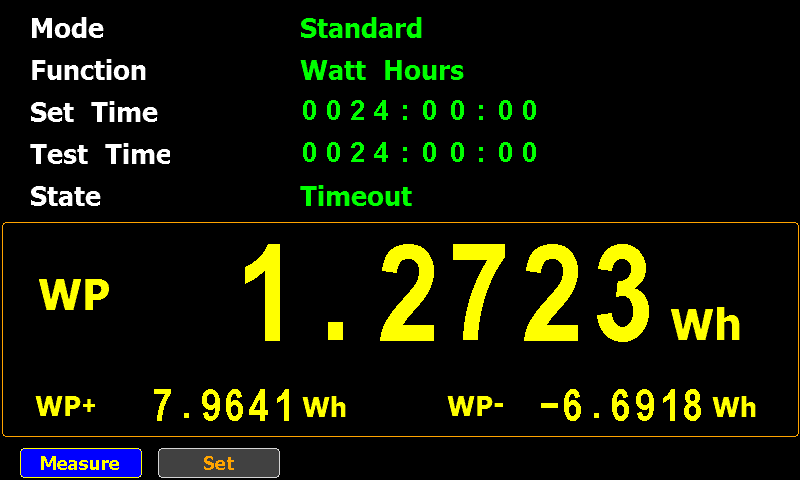
This is the result:
Model
24 hours (Wh)
1 hour (Wh)
1 year (Wh)
Apple A1357
2,8847
0,1202
1052,9155
Apple A2347
1,2723
0,0530
464,3895
Anker A2053
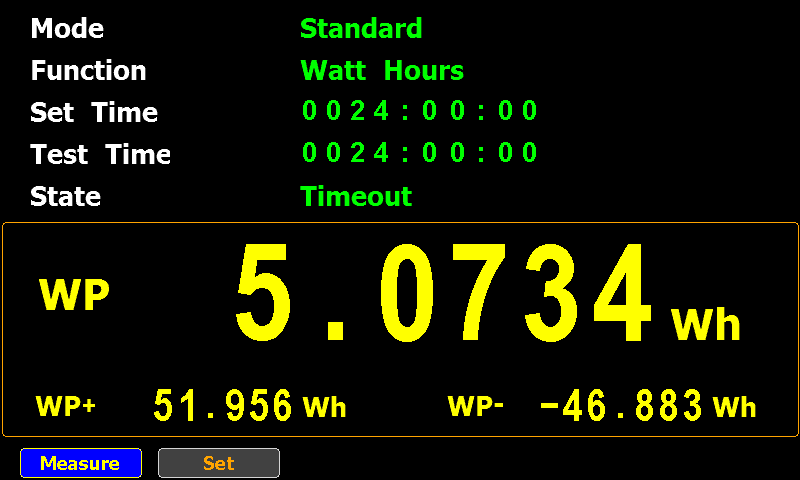
5,0734
0,2114
1851,7910
No-brand: Chacon EMP604USB
5,6473
0,2353
2061,2645
24 hours is the measured data, the “1 hour” and “1 year” columns are calculated based on the 24 hours data.
The no-brand USB charger consumes the most: around 2 kWh per year, which is still less than a switched off Philips Hue lamp.
Using the same cost as for the Philips Hue lamp, that no-brand charger costs me around €1 if I would leave it plugged in for a whole year without letting it charge anything.
A Philips Hue lamp is a LED lamp that can be controlled wirelessly. It always draws power for its control circuitry, also when the LED is turned off.
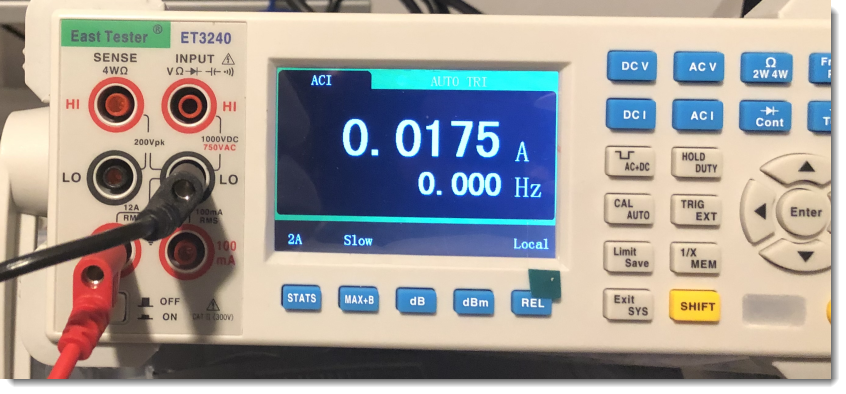
I wondered how much power it consumes in the off state. Doing some research, I found a couple of forums where people asked the same question, and getting answers that is was very little, varying from 0,01 A to 0,02 A.
I got similar results for the current when I measured this:
Figure 1: Switched off Philips Hue drawing 0,0175 A (varying easily with 25%)
But I wanted a more precise answer, and not only the current. I am more interested in the power (Watt) consumption. As our domestic electricity meters measure real power over a period of time.
Thus I measured the power consumption of a 1100 Lumen color Philips Hue lamp that I had switched of via the smartphone app over a period of 10 days.
Figure 2: Test setup
And these are the numbers I got after 10 days:
Figure 3: After 10 days of operation in the off state
0,07756 kWh over a period of 10 days, that’s 0,32316 W. Notice that the display indicates KWh, but that should be kWh (lowercase k for kilo).
Extrapolating to a whole year, that’s 2,831 kWh. Which in my case, correspond to a cost of €1,50 (roughly speaking) per lamp per year.
With online numbers claiming the current to be between 0,01 A and 0,02 A, at first I expected the power consumption to be higher. But the power factor is quite low (around 0,10), explaining a lower power consumption.
Update 2022/09/01: I redid the test for one day (24 hours) using a more precise powermeter (GPM 8310) and measured 8,9188 Wh for 24 hours, or 0,3713 W.
I did some tests to generate electricity (230V AC) with a portable 12V battery (well, it’s 10 Kg).
I have a 12V VRLA battery with a capacity of 35,000 mAh. That’s 12V times 35 Ah = 420 Wh. Or equivalent to a 116,667 mAh (420,000 mWh / 3.6 V) USB powerbank.
Charging this 12V battery with a 12V battery charger connected to a 230V power outlet takes almost 7 hours (6:57) and requires 0.49 kWh. That is measured with a plug-in electricity meter with a .00 kWh precision. And I’m working under the assumption that the power requirement of the electricity meter is so small that it can be neglected.
Then I use this fully charged battery to power a 230V 150W halogen lamp via a 12V DC to 230V AC power inverter (modified sine wave).
It runs for 2 hours (2 tests: 2:01 and 2:03) and consumes 0.30 kWh.
Of the 0.49 kWh energy I put into my system, I get 0.30 kWh out of the system. That’s 61%, or a bit better than half of the energy I put into the system.
The main phases where I expect the energy losses are occurring, is in 230V AC to 12V DC conversion and electrical to chemical energy conversion (charging); and chemical to electrical conversion and 12V DC to 230V AC conversion (discharging). I believe the highest energy loss to occur in the power inverter.
And with energy loss, I mean energy that is converted into forms that are not directly useful to me, like heat.
Remark that the halogen lamp test stopped after 2 hours, because the power inverter stopped converting. The battery voltage was 11.5 V then, and I could still draw 1 A at 11.5 V for an hour (I stopped that test after 1 hour).
Next I’m going to try out a 12V to 5V adapter and power some USB devices.
I just received a USB passive load. It’s basically 2 resistors connected to the USB power wires in parallel, each with a switch in series:
It can draw approximately 1, 2 or 3 amps (depending on switch positions) from a 5 volt USB source.
The resistors can dissipate 10 Watts, and will become very hot.
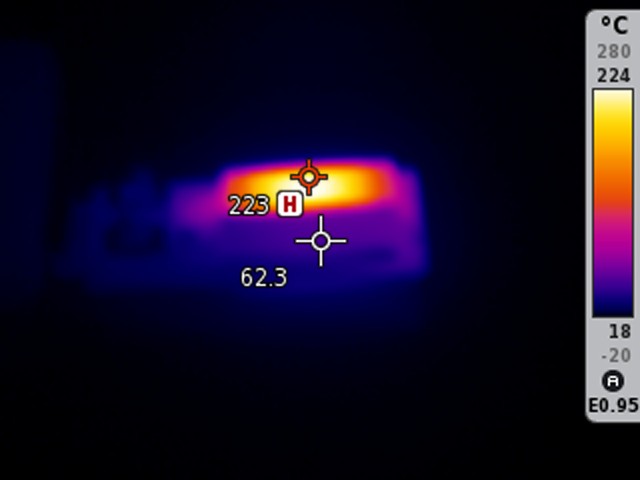
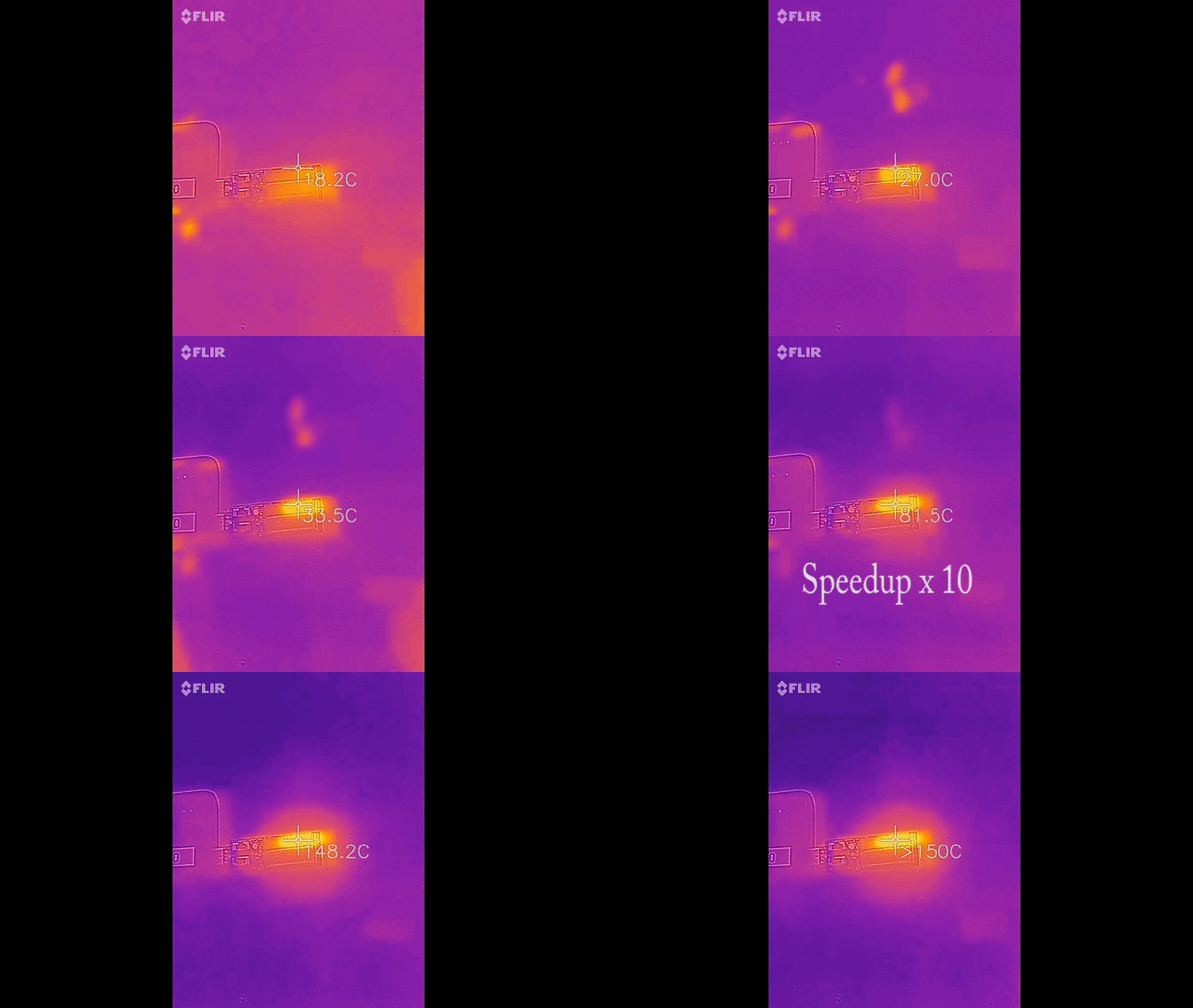
The resistor for 1 amp (4,7 ohms, tolerance 5%) maxed-out my FLIR One thermal camera (> 150 °C), but I could measure around 220°C (that’s close to 451°F) with another thermal imaging camera.
The second resistor (2 amps: 2,2 ohms, tolerance 5%) maxed-out that other thermal camera too: this one got hotter than 280°C.
I’m referring to 451°F, because presumably, that’s the temperature to ignite paper. Something I’ll have to test out in safe conditions.
I also measured the resistors, and they are well within tolerance:
Here is a short thermal imaging video of the first resistor heating up:
When I had issues with my portapack, it took me some time to remark that these issues only happened with a particular USB cable.
The SDR would work fine, and then when I would try to record or playback, the screen would turn dark.
You can see this in the following video:
What is happening, is that this particular USB cable is electrically defective: the voltage drop is too large, due to the abnormally high resistance of the cable. The portapack doesn’t receive enough power, and starts to malfunction.
In the following 2 videos, I perform various tests with that defective cable:
Videos on my video blog (with some info on the devices I used):
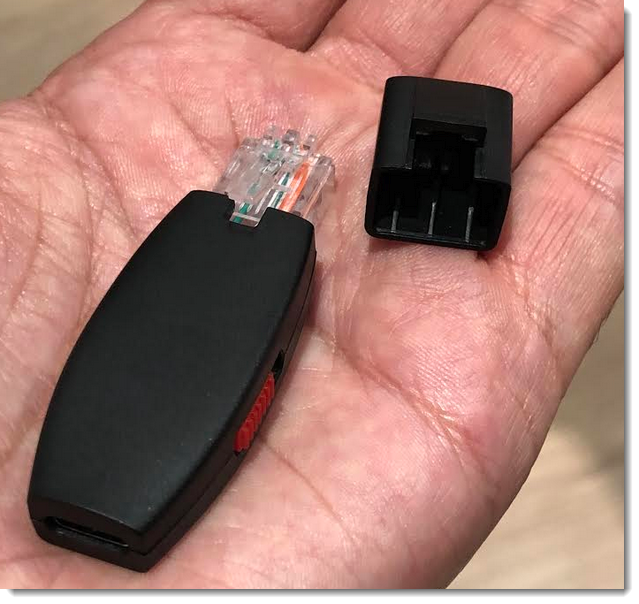
I have a new toy: a “Shark Jack“. It’s a small device sold by Hak5 that performs a nmap scan (-sP) when plugged into a network port (that’s the default “payload”).
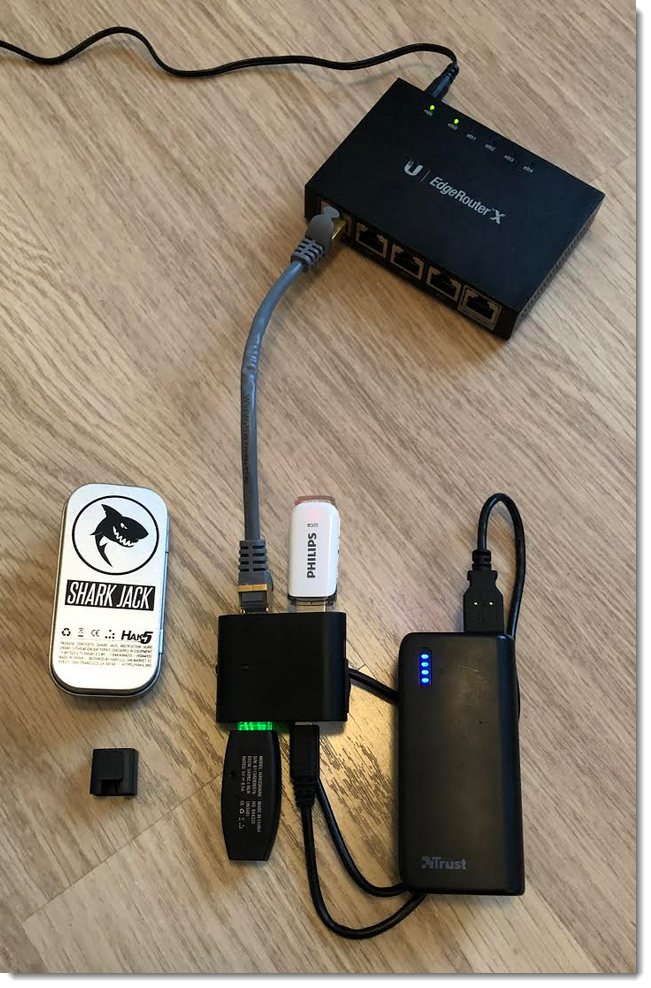
In this blog post, I’m sharing the network capture of a scan performed in this “test environment”:
The device (small black box, almost square) between the Shark Jack (SJ) and the router is my “Packet Squirrel”: a simple network capture device.
A couple of observations:
The SJ was tested with its original firmware (1.0.0)
The SJ will randomize its MAC address
The SJ performs 2 full DHCP handshakes prior to the nmap scan
The SJ listens on port 53 (tcp and udp) using dnsmasq (observed while scanning)
Example of different MAC addresses after before and after reboot: