I wrote a Python program to decode encoded VBS scripts (VBE).
decode-vbe_V0_0_1.zip (https)
MD5: 87E61217BC77275DBACEA77B8EDF12B5
SHA256: 11A9B5D47657C123845007E3E29FB331CAE7483B6A4A3AC54276DB90116911B5
I wrote a Python program to decode encoded VBS scripts (VBE).
decode-vbe_V0_0_1.zip (https)
MD5: 87E61217BC77275DBACEA77B8EDF12B5
SHA256: 11A9B5D47657C123845007E3E29FB331CAE7483B6A4A3AC54276DB90116911B5
Here is an overview of content I published in February:
Blog posts:
SANS ISC Diary entries:
Malicious documents that drop VBE scripts (VBScript Encode scripts) are in the wild. Here is an example:
I have a YARA rule to detect VBE scripts:
yara-rules-V0.0.6.zip (https)
MD5: 01CB37759AC30EEA8D2B66226609C73E
SHA256: 1B56C1D7D0E1A8F500674B74F93F3E7DE6B2EFC85259ABE3A57F1DCA458CCFF8
I’m providing a 2-day training at Brucon Spring Training 2016: “Analysing Malicious Documents“. Use promo-code SPRING16 for a 10% discount.
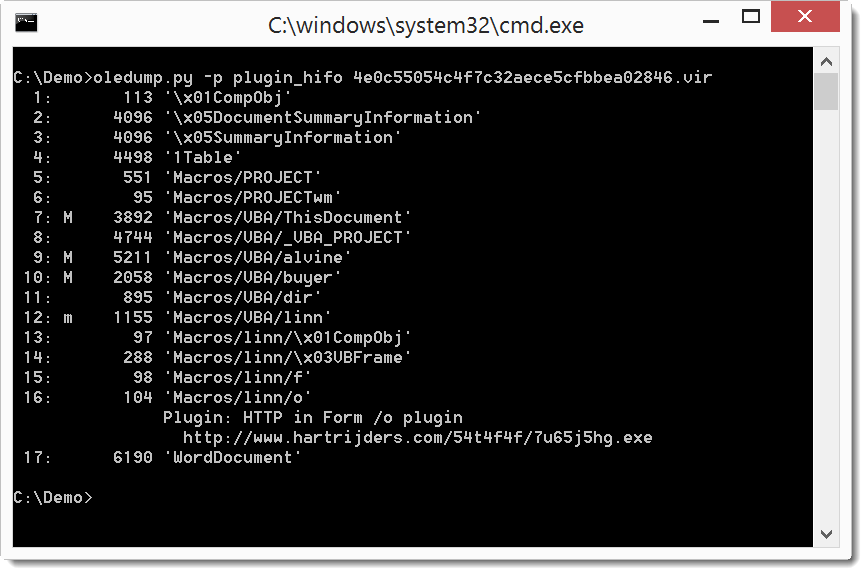
This new version of oledump brings an update to the –cut option and a new plugin: plugin_hifo.
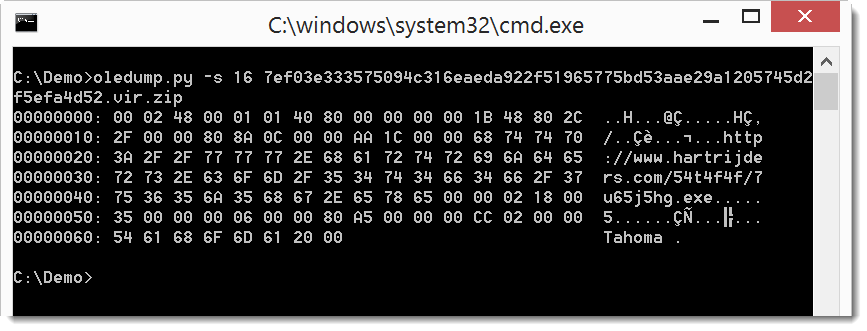
As I documented in this ISC Diary entry, maldocs can store URLs in properties of userforms:
The plugin plugin_hifo is a simple plugin that looks for streams that end with /o and then searches for strings starting with http (hence the name: http in form /o).
oledump_V0_0_23.zip (https)
MD5: 991910FF4AA47808A5BBCE0CC109D41A
SHA256: 612B6FD06856C7790D2F66B29286E7B89D35D8354ADB167CA512CC1CDE3F6C47
I’m providing a 2-day training at Brucon Spring Training 2016: “Analysing Malicious Documents“. Use promo-code SPRING16 for a 10% discount.
I received another maldoc sample (MD5 73D06B898E03395DA3D60D11E49751CC):
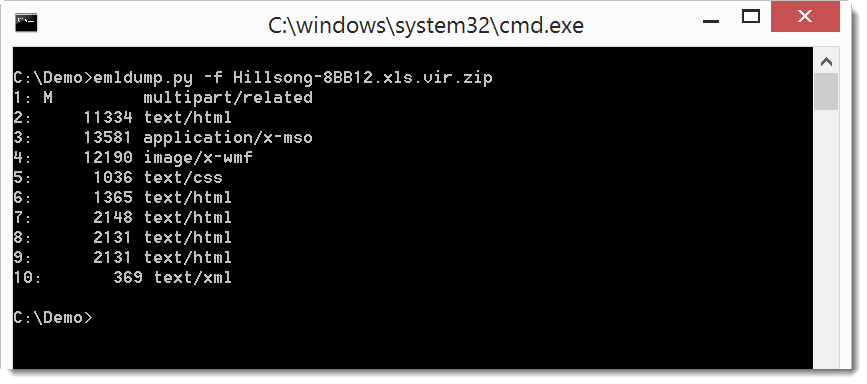
Lines 2, 3, 6, 7 and 8 are there to obfuscate this MIME type file. emldump.py now detects all lines without a colon in the first block (all lines before the empty line 9: 1 – 8).
You can filter out these lines with option -f:
emldump_V0_0_8.zip (https)
MD5: B6FBAF2AB403AFE30F7C3D7CA166793B
SHA256: 7A7016B29F291C3D42B43D43B265DAD86B96DA519DB426163CC2D15C556896E3
I’m providing a 2-day training at Brucon Spring Training 2016: “Analysing Malicious Documents“. Use promo-code SPRING16 for a 10% discount.
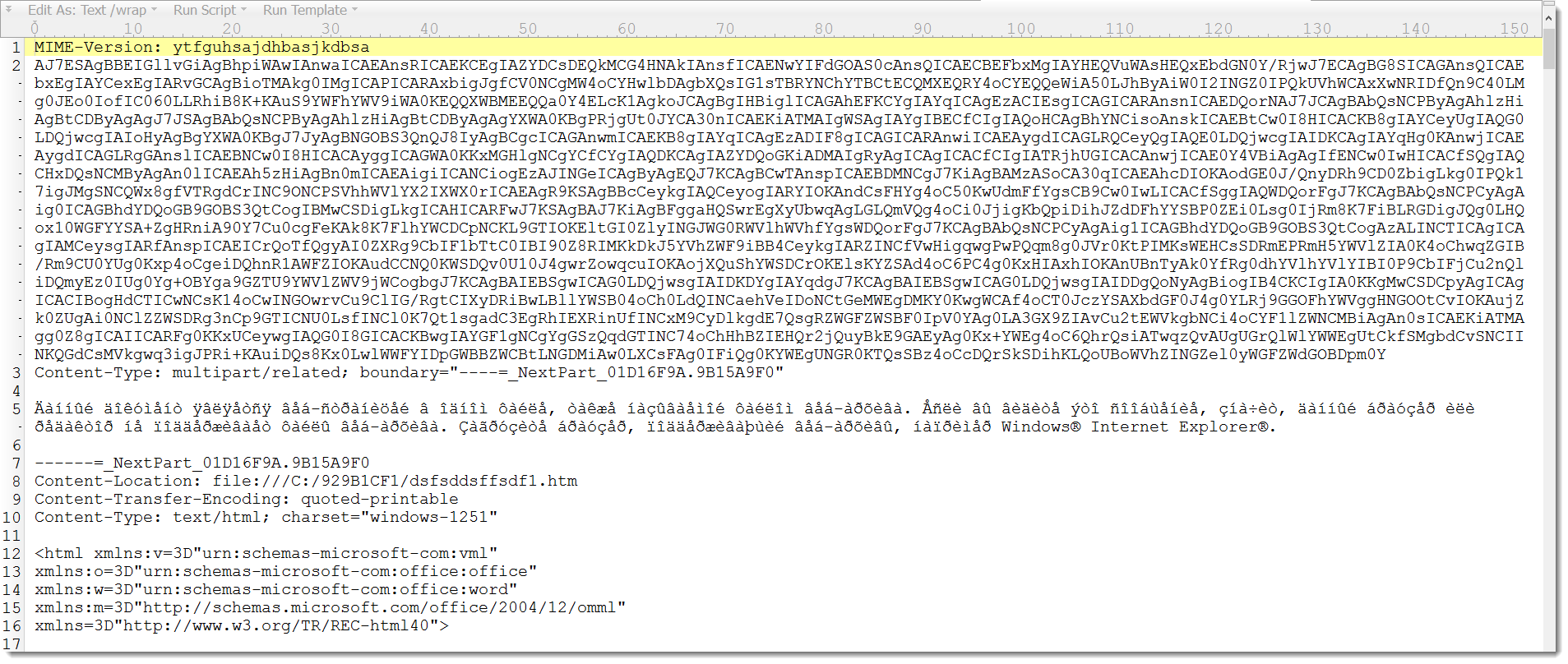
I received a maldoc sample (MD5 FAF75220C0423F94658618C9169B3568):
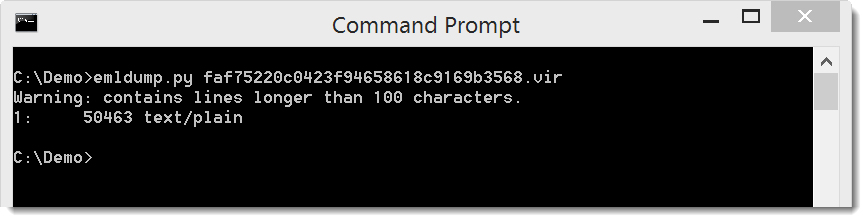
You can see it’s a MIME Type file, and that it is obfuscated. The second line is a very long line of seemingly random letters and digits. This throws of Python’s MIME parser used by my emldump tool:
emldump just detects this as a text file, and not as a multipart MIME Type file.
If we remove that second line, for example with findstr /v (or grep -v), emldump recognizes the different parts:
Since obfuscated MIME Type files are becoming more and more prevalent, I’m adding a filter option to emldump to filter out lines that obfuscate the MIME Type files. For the moment, option -f throws out lines longer than 100 characters and header lines that are not fields (just like option -H).
This new version of emldump.py detects some (simple) types of obfuscation:
And with option -f you can filter out these obfuscating lines:
Download:
emldump_V0_0_7.zip (https)
MD5: 819D4AF55F556B2AF08DCFB3F7A8C878
SHA256: D5C7C2A1DD3744CB0F50EEDFA727FF0487A32330FF5B7498349E4CB96E4AB284
Over at the ISC Diary I have an entry on Locky JavaScript Deobfuscation. I use my translate tool to perform part of the static analysis.
When you read this diary entry, you’ll see that I have to create 2 Python scripts to be used by translate.py to search with a regular expression and replace all matches with the output of a Python function.
I updated translate.py so that I don’t have to create Python scripts for this regex search-and-replace, but that I can do it from the command-line with a new option. This new option (-r, –regex) takes a regular expression and does a search-and-replace.
Here are the 2 “scripts” using this new option:
translate.py -r "\([^\\\(]+\\u([0-9a-f]{4})[a-z]+'\.e\(\)\)" "lambda oMatch: chr(39) + chr(int(oMatch.group(1), 16)) + chr(39)"
translate.py -r "('[^']*' ?\+ ?)+'[^']*'" "lambda oMatch: chr(39) + eval(oMatch.group(0)) + chr(39)"
If you just want to do a search-and-replace, you can use a constant regex and lambda function, like this (replace False with True):
translate.py -r "False" "lambda oMatch: 'True'"
translate_v2_2_0.zip (https)
MD5: D561D9987A3E5264E40A4B5C4057A732
SHA256: BC532BD5C7DD86DCADDF7B7B9A34453E983E226E103E0591E7D480BB43C350E0
For several years now I’ve been using my modified cmd.exe from Excel.
I’m not releasing this spreadsheet with my cmd code, but I release the VBA code. You can create your own spreadsheet (or Word document) with this VBA file. If you don’t know how, here’s a video:
Here is an overview of content I published in January:
Blog posts:
YouTube Videos:
SANS ISC Diary entries:
A bugfix.
numbers-to-hex_V0_0_2.zip (https)
MD5: 911D2BF2EC0839DD595C48FF4BE5E979
SHA256: 41D5B19E401516CB134521E1F6973A16DBFE491303BD93429EEBE55C0B3AFEF6