This version adds support for ZIP files encrypted with AES, via the pyzipper module.
rtfdump_V0_0_12.zip (http)MD5: C3D4F69908A49265E3877D4338462534
SHA256: A40CC2744DE2D4C5956F5FD306357E7E105EC693B8BEA6E7E006C48EC78055BB
This version adds support for ZIP files encrypted with AES, via the pyzipper module.
rtfdump_V0_0_12.zip (http)This is a small update, to add extra statistical information for decoded items.
base64dump_V0_0_24.zip (http)In my blog post “Quickpost: Standby Power Consumption Of My USB Chargers (120V vs 230V)“, I looked at the power consumption of several of my USB chargers in standby mode (e.g., not connected to a device to be charged).
These are switched-mode power supplies.
They consume considerably less standby power than linear power supplies, like this one:
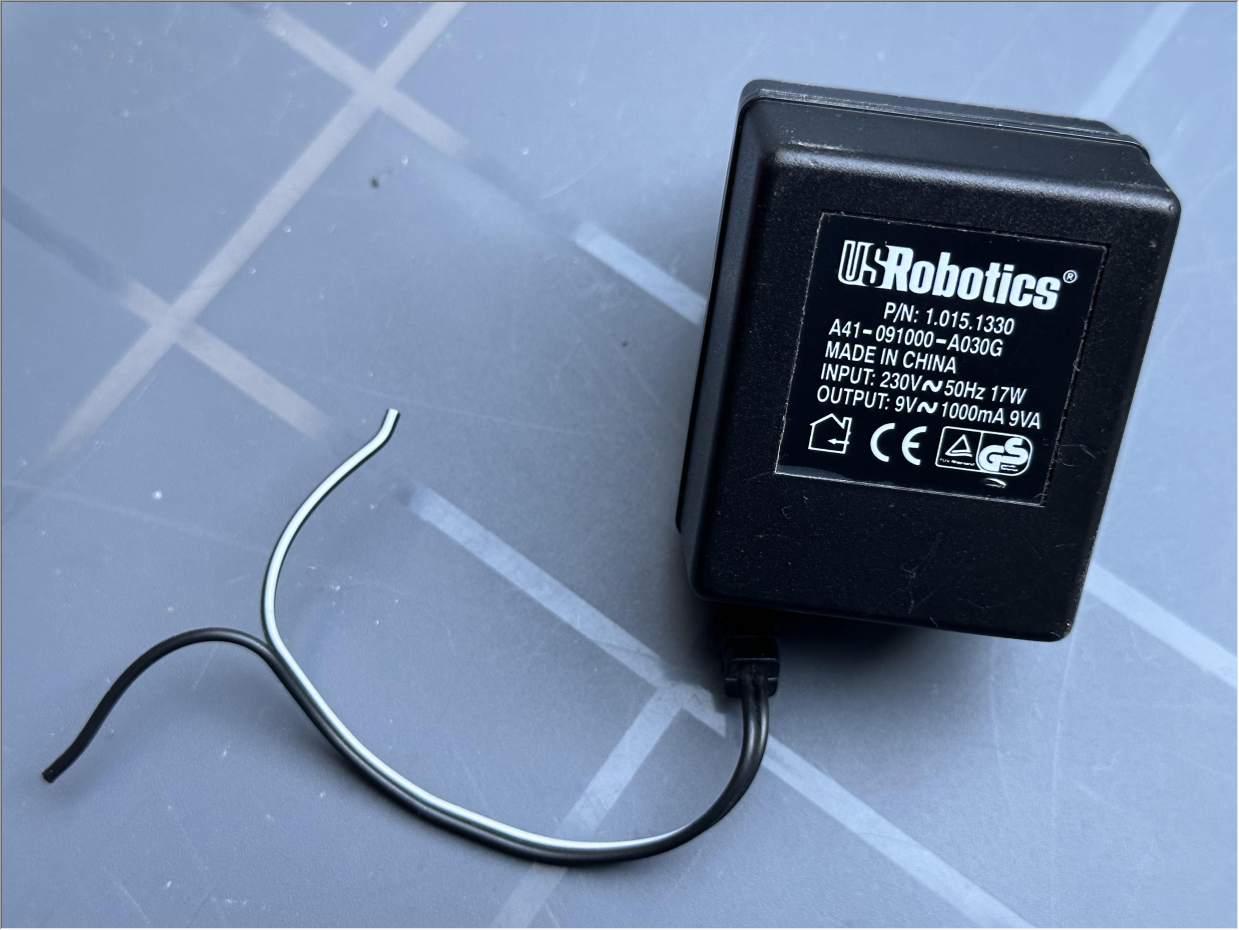
These contain a transformer to go from a high voltage (AC) to a low voltage (AC), and then contain some electronic components, for example a diode bridge and capacitors, to convert the low voltage AC electricity into DC.
I tested this old power supply I had lying around, and it consumed 1.6836 Wh when tested with my power meter during one hour:

That’s 14,75 kWh for a year. Which is about 10 times more than my worst switched power supply tested here.

So, if you are planning to follow the advice of energy experts here in Europe (and watch out, quite a few are not experts at all, just echo chambers) to reduce your electric energy consumption and save money, consider the following points (their idea is to unplug chargers you don’t use).
This new version of rtfdump, my tool to analyze RTF files, brings json output for options -O and -F.
rtfdump_V0_0_11.zip (http)Here’s a new beta version of my tool pngdump.py, a tool to analyze PNG files.
I took a look at all files on MalwareBazaar with a PNG tag, and made updates to pngdump.py to handle them.
I found 3 types of “PNG” files.
First, files spoofing PNG files: files that are not PNG files, but have a .png extension.
Like .exe and .rar files:


Second, valid PNG files with an appended payload:
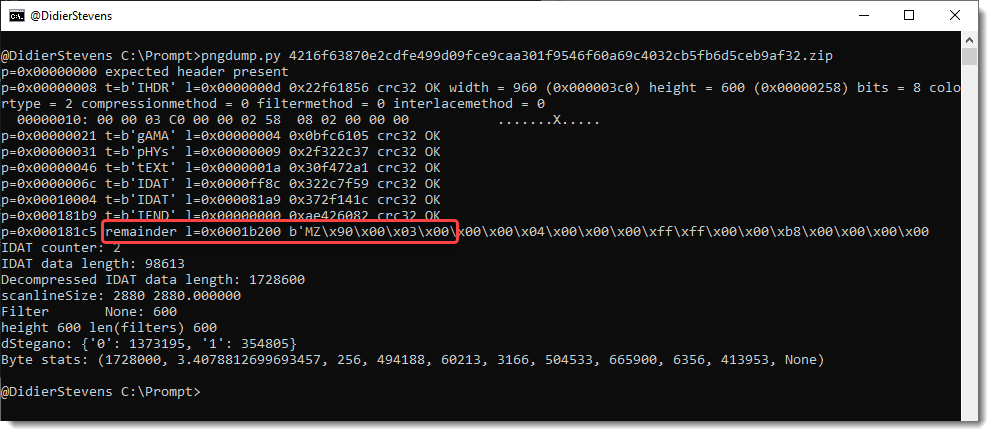

Third, invalid PNG files. For example, PNG files with the right record structure, but where the Zlib compressed image is replaced by an RC4 encrypted payload (IcedID):

I also have other samples, but that’s for another blog post.
Beta version 0.0.3 is available on GitHub.
TLDR: reducing the sound volume level of our TV has no (significant) impact on its electric energy consumption, but reducing the back-lighting does.
Here in Belgium, mainstream media is full of news with tips to reduce energy consumption.
Some good tips, some bad tips … That’s mainstream media for you 🙂
Recently, there was an article with the following tip: “reduce the sound volume level of your TV to save energy” … (I’m not linking to this article).
It is true that a speaker (and the audio amplifier) requires power. And that there is a positive correlation between electric energy consumption and sound volume level. Large speakers can draw quite some amps…
But I was a little doubtful that lowering the sound volume level of our TV with a view clicks, would have a significant/measurable impact. Because some time ago, I already made measurements, and our TV drew 120 Watt maximum. So I did not expect a big impact.
Anyways, one has to make measurements to know if there is a (significant) impact or not.
We have a 55 inch QLED Samsung TV from 2018. The test protocol I worked out is the following: start to play a long movie (LoTR) and measure the electric energy consumption during one hour exactly (with a GW Instek GPM-8310 digital power meter). Don’t touch the TV or remote while testing is going on, and make sure that no dynamic settings are enabled that can influence the electric energy consumption (like ambient light based brightness control).
I measured at 3 sound volume levels: 20, 19 and muted. And I did this twice.

Here are the results:
| Sound level | Electric energy consumption (Wh) |
| 20 | 117,74 |
| 19 | 117,74 |
| 0 (muted) | 117,66 |

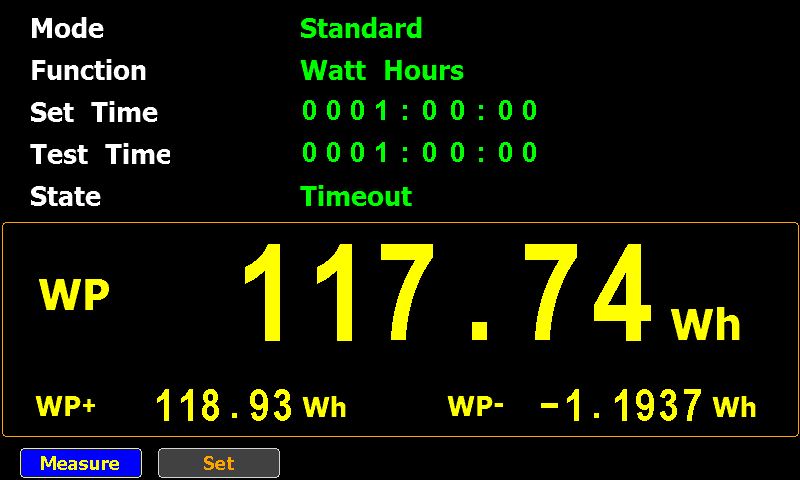
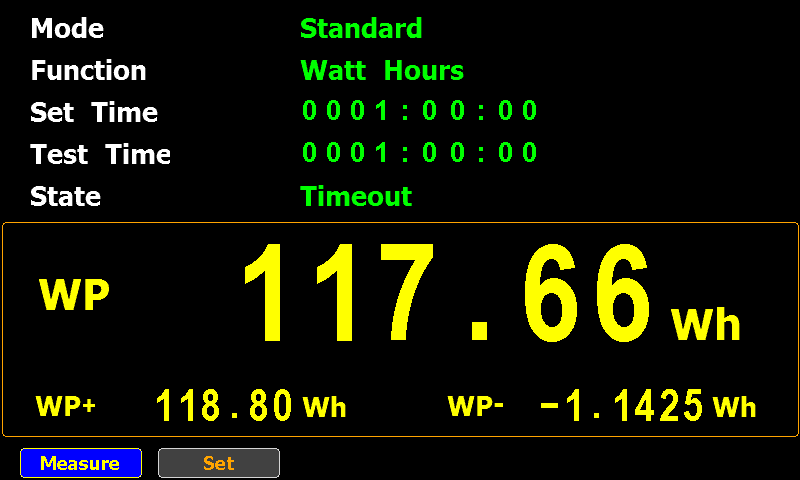
For our TV, there’s no difference between a sound volume level of 20 and 19.
And by completely muting the TV, we save 0,08 Watts. That’s a very small amount. To put that in perspective, we would have to watch 125 hours of muted TV to power a 10 Watt LED light-bulb for 1 hour.
Of course, that’s for our TV. If you have a TV with a powerful soundbar and extra speakers, your measurements will be totally different.
While going through all the settings of our TV, there is one thing I noticed: the back-lighting setting was set to its maximum (20).
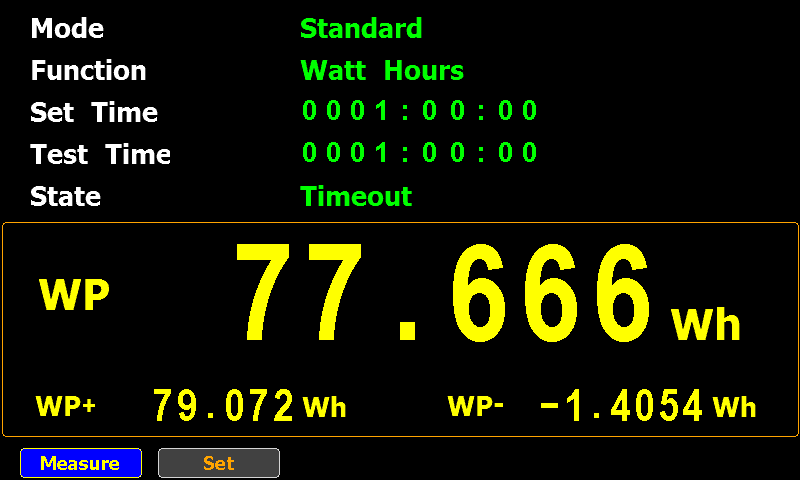
I reduced the back-lighting to 10 and measured again. That made a significant change: 77,666 Wh in stead of 117,74 Wh (both at sound volume level 20, our usual setting). That’s a 34% reduction in electric energy consumption. That’s a significant reduction, but …, don’t forget that the back-lighting setting happened to be at its maximum.
We will keep it like that for the moment, and see if we still enjoy watching TV.
This update adds the option –trim to template process-text-files.py.
python-templates_V0_0_8.zip (http)This version of my strings.py program adds option -N to select strings that end with a NUL character (C-strings).
strings_V0_0_8.zip (http)split-overlap.py is a tool to split a binary file in parts of a given size.
For example: split-overlap.py 1000 test.data
When test.data is a binary file with size 2500 bytes, the above command will create 2 files of 1000 bytes and one file of 500 bytes.
It’s also possible to split a file with some overlap. Like this:
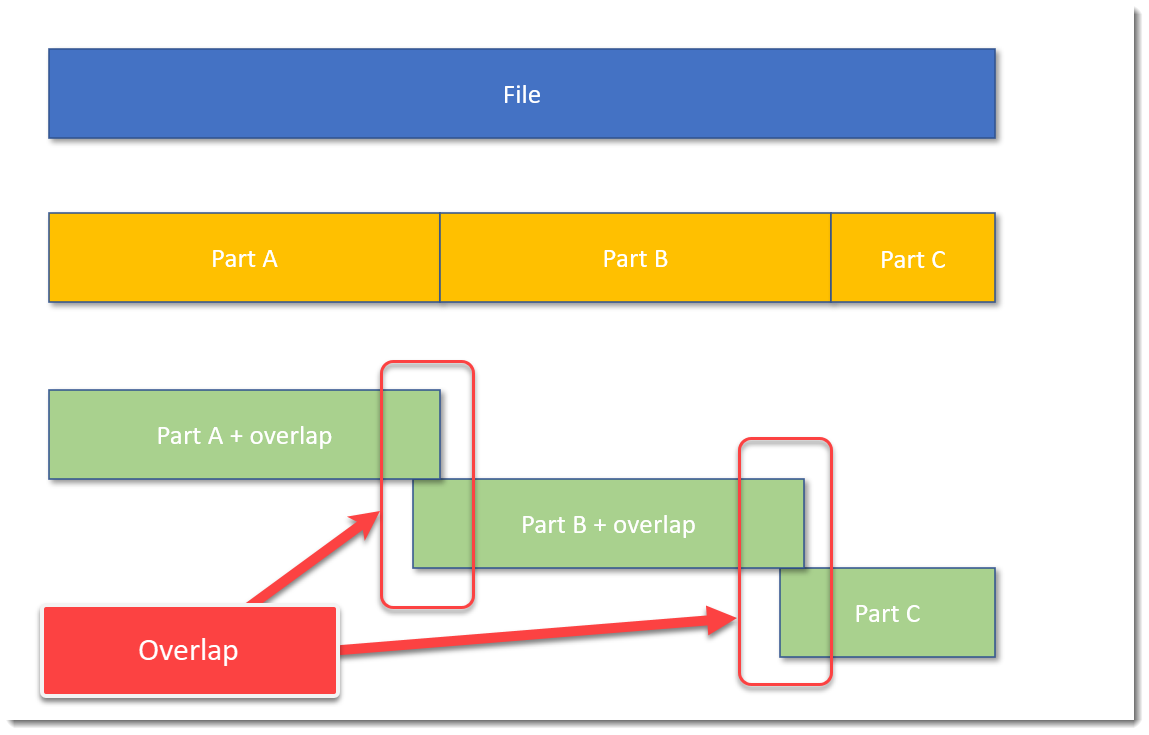
The blue block represents the original file, the yellow blocks are parts of the original file without overlap, and the green blocks represent parts of the original file with some overlap.
A command to achieve this, is, for example: split-overlap.py 100M+1M dump
This will create parts of 101 MB in size, with a overlap of 1 MB.
The main reason I developed this tool, is to be able to handle very large files, like memory dumps, by tools who can not handle such large files.
Splitting up a file in smaller, equal parts is a solution, but then you run the risk (a small risk) that the pattern you are looking for, is just at the “edge”: that the file is split in such a way, that one part contains the beginning of the pattern, and the next part contains the rest of the pattern. Then your tools are unlikely to find the pattern.
I solve this with my tool by using an overlap. You just have to make sure that the size of the overlap, is larger than the pattern you are looking for.
If you want to know more, read the man page: split-overlap.py -m
split-overlap_V0_0_1.zip (http)
 Didier Stevens