Thursday 23 March 2023
Overview of Content Published in February
Sunday 26 February 2023
Update: oledump.py Version 0.0.72
This update brings a new plugin to analyze MSI files: plugin_msi_info

MD5: 27CBB0D67EA90DD02875081785B50CB4
SHA256: 3E20C06B40222DAB69951D13159E063E9AF8766291D15362C0E39026B3923DC2
Saturday 18 February 2023
Quickpost: Fixing A Duplicate Key
I had a locksmith make a duplicate key of my mailbox lock, and it didn’t work (didn’t open the lock).
The cutting looked good, I saw no difference with the original key.
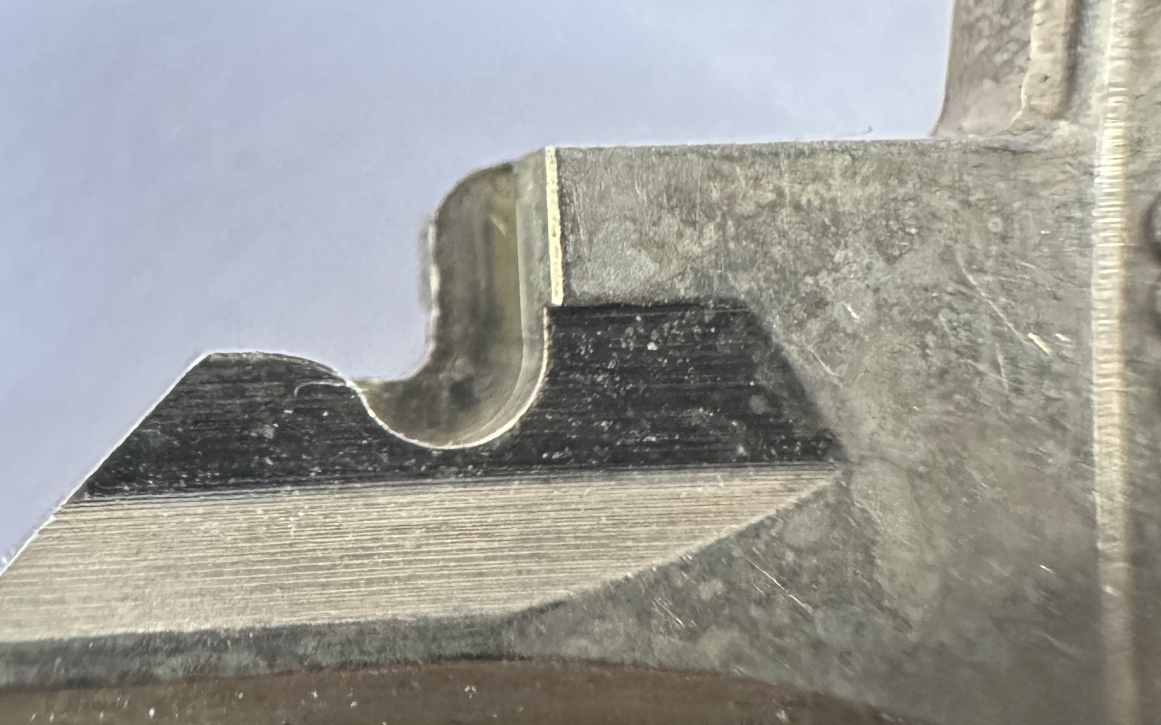
Until I noticed this notch:

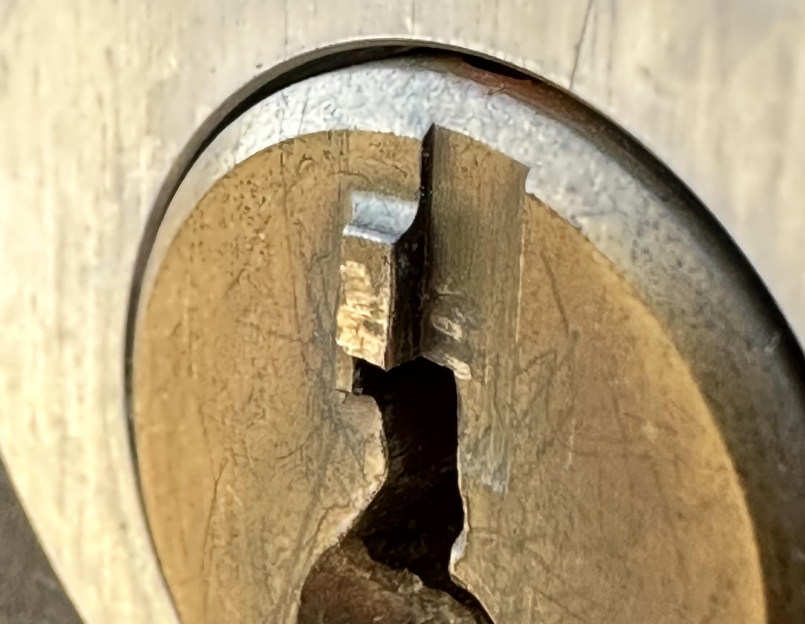
Turns out this notch accepts this tiny “bump” on the cylinder:

This notch was missing on the duplicate. I milled a notch and now the duplicate key opens the lock:

Quickpost info
Friday 17 February 2023
How-to: Make Your Own Cert With Web OpenSSL
I explain how to create certificates with OpenSSL on your Windows computer in my blog post “How-to: Make Your Own Cert With OpenSSL on Windows (Reloaded)“.
If you can’t or don’t want to install OpenSSL, there is a solution now with Web OpenSSL.
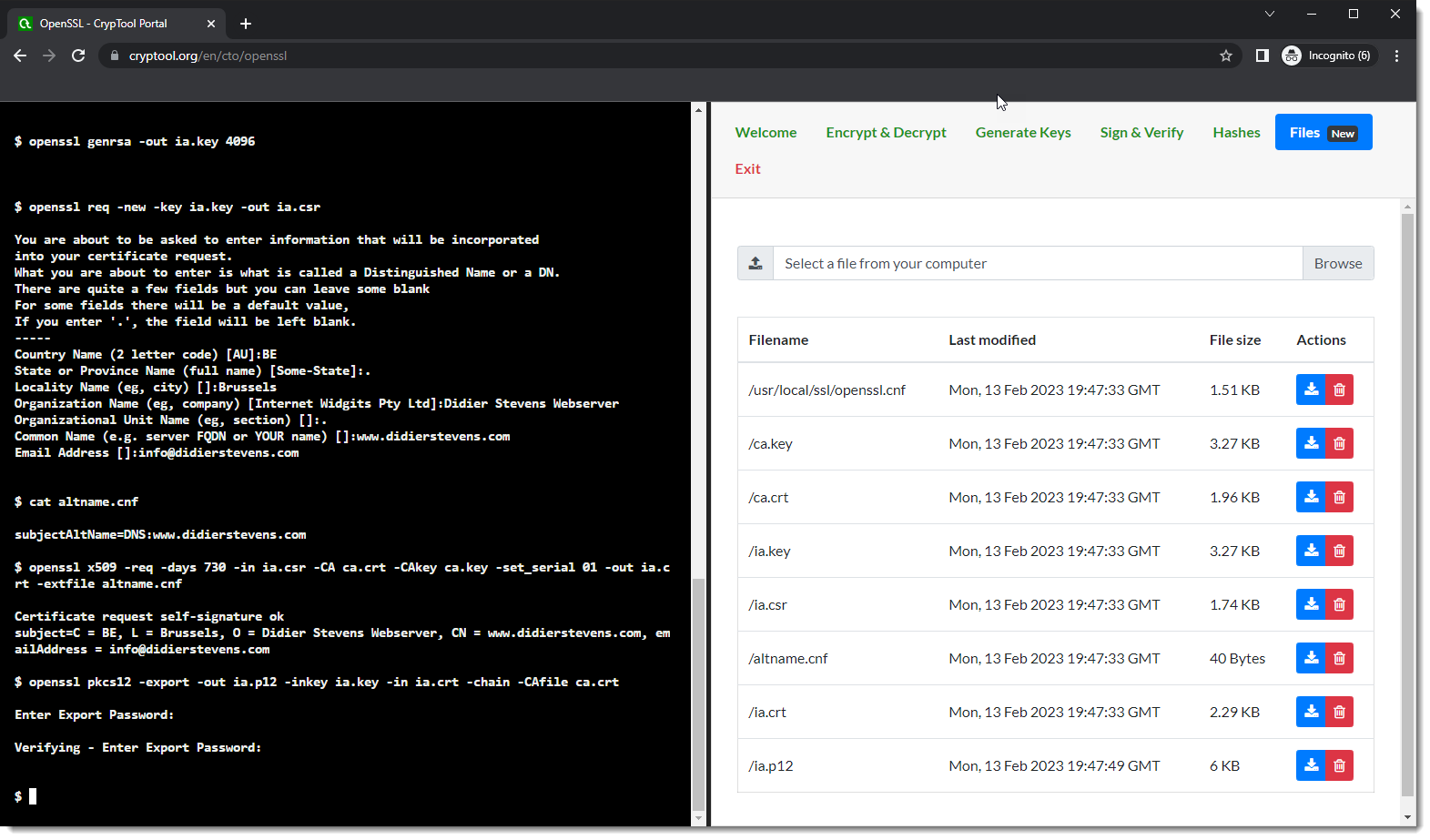
With Web OpenSSL, you can just run OpenSSL and the commands in your browser, like this (for more info on these commands , read my blog post).
Go to Web OpenSSL:

Scroll down a bit:

Click “Enter split screen”. You will now have a command-line interface to the left and the folder with files to the right:

Enter this command:
openssl genrsa -out ca.key 4096

Notice that 2 files have been created. You can take a look at them, for example ca.key:

Enter this command and answer the questions:
openssl req -new -x509 -days 1826 -key ca.key -out ca.crt

Enter this command:
openssl genrsa -out ia.key 4096

Enter this command and answer the questions:
openssl req -new -key ia.key -out ia.csr

Create a text file named altname.cnf and enter your domain name, this is the content for my domain name: subjectAltName=DNS:www.didierstevens.com
Upload this file (button Browse in Files) and check it was properly uploaded:

Enter this command:
openssl x509 -req -days 730 -in ia.csr -CA ca.crt -CAkey ca.key -set_serial 01 -out ia.crt -extfile altname.cnf

Enter this command:
openssl pkcs12 -export -out ia.p12 -inkey ia.key -in ia.crt -chain -CAfile ca.crt

You can then download all your files:

Verify and start using them:

If you want to understand what these commands exactly do, read my blog post “How-to: Make Your Own Cert With OpenSSL on Windows (Reloaded)“.
Thursday 16 February 2023
Update: process-binary-file Version 0.0.9
This is a bug fix update.
python-templates_V0_0_10.zip (http)MD5: 29806A562411E4584455746C8CE41BAB
SHA256: CC520C26BE6E59F48AEA639EC477983333D75F91FFE295915DB4711C275E26DB
Wednesday 15 February 2023
Update: cut-bytes.py Version 0.0.16
In this new version of cut-bytes.py, I add support for custom Python transforms (options -P and -S), pyzipper and fixed a bug.
cut-bytes_V0_0_16.zip (http)MD5: 04E6E0E46C6698127BAE443AF5CEF0F6
SHA256: 0657F6A6837CEC9F3E9E50551F8861D19B70305A4B7C3C409D561C3462550D24
Tuesday 14 February 2023
Update: xor-kpa.py Version 0.0.7
I added extra plaintexts for the modulus of Cobalt Strike’s public RSA key.
xor-kpa_V0_0_7.zip (http)MD5: FB8155E56234648CC3AFFD890BFE9043
SHA256: 069DCA2A1901D448DBF2CF202B5CE49846EFCBAACB73BF35B20AA085AAB31BA9
Monday 13 February 2023
Update: file-magic.py Version 0.0.6
This new version of file-magic.py adds a definition to identify OneNote .one files:

And adds support for pyzipper.
file-magic_V0_0_6.zip (http)MD5: 2C564E9B215672BA9352934C8B91B0EC
SHA256: 6102CE6788EB17B17AB3C0AB054FE9ECA2C557E9349A7ACF9612759CC5C6CA97
Sunday 12 February 2023
Update: pdf-parser.py Version 0.7.8
A small feature update for pdf-parser.py Statistics include unreferenced objects now:

MD5: 7BBEA9497666397CBBB88B012A710210
SHA256: FE393865861E00B48124B99CD5AEBBB5A632F1FBD883F4E4044DF8C8FA75BE9D