(IN)SECURE Magazine published my article on Microsoft’s Enhanced Mitigation Experience Toolkit.

It contains many details I’ve yet to discuss on this blog.
(IN)SECURE Magazine published my article on Microsoft’s Enhanced Mitigation Experience Toolkit.
It contains many details I’ve yet to discuss on this blog.
I’ve updated my Python program to take surveillance pictures from IP-cameras. This updated version is multi-threaded. For each picture to retrieve, you can specify a thread.
Each line in vs.config requires a 4th parameter now, the name of the thread:
Hall.jpg http://192.168.1.1/IMAGE.JPG - Thread1
This name can be anything. If you use the same name for different pictures, then these pictures will be retrieved sequentially by this thread.
MD5: A2AFAD9E581798F1D986A0AE9DF64577
SHA256: C3AC4892A71DF79E3BA87714CB6323D157C7E74C838EDE81013C96DD4EAD0238
After giving my Malicious PDF Analysis workshop at Hack In The Box Amsterdam, I decided to produce a screencast for each exercise (there are 20 exercises). You can find the first screencasts here. More will be produced soon.
Materials you’ll need for the exercises:
As I’m going to give my workshop on analysis of malicious PDFs at HiTB Amsterdam this Thursday, I thought I would share a PDF puzzle/challenge I made for BSidesLondon.
You can download it here.
And as there is write-up for the solution to this puzzle on a blog, I’ll link to this in the comments next week. Since you can just Google the solution, there is no prize this time.
You probably noticed the release of BackTrack 5.
But did you notice the inclusion of my PDFiD and pdf-parser tools?
You can find them under /pentest/forensics/pdfid and /pentest/forensics/pdf-parser.

When the suspender DLL is loaded inside a process, it will wait for 60 seconds and then suspend all the threads of the host process. If you want another delay, just change the name of the file by appending the number of seconds to sleep. For example, suspender10.dll will wait for 10 seconds before suspending the process.
To resume the process, you can use Process Explorer.
I’ve used this DLL to analyze malware and to disable some unwanted programs without killing them.
And from now on, I’ll try to release 32-bit and 64-bit versions of my tools.
Download:
Suspender_V0_0_0_3.zip (https)
MD5: C87FCAB2586C6154B58FB0F95FBB1FBE
SHA256: 56D0C641569E99AC31C7590DE513025E21166747565B73C5EBE34346616FFB2F
Remember my Excel with cmd.dll & regedit.dll?
Paul Craig has a signed version of my spreadsheet on his iKAT site. Download ikat3.zip and look for officekat.xls.
These signed macros are handy when you’re working in a restricted environment that requires Office macros to be signed.
When Phidget came out with this new IR temperature sensor, a lightbulb went off. This sensor measures temperature without contact. Point it to the chair in front of your computer, and it will measure your body temperature. Or the temperature of your chair, if you’re not sitting in front of your computer.
And that’s the idea: I wrote a program that locks your Windows workstation when you leave your chair (e.g. when the temperature drops).
In this screenshot, LockIfNotHot is configured to lock the workstation when the temperature drops below 25°C during 3 seconds and there is no user input during 2 seconds.

Once the workstation is locked, you need to provide your Windows account password to unlock it.
Download:
LockIfNotHot_V0_0_1.zip (https)
MD5: 188BE76E0A5BCCA26A8736F8F0C4061C
SHA256: CA915265D3B224DF3AA95E5C59B7C0E7EDF239DF50FC1C03F2C991A8B1800AD2
I’m sure you’ve seen the following warning before:
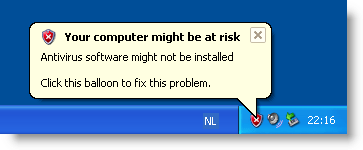
But have you ever wondered where the Windows Security Center gets its info? (BTW, Microsoft renamed it Windows Action Center in Windows 7).
It gets the information from the Windows Management Instrumentation interface, and more precisely, the WMI name spaces \root\SecurityCenter and \root\SecurityCenter2. I wrote a small script to display this info:
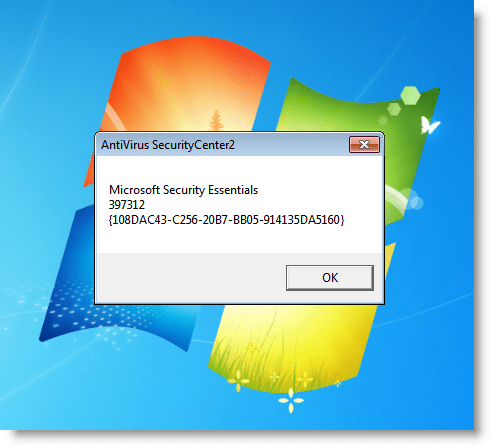
You can download the script here.
It’s also possible to modify this WMI information. Say you’ve uninstalled an antivirus program, but that it still shows up in the Windows Security Center. Then you can delete the WMI information with utility wbemtest.exe.
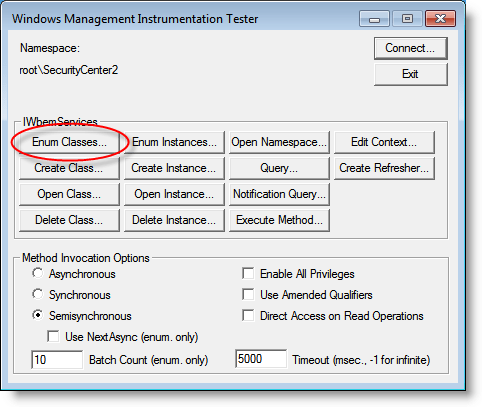
Start wbemtest (if you’re on Windows Vista or 7, you need to elevate wbemtest) and click on connect.
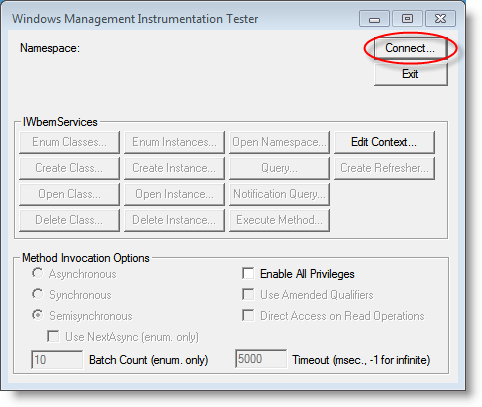
Type the name space you want to change: \root\SecurityCenter or \root\SecurityCenter2 (SecurityCenter2 is a recent addition). And then connect.
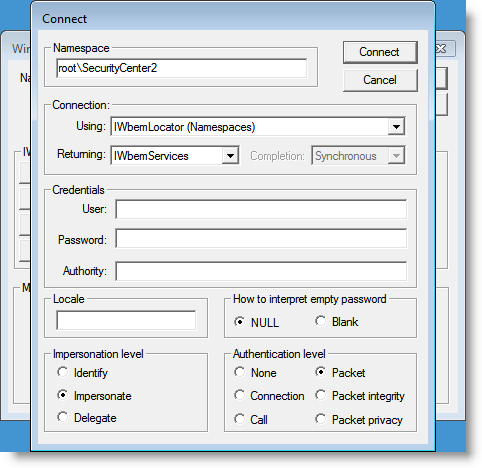
Click onEnum Classes…
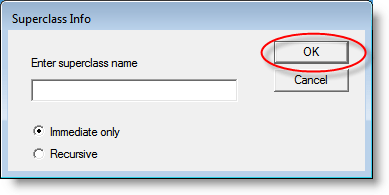
Then click OK
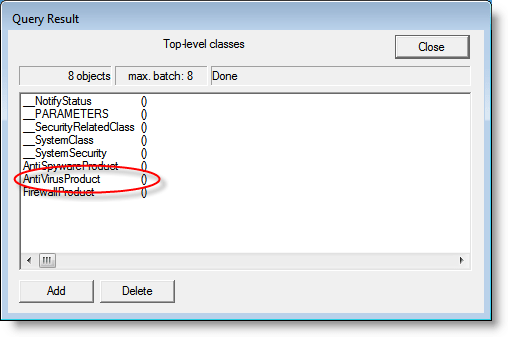
Then double-click the type of information you want to change. Here we change AntiVirusProduct:
Then click Instances
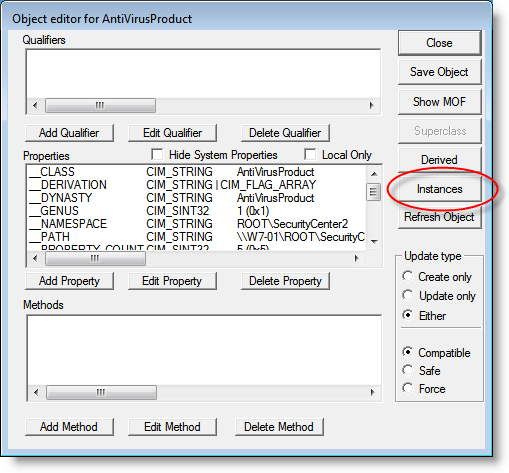
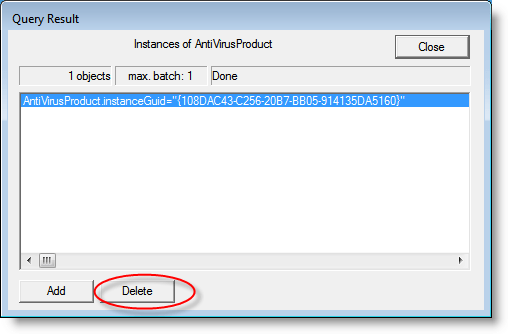
And now you can change the information. Here we delete it:
Just like EMET, HeapLocker can allocate a page at address 0 (null or 0x00000000) to mitigate null pointer dereferencing.
I actually implemented this code in HeapLocker because I wanted to find out how one can allocate a page at address 0. You see, when you call VirtualAlloc with address 0, VirtualAlloc will allocate a page at an address chosen by VirtualAlloc, and not at address 0. So I would think that the trick is to call VirtualAlloc with address 1, and that VirtualAlloc will allocate a page that contains address 1, and that this page must start at boundary 0.
But the problem is that you get an error when you try to allocate a page at address 1 with VirtualAlloc. Ivanlef0u explains this in his blogpost (French). VirtualAlloc rejects addresses inferior to 0x1000, one must use NtAllocateVirtualMemory to successfully allocate address 1.

 Didier Stevens