I’m providing a 2-day training at Brucon Spring Training 2016: “Analysing Malicious Documents“. Use promo-code SPRING16 for a 10% discount.
I received another maldoc sample (MD5 73D06B898E03395DA3D60D11E49751CC):

Lines 2, 3, 6, 7 and 8 are there to obfuscate this MIME type file. emldump.py now detects all lines without a colon in the first block (all lines before the empty line 9: 1 – 8).

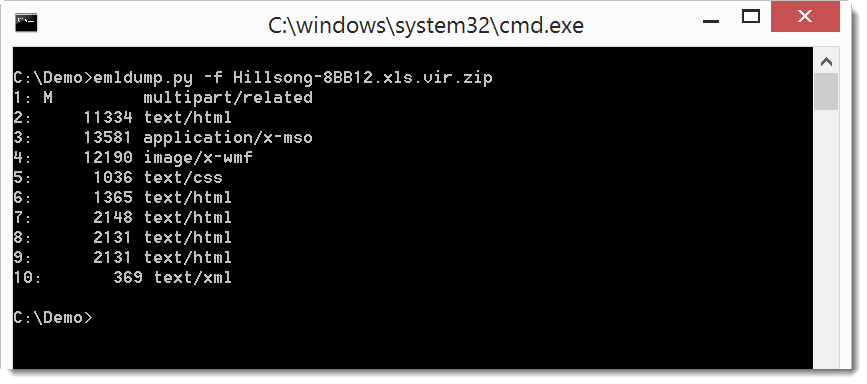
You can filter out these lines with option -f:
emldump_V0_0_8.zip (https)
MD5: B6FBAF2AB403AFE30F7C3D7CA166793B
SHA256: 7A7016B29F291C3D42B43D43B265DAD86B96DA519DB426163CC2D15C556896E3

 Didier Stevens
[…] Didier Stevens updated his emldump tool to v0.0.7 and then v0.0.8 to assist in dealing with obfuscated MIME Type files. The new version detects some (simple) types of obfuscation, and also filters out certain sections of the file that are known to cause the parser to crash – I’m guessing the rational behind this is it’s better to have some data if it can be parsed than just an error message. Version 0.0.8 now detects all lines without a colon in the first block. More Obfuscated MIME Type Files Even More Obfuscated MIME Type Files […]
Pingback by Week 9 – 2016 – Thisweekin4n6 — Sunday 6 March 2016 @ 11:22